Terms and How It Works
Terms
General:
Attribute — a property or association of an entity;
Entity — an object in the system (contract, power of attorney, person, group, form, etc.);
Record — an entity with a set of attributes and a record identifier (RecordRef);
Record identifier (RecordRef) — the data source identifier and the local entity identifier as a string.
Data source (Records DAO) — a data source that defines the logic of basic CRUD operations for working with entities.
Data:
Data Graph — a representation of data that a client can request using an attributes schema;
Scalar — a final value in the data graph that has no nested attributes that can be requested (string, number, etc.).
Attributes Schema — a data query description for transforming a data graph into sets (map and list) of scalar values;
How Data Works
Very often data is not a flat list but a graph where entities reference each other. Below is an example of such a data slice, where we have a contract with four attributes:
Title — String
Name — String
- Counterparty — Complex object
Full Organization Name — String
Counterparty Address — String
- Currency — Complex object
attributes omitted for simplicity
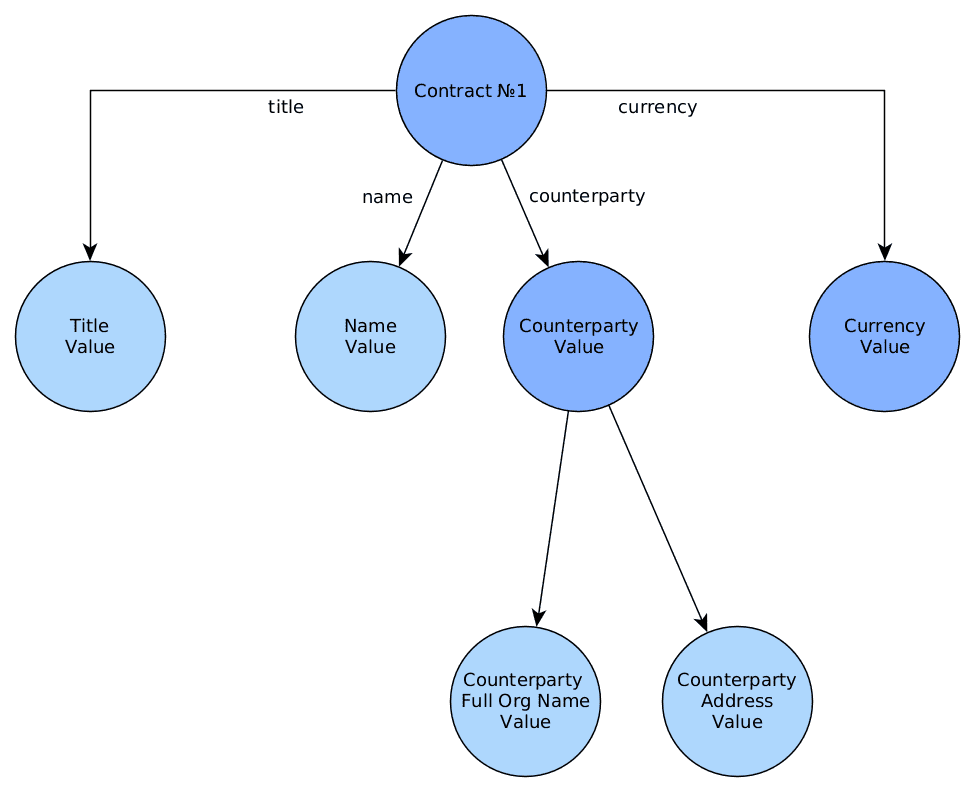
From the Records API perspective, each node of this data graph can be retrieved as the value of one of the scalars:
Primitive scalars:
disp — Human-readable representation of the value. (Examples: for a contract — “Contract No. 2”, for a user — “Ivan Ivanov”);
str — String;
num — Number (double precision; if Double precision is insufficient, use str);
bool — Boolean value;
json — JSON representation of the value. Arrays and objects are allowed. See below;
id — the global identifier of the value, containing the data source identifier and the local identifier. Relevant for complex values such as “Contract”, “Counterparty”, “Currency”, etc.;
localId — same as id, but without the data source identifier;
Non-primitive scalars:
?raw returns raw data in its original form, as-is. This is the only scalar that does not perform any conversion of the source data when loaded.
?bin returns binary data. When using JSON format it is equivalent to ?str (data is transmitted as a base64 string), but with formats that support transmitting byte arrays without base64 transformation it provides an advantage in data size (base64 adds 33% overhead).
?json is convenient for retrieving the full set of attributes from a record.
JavaScript syntax:
await Citeck.Records.get ('hr-table-wizard@0b5f0585-e0b4-4388-a6df-e4724eb2f0b7').load('?json')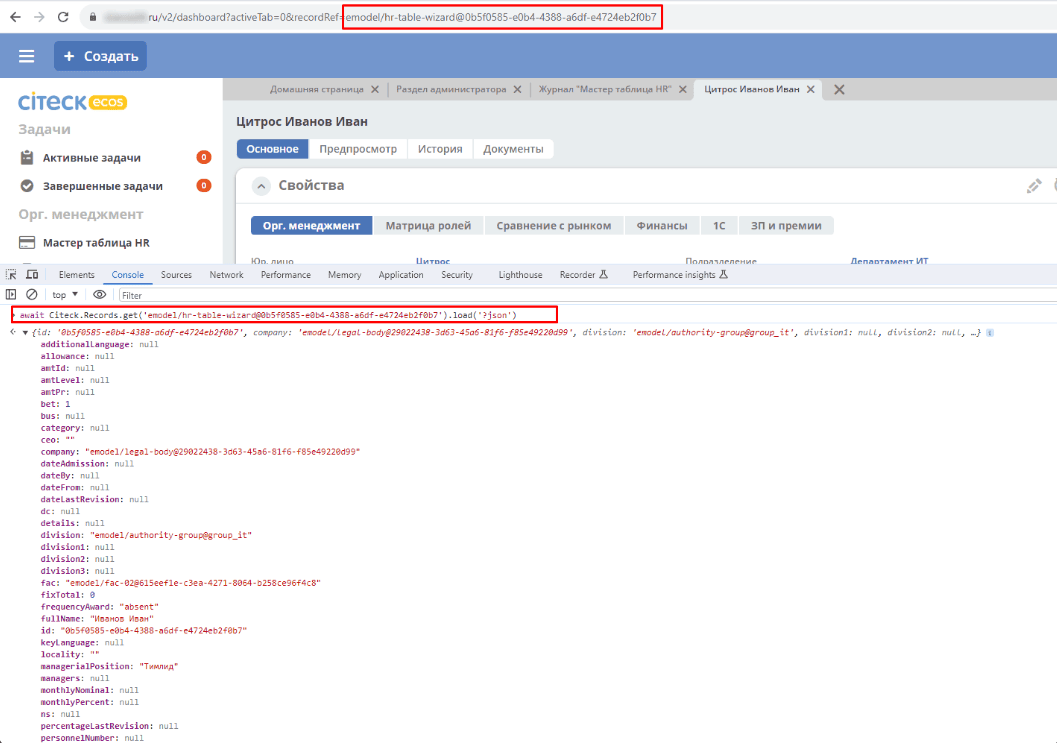
Java syntax:
recordsService.getAtt("integrations/edi-box@b12333d6-6207-4d9f-82da-8a92a281b7ab", "?json")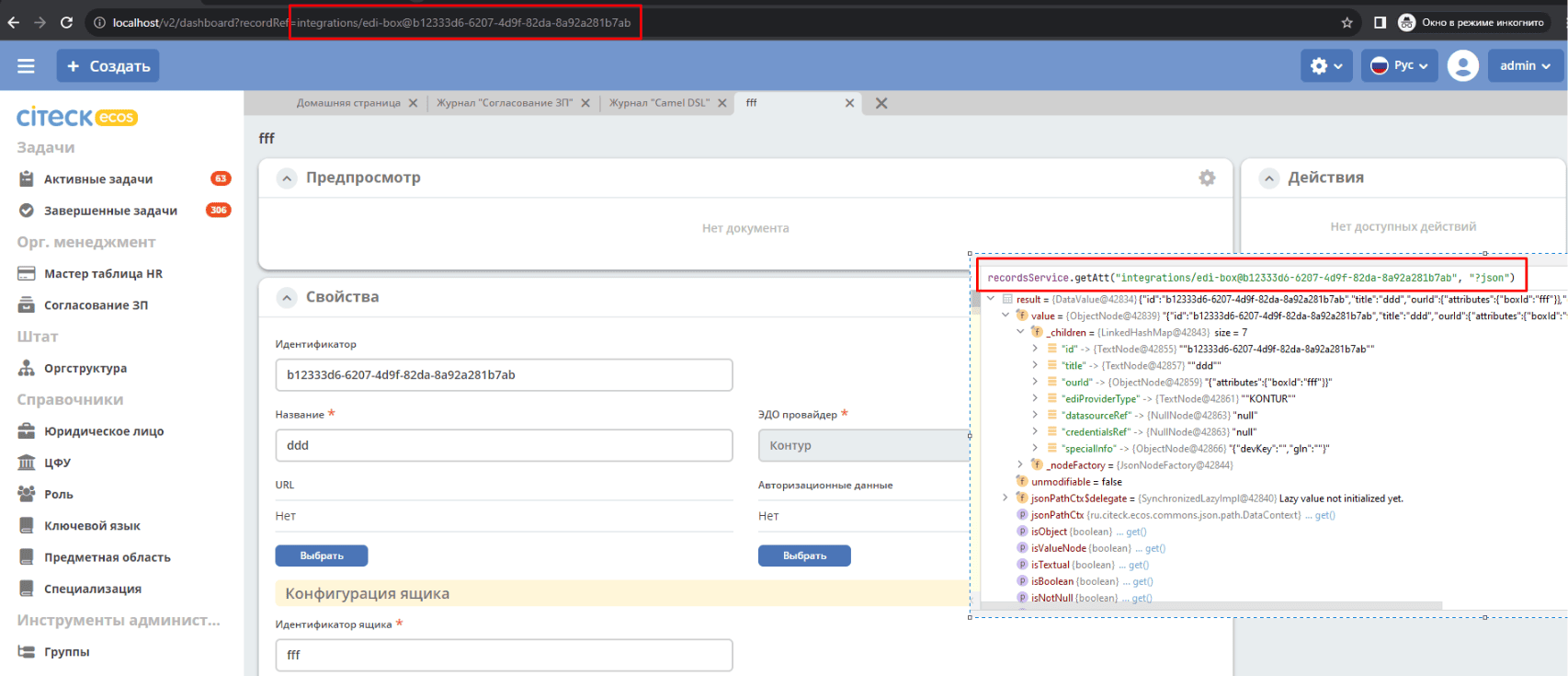
For example — to retrieve all values for all localizations of an MLText field in a single request, use the “?json” scalar when loading the attribute value.
Records.get("emodel/test-type@ed955b2d-44c2-4617-b48d-0a6b2e0d5a53").load("name?json")

->

{"ru":"Договор №17362","en":"Contract №17362"}
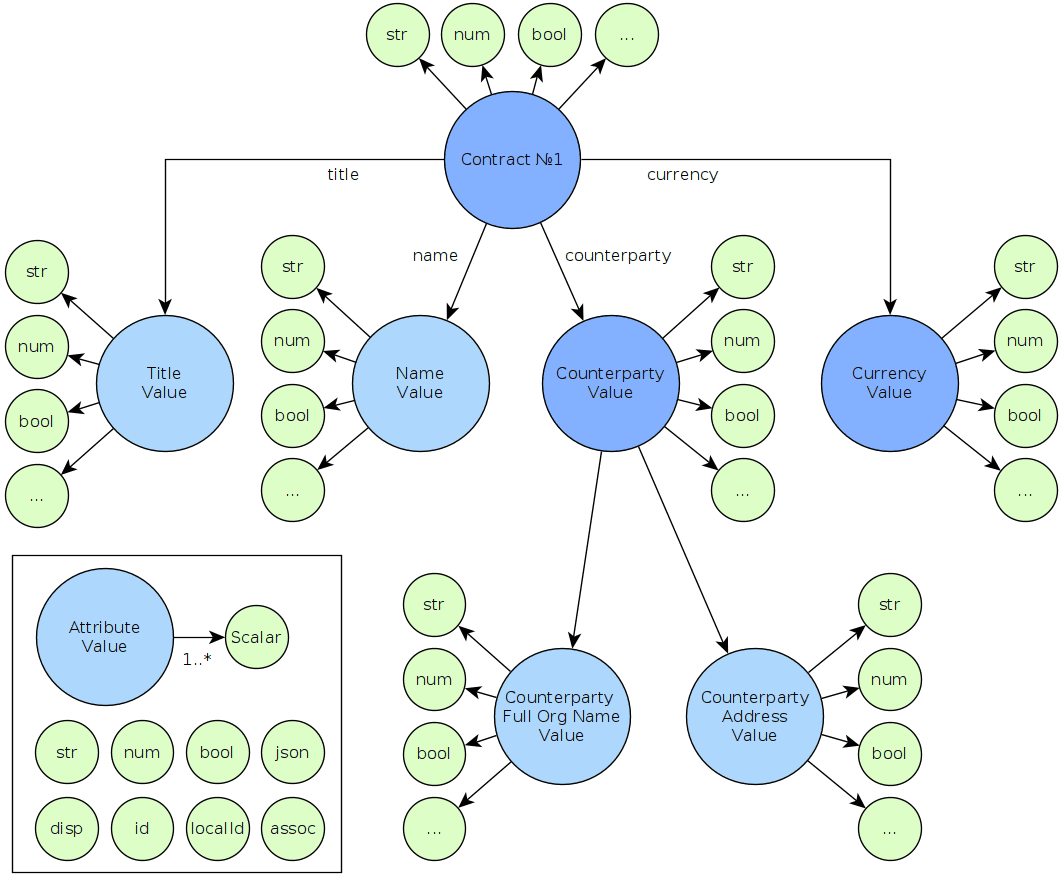
As an example, let us consider retrieving the full organization name of the counterparty for a contract.
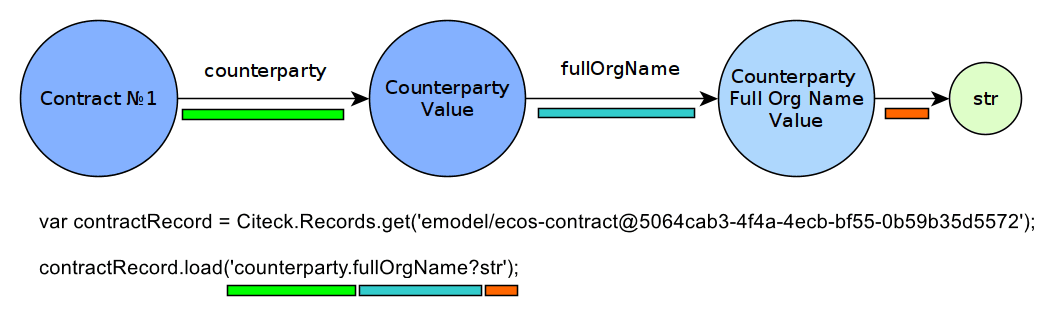
Here we use the JavaScript Records API to load the attribute we need.
First line — retrieving a record by its RecordRef identifier. See details
Note
The general form of the identifier is “application/data_source@local_id”, but here only the local_id is present.
Second line — loading the attribute we need. Nested attributes are separated by a dot “.”, and the scalar is indicated by a question mark “?”.
Note
The allowed depth of attribute nesting is unlimited.