Custom AI Agents
Agent — a configurable entity in Citeck with a system prompt, an LLM provider, and a set of tools. Stored as a Citeck record of type emodel/ai-agent.
This article describes the agent data model, execution modes, available tools, and the procedure for creating agents and custom tools.
Data Model
The data model is defined in AgentDefinition.kt:
Field |
Type |
Required |
Description |
|---|---|---|---|
|
TEXT |
yes |
Agent display name |
|
TEXT |
yes |
System prompt |
|
TEXT |
yes |
LLM provider identifier |
|
TEXT |
yes |
Model identifier |
|
NUMBER |
no |
Degree of randomness in generation: |
|
TEXT[] |
no |
List of connected tools |
|
BOOLEAN |
no |
Whether the agent is enabled (default |
Execution Modes
Stateless
One request — one response, with no memory of previous messages. Used in BPMN processes via POST /api/ai-agent/execute.
Invoked via AgentExecutionService.execute.
Warning
The stateless path has no HITL confirmation. Tool calls run under the Camunda technical user, which effectively bypasses Citeck record-level permissions. Do not add destructive tools (mutateRecord, deleteRecords) to agents without a dedicated authorization design.
Stateful / Interactive
Multi-turn dialogue with ChatMemory, requires a conversationId. Used in the AI Assistant UI.
Invoked via AgentExecutionService.executeInteractive.
REST API
Method |
URL |
Description |
|---|---|---|
|
|
List of connected LLM providers |
|
|
Tools available to agents |
|
|
Stateless call: |
|
|
List of enabled agents |
Available Tools
By default isAvailableForAgents() = true. Internal service tools override this to false and are not available to agents — SaveFormDraftTool, SaveDataTypeDraftTool, SaveEscalationTool, and similar.
Tool |
Description |
|---|---|
|
Record attributes |
|
Document content |
|
Version history |
|
Display name |
|
Type metadata |
|
Record contacts |
|
Record search |
|
Record mutation |
|
Record deletion |
|
Activities |
|
ECOS application content |
|
Artifact metadata |
|
Documentation search |
|
RAG search (if enabled) |
|
Document analysis |
|
Current time |
Creating an Agent
Via UI
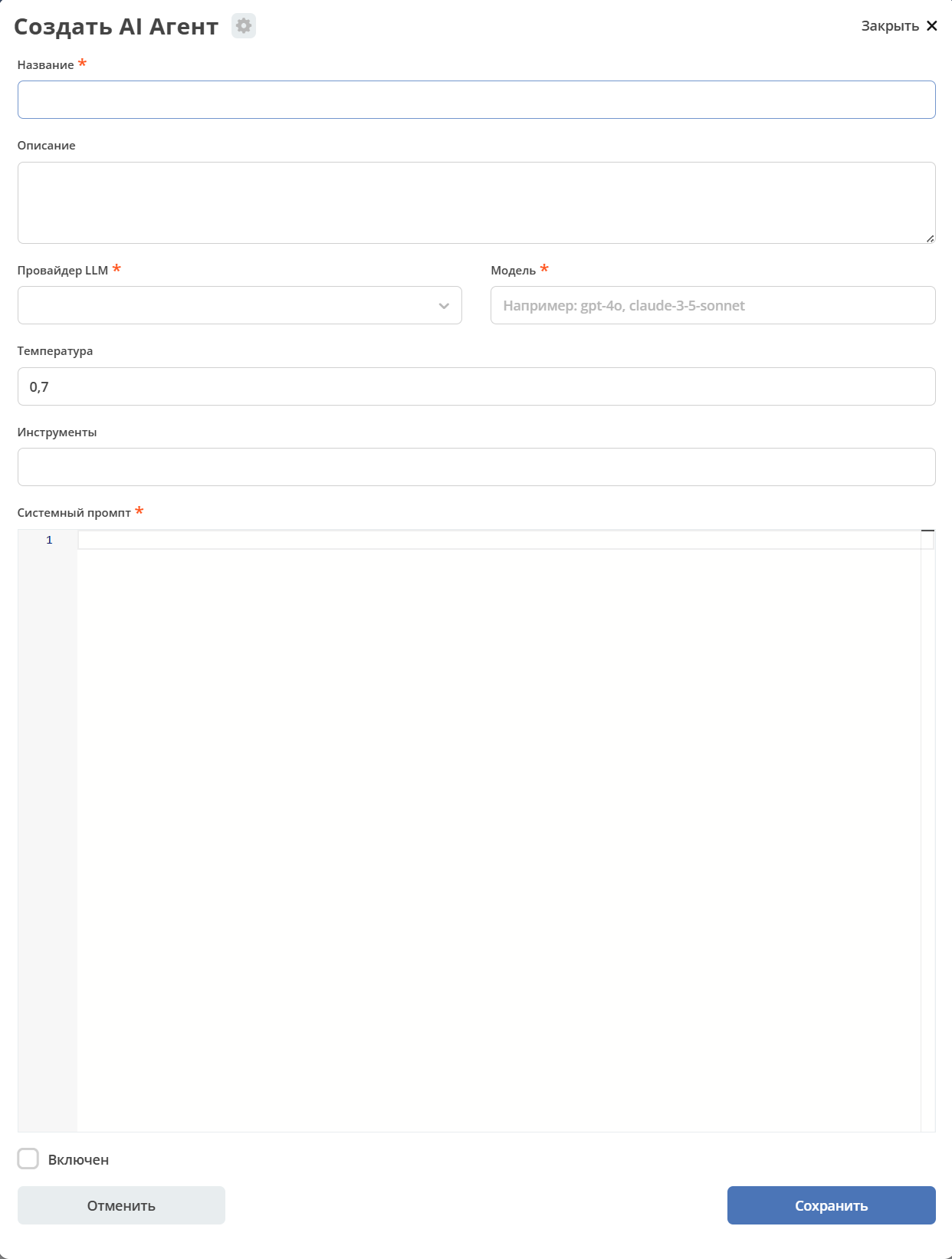
In the administrator workspace, navigate to the AI section and open the AI Agents journal:
Fill in the Name, System prompt, select the LLM Provider and Model.
Optional: add tools and set the Temperature.
Check the Enabled checkbox and save.
Citeck Artifacts
Agent artifacts are located in the following files:
Artifact |
Path |
|---|---|
Type |
|
Journal |
|
Form |
|
Creating a Custom Tool
Implement the CiteckAiTool interface and annotate the class as a Spring component:
@Component
class MyCustomTool(
    private val someService: SomeService
) : CiteckAiTool {
    companion object {
        const val NAME = "my_custom_tool"
    }

    override fun getName(): String = NAME
    override fun getDescription(): String = "Описание для LLM"

    @Tool(name = NAME, description = "Описание для LLM")
    fun myAction(param: String): String {
        return someService.doSomething(param)
    }
}
Spring DI will automatically discover the tool via List<CiteckAiTool> and add it to the list of available tools.
To hide a tool from agents (internal use only):
override fun isAvailableForAgents(): Boolean = false
Routing in the Orchestrator
AgentOrchestratorService.processRequest() — first routing priority: if an agent is bound to the conversation (resolveAgentRef), all processing is delegated to AgentExecutionService.executeInteractive(), bypassing Intent Detection and Plan-and-Execute.
Key Files
Component |
File |
|---|---|
Data Model |
|
Agent registry |
|
Execution service |
|
REST controller |
|
Tool interface |
|
ECOS type |
|
ECOS journal |
|
ECOS form |
|