Endpoints
Citeck provides the Endpoint artifact type for working with network resources.
Artifact location for this type: model/endpoint
Configuration model:
id: String # идентификатор конечной точки
name: MLText # имя конечной точки
url: String # адрес конечной точки
credentials: EntityRef # параметры для доступа к конечной точке. Здесь указывается ссылка на сущность EcosSecret
Configuration example:
---
id: content-storage-s3-endpoint
name:
  ru: S3 Хранилище контента
  en: S3 content storage

url: http://localhost:9000
credentials: emodel/secret@content-storage-s3-credentials
Endpoint information is stored in and loaded from the ecos-model microservice database by default, but it is also possible to specify settings via environment variables. To do this, take the endpoint identifier and convert it according to the following rules:
Split camelCase into parts using the ‘_’ character. For example: camelCase → camel_Case
Replace all ‘-’ and ‘.’ characters with ‘_’
Replace all characters not in the set
[a-zA-Z0-9_]with_X{character_code}_Convert the resulting string to upper case and add the prefix “ECOS_ENDPOINT_”
Thus, for the example above, the following environment variables can be set:
ECOS_ENDPOINT_CONTENT_STORAGE_S3_ENDPOINT_URL=http://localhost:9000
ECOS_ENDPOINT_CONTENT_STORAGE_S3_ENDPOINT_CREDENTIALS=content-storage-s3-credentials
Environment variables take priority over the endpoint storage in the ecos-model microservice database and can be set either directly in the microservice that will use these endpoints, or in ecos-model.
Using Endpoints in Code
Retrieval:
EcosEndpoint endpoint = EcosEndpoints.getEndpoint(endpointId);
String url = endpoint.getUrl(); // url можно использовать для подключения к удаленному ресурсу

EcosSecret secret = endpoint.getCredentials(); // загружаем секрет с параметрами доступа
BasicSecretData basicData = secret.getBasicData(); // если мы уверены, что это всегда BasicData (username и password), то можем загрузить эти данные без проверки типа секрета

String username = basicData.getUsername();
String password = basicData.getPassword();
Subscribing to changes:
EcosEndpoints.listenChanges((endpointId) -> {
    // здесь можем пересоздать подключения, которые зависят от endpointId
    return Unit.INSTANCE;
});
In the UI
Settings are available in the «Endpoints» journal (Workspace «Administrator Section» — Model):
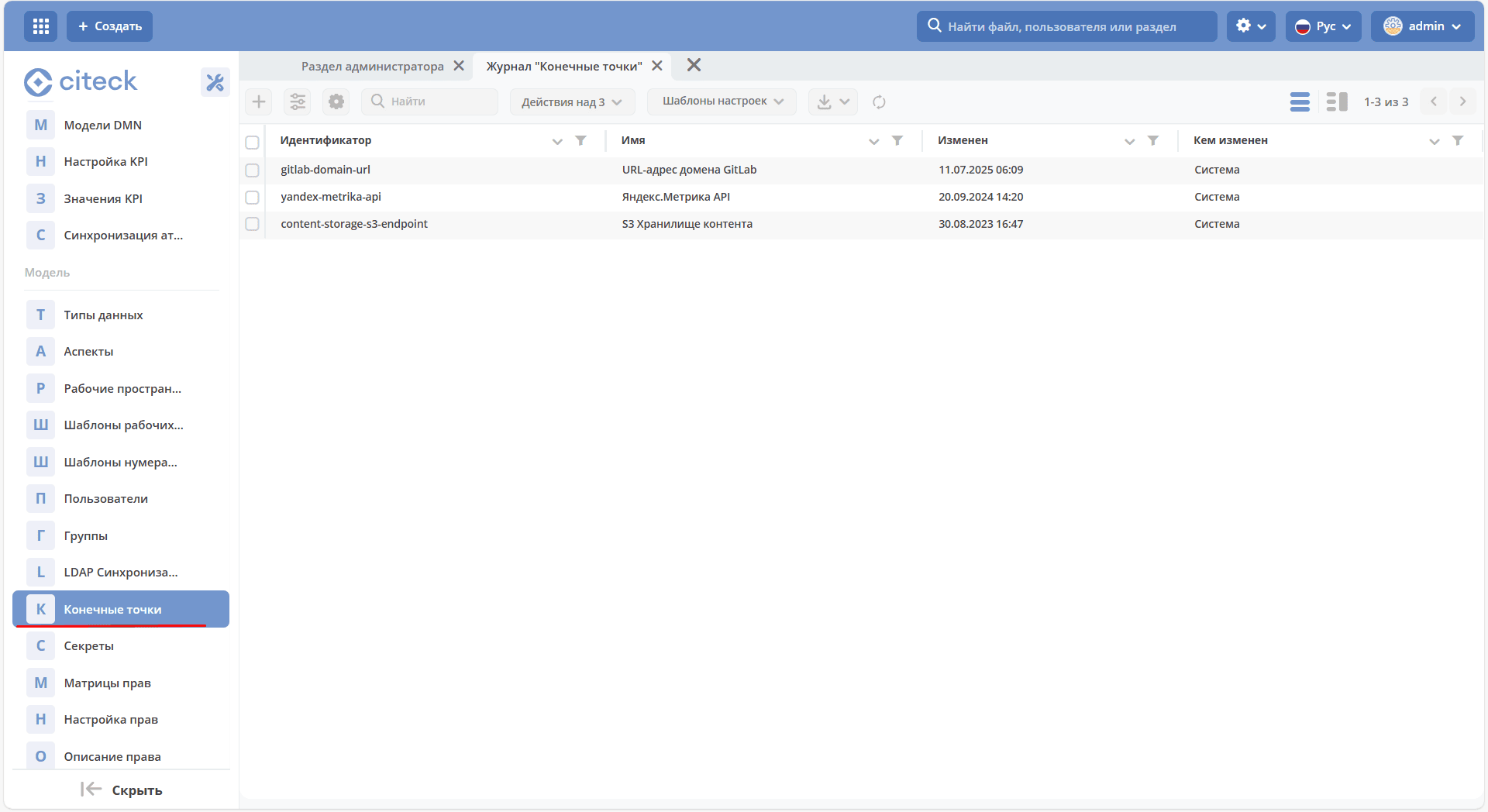
The journal is available at: v2/journals?journalId=endpoints&viewMode=table&ws=admin$workspace
Creation form:
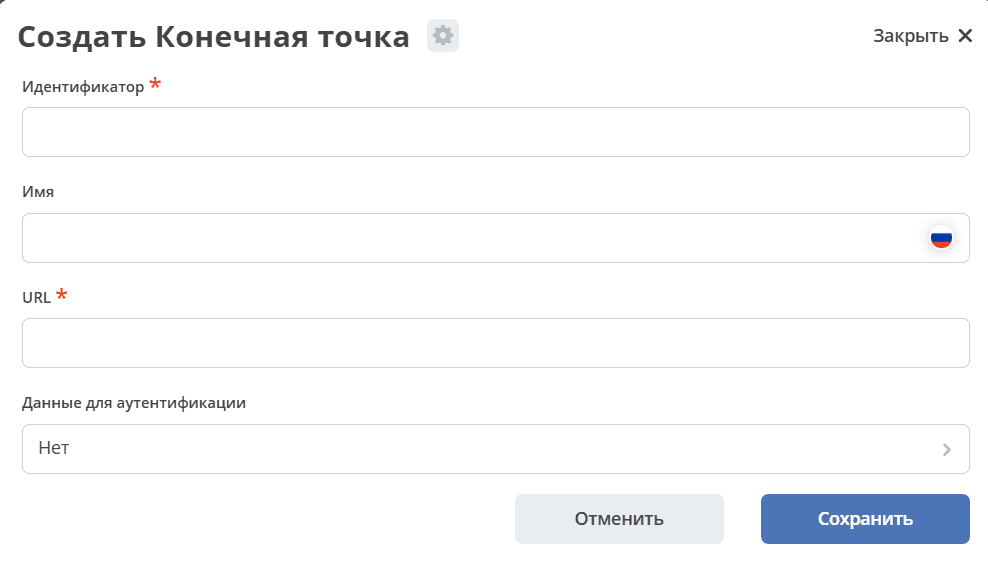
In the identification data, select the previously created Secret.