Secrets
ECOS Secret — an object containing sensitive data such as a password, token, or key.
Artifact location for this type: model/secret
Configuration model:
id: String # идентификатор секрета
type: Enum {BASIC|...} # тип секрета
data: ObjectData # данные секрета. Полностью зависят от типа
Secret types:
Type |
Contents of the data field |
|---|---|
BASIC |
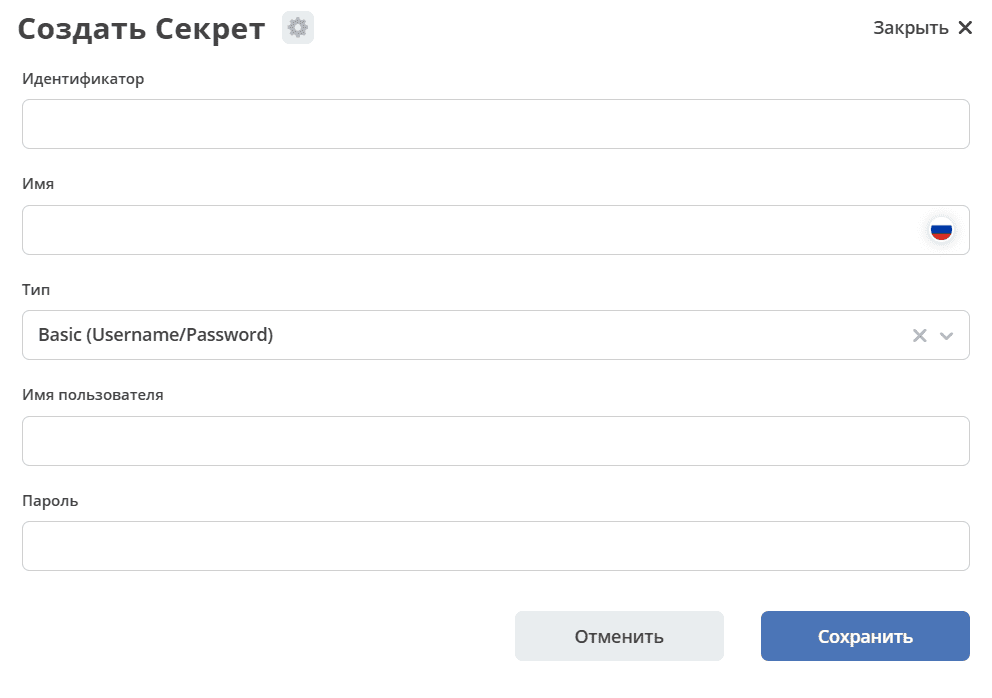
username: String
password: String
|
TOKEN |
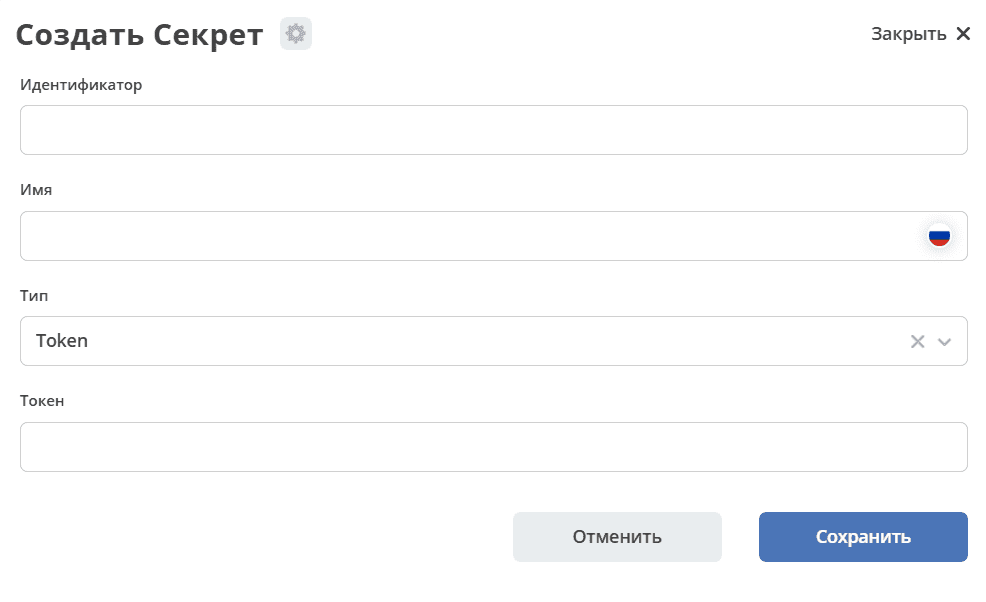
token: String
|
CERTIFICATE |
privateKey: String
certificate: String
|
Configuration example:
---
id: content-storage-s3-credentials
name:
  ru: Ключи доступа к API S3 хранилища
  en: S3 storage API Keys
type: BASIC
data:
  username: sMJjtYPxFGjPEKeFp1lC
  password: KenKpEhD6Lag3acImDAq2ZeLtlSij1vyaYZt8lyH
Secret information is stored in and loaded from the ecos-model microservice database by default, but it is also possible to specify settings via environment variables. To do this, take the secret identifier and convert it according to the following rules:
Split camelCase into parts using the ‘_’ character. For example: camelCase → camel_Case
Replace all ‘-’ and ‘.’ characters with ‘_’
Replace all characters not in the set
[a-zA-Z0-9_]with_X{character_code}_Convert the resulting string to upper case and add the prefix “ECOS_SECRET_”
Thus, for the example above, the following environment variables can be set:
ECOS_SECRET_CONTENT_STORAGE_S3_CREDENTIALS_TYPE=BASIC
ECOS_SECRET_CONTENT_STORAGE_S3_CREDENTIALS_USERNAME=sMJjtYPxFGjPEKeFp1lC
ECOS_SECRET_CONTENT_STORAGE_S3_CREDENTIALS_PASSWORD=KenKpEhD6Lag3acImDAq2ZeLtlSij1vyaYZt8lyH
Environment variables take priority over the secret storage in the ecos-model microservice database and can be set either directly in the microservice that will use these secrets, or in ecos-model.
Using Secrets in Code
Retrieval:
BasicSecretData basicData = EcosSecrets.getBasicData("content-storage-s3-credentials");
String username = basicData.getUsername();
String password = basicData.getPassword();
Subscribing to changes:
EcosSecrets.listenChanges((secretId) -> {
    // здесь можем пересоздать подключения, которые зависят от secretId
    return Unit.INSTANCE;
});
In the UI
Settings are available in the «Secrets» section (Workspace “Administrator Section” - Model):
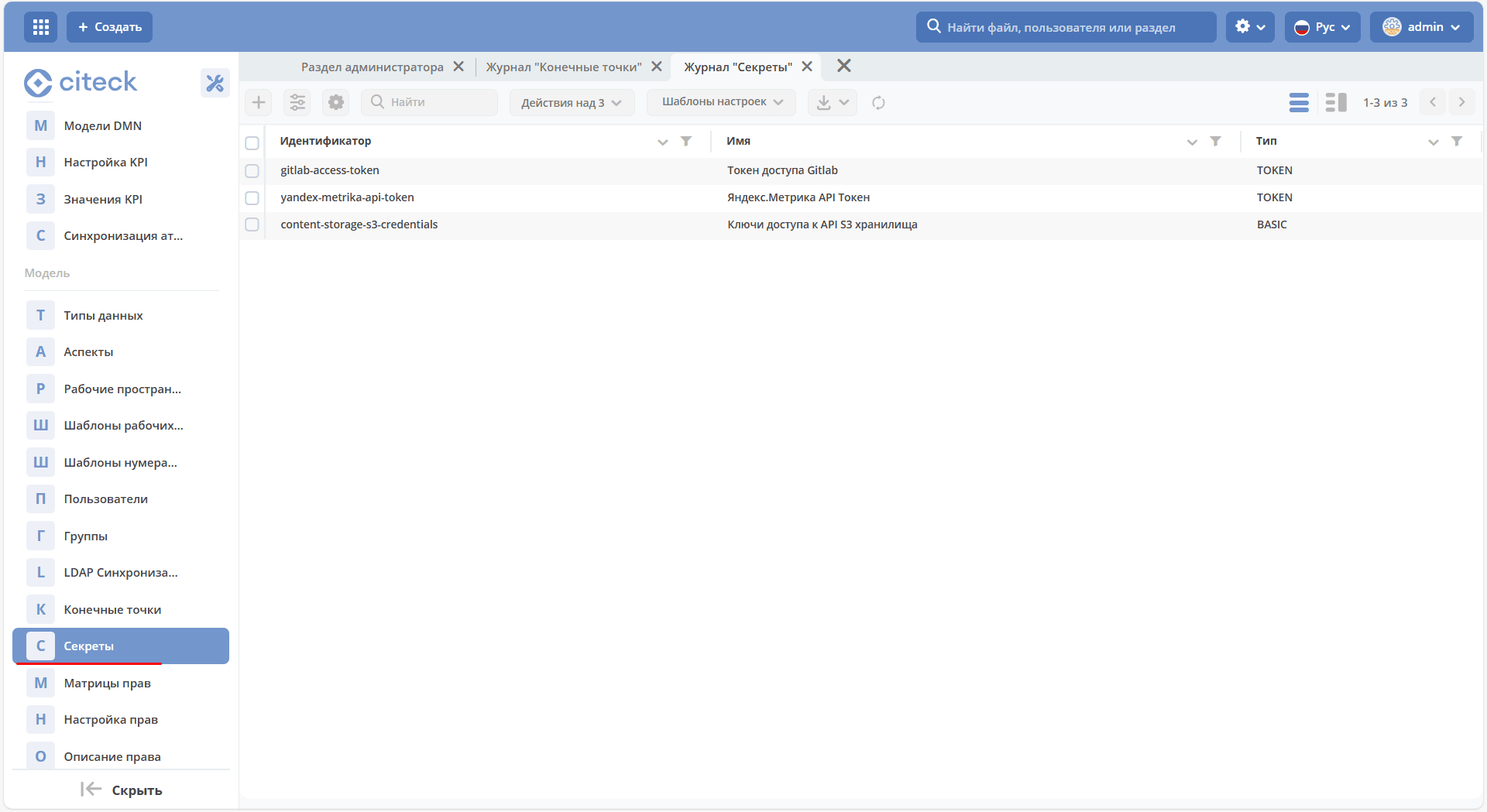
The journal is available at: v2/journals?journalId=ecos-secrets&viewMode=table&ws=admin$workspace
Creation form:
Secret Encryption
Secrets are stored in the database in encrypted form.
The encryption key is set via environment variables (ENV) of the ecos-model microservice.
Integration with an external secret storage (vault) is planned for the future.
Encryption Settings
Helm Support
Starting from ecos-helm version 1.3.57, support for configuring secret encryption in the ecos-model microservice has been added.
Environment Variables
ECOS_SECRET_ENCRYPTION_CURRENT_KEY
Description: the current AES key for data encryption.
Important: the default key set in the ecos-model microservice must be changed on production servers. If the key is not changed, the system will still work but warnings will appear in the logs.
Key generation example:
fun main() {

    val keyGen = KeyGenerator.getInstance("AES")
    keyGen.init(128) // AES key size 128
    val secretKey = keyGen.generateKey()
    val base64Key = Base64.getEncoder().encodeToString(secretKey.encoded)

    println("Base64 Key: $base64Key")

}
ECOS_SECRET_ENCRYPTION_CURRENT_ALGORITHM
Encryption algorithm.
Default value: AES/GCM/NoPadding.
ECOS_SECRET_ENCRYPTION_CURRENT_IV_SIZE
Initialization vector (IV) size.
Default value: 12.
ECOS_SECRET_ENCRYPTION_CURRENT_TAG_SIZE
Authentication tag (TAG) size.
Default value: 128.
ECOS_SECRET_ENCRYPTION_PREVIOUS_KEY
The previous AES key for data decryption.
Used during key rotation to ensure access to previously encrypted data.
Encryption Key Rotation
To rotate the encryption key, perform the following steps:
Generate a new AES key.
Set the new key in the ECOS_SECRET_ENCRYPTION_CURRENT_KEY environment variable.
Specify the old key in the ECOS_SECRET_ENCRYPTION_PREVIOUS_KEY variable.
On system startup, secrets will be decrypted using the previous key and re-encrypted with the new key.
Administrator Guide
When deploying a new server, a unique encryption key must be generated each time.
Use the code above to generate an AES key.
Make sure the default key has been replaced with a new one. If not, the system will issue a warning in the logs.