Synchronization Setup and Configuration
Note
Currently, the synchronization logic with the provider for targetApp = integrations works ONLY for versions with Alfresco.
If targetApp = edi, both versions (with and without Alfresco) are supported.
The ecos-edi microservice includes EDI synchronization functionality with the diadoc and sbis providers:
The operating principle and settings for EDI mailboxes and synchronizations are nearly identical to those in integrations.
Before creating mailboxes, records must be created in the Secrets and Endpoints journals.
To add a new synchronization with a Diadoc or SBIS mailbox, you need to:
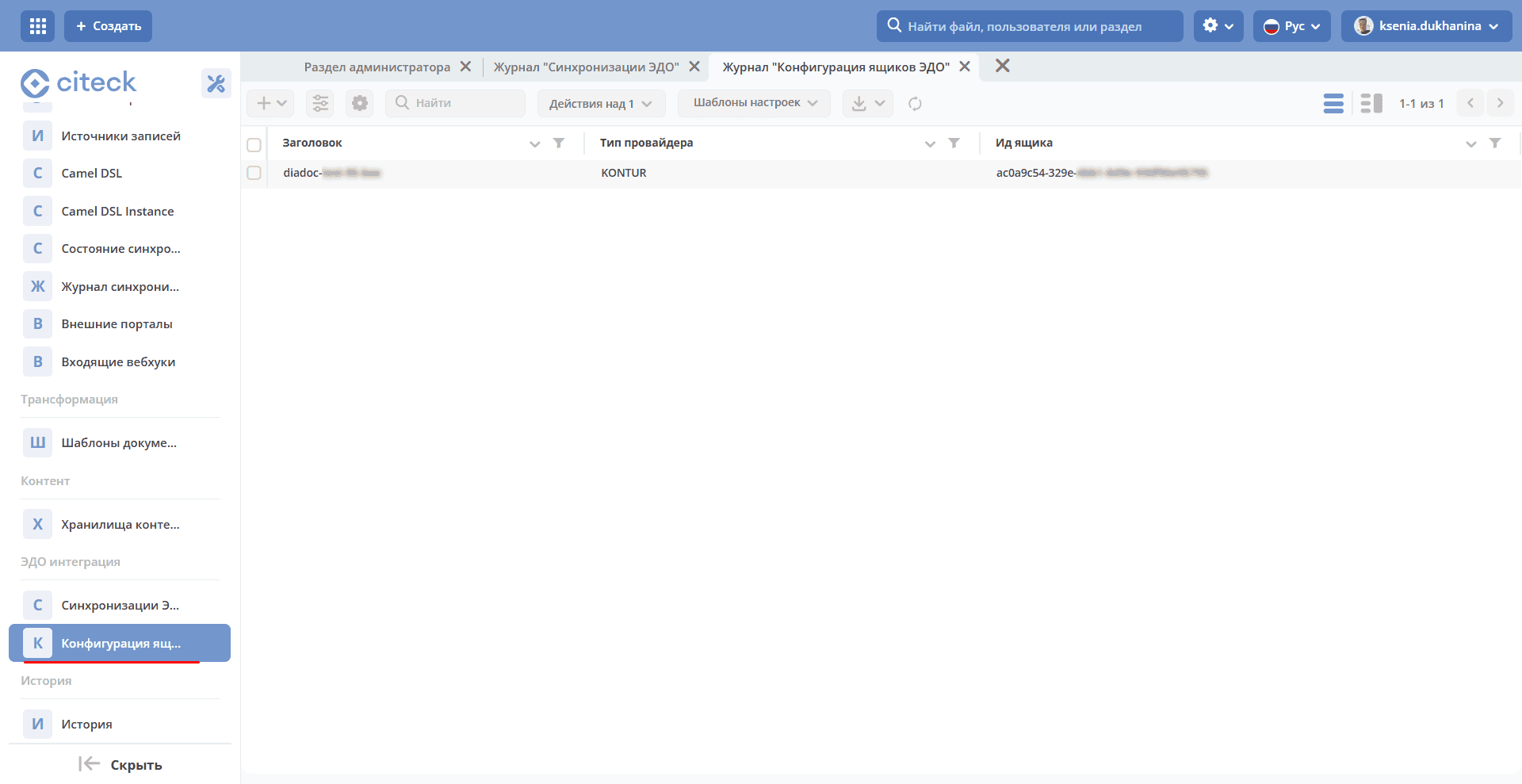
Create a mailbox in the EDI Mailbox Configuration journal:
Note
The journal is located in the (Workspace “Administrator Section” - EDI Integration) section; do not confuse it with the journal located in the Integration section
The mailbox configuration is the same as in integrations:
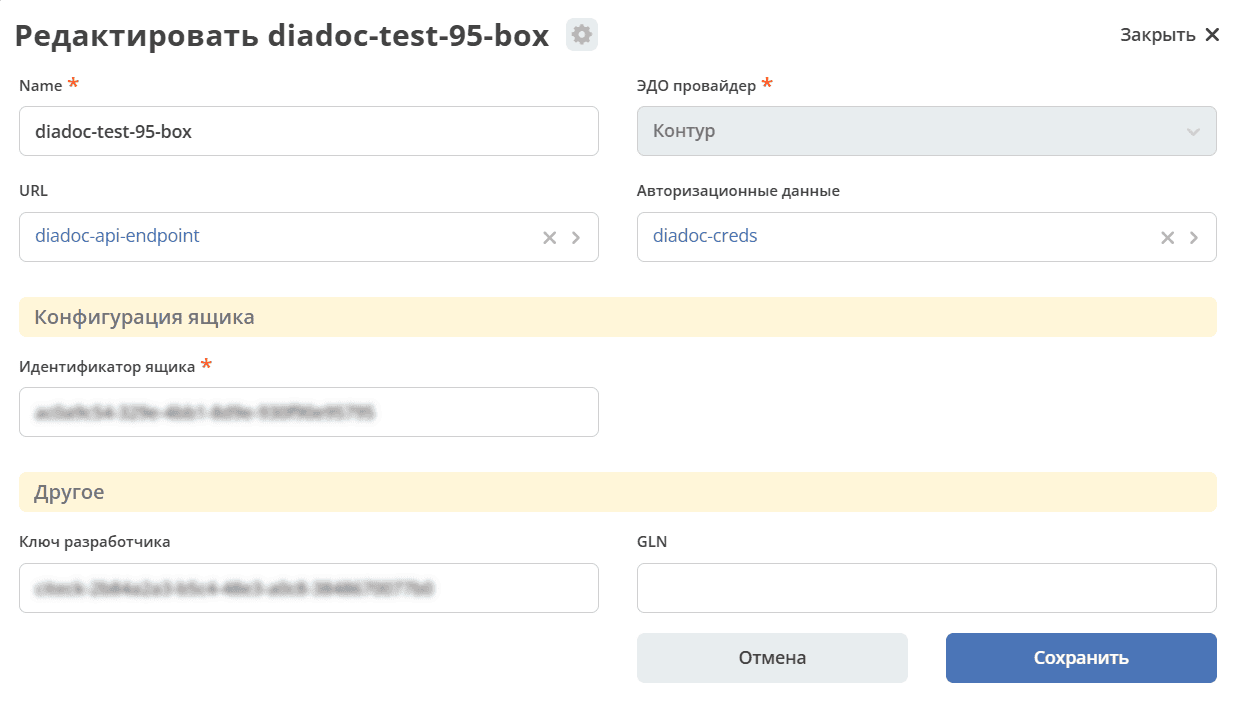
Name - mailbox name, arbitrary and unique.
URL - endpoint. Specified in the Endpoints journal.
Authorization Data - account credentials. Specified in the Secrets journal.
Mailbox Identifier - mailbox ID in the provider.
Developer Key - API key obtained from the provider.
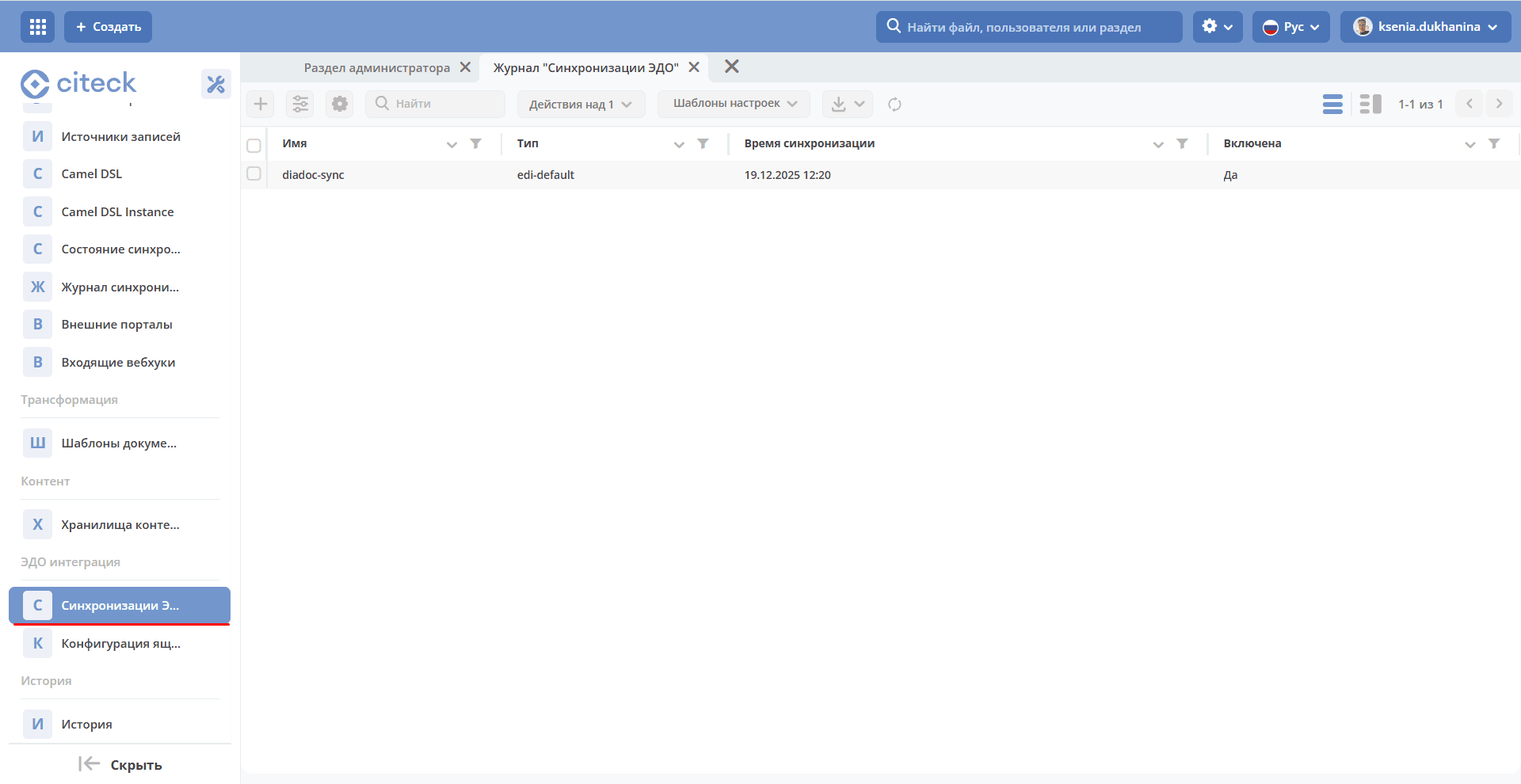
Creating a new synchronization is also identical to the current process in integrations.
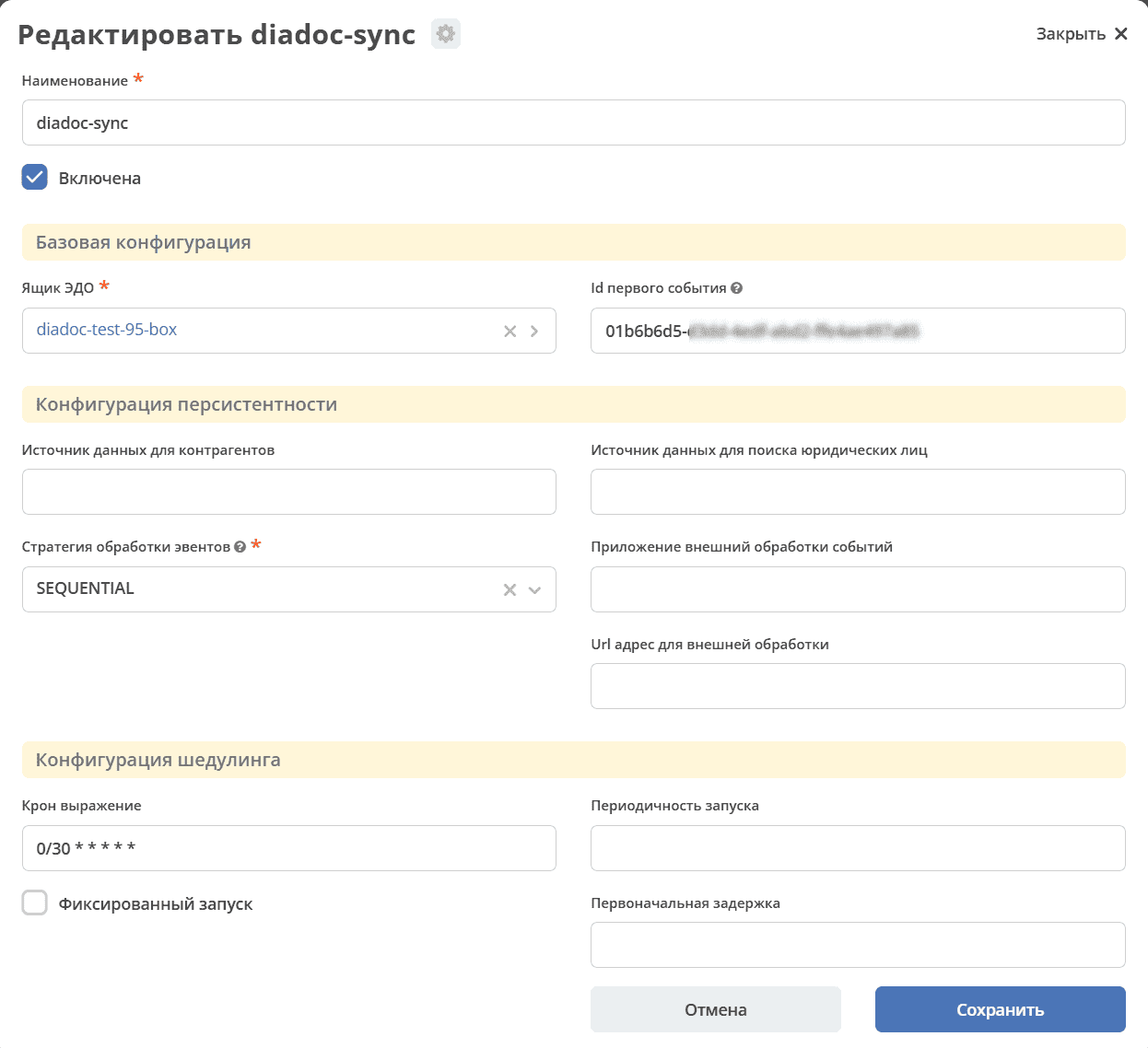
Name - synchronization name, unique.
Enabled - enable/disable flag.
EDI Mailbox - mailbox configuration.
First Event ID - the first event from which processing will begin (optional).
Counterparty Data Source - custom sourceID for counterparty lookup.
- Event Processing Strategy - incoming message processing mode:
PARALLEL - parallel mode: events are saved to the database and then processed subsequently,
SEQUENTIAL - standard sequential mode: events are processed on-the-fly upon receipt.
External Event Processing Application - the App to use if event pre-processing is required.
External Processing URL - URL in the app described above at which events are processed.
Cron Expression - the Cron schedule on which the synchronization runs.
Fixed Interval - instead of a Cron schedule, synchronization can be triggered at fixed intervals.
Note
If synchronization for a mailbox needs to be enabled in the edi microservice (EDI Integration - EDI Synchronizations), the same synchronization must be disabled in the integrations microservice (Integration - Synchronizations); otherwise, errors and competing threads writing conflicting data to the same documents may occur.
Note
Also, when switching synchronization from edi to integrations or vice versa, keep in mind that the other microservice has already advanced its event pointer. Therefore, before enabling it, the First event id field must be set to the last processed event; otherwise, events will be reprocessed in the other microservice, consuming time and resources.
Switching the logic for outgoing packages and any actions on our side.
To switch the request execution logic between the edi and integrations microservices, the TargetEdiApp setting exists (values: edi or integrations). This is relevant only for systems with Alfresco; for pure ECOS systems, all provider communication logic goes through edi.
See below for other settings (for the edi microservice to work, this setting must be set to edi).
Settings and Configuration
Key settings to pay attention to:
TargetEdiApp - an Alfresco setting used to determine which microservice receives commands tied to EDI logic on our side (signing and sending titles, rejection, annulment, etc.). Accepts 2 values:
integrations - commands are sent to the ecos-integrations microservice (legacy logic)
edi - commands are sent to the new ecos-edi microservice
If this field is empty, commands are sent to the integrations microservice by default.
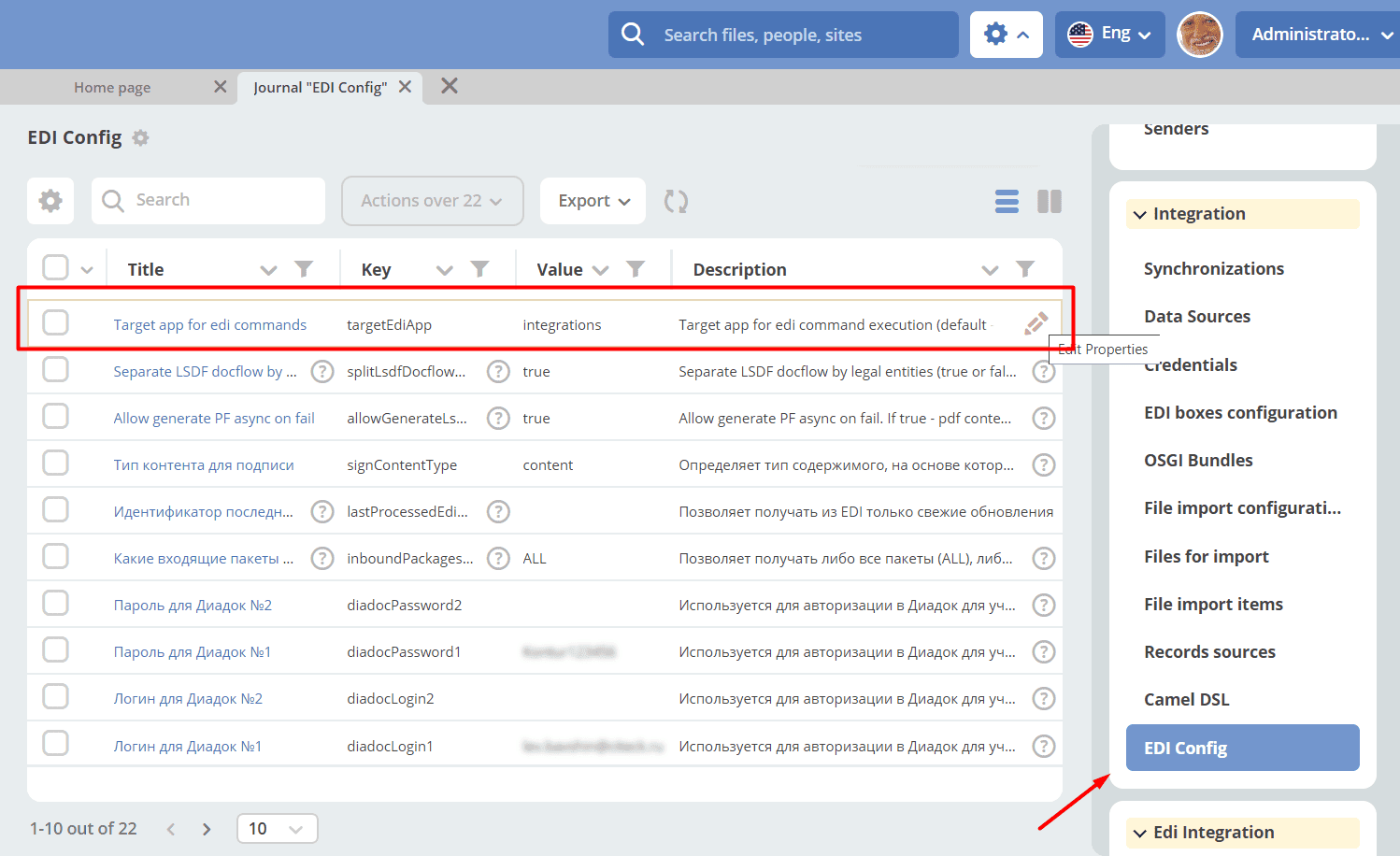
Configuration from the ECOS config (Workspace “Administrator Section” - System Management - ECOS Configuration):
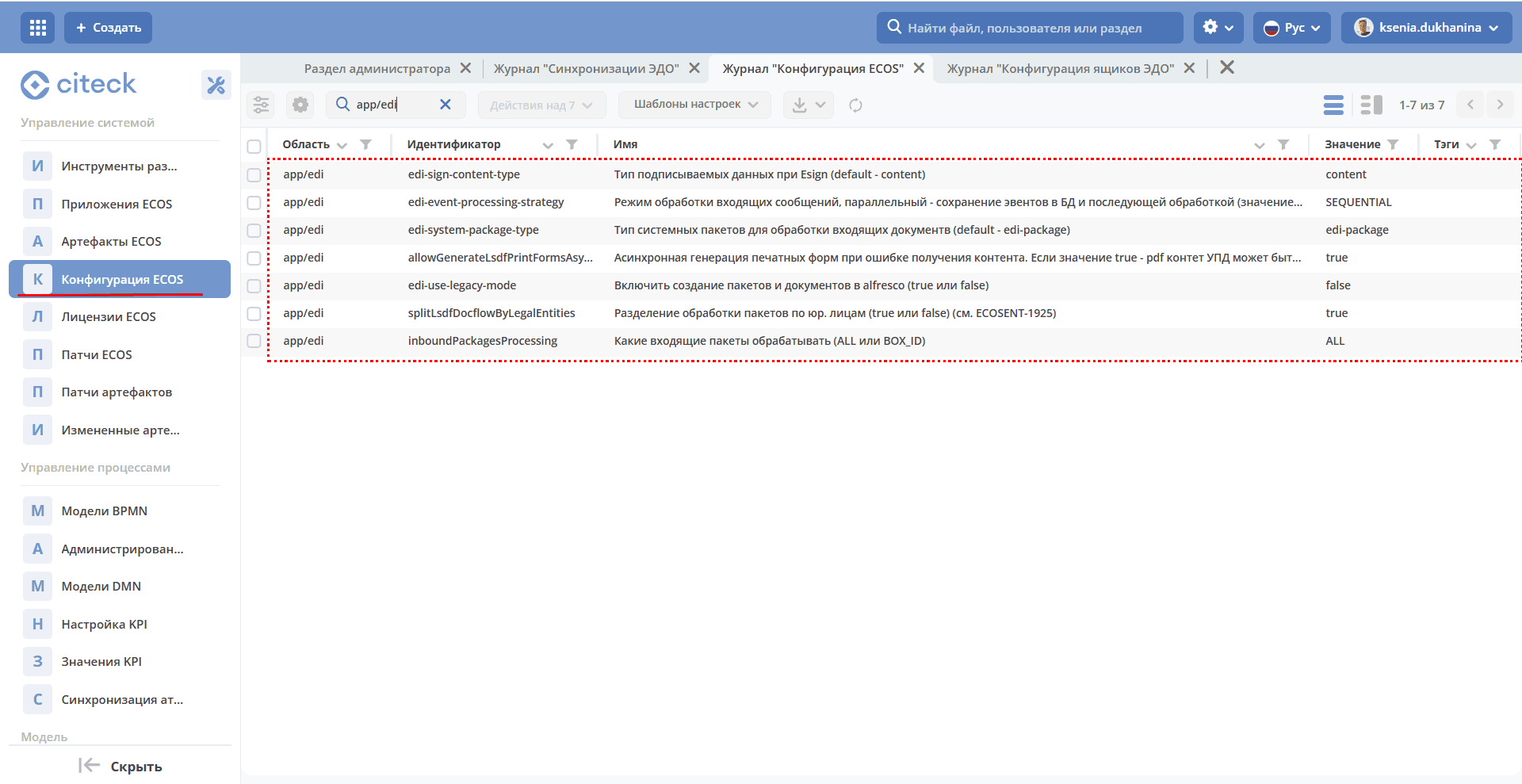
edi-event-processing-strategy - incoming event processing strategy (SEQUENTIAL or PARALLEL).
SEQUENTIAL - standard processing of events as they are received, one after another.
PARALLEL - incoming events are saved to the database and then processed in parallel, split by packages. (Events for different packages are processed simultaneously in separate threads; within a package, events are processed sequentially)
edi-system-package-type - system package type (used in the new logic; not yet used in the hybrid Alfresco variant, possibly later when data migration occurs).
allowGenerateLsdfPrintFormsAsyncOnFail - a setting migrated from ecos-integrations that enables asynchronous print form generation (keep as true).
edi-use-legacy-mode - determines whether packages are processed using the old or new logic (true, since Alfresco is currently in use and the processing logic and system packages must be stored in the Alfresco database).
splitLsdfDocflowByLegalEntities - splits system packages by legal entity (a setting migrated from ecos-integrations; may be renamed or reworked depending on requirements; default: true).
inboundPackagesProcessing - a setting migrated from ecos-integrations that determines which event types to process: all (ALL - default) or by BOX_ID.