External Portal
Note
Available in the enterprise version only.
External Portal is a bidirectional data synchronization mechanism between two independent Citeck instances. It is used in scenarios where external users (clients, customers) are provided with a separate technical support portal, isolated from the main SD instance.
On the external portal, users can:
create requests;
track their status;
view history, comments, and attachments;
communicate with support specialists via comments and exchange files.
Synchronization is carried out via RabbitMQ: requests, comments, and attachments created on one instance are automatically transferred to the other. The transfer direction and the set of synchronized types and attributes are defined in the external portal configuration.
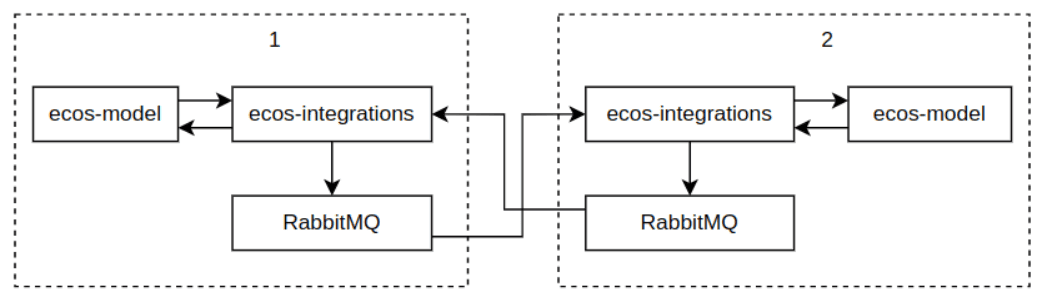
Example configuration in values.yaml for the instance:
# Настройка tls для rabbitmq
RabbitmqApp:
  tls:
    enabled: true # по умолчанию открывается порт 5671. Чтобы tls заработал нужно чтобы на стенде был ecos-tls-secret

# Дефолтные настройки из чарта
tls:
  enabled: false
  trustedCa:
    secretName: ecos-tls-secret
    keyName: trusted-ca
  keySecret:
    secretName: ecos-tls-secret
    keyName: rabbitmq-app-tls
  port: 5671
  verifyPeer: verify_peer
  failIfNoPeerCert: true
Configuring the connection to the external RMQ:
EcosIntegrationsApp:
  cloudConfig:
    ecos:
      webapp:
        dataSources:
          sd-main-instance-rmq: #это id датасорса. На него ссылается ext-portal конфиг внутри системы
            name: Основной инстанс SD # это имя видно на форме ext-portal конфига
            type: rabbitmq
            host: host
            port: 5671 # важно - для tls.enabled true/false разные порты
            username: ******
            password: ******
            tls:
              enabled: true # в идеале подключаться к внешнему RMQ через tls, но не обязательно
              clientKey: application
              trustedCerts: citeck-test-ca # этот CA зашит внутрь микросервиса. настройка пока не сделана
              verifyHostname: false
Settings are available in the Integrations journal (Administrator Section workspace — Integrations).
The journal is available at: https://portal_host/v2/journals?journalId=ext-portals&viewMode=table&ws=admin$workspace
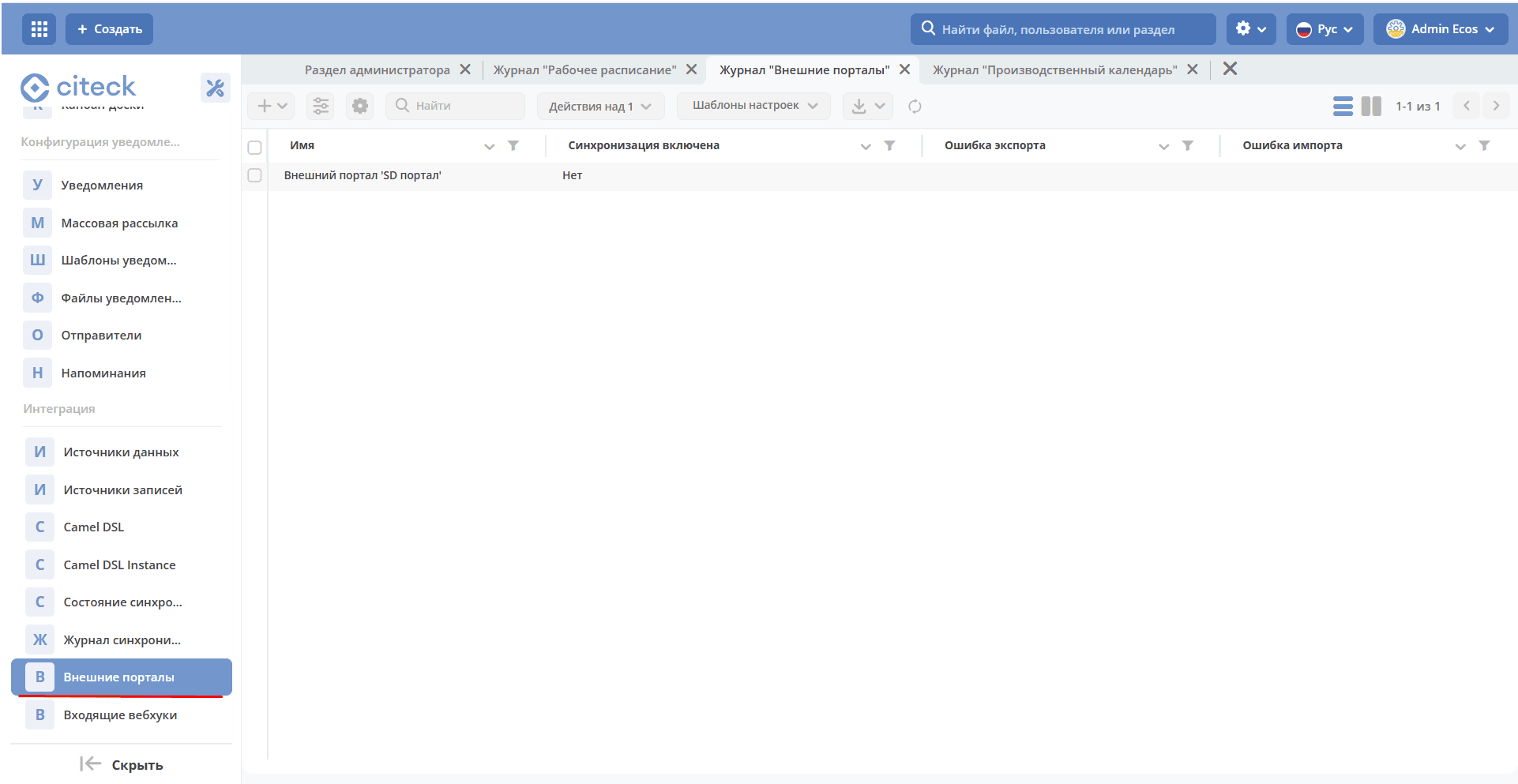
Configuration Form
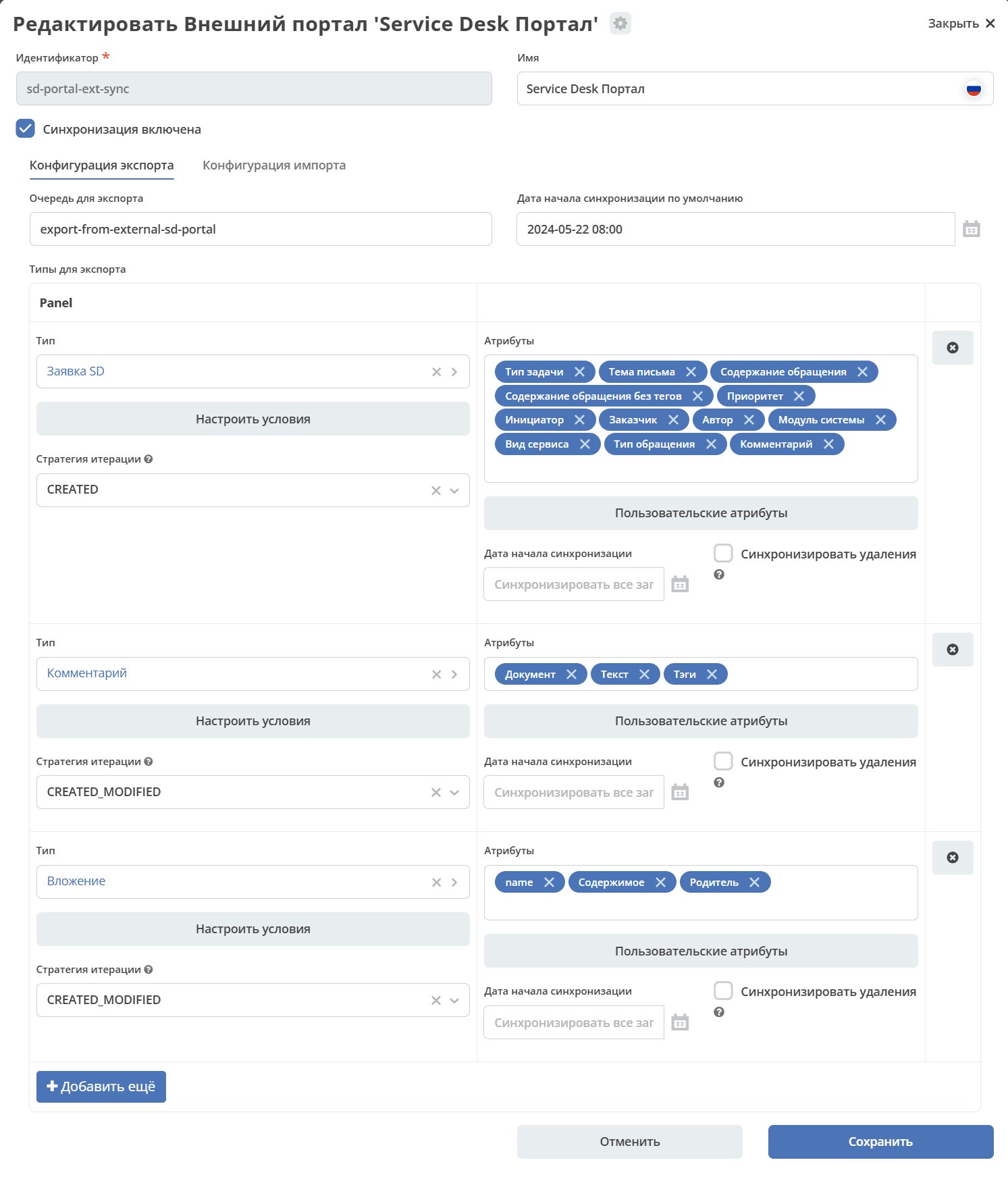
Identifier, Name — as for any artifact
Export Configuration, Import Configurations — see details below
“Synchronization Enabled” — if disabled, synchronization will not work.
Import Configuration
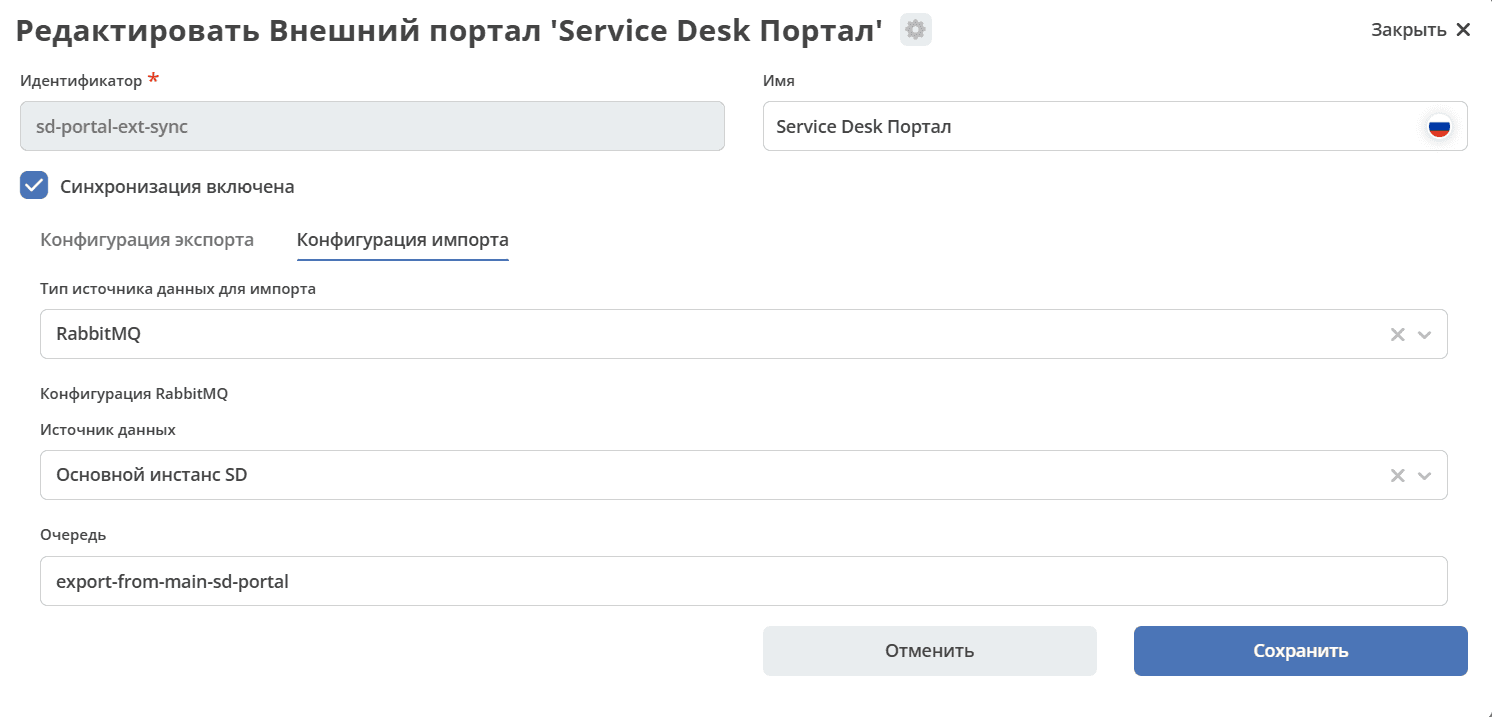
Import data source type. Currently, only RabbitMQ is available.
Data Source (External SD Instance, Internal RabbitMQ) — specifies which RabbitMQ instance data should be imported from. The instance configuration defines a list of connections, which is then displayed in the UI.
External SD instance — enterprise in this case.
Queue. Specifies which queue of the selected source to import from.
Example:
---
id: sd-portal-main-sync
name:
  ru: SD портал
  en: SD portal
exportConfig:
  endpoint:
    type: rabbitmq
    config:
      queue: export-from-main-sd-portal
      dataSource: main-rabbitmq
  typesToSync:
    - typeRef: emodel/type@sd-request-type
      initDate: null
      syncDeletions: false
      queryPredicate: '{}'
      filterPredicate: '{}'
      attributesToSync:
        - _status
        - author
        - deadline
        - title
        - description
      iterationStrategy: CREATED_MODIFIED
importConfig:
  endpoint:
    type: rabbitmq
    config:
      queue: export-from-external-sd-portal
      dataSource: sd-ext-instance-rmq
Export Configuration
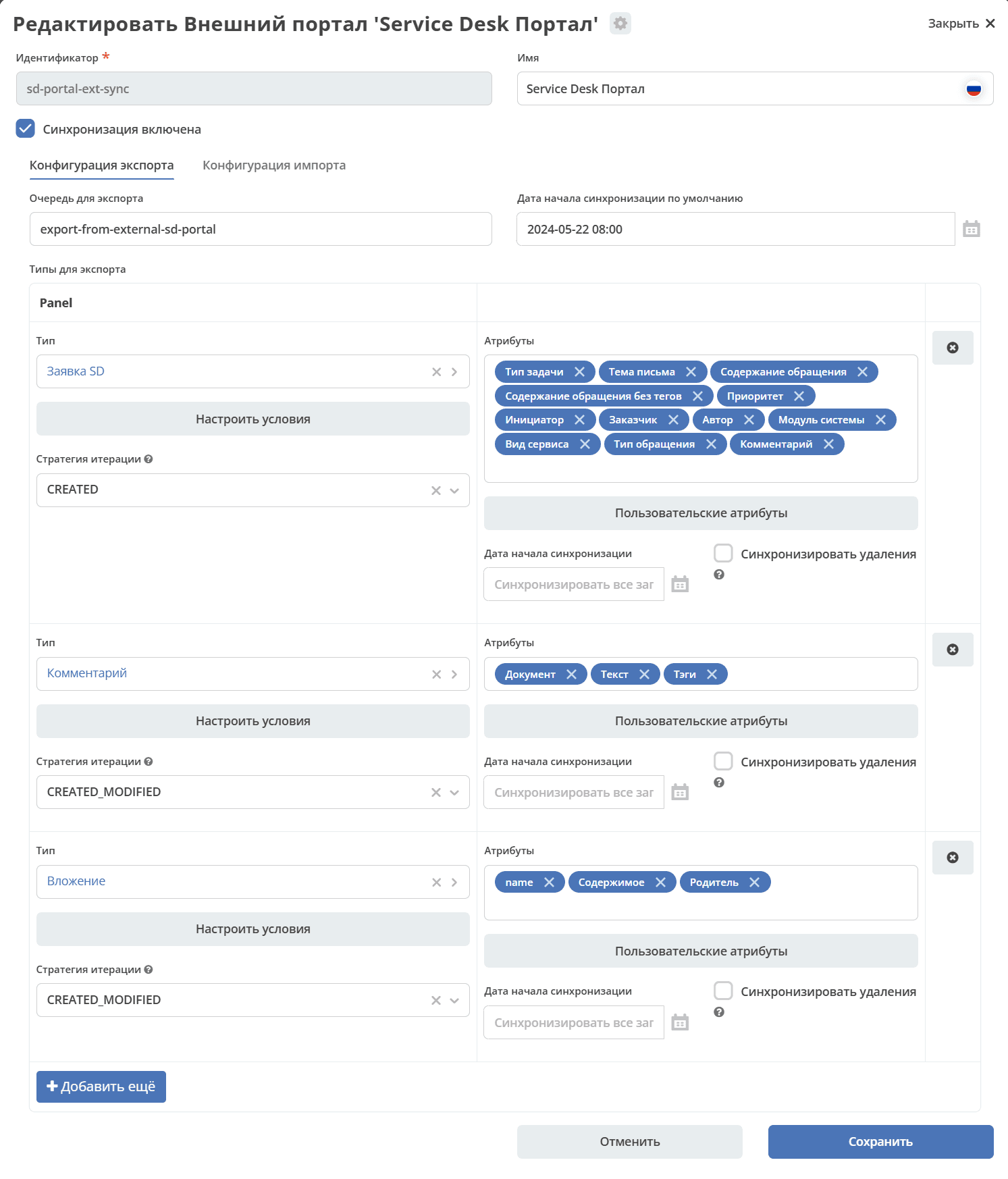
Export Queue. Configured by default to the current instance’s RabbitMQ. No selection is available.
Default Synchronization Start Date. Requests and comments created before the specified date will not be processed.
Example:
id: sd-portal-ext-sync
exportConfig:
  endpoint:
    type: rabbitmq
    config:
      queue: export-from-external-sd-portal
      dataSource: main-rabbitmq
  typesToSync:
    - typeRef: emodel/type@sd-request-type
      initDate: null
      syncDeletions: false
      queryPredicate: |-
        {
        "t": "empty",
        "a": "ext-portal-sync: importSyncId"
        }
      filterPredicate:
      attributesToSync:
        - author
        - title
        - description
        - deadline
importConfig:
  endpoint:
    type: rabbitmq
    config:
      queue: export-from-main-sd-portal
      dataSource: export-from-main-sd-portal
Types and Attributes for Export
Select the data types and the attributes of the selected type to be synchronized:
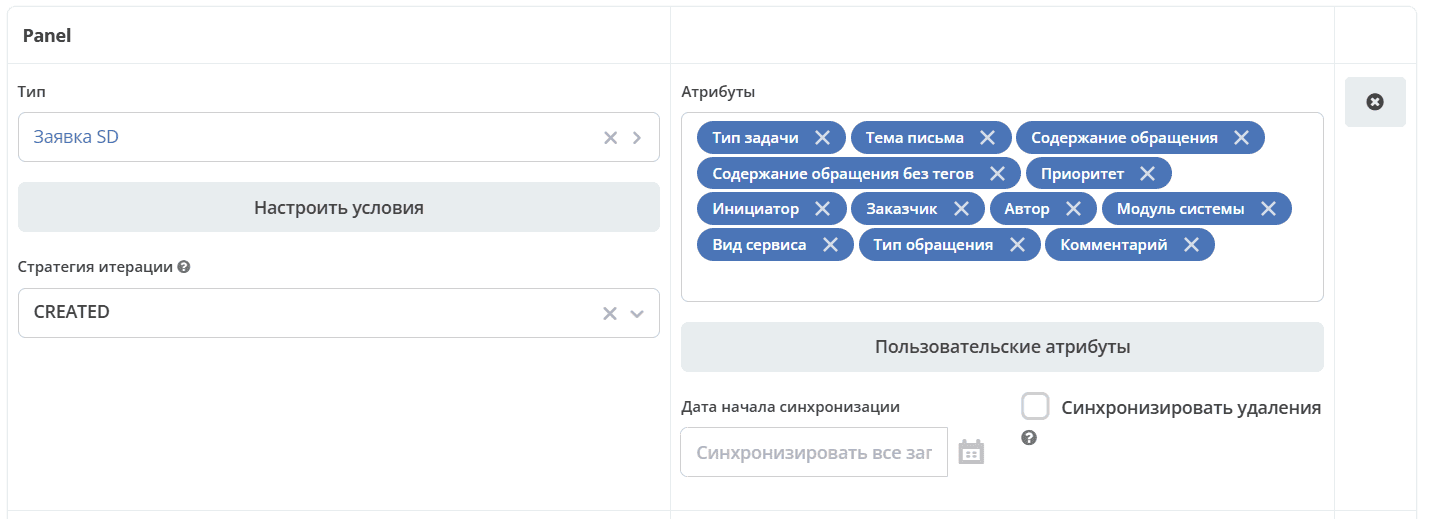
Configure Conditions
After selecting a type, you can configure conditions:
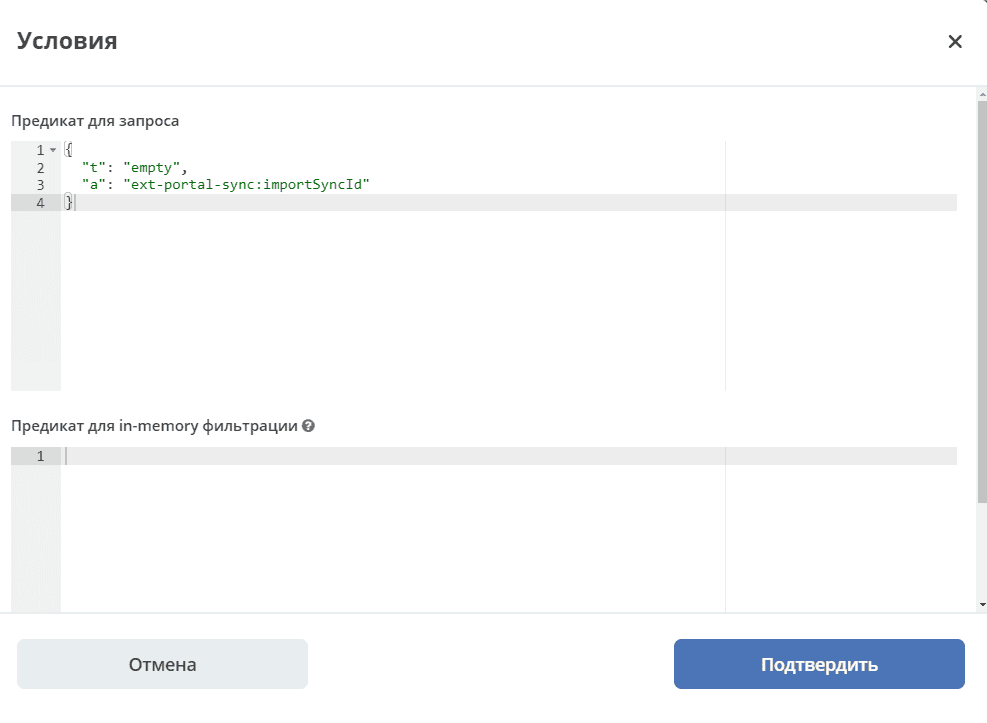
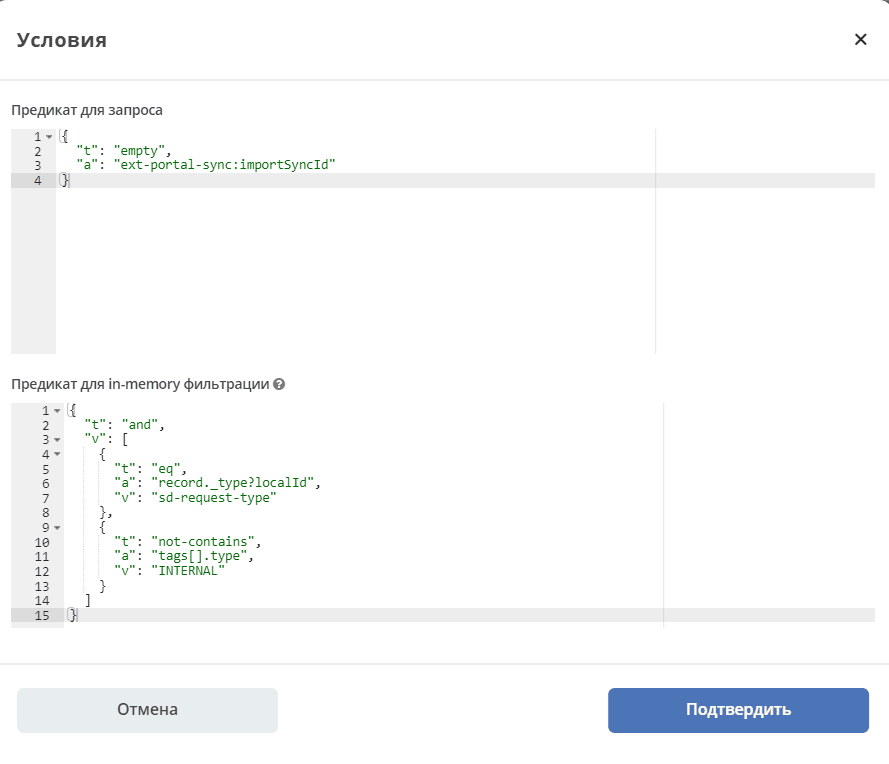
2 fields for conditions:
Predicate for query means that in the query request we directly send — retrieve requests that were created after the selected date (Default Synchronization Start Date) and for which the specified condition is met.
Predicate for in-memory filtering. Checked after export to ecos-integrations. That is, we first form a query, send it, receive 100 records, for example, and then check each record against this additional predicate.
The predicate for in-memory filtering allows filtering data based on any attributes. This filtering method offers maximum flexibility, but it is recommended to use the query predicate when possible to reduce processing time.
Many things cannot be checked in the query. For example, accessing a parent attribute or complex nested attributes. Some data sources cannot properly translate predicates into joins.
At the same time, the predicate for in-memory filtering allows conditions on any attributes, including deeply nested ones.
Example of an in-memory filtering predicate:
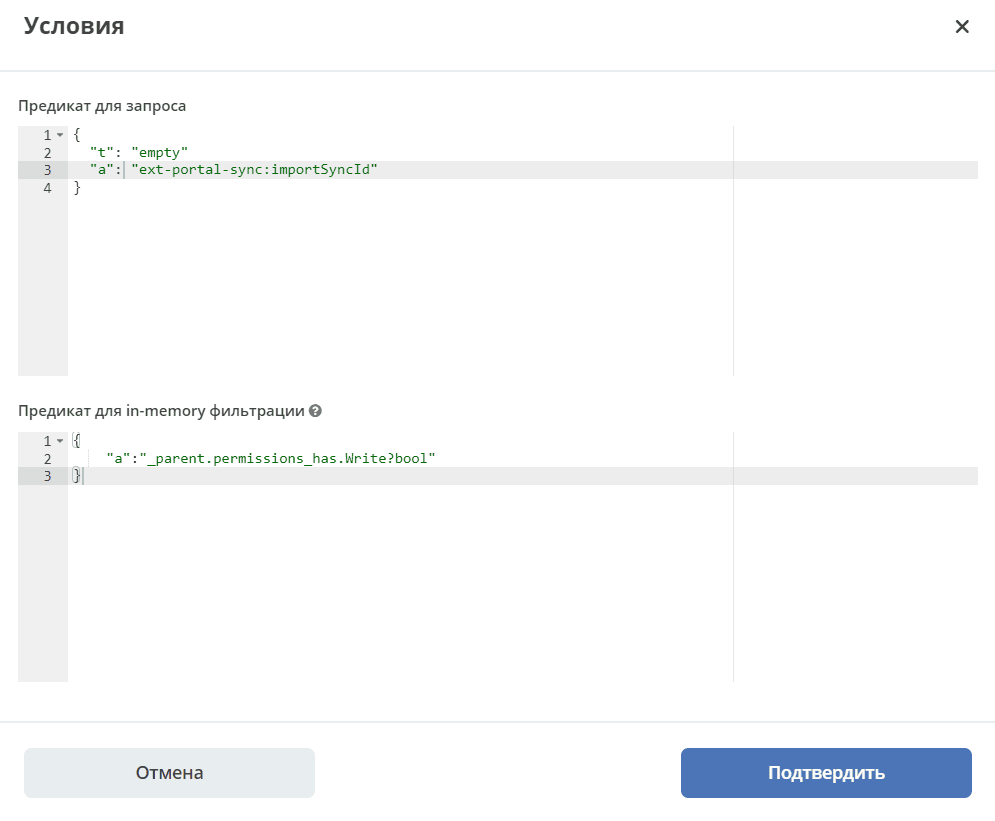
That is, before sending the search query with the list of attributes to load, all attributes required for condition checking are extracted from the in-memory filtering predicate. Accordingly, they do not need to be configured separately.
In the in-memory filtering predicate, specify the required attribute, and at the time of query dispatch it will also be fetched and then checked.
List the attributes from the model, which are then processed depending on their type.
Simple attributes (text, number, boolean) are loaded from the target data source, which is determined by the type, and sent to RabbitMQ.
- For more complex ones, such as associations:
For a Target association, a reference is exported;
For a Child association, additional logic applies that allows extracting all attributes defined for the child entity type that are included in the export, and the child entities themselves are also included in the export — if specified in the attribute list.
As an alternative, you can omit attributes with child entities and instead use a separate line in types for export to indicate that the entities need to be exported along with their parent. This is done, for example, for attachments.
That is, attachments are linked via docs:document (child association) and exported as a separate type.
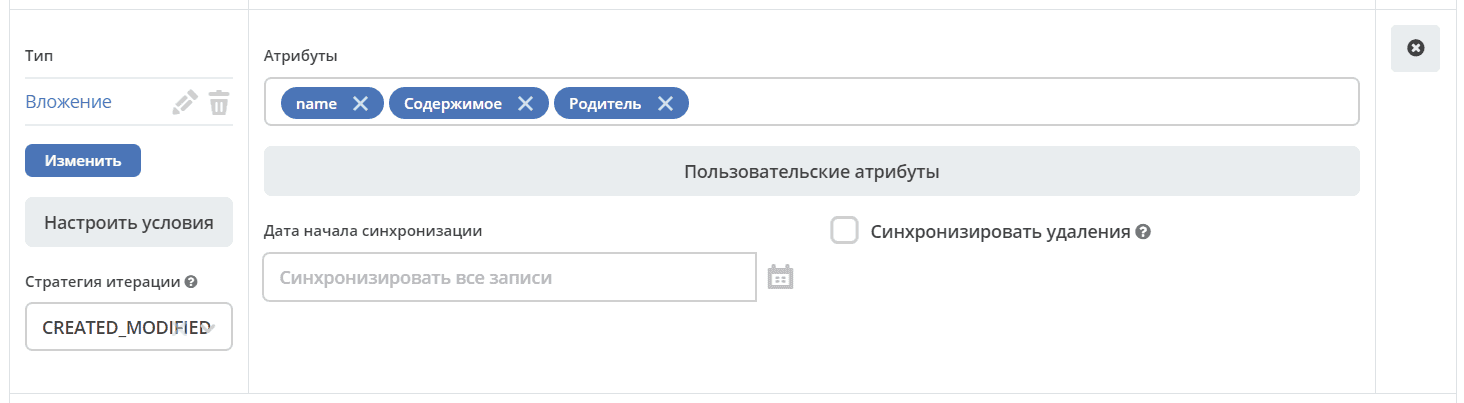
Custom Attributes
Allows configuring complex scenarios.
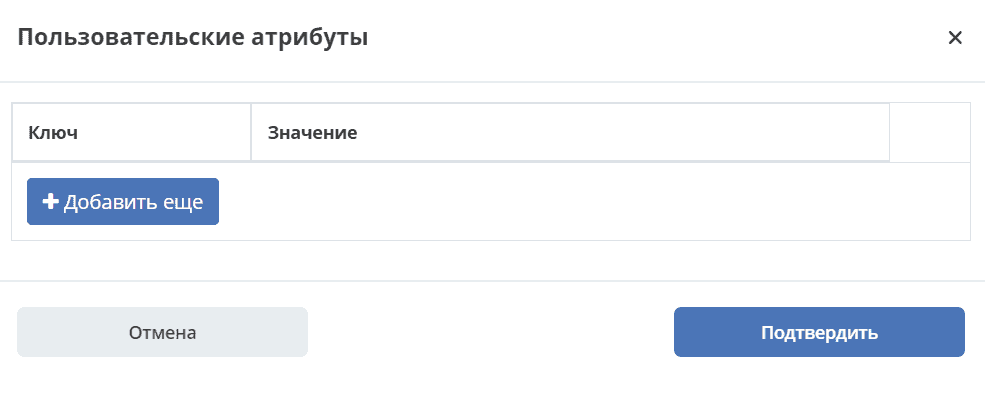
Key — the alias under which the result will be loaded into RabbitMQ and, accordingly, to the other instance.
Value — what needs to be loaded.
For special cases. No additional logic is applied — everything written is loaded and sent.
Synchronization Start Date
Synchronization Start Date — the setting is similar to the Default Synchronization Start Date, but for a specific type.
If not specified, the Default Synchronization Start Date is used.
If neither Default Synchronization Start Date nor Synchronization Start Date is specified, all records are processed.
Synchronize Deletions
If a record is deleted on the current Citeck instance, it will also be deleted on the external portal.
Iteration Strategy
The record iteration strategy defines the sequence in which records are processed.
CREATED — records are processed by creation date only. Modified records are not reprocessed after the initial synchronization.
CREATED_MODIFIED — records are processed first by creation date, then by modification date. A universal strategy that guarantees processing of all records in their creation order. Records may be synchronized twice (first by creation date, then by modification date).
MODIFIED — records are processed by modification date only. All records are processed, but creation order is not taken into account.
Comments. Configuration Specifics
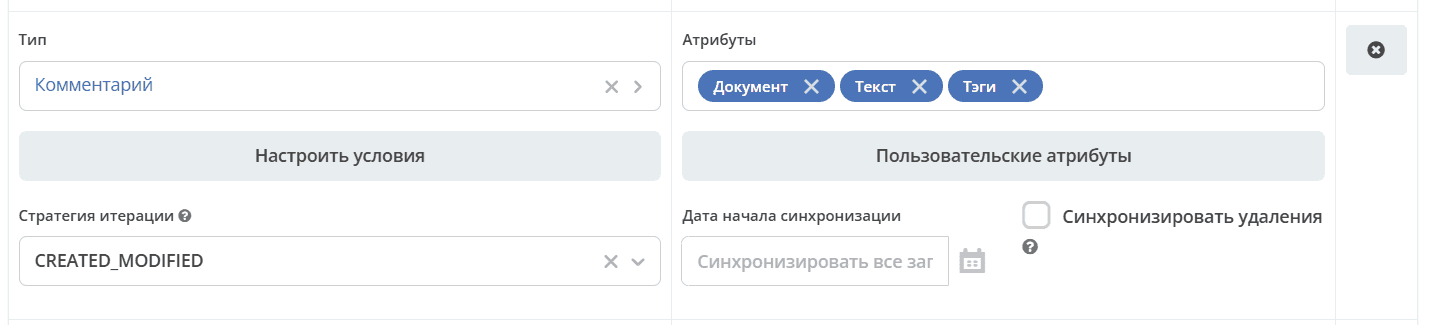
Comments are exported with the condition that importSyncId is absent:
importSyncId is set when synchronized data arrives from an external source. That is, when data is exported from one instance to another, the importSyncId on the other external instance will be filled with the synchronization identifier sd-portal-main-sync.
This condition guarantees that only comments created on the current instance and not imported from outside will be included in the export to the external portal. The same condition on the other portal ensures that the same comment will not be synchronized indefinitely.
An in-memory filtering predicate is configured. The record type (sd-request-type) to which the comment is added is checked:
{
  "t": "eq",
  "a": "record._type?localId",
  "v": "sd-request-type"
},
and it is verified that the comment tag is not internal:
{
  "t": "not-contains",
  "a": "tags[].type",
  "v": "INTERNAL"
}
that is, an internal comment is not exported.
CREATED_MODIFIED strategy: when a comment is created, it will be pushed to the external server, and if it is edited, it will be pushed again.
Attachments. Configuration Specifics
The Content attribute has special handling logic.
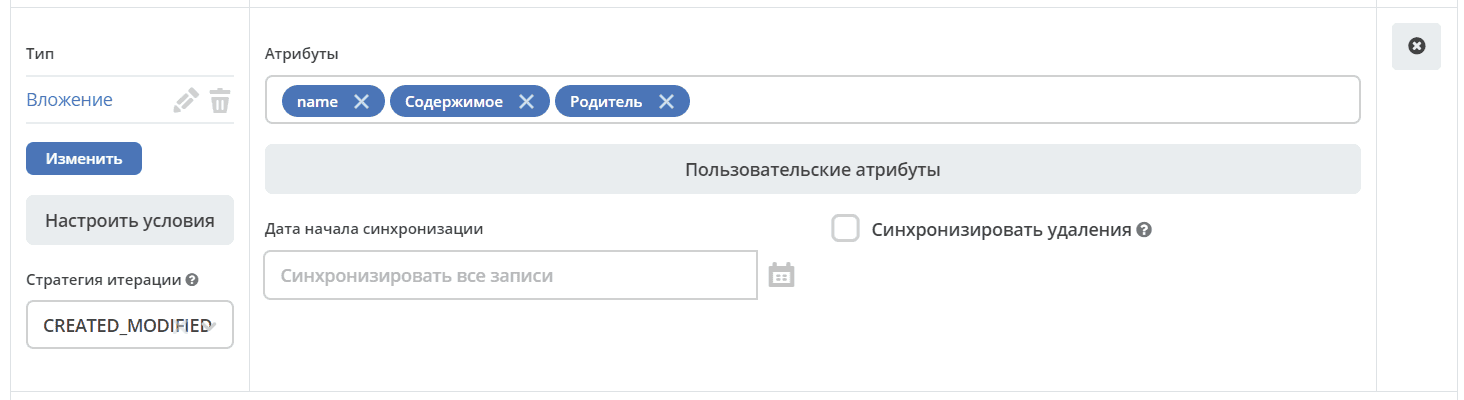
Content is not requested in the initial search query to avoid out-of-memory errors in ecos-model. The data is then filtered by the following queries:
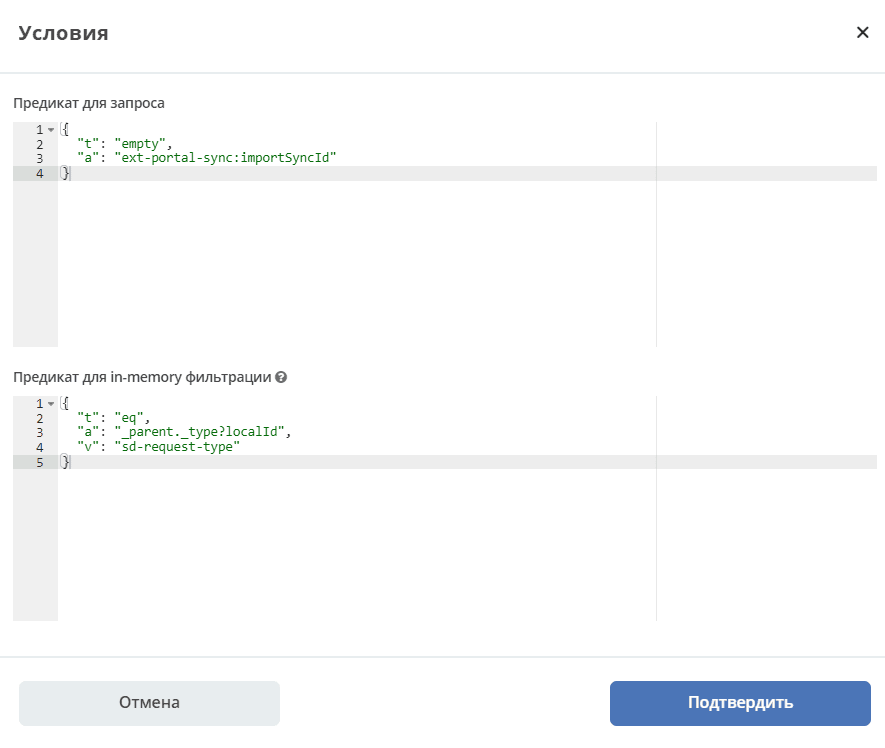
First by the first filter in the search, then by the second filter after loading. When all filters are passed, the content is fetched — currently in base64 — and sent to RabbitMQ for export.
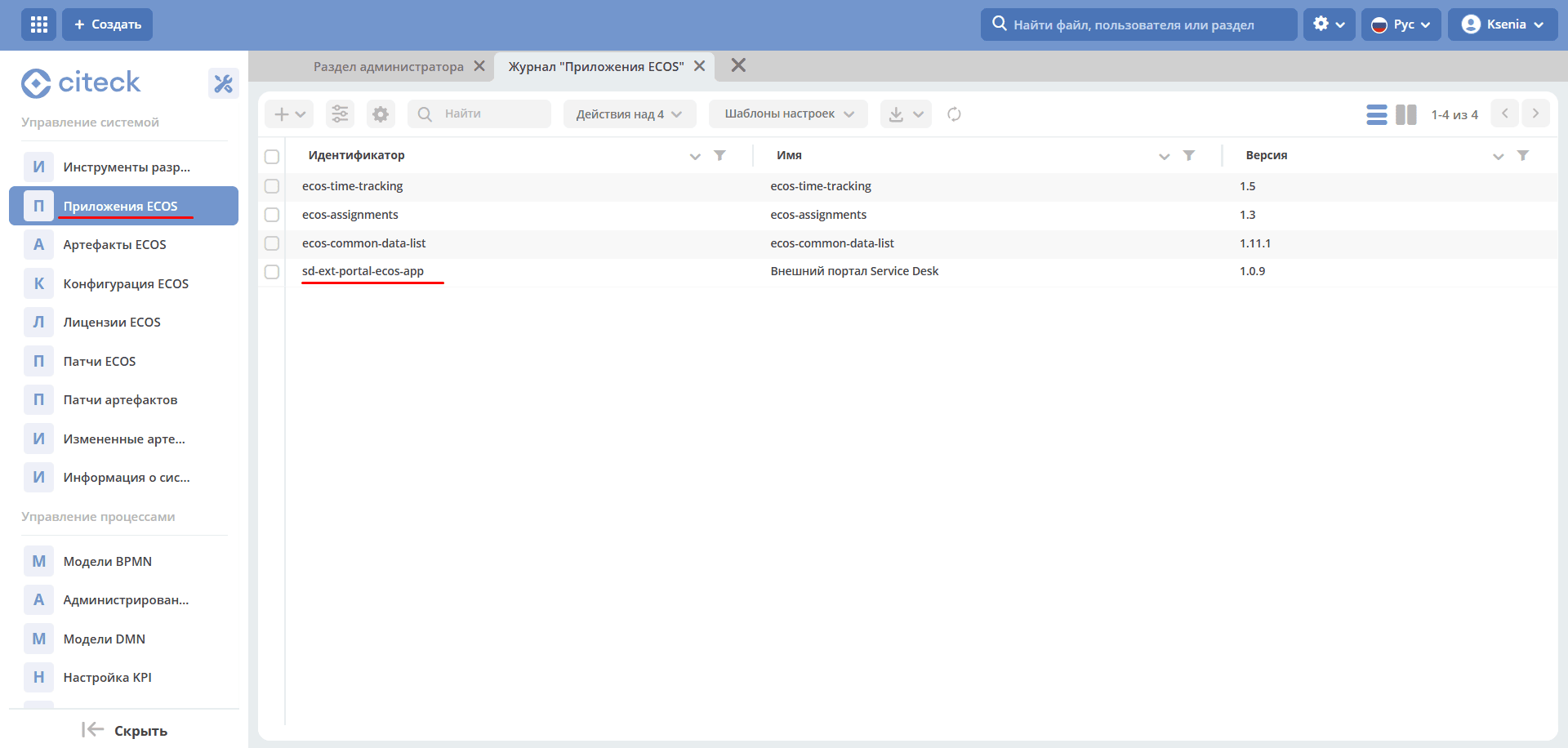
The sd-ext-portal-ecos-app Application
Menus and other artifacts are defined in the ECOS Applications journal (Administrator Section workspace — System Management) for sd-ext-portal-ecos-app:
Permission Matrices
An important feature — the following permission matrices have been added:
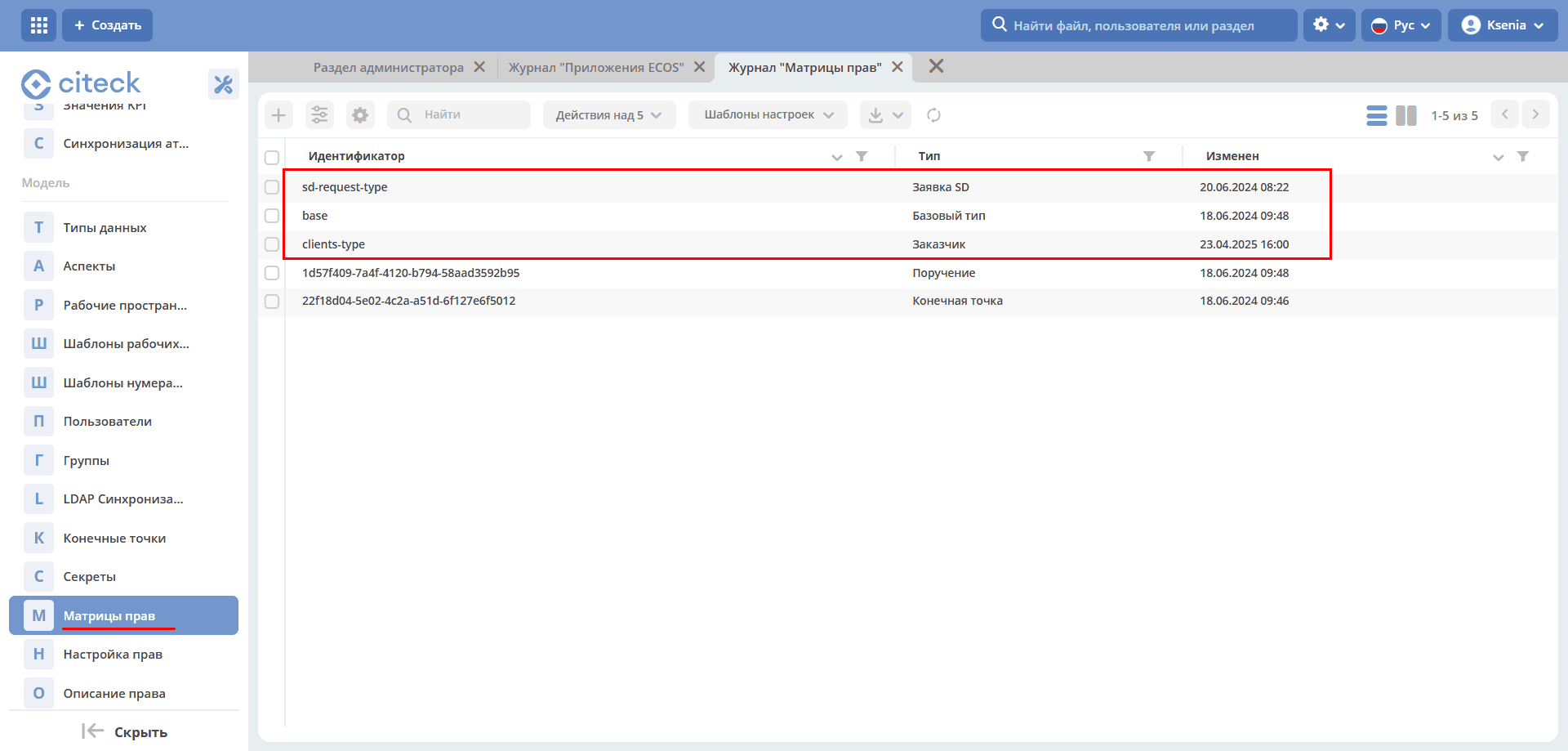
Base Type Configuration:
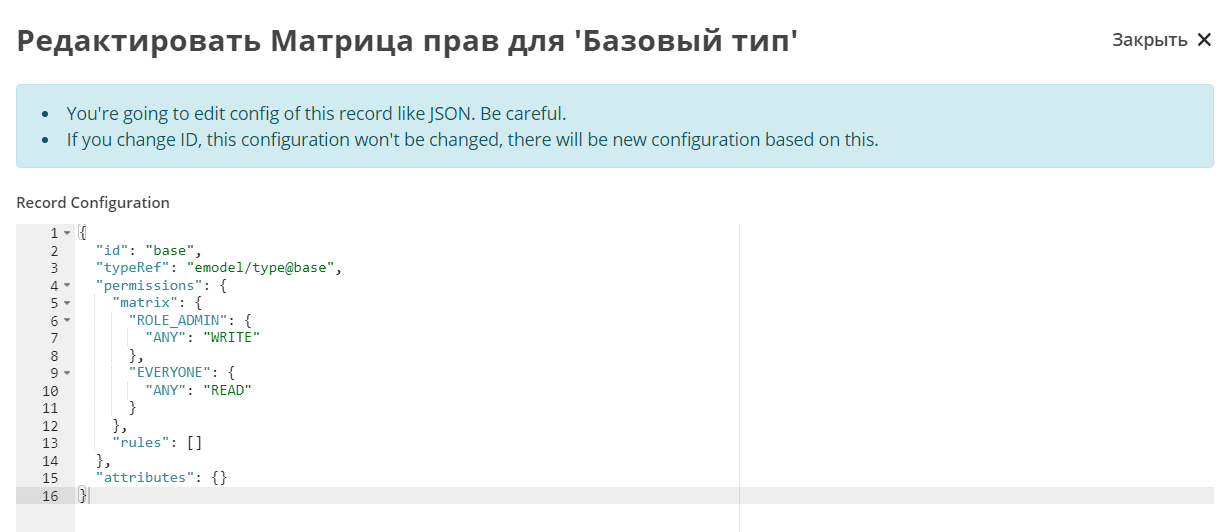
The base type is configured so that administrators can write everything, while all others can only read.
As part of the external portals task, the ability to define permissions for roles not defined in the data type was added. Such roles start with ROLE_
They may not be defined in the data type, but they are checked against the user’s authorities list.
If we request authorities — all authorities starting with ROLE_ will be returned in the user role retrieval request.
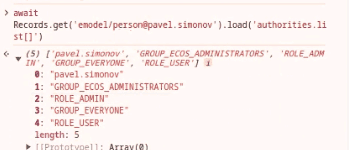
These implicit global roles can now have permissions configured for them. The most basic type has not changed.
An administrator can edit anything for which no specific matrix is configured.
That is, the matrix for the base type is used if no other matrix is found for a specific type.
If a matrix is configured for an SD request, that matrix is used and the base type matrix is not.
The customer list is visible to the technologist and to users added to the customer card. Editing is done on the main instance.
The matrix has 3 roles:
Initiator;
Organization Support, which is defined in the customer card (client);
Citeck technologist is determined by group
Customers
Groups have been added to the Customer.
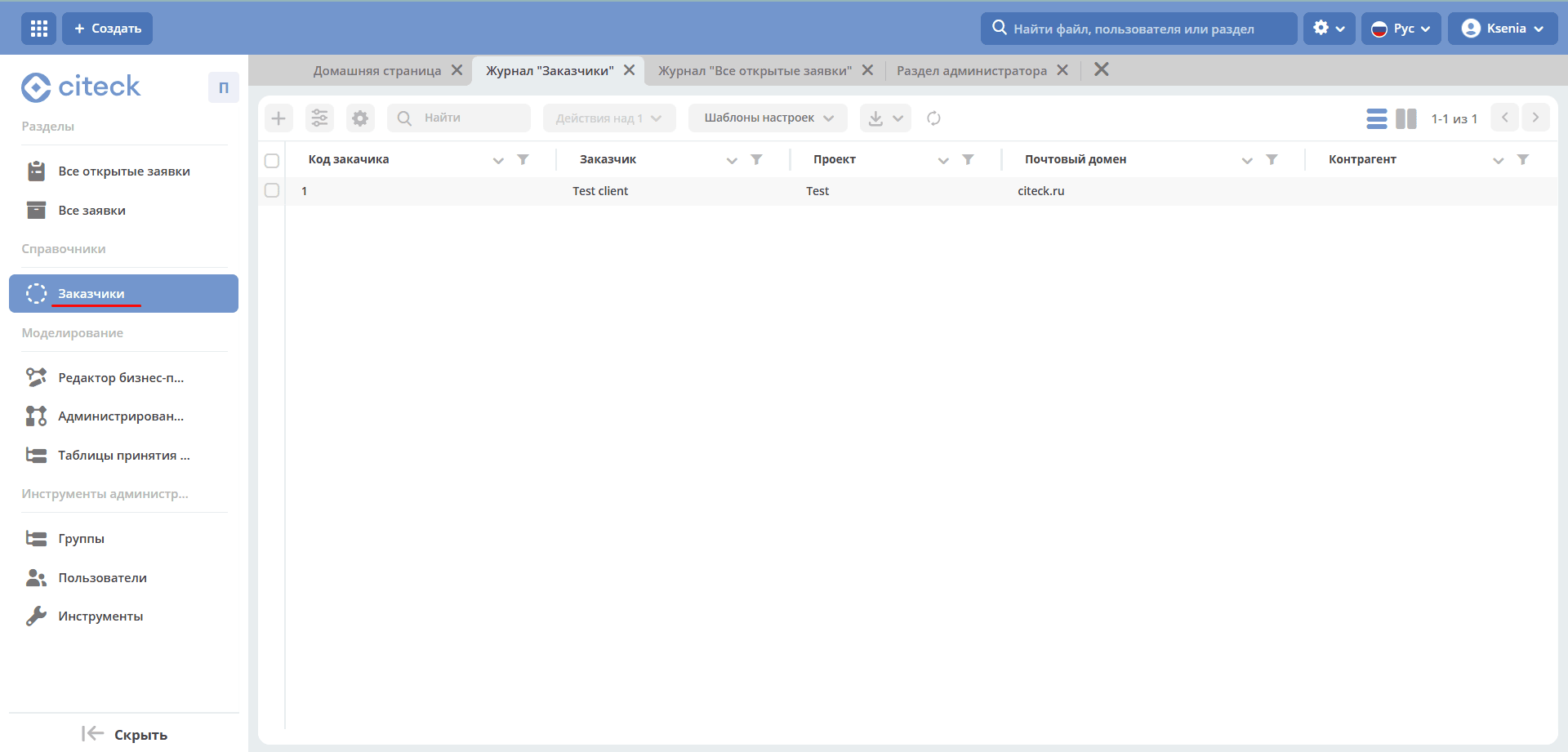
Note
Viewing and editing the Customer are available only on the main instance in the journal https://host/v2/journals?journalId=sd-clients-journal&viewMode=table&ws=service-desk-workspace
It is better to remove users and use groups instead, as adding a user to a group will dynamically change permissions.
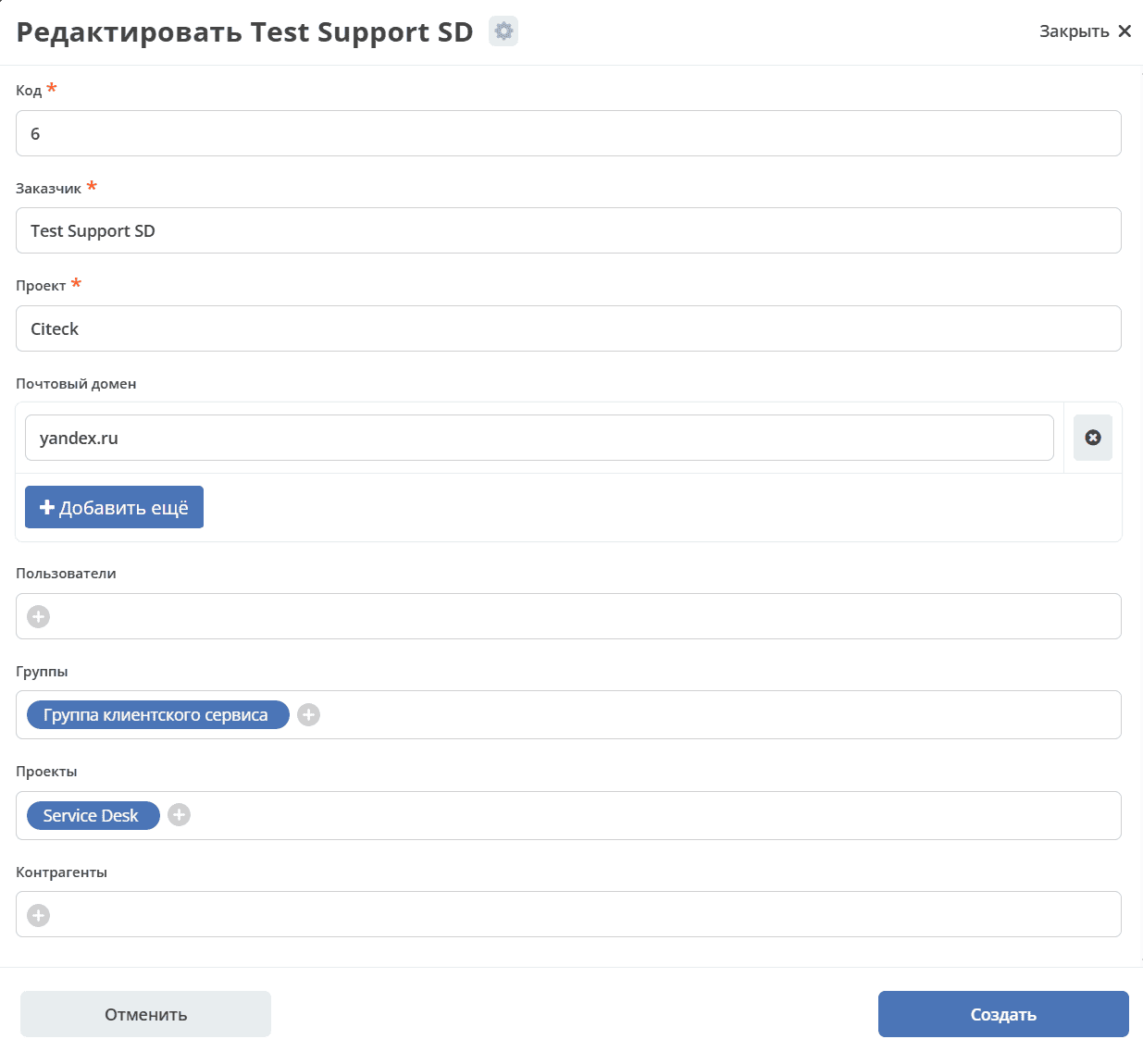
Logging
Import and export errors are available in the integration microservice logs, in the Synchronization Status and Synchronization Journal journals (Administrator Section workspace — Integration).
Synchronization Status
Synchronization statuses define the current state of the synchronization.
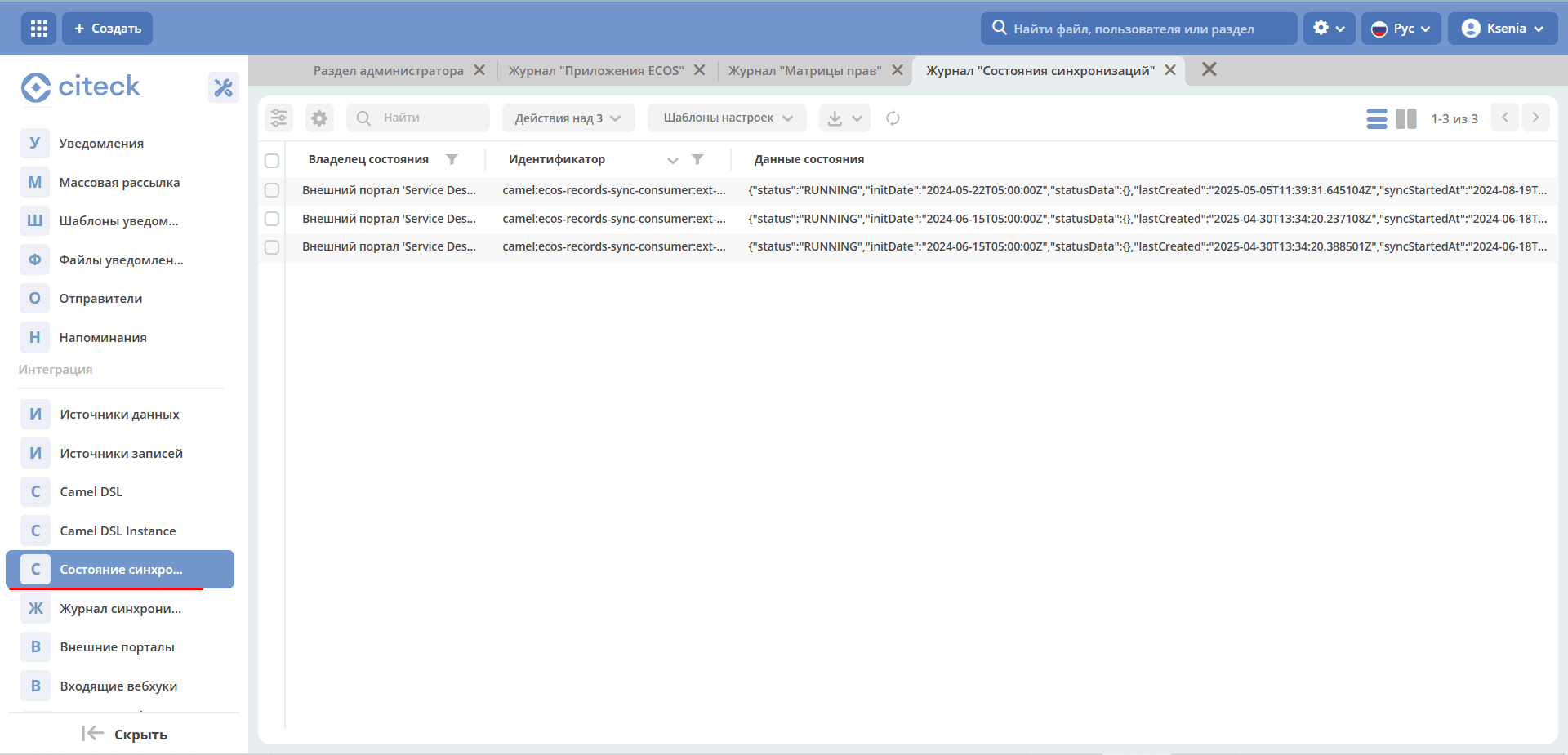
Statuses are configured for the following types:
sd-request-type — Request
ecos-comment — Comment
attachment — Content
Works via ECOS Camel, same functionality as for data migration.
Status Owner — Service desk portal configuration
Identifier contains the Camel prefix. For example:
camel:ecos-records-sync-consumer:ext-portal-sd-portal-ext-sync-attachment, where
ecos-records-sync-consumer — synchronization consumer
ext-portal-sd-portal-ext-sync — synchronization id
attachment — type identifier
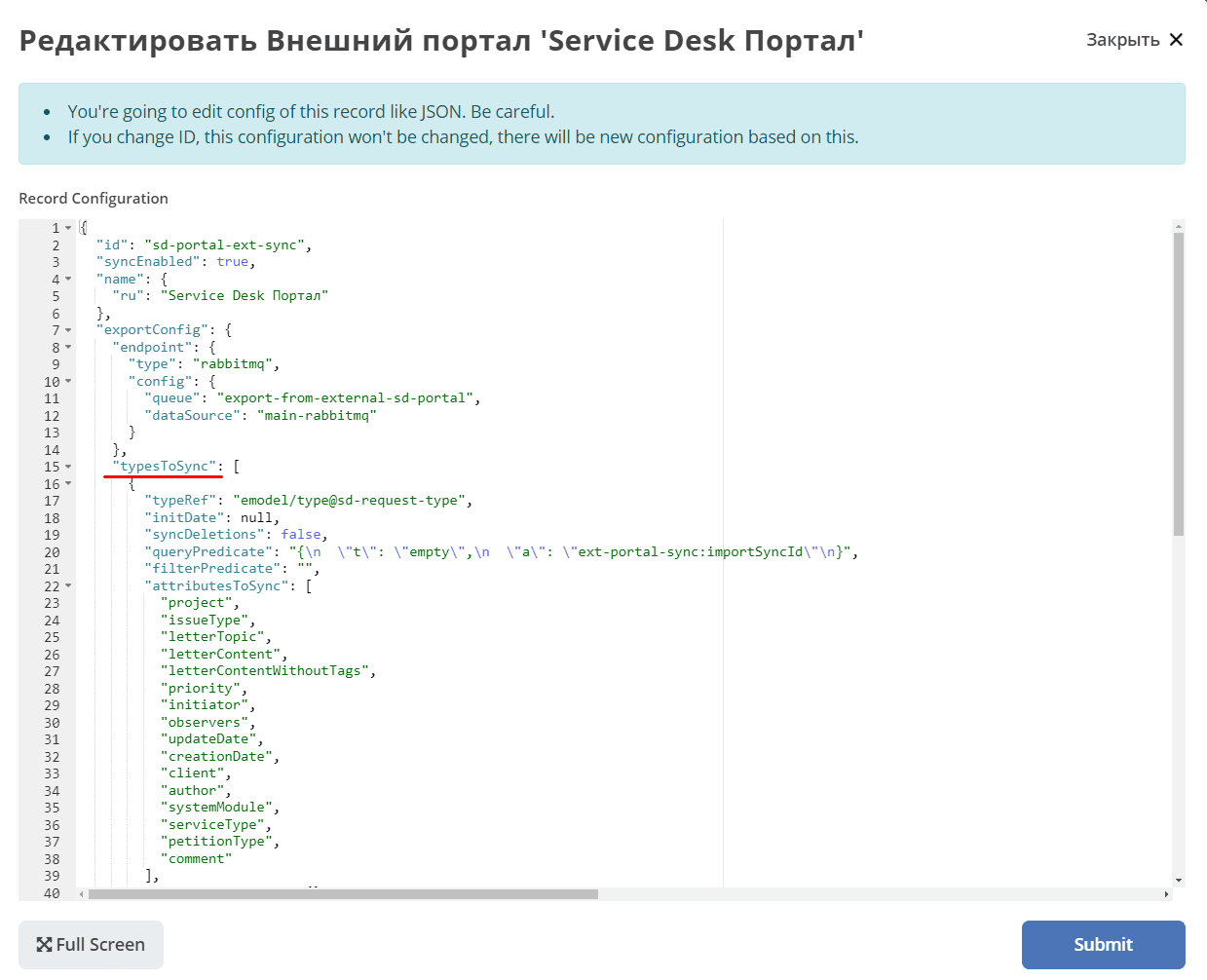
If there are multiple configurations for a type, an index is added.
In this case, the order in the typesToSync array matters:
Configuration:
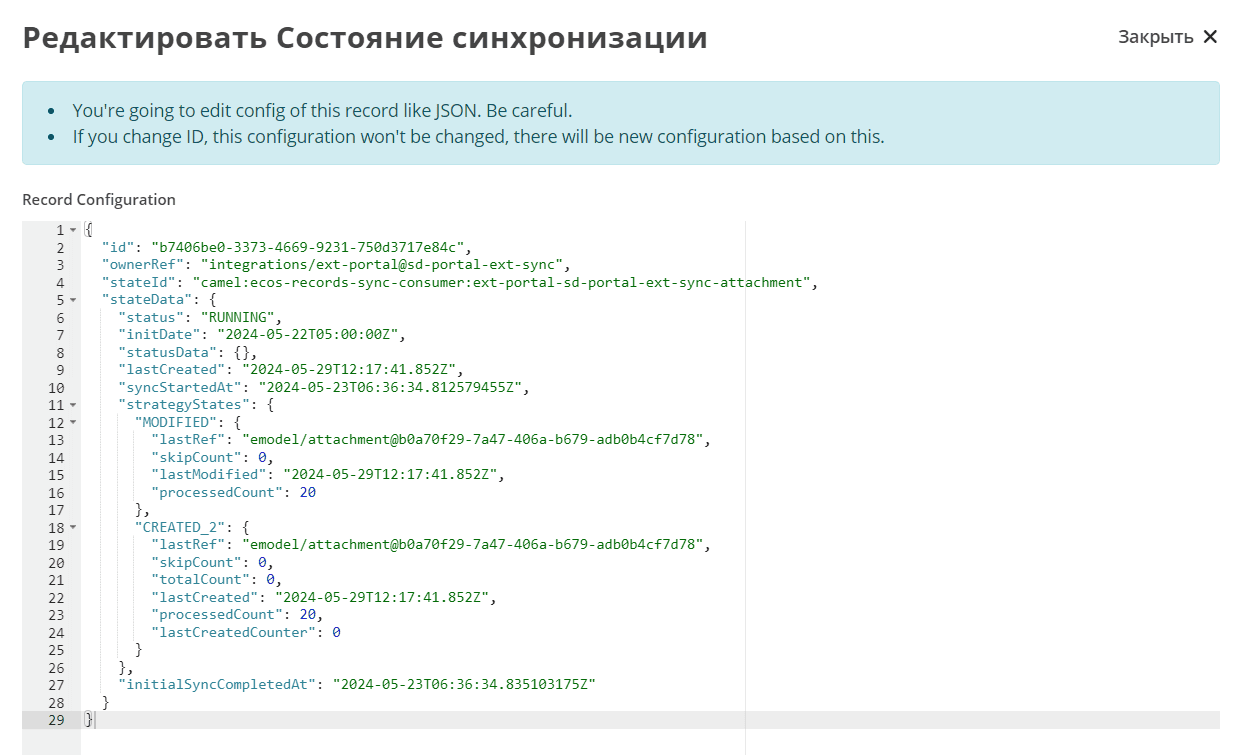
Status — synchronization statuses. RUNNING; if ERROR, the error text is displayed.
initDate — synchronization start date. Recorded in the state and remains constant until the state is reset or the date is changed manually. Changing the synchronization date in the portal settings does not change initDate.
lastCreated — date of the last created record.
syncStartedAt — when synchronization started.
strategyStates — states by strategy. (CREATED, MODIFIED, CREATED_MODIFIED). If CREATED_MODIFIED, then 2. If CREATED or MODIFIED, then 1.
processedCount — number of records processed
initialSyncCompletedAt — date when all records were synchronized and new ones are being awaited. If not set, synchronization has not completed.
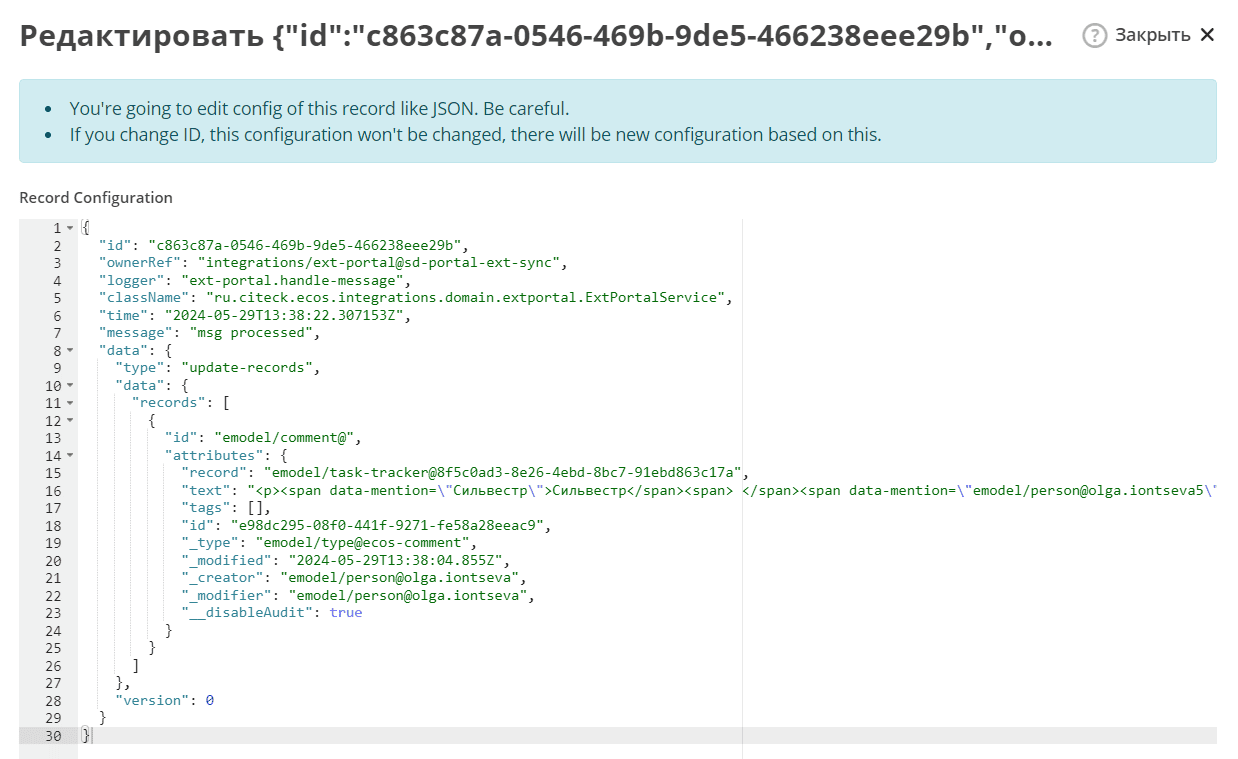
Synchronization Journal
The journal stores information about the received data.
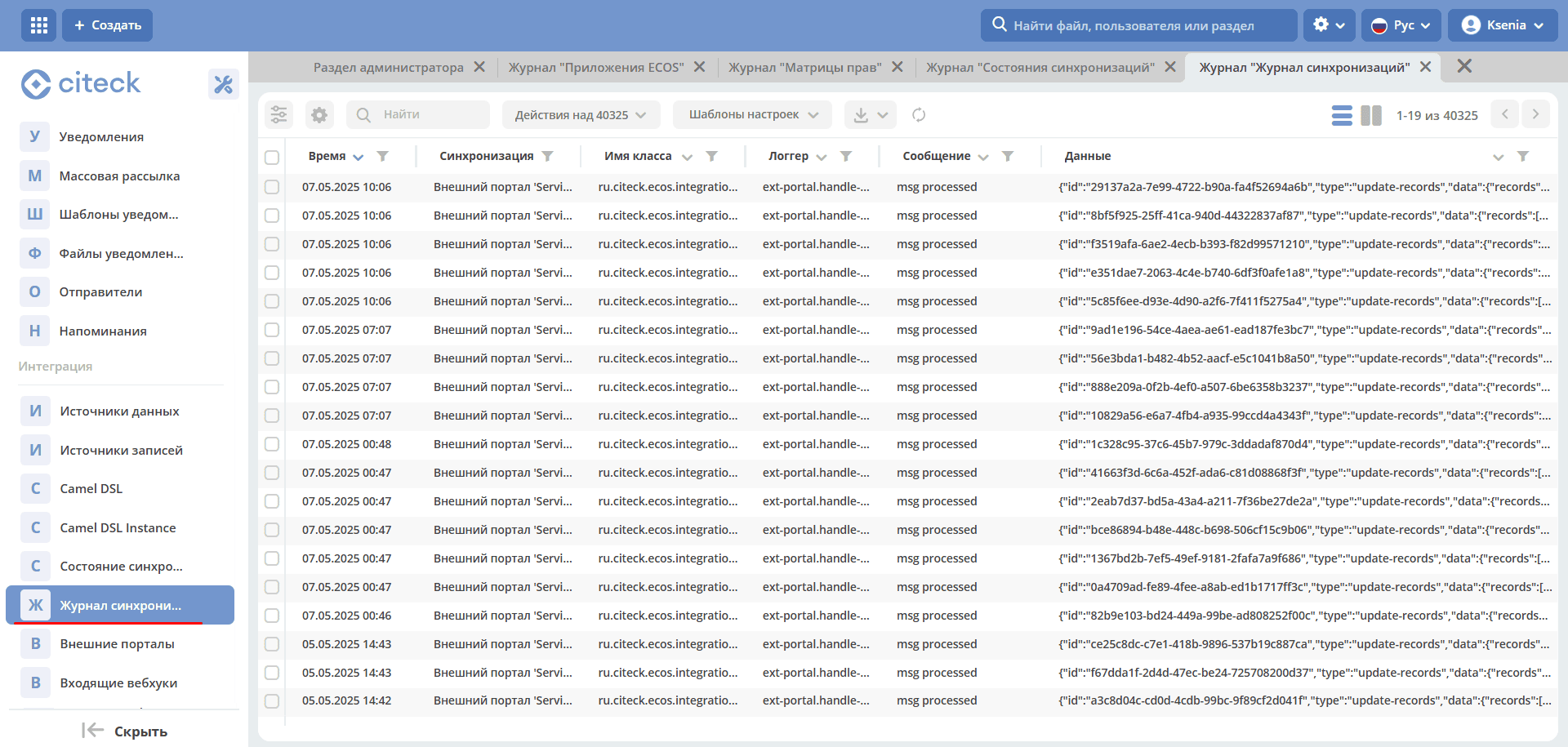
In case of an error, it contains detailed information about it.
Creating a Request
The following options are available:
on the external portal;
via email — requests are created on the main portal and then exported to the external portal;
on the main portal, then exported to the external portal.
The number is assigned on the main portal. The status is then returned.
See the user description of the technical support portal