Workspaces
The launcher allows creating multiple workspaces. For example, one workspace can be used for launching release versions, another - for launching internal development kits.
To go to the workspace list, click the corresponding button:

Creating a new one
Click the button to create a new workspace:

Enter the parameters:
workspace name;
repository URL and branch;
update interval in ISO 8601 format;
authorization type — None or Token.
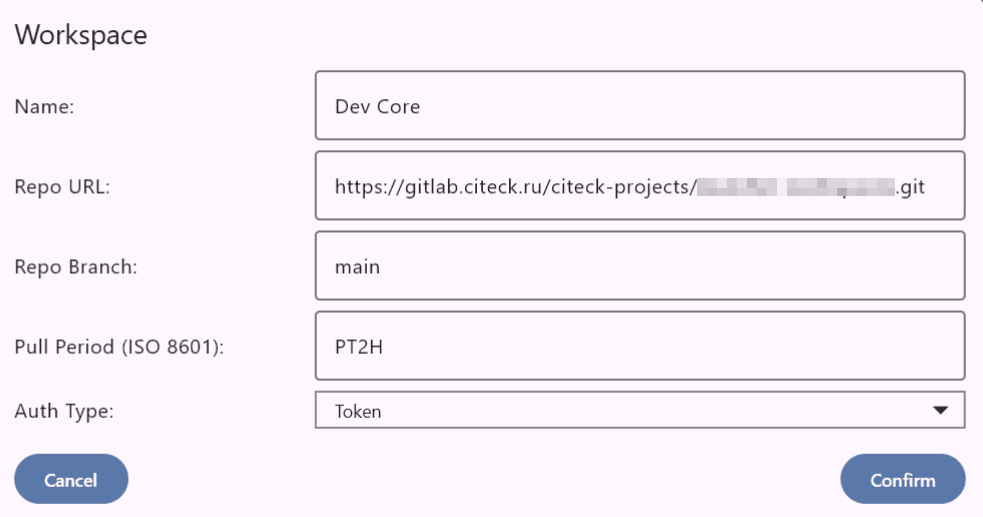
Click Confirm.
For token authentication type, you need to enter a personal access token from Gitlab.
Note
To create a token, go to GitLab → avatar (left) → Preferences → Access Tokens, create a new token and copy its value.
then enter it in the appropriate field and confirm:

Click Confirm. The workspace will be created.
Selection from created ones
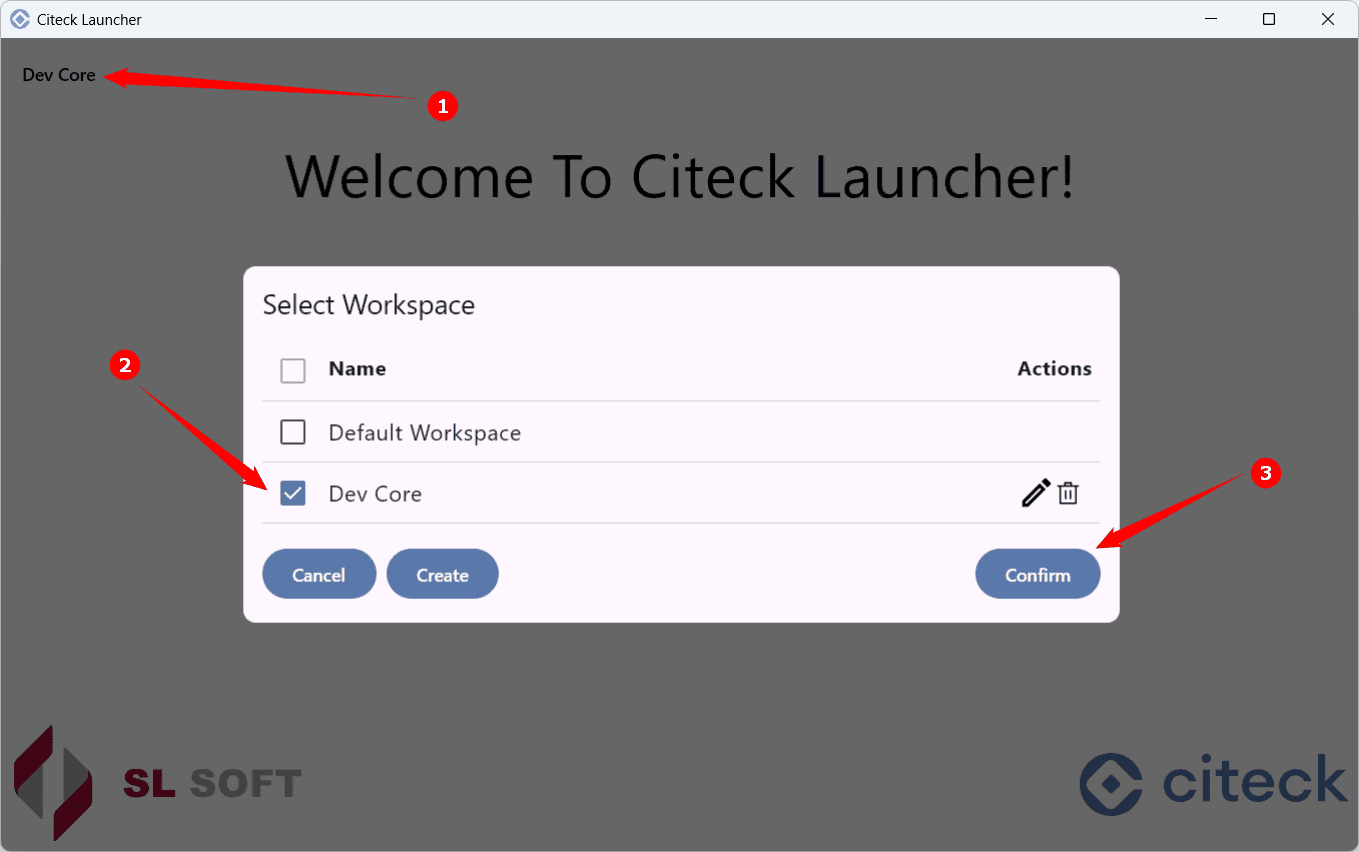
In the list, a workspace can be edited or deleted. Within the workspace, launching a configured namespace and creating a new one will be available:
