Actions Available with Camel DSL
For each Camel DSL artifact in the journal, context management actions are available. In addition to the standard operations (download, edit, delete), additional actions specific to Camel DSL are provided: starting and stopping the context, as well as viewing the log of the last synchronization.
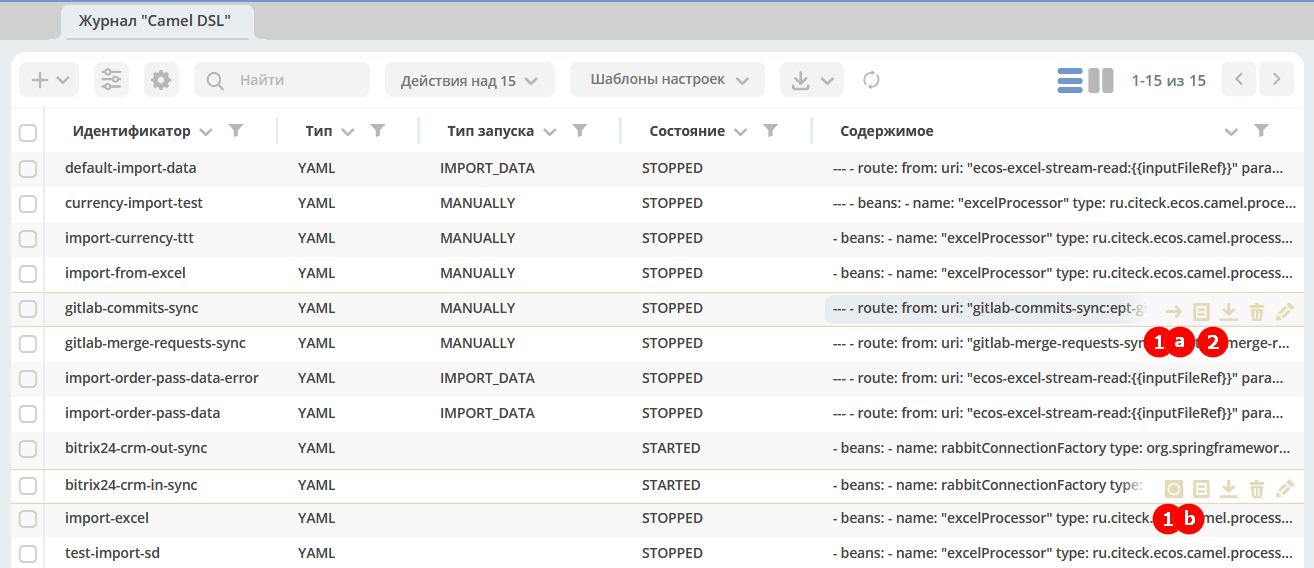
Description of additional actions:
Action |
Description |
|---|---|
1a — Start |
Starts the Camel context. Available when the context is stopped. |
1b — Stop |
Stops the running Camel context. |
2 — Log |
Opens the log of the last synchronization with detailed information about the execution progress and possible errors. |
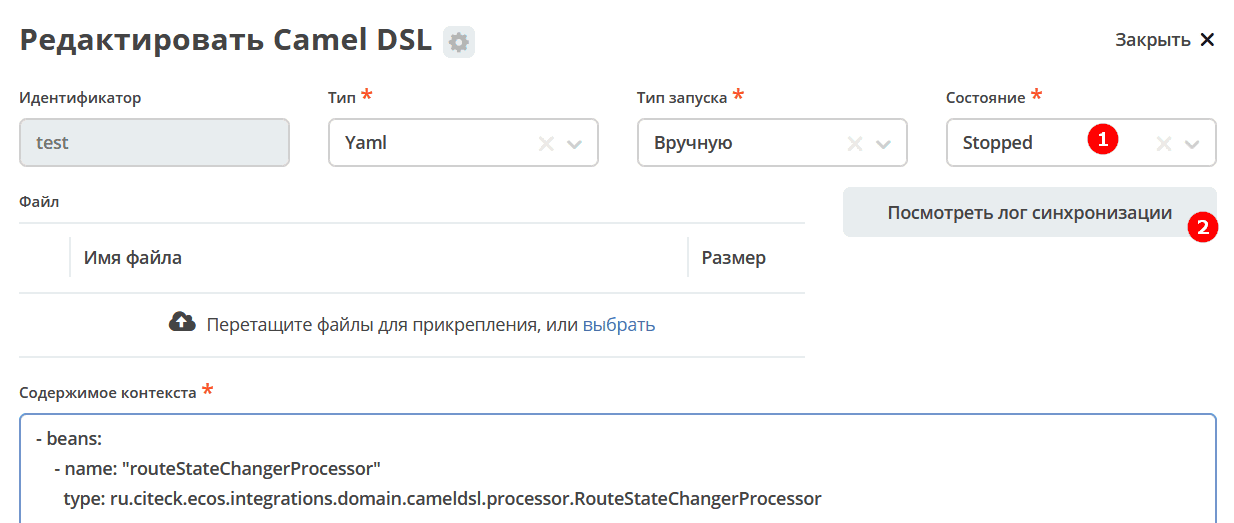
The Start and Stop buttons are also available directly inside the artifact card:
Note
The context stops automatically immediately after all tasks are completed — for example, when importing data from a file. This is the expected behavior: after the file is processed, the context transitions to the STOPPED state.
For more details on possible context states, see the section Camel DSL Context Instances.