Overview
Apache Camel is an open-source, cross-platform Java framework that allows integrating applications in a simple and understandable way.
Camel uses Domain Specific Languages (DSL) to describe integration design patterns or routes.
Citeck uses Yaml DSL to describe routes in YAML format and XML DSL.
Camel Context is the main entity in Camel. The context is a container for the Camel runtime environment. The context provides many useful services, the most significant being routes, components, languages, type converters, registry, endpoints, and data formats.
Route – the definition of an integration flow. For example, to integrate two systems, a route defines exactly how these systems interact.
Components - described in detail via the link
Bean – for calling methods of Java beans stored in the registry;
Direct – synchronously calls another endpoint from the same context;
Direct VM - synchronously calls another endpoint from any context on the same JVM;
File – reads and writes files;
Timer – generates messages at specified intervals using java.util.Timer;
JDBC – provides access to databases via JDBC;
Jetty – provides an HTTP-based endpoint for receiving and sending HTTP requests.
Example of a context with a route:
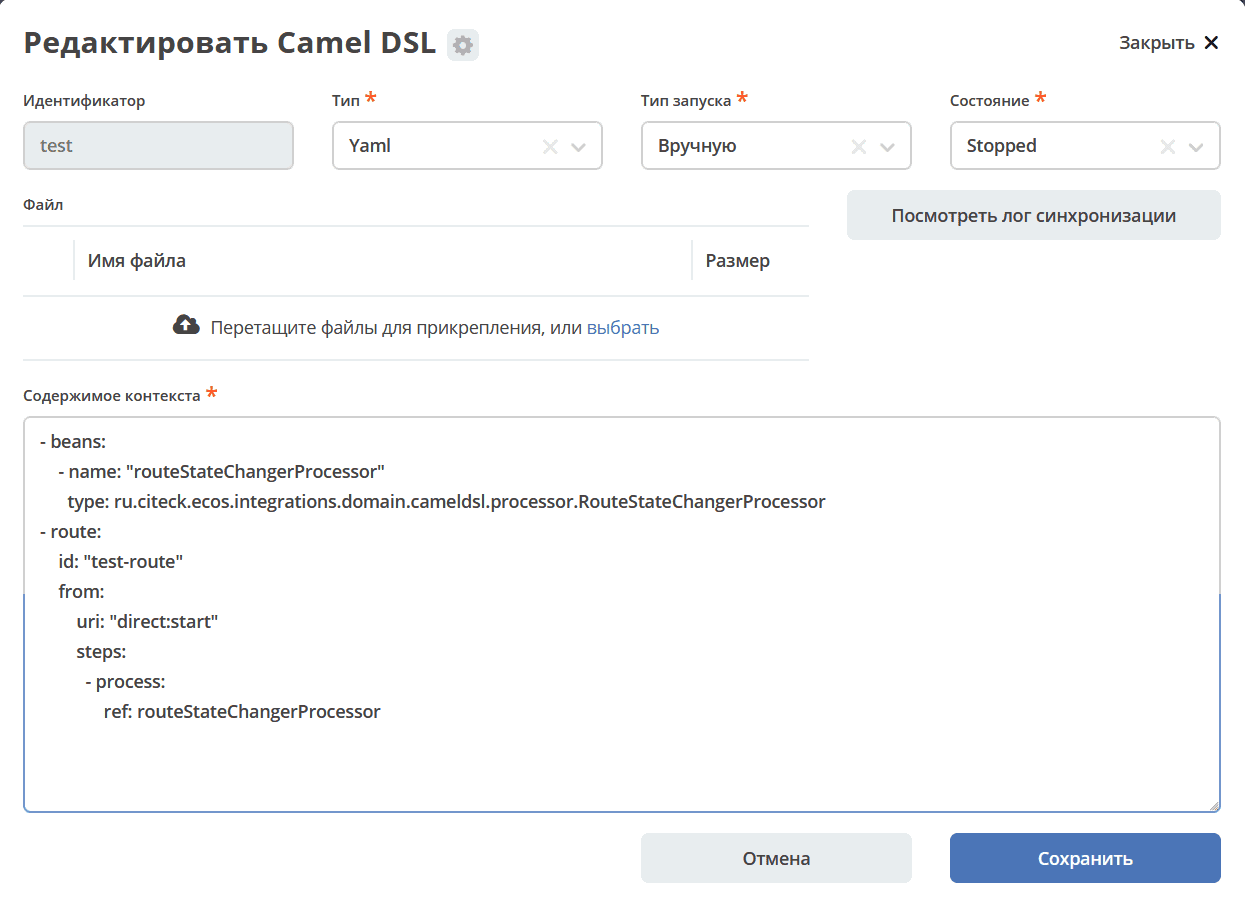
Launch Type:
MANUALLY - Works like a regular Camel DSL. Started and stopped via an action.
IMPORT_DATA - Used to describe file processing during Data Import
В контекст Camel DSL можно прикладывать файлы в формате base64. В конфиге можно указать название файла и его контент:
file:
  name: Пользователи.xlsx
  content: 'UEsDLVsnEoVzlgUAAJYFAAATAAAAW0NvbnRlbnRfVHlwZXNdLnhtbDw/eG1sIHZlcnNpb249IjEuMCIgZW5jb2Rpbmc9IlVURi04IiBzd='
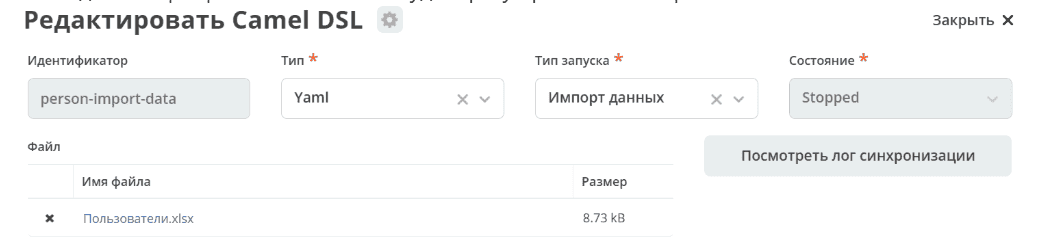
После деплоя в Camel DSL будет сразу приложенный файл:
Note
Attribute = Property = Field
Target DB = Destination DB = Target Data Source – where data is placed
Source DB = Source Data Source – where data is taken from