Numbering Templates
Description
Numbering Templates — a mechanism for automatically generating unique numbers for entities in Citeck. They allow you to configure sequential, monthly, project-based, or any other numbering without programming — directly through the administrator interface.
The template defines the rule for forming the counter key, and the counter stores the current value and is automatically incremented when each new record is created. Templates and counters are stored in the ecos-model service.
This page describes:
the structure of Number template and Number counter entities;
the operation algorithm of the numbering mechanism;
configuring a template via the interface;
binding a template to a data type;
using the counter in the name display template;
changing the current counter value.
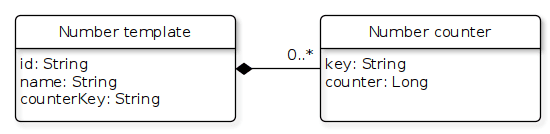
Template files are created and saved in the format: graphml
Number template
An entity that defines a counter template based on the current date or fields in the entity we want to number.
Fields:
id - entity identifier
name - arbitrary name. Reference information
counterKey - counter key template. Can be either a constant (only 1 counter will be created for the template) or with inserts in the format
${attribute_from_numbered_entity}.
Number counter
An entity where the count is maintained.
Fields:
key - counter key. A constant value resulting from evaluating counterKey in the numbering template.
counter - counter value
Operation Algorithm
In the application that uses numbering templates, synchronization is configured to load all templates from ecos-model to obtain a list of attributes needed by the template.
When creating a new entity, we take its type, from the type we get the numbering template, and if it is set, we retrieve the list of attributes required for the template. Then we send a command with the necessary attributes to ecos-model to get the next counter value. After receiving the counter value, we save it in one of the fields.
To get the counter value, you should always use the system attribute _docNum (each source is responsible for returning the current numbering value for this attribute).
Configuring a Template in the Interface
Go to the journal “Numbering Templates” (Workspace “Admin Section” - Model).
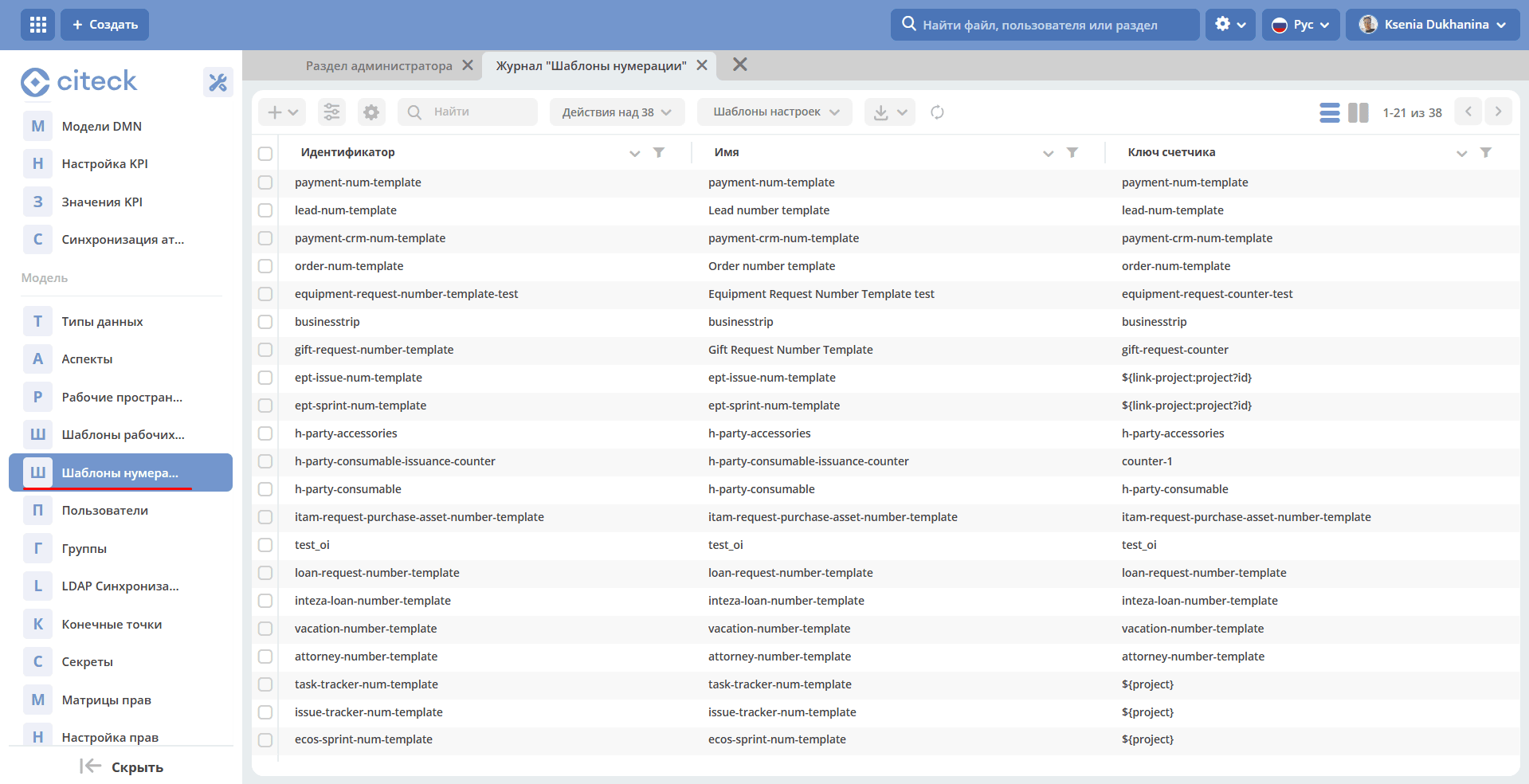
Click + and select “Create new template”
Enter Id, name and counterKey and click Submit
Consider an example using the current month for the template (numbering starts from 0 each month):
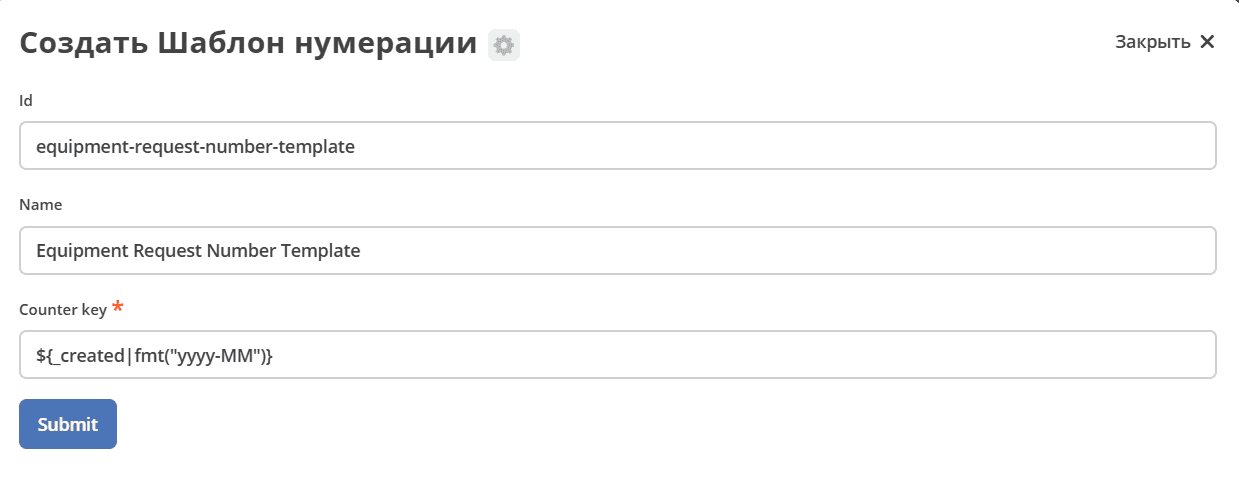
New numbering template created.
Binding to Data Type
A numbering template can be bound to a data type in one of two ways:
Using the system attribute
_docNum, which contains the number generated by the template:
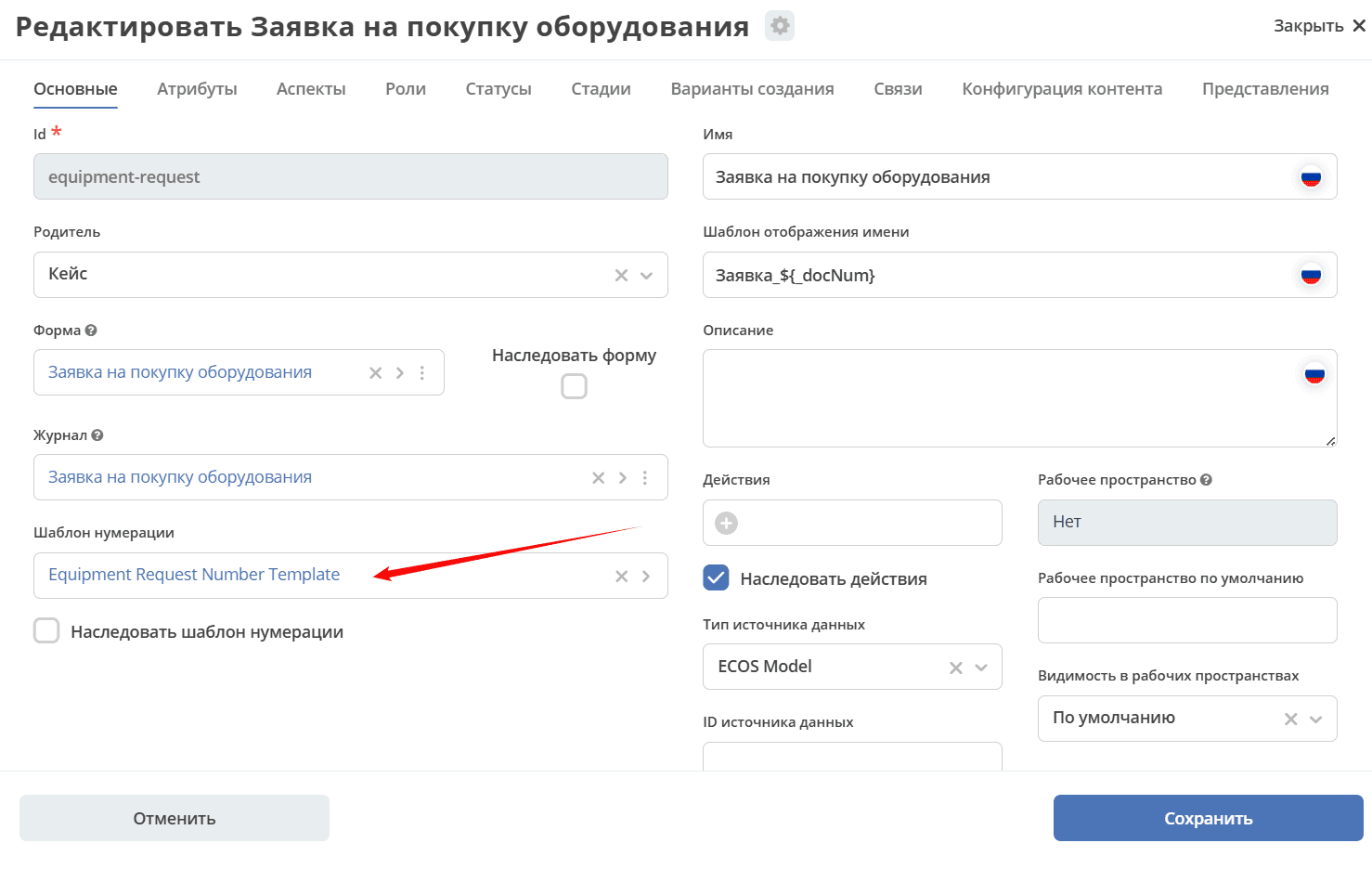
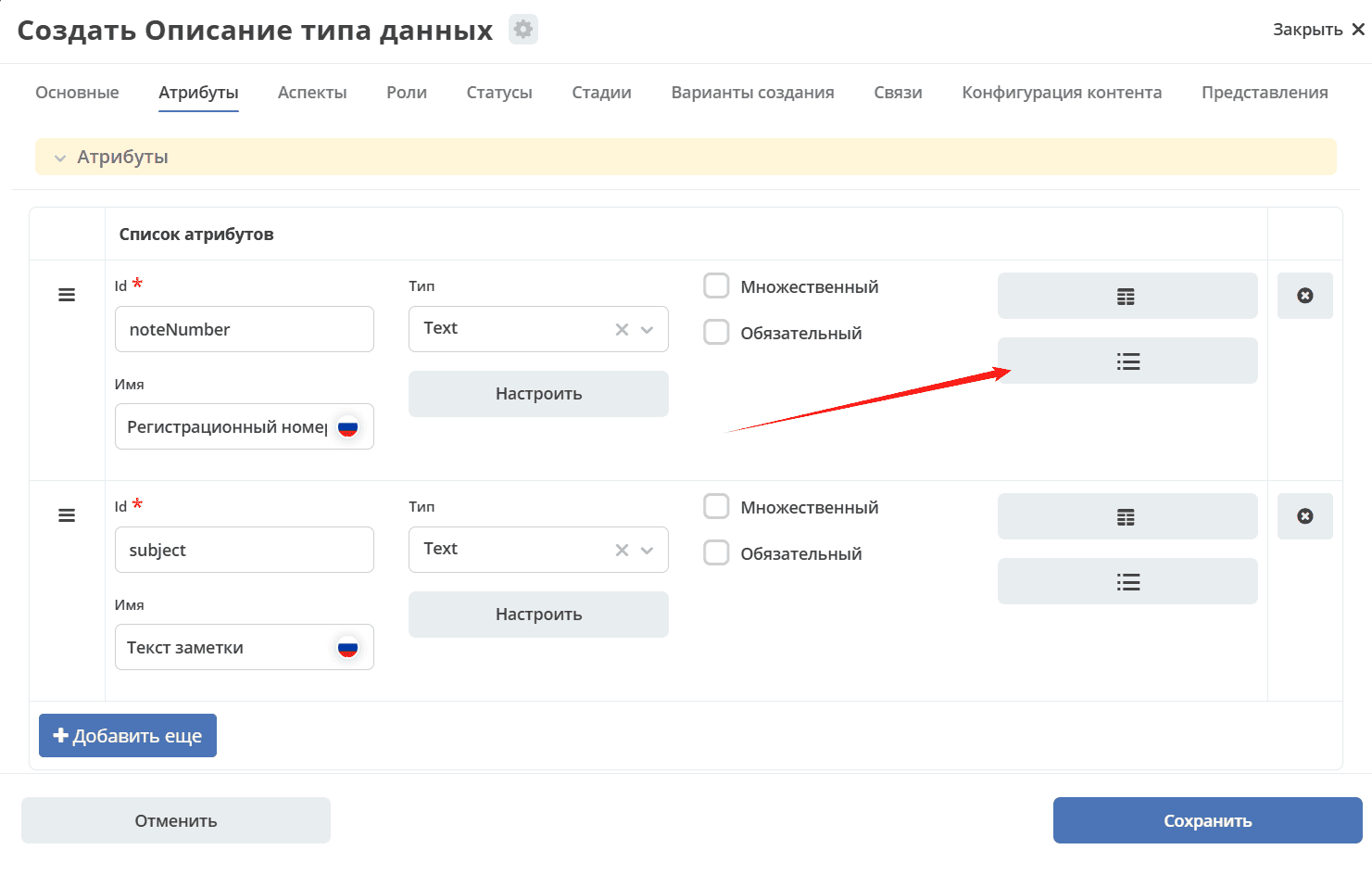
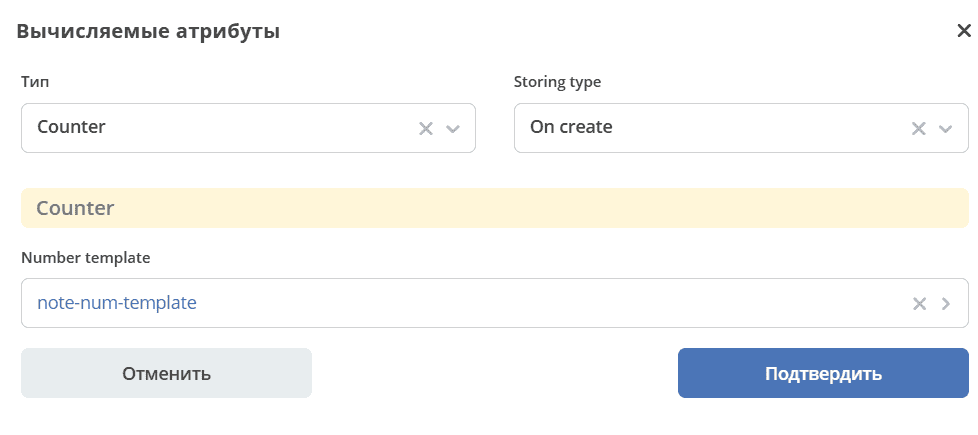
With binding the counter to a specific attribute. The field will be populated with the number from the counter:
Go to attribute settings:
Specify type Counter, storing type On create, select the previously created numbering template, confirm:
Using Counter Data in Name Display Template
In the name display template, you can set counter data. For example:
For case 1, the system attribute _docNum is specified:
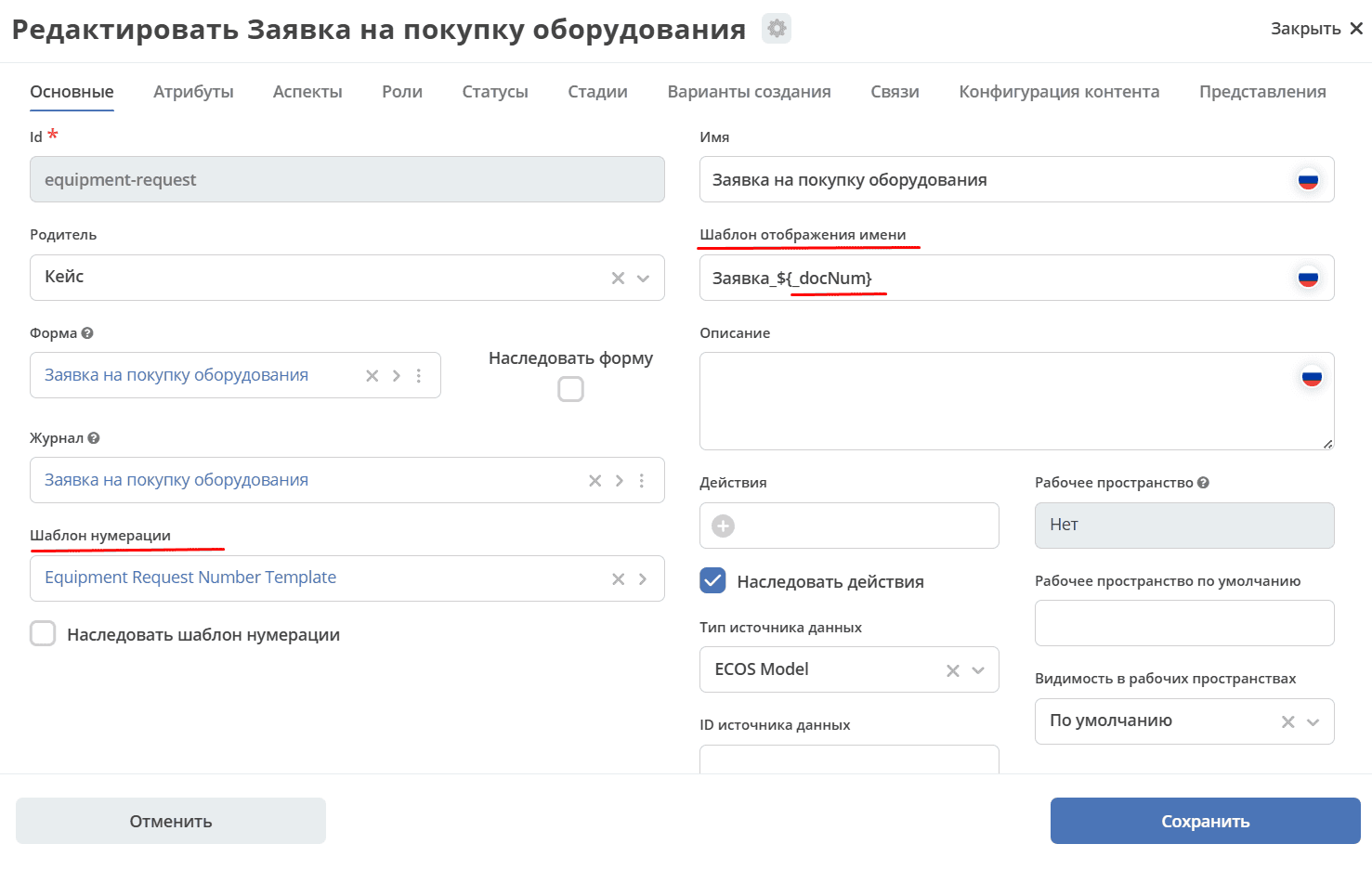
To get the following name display Application № 17
For case 2, the attribute(s) to which the counter is bound is specified.
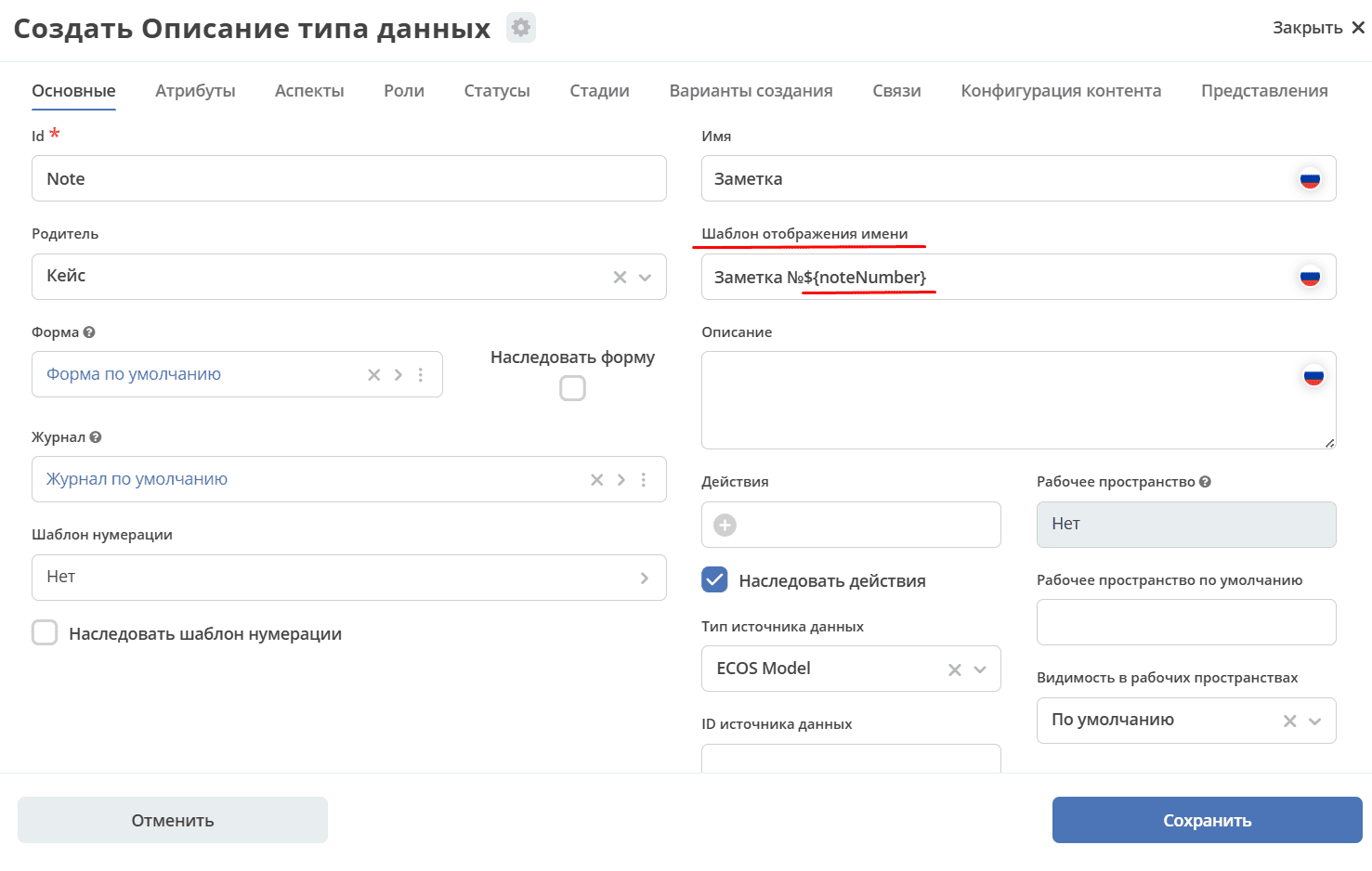
It is possible to specify the number of characters (leading zero padding): Test №${_docNum|fmt('00000')}
Support for numbers and dates in fmt is implemented:
fmt('YYYY.MM', 'en', 'GMT+0')

fmt('00000', 'en')
For example: Note №${$now|fmt('yyyy-MM-dd')} ${noteNumber}
Where:
now|fmt('yyyy-MM-dd')– current date;
noteNumber– attribute “Registration number” to which the counter is bound.
to get the following name display Note №2023-02-23 15
To get the following name display Application № 2025-07-1 use: Application № ${_created|fmt('yyyy-MM')}-${_docNum}
Changing the Current Counter Value
To change the current counter value, you need to execute a mutate request.
Template:
---
id: ept-issue-num-template
name: ept-issue-num-template
counterKey: '${link-project:project?id}'
Changing the counter:
const record = Records.get("emodel/num-template-action@");
record.att("type", "set-next-number");
record.att("args",
{
       "templateRef": "emodel/num-template@ept-issue-num-template",
       "counterKey": "emodel/ept-project@3059e6bc-1915-4afc-a36e-39effb8a04d9",
       "nextNumber": 113
})
record.save();