Aspects
An aspect is a mechanism for extending the functionality of a data type without modifying the type itself. An aspect adds extra attributes, a configuration form, and associated behavior to entities, while the data type remains unchanged.
The same aspect can be connected to multiple data types, allowing logic reuse without duplication. An aspect can be added to a type explicitly — via the Aspects tab in the type settings — or automatically, depending on the configuration.
Aspect attributes are accessible via a prefix in the format {prefix}:{attribute.id}, which allows them to be uniquely identified in forms, journals, action configurations, and record mutations.
Citeck provides system aspects for common tasks: time tracking, managing document associations, barcode generation, event history configuration, data import, and activity processing.
A journal “Aspects” (Workspace “Admin Section” - Model) has been created for viewing existing aspects and editing them:
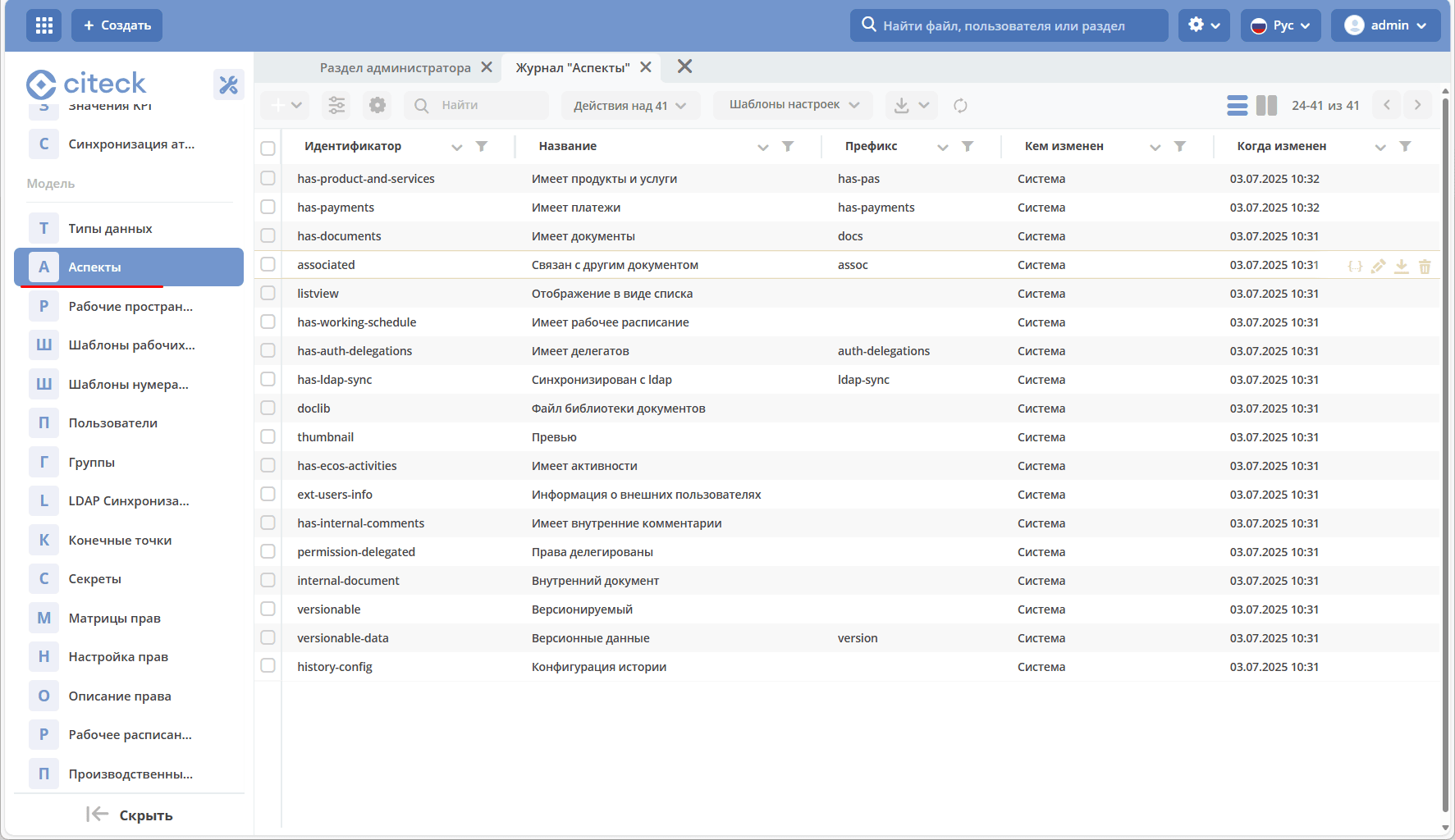
In the journal, the administrator has a standard set of actions available for each record:
edit json file;
edit properties;
download;
delete.
See more information on development
Creating a New Aspect
The form for creating a new aspect consists of 2 tabs.
“Main” Tab:
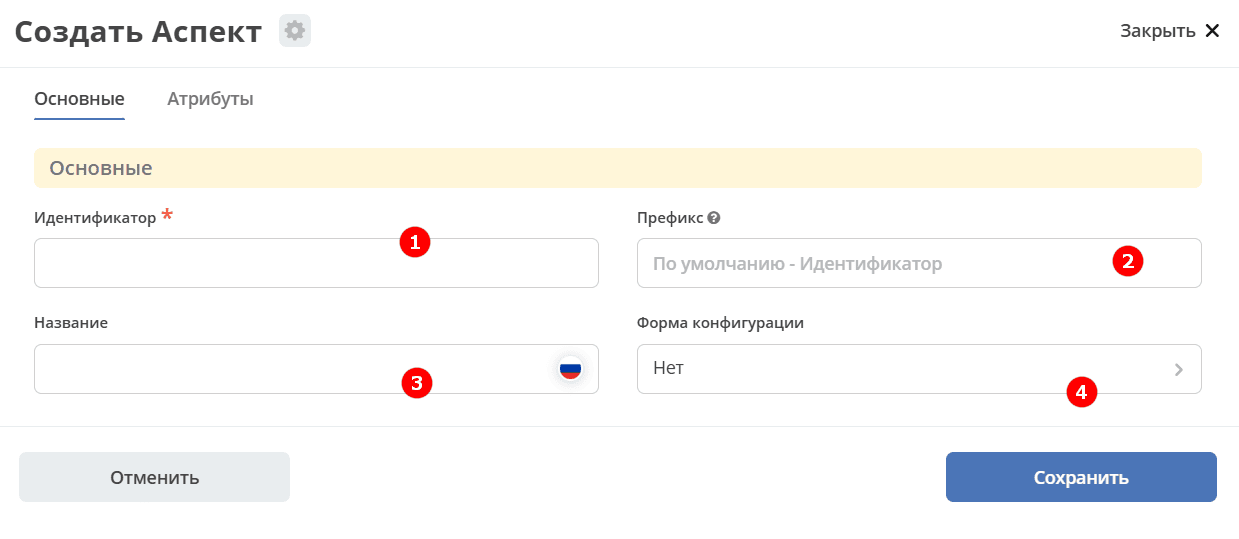
No. |
Name |
Description |
|---|---|---|
1 |
Identifier |
unique aspect identifier |
2 |
Prefix |
Designed to distinguish attributes from different aspects.
The prefix is added to all aspect attributes according to the pattern
{prefix}:{attribute.id}.Thus, attributes can be available in forms, action configs, record mutations.
If the prefix is not specified separately, it defaults to the identifier.
|
3 |
Title |
localized name |
4 |
Configuration Form |
The functionality allows extending the type configuration without changing the type form.
The form can be selected from previously created ones or created.
|
“Attributes” Tab:
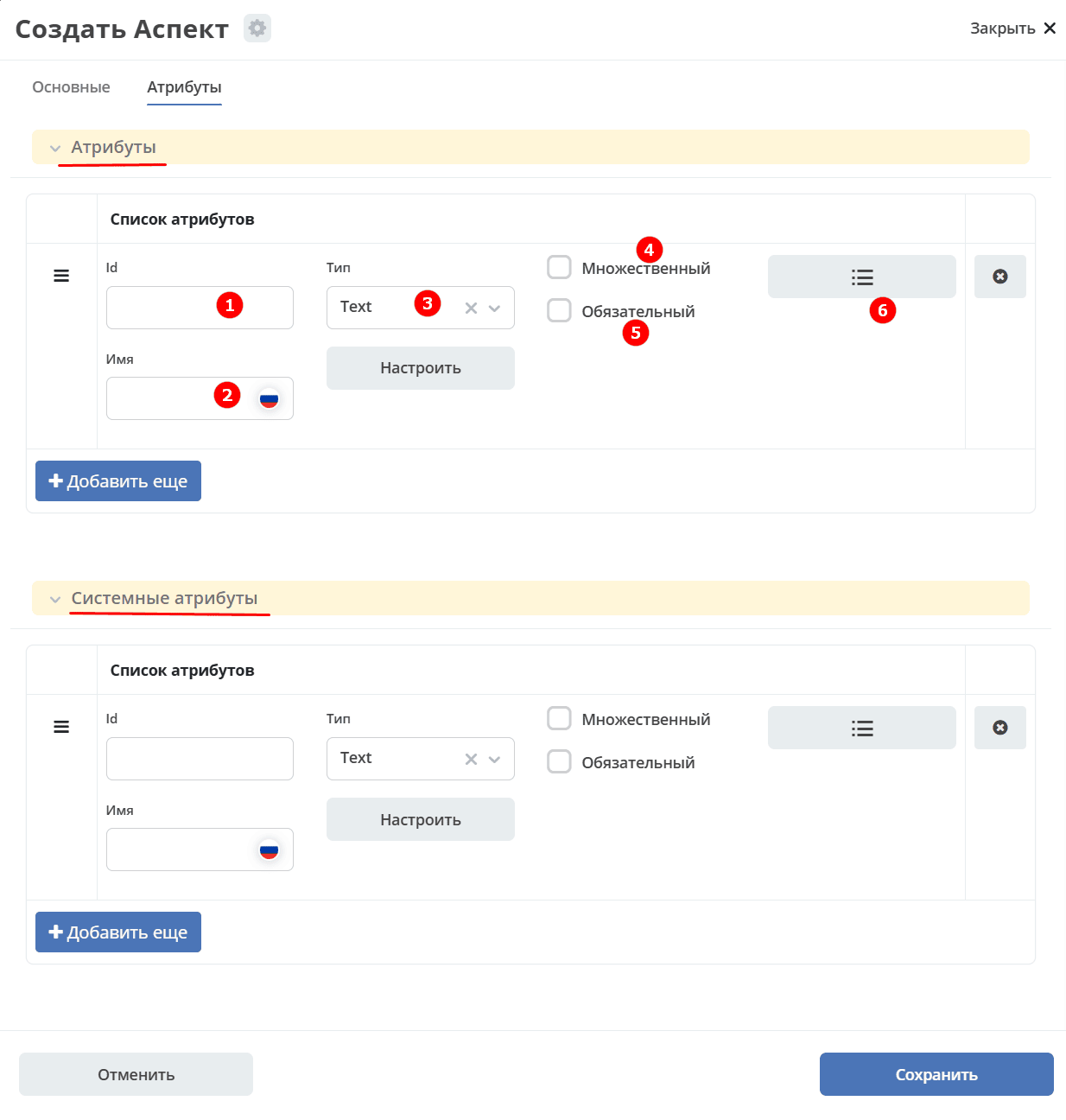
Aspect attributes and system aspect attributes that will be added to entities with this aspect.
No. |
Name |
Description |
Example of Filling |
|---|---|---|---|
1 |
Id |
field identifier by which it will be available on the form, in the journal. |
testAttribute (camelCase) |
2 |
Name |
field name for display to the user. |
Test Attribute |
3 |
Type |
field type. Supported data types |
selected from the proposed list. Default is text. |
4 |
Multiple |
multiple input allowed |
flag |
5 |
Mandatory |
field is mandatory |
flag |
6 |
Calculated Attributes |
functionality allowing to set a dependency expression, enabling flexible creation of derived attributes See details |
configuration setting depending on the type and complexity of attribute calculation |
Information about the aspect is entered in the _aspects field, as when adding any other aspect.

Note
Each aspect can be added either explicitly (in the Aspects tab) or automatically (see below Time Tracking)
Examples
Associated with Another Document
The aspect “Associated with Another Document” is created for the operation of the “Document Links” widget (adding and displaying links with an entity):
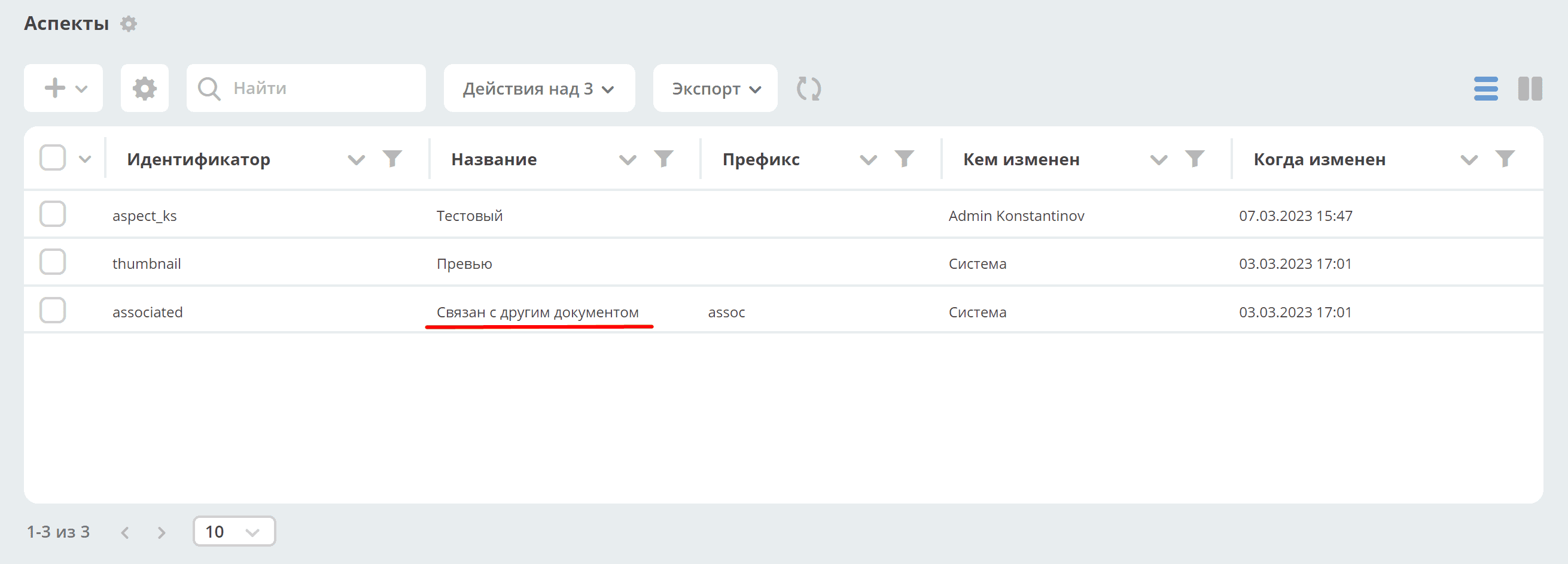
Information about related entities is entered in the assoc:associatedWith field.

Has Barcode
The aspect “Has Barcode” is created for generating a barcode for the document:
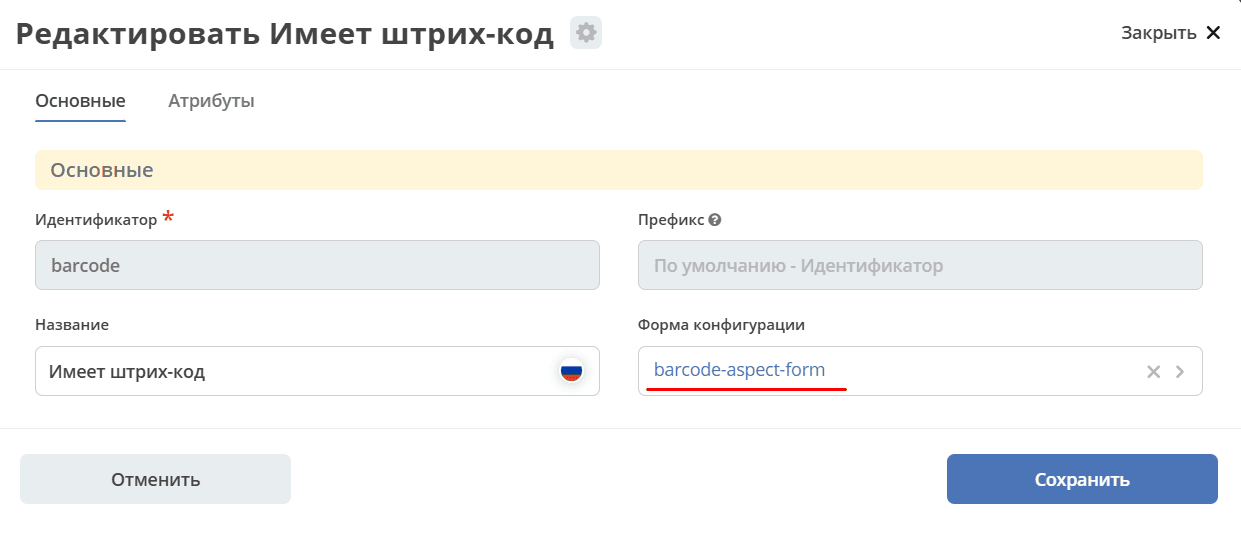
The aspect has no attributes, but has a configuration form:
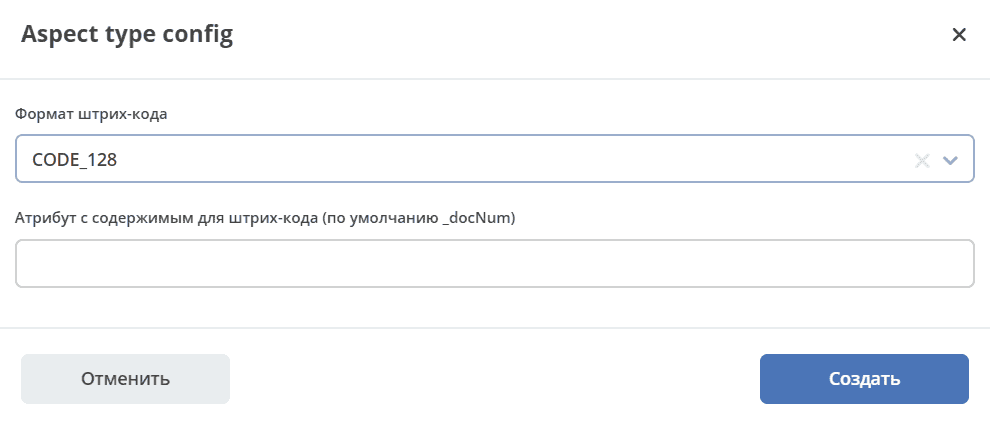
When selecting the aspect in the data type, you can configure the barcode format and the attribute from which to take data for generating the barcode (by default, the document number _docNum).
To implement complex logic, it is necessary to create a calculated attribute, and based on it, add an aspect and then take the barcode setting from the attribute.
Time Tracking
The aspect “Time Tracking” creates records of time spent on a task:
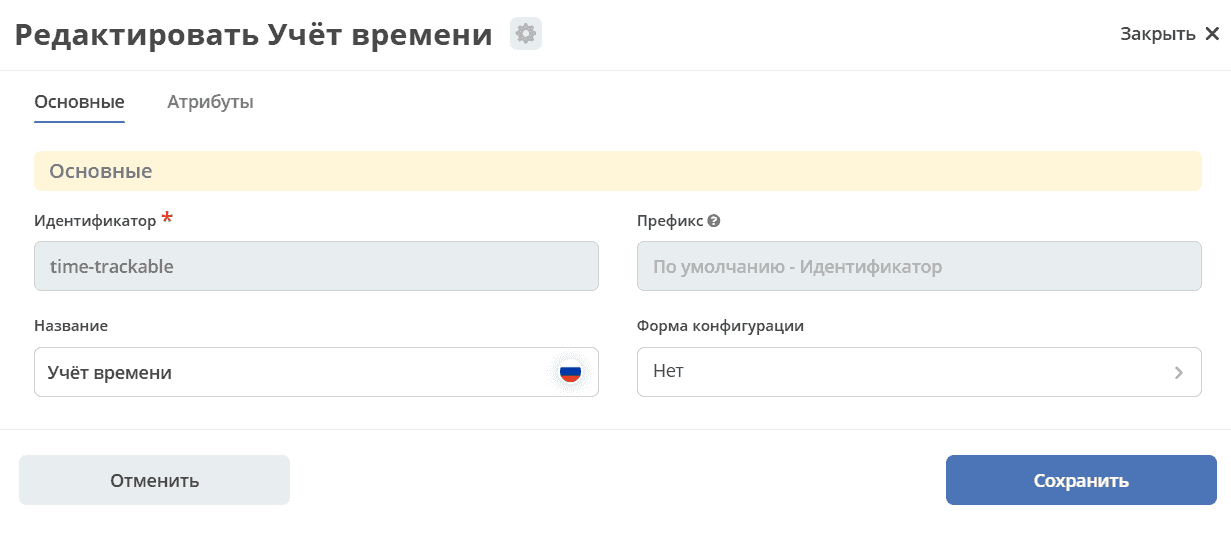
The aspect has an attribute timeTracking - a record of time spent:
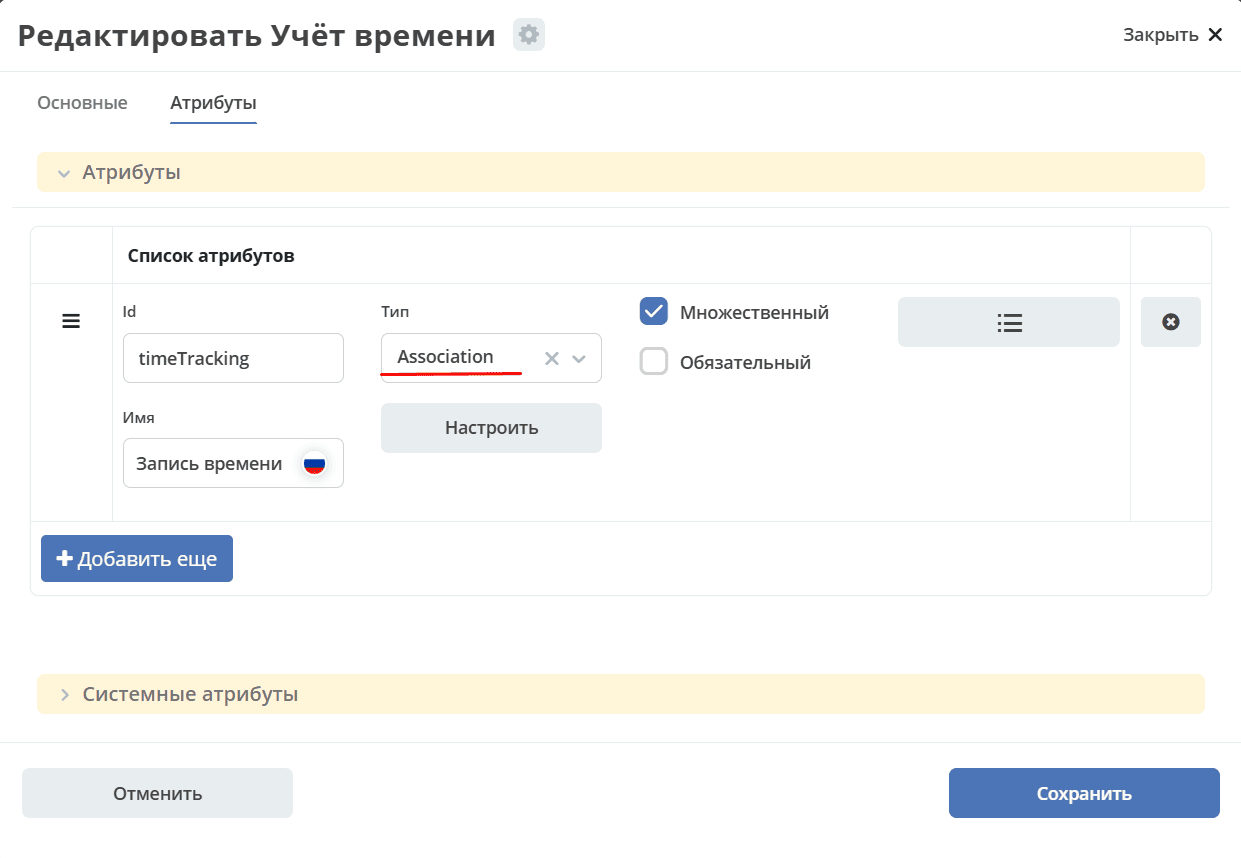
Reflected as a child association: time-trackable:timeTracking:
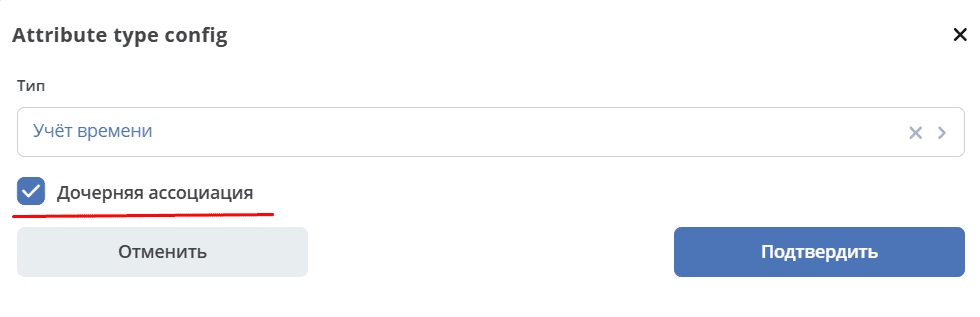
With this choice, the aspect attribute is a child association.
Therefore, it is possible to navigate to the parent via the timeTracking entity. The timeTracking attribute, accordingly, contains links to all child entities.
Thus, a two-way connection is formed:
from child to parent via the system attribute
_parent,from parent to child via the configured attribute.
If the parent is deleted, then child entities are deleted for all associations.
If default rights are set, then children inherit rights from parents. Accordingly, everyone who has access to the document can view timeTracking.
When creating a timeTracking entity, 2 attributes are available that allow making a connection with the parent:
_parent?str: "emodel/type@document"  //Заявка, с которой мы связываем родителя.
_parentAtt?str: "time-trackable:timeTracking"  //Атрибут от родителя к дочерней сущности, куда его нужно добавить.
History Configuration
The aspect “History Configuration” is created for the possibility of configuring the recording of properties into history.
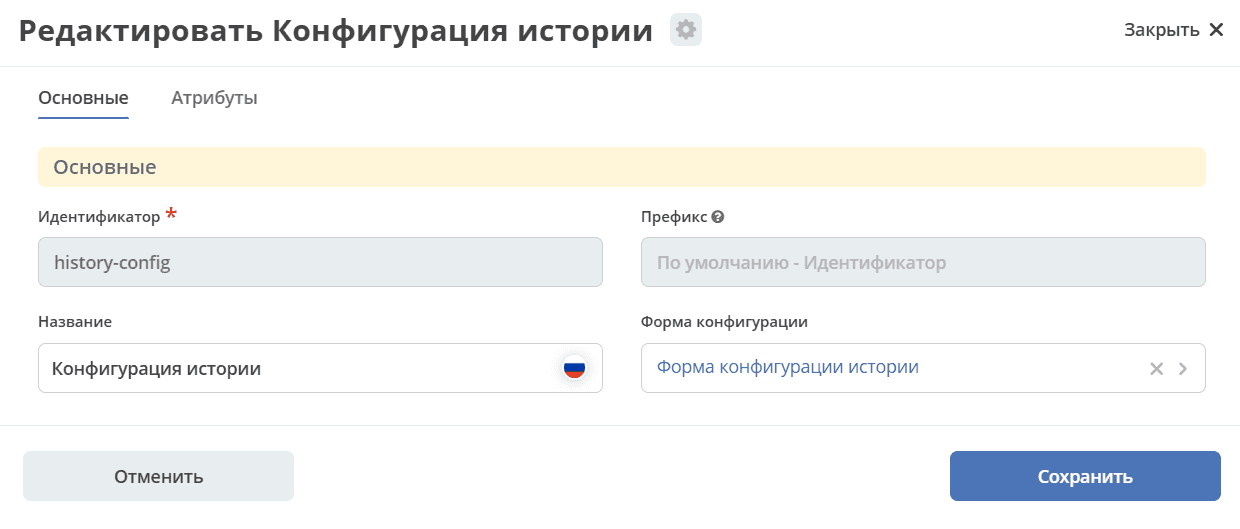
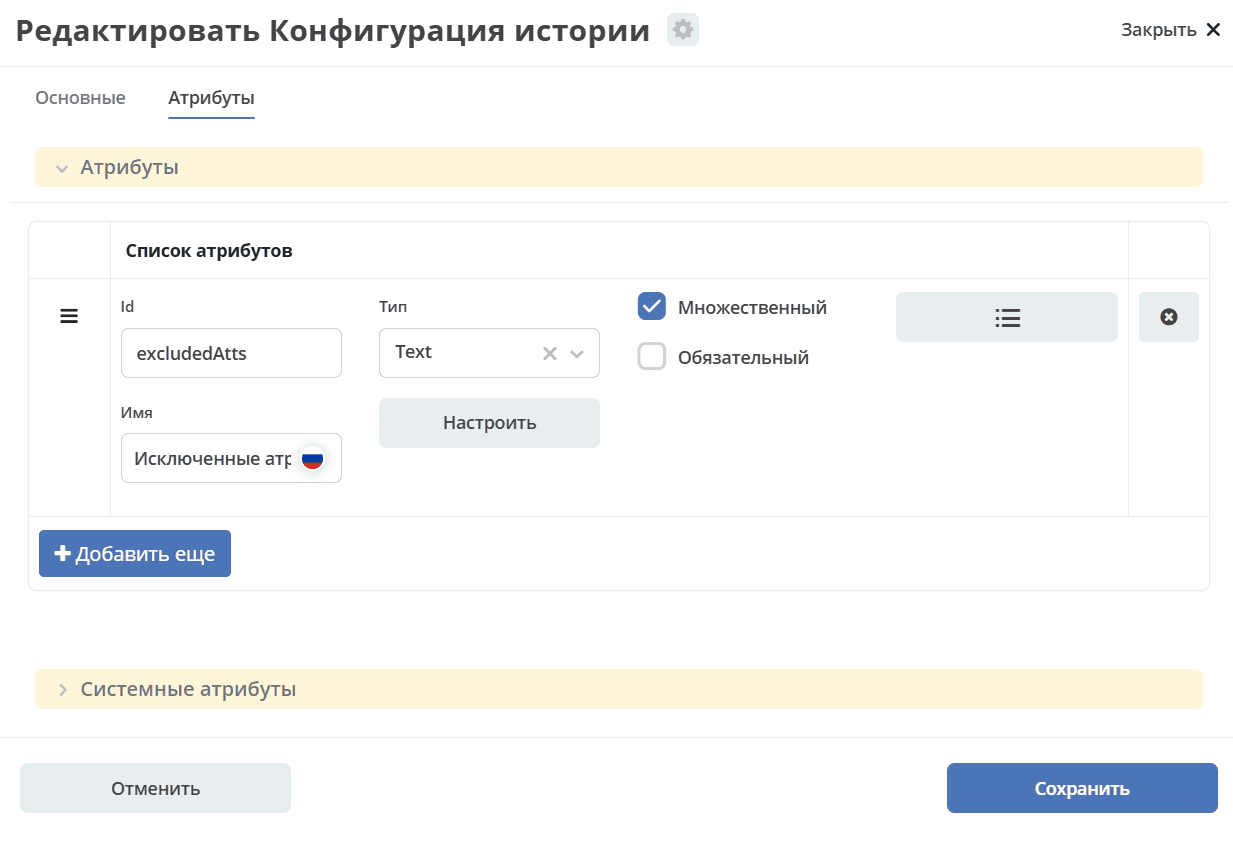
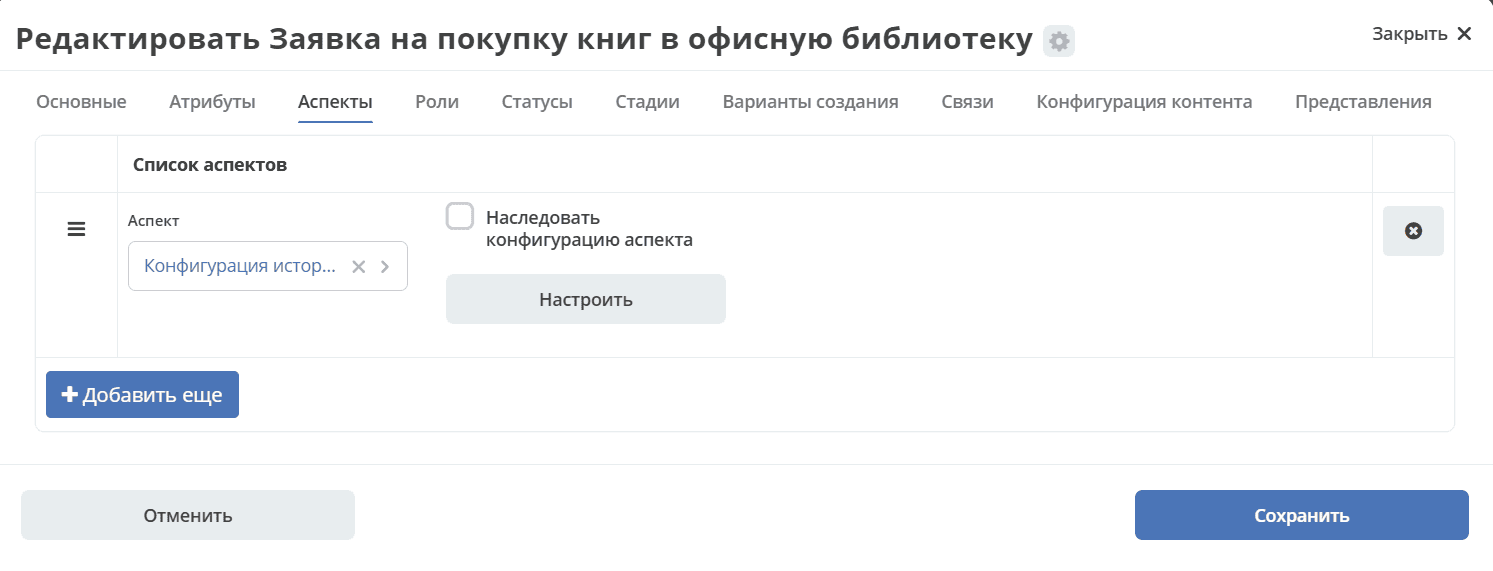
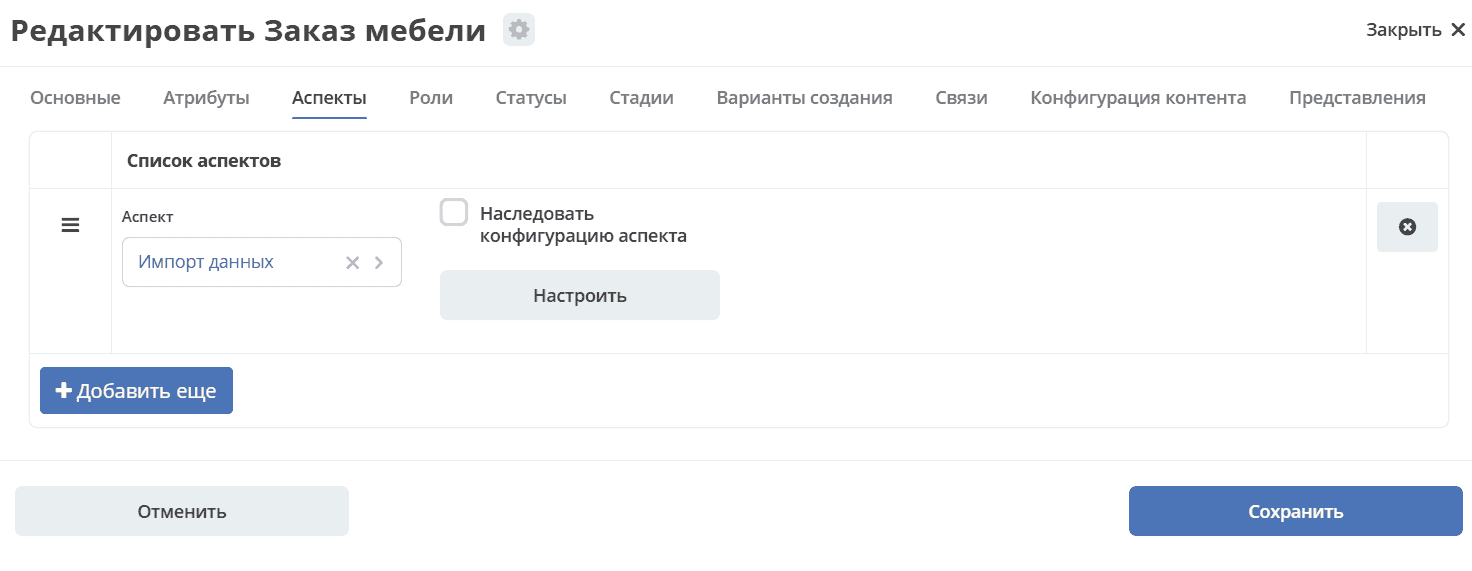
To configure, you need to add this aspect to the data type on the Aspects tab:
Excluded Attributes
By clicking the Configure button in the Excluded Attributes row, you can select data type attributes, information about changes to which will not be recorded in history, and accordingly, will not be displayed in the “Event History” widget.
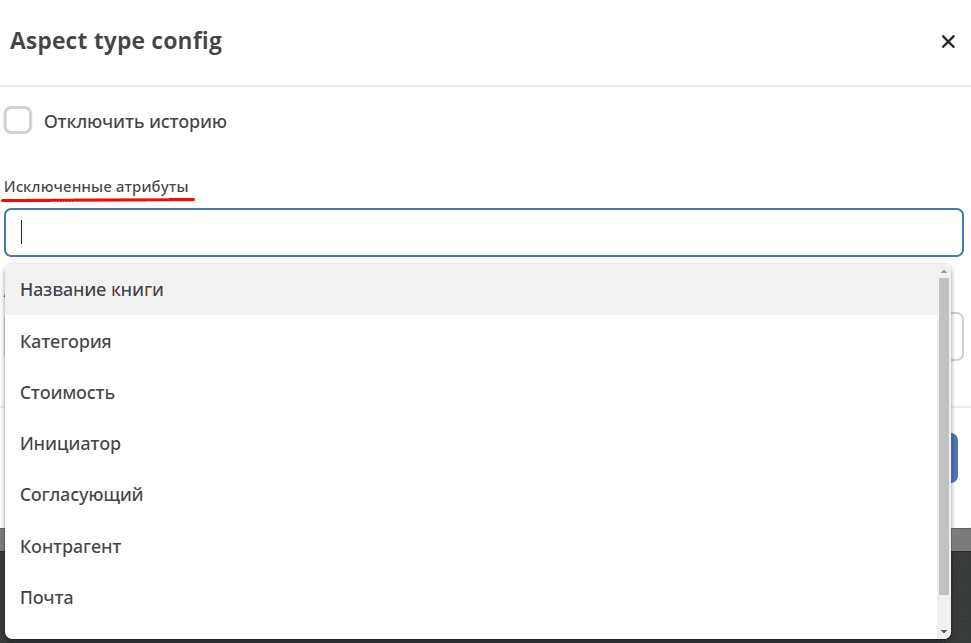
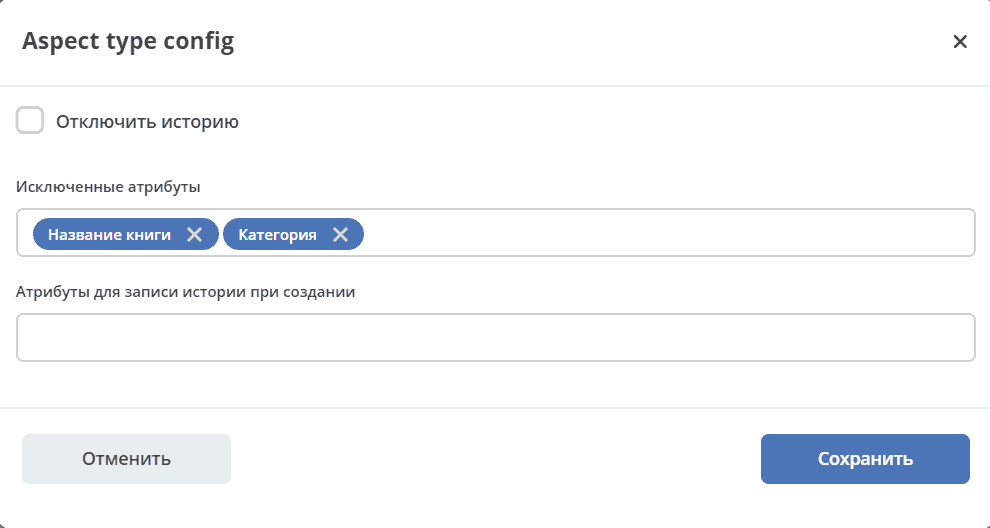
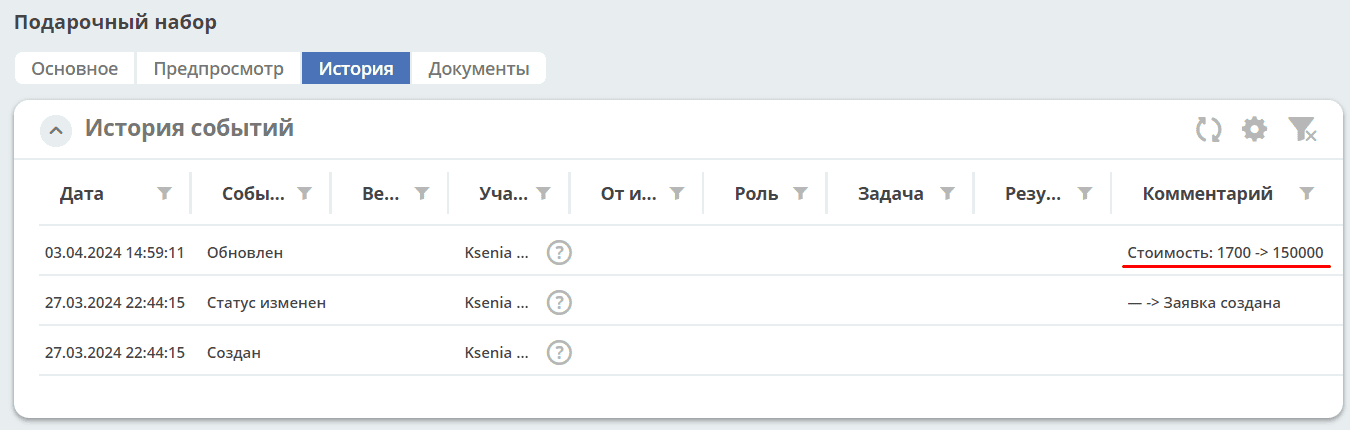
For example, if you change information about the name, category, and cost in the card, then only information about the changed cost will be reflected in the “Event History” widget:
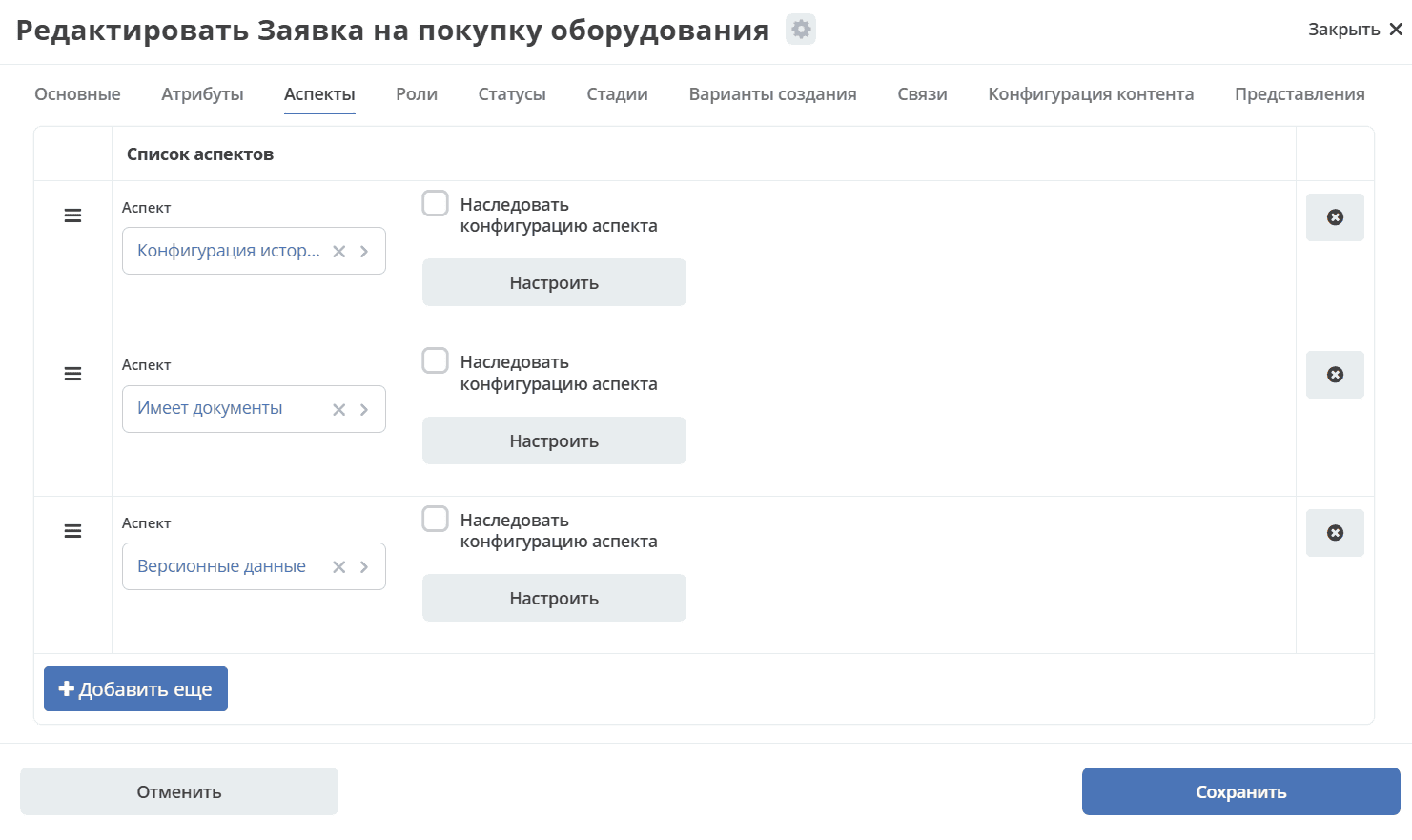
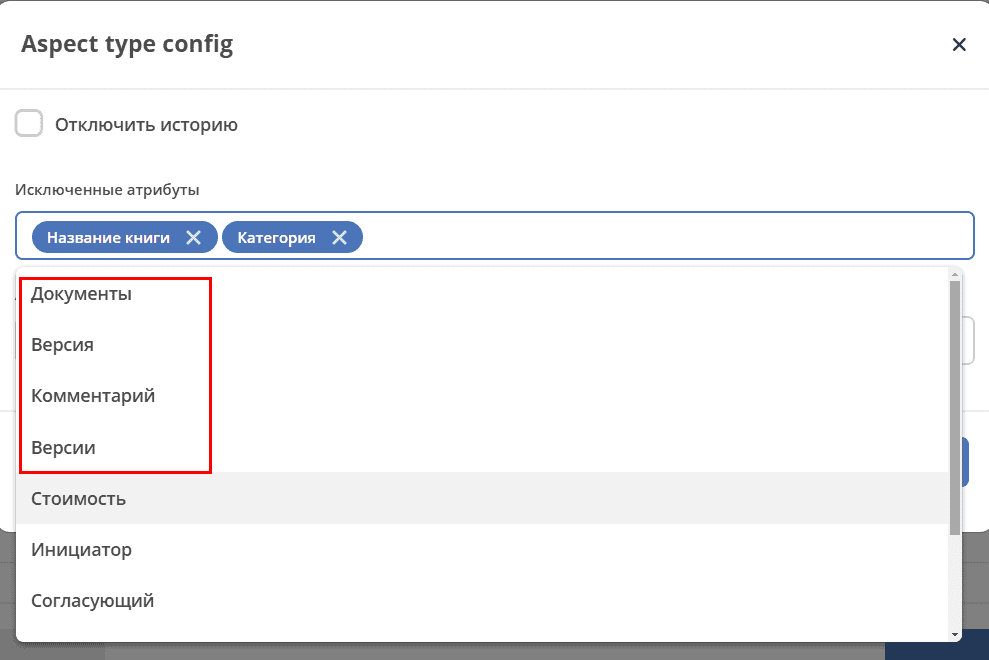
If aspects are configured in the data type (for example, Versioned Data, Has Documents), then attributes from them can also be selected:
Attributes for Recording History on Creation
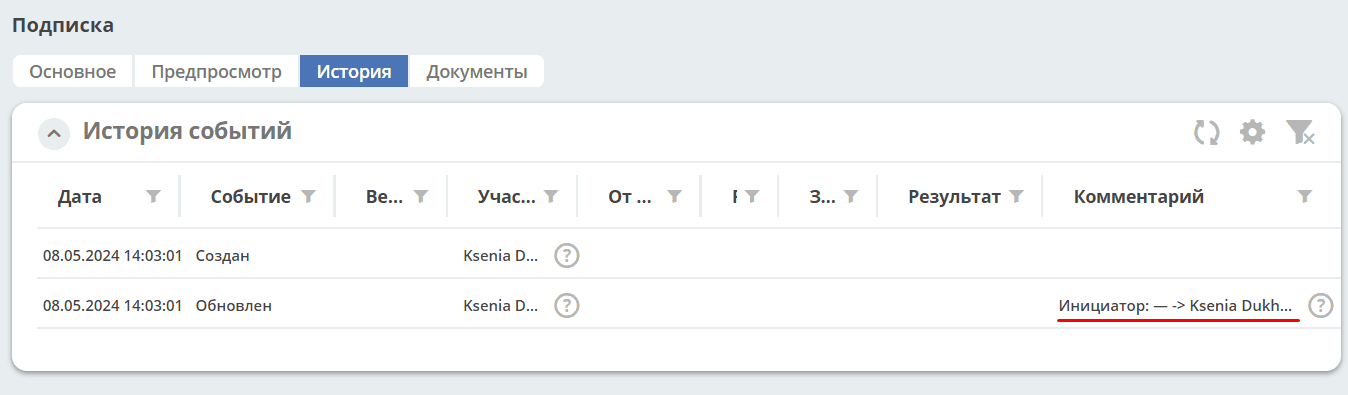
By clicking the Configure button in the Attributes for Recording History on Creation row, you can select data type attributes, information about the creation of which will be recorded in history, and accordingly, will be displayed in the “Event History” widget.
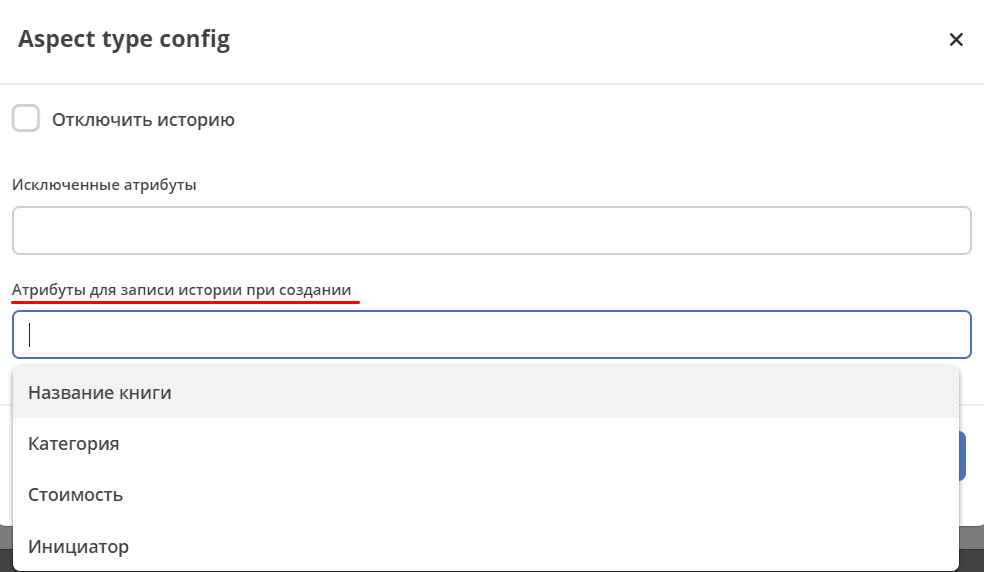
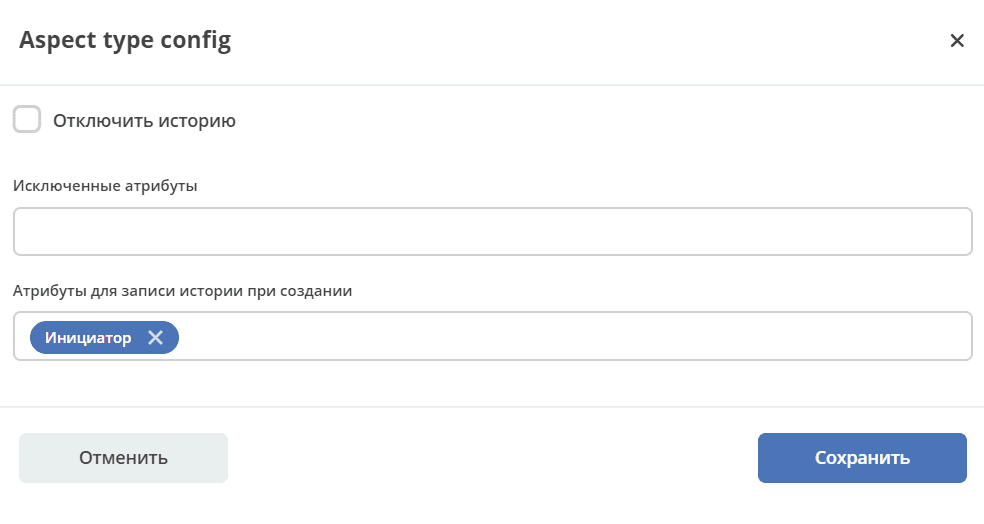
For example:
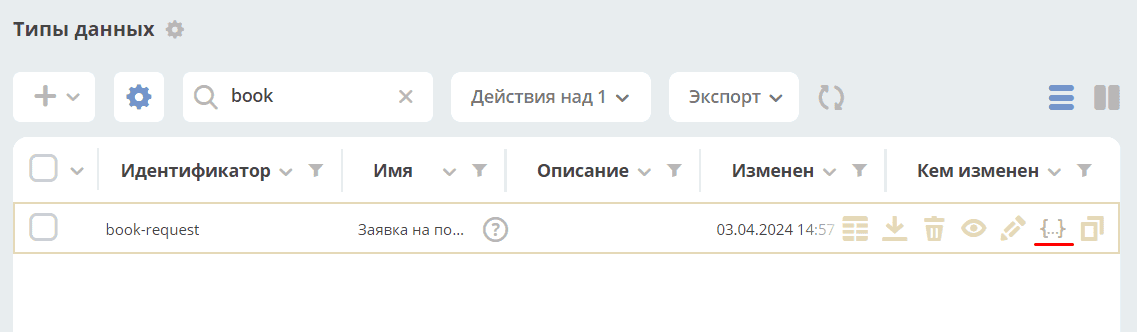
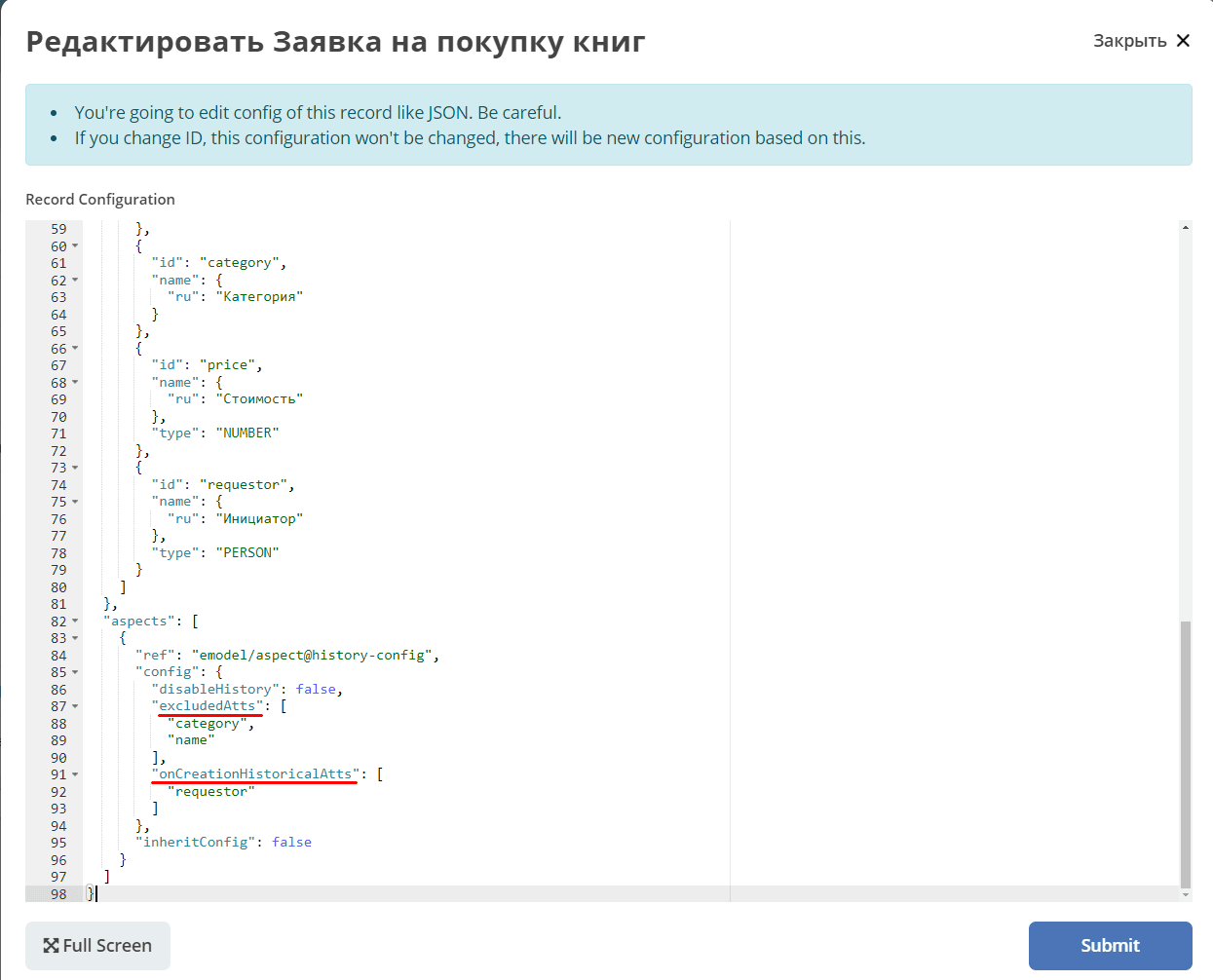
Attributes can also be entered directly in json:
excludedAtts - excluded attributes;
onCreationHistoricalAtts - attributes for recording history on creation
Disable History
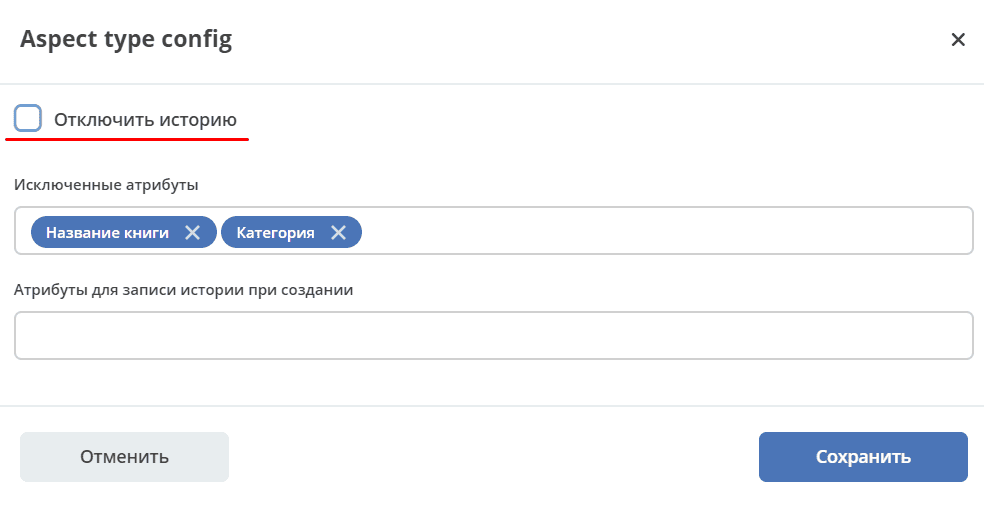
With the Disable History checkbox checked, no data will be recorded in history when changed, and accordingly, will not be displayed in the “Event History” widget.
Data Import
The aspect import-data-config (Data Import) - is necessary for configuring data import options.
Configuration Form:
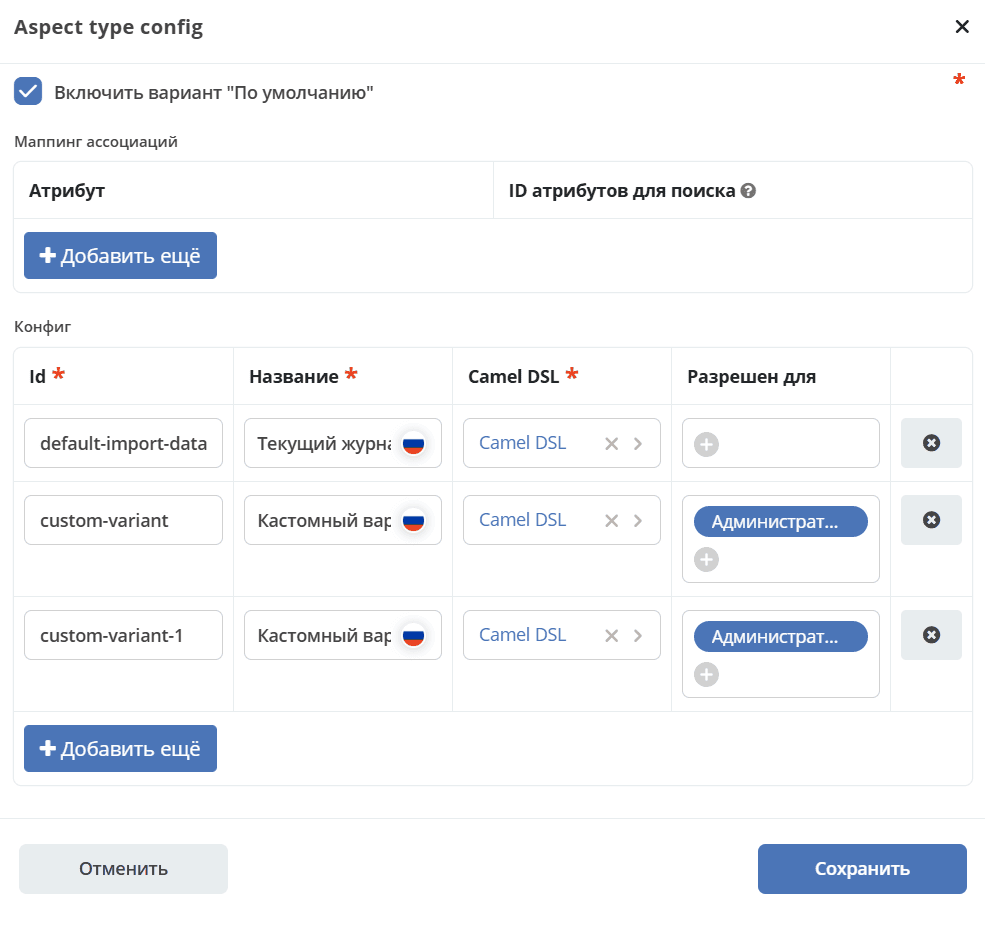
id - option id.
Title - the title of the option that will be displayed in the journal.
Camel DSL - Camel DSL with type IMPORT_DATA, which describes data processing.
Allowed for - you can specify groups or users directly. If left empty, the option will be available to everyone.
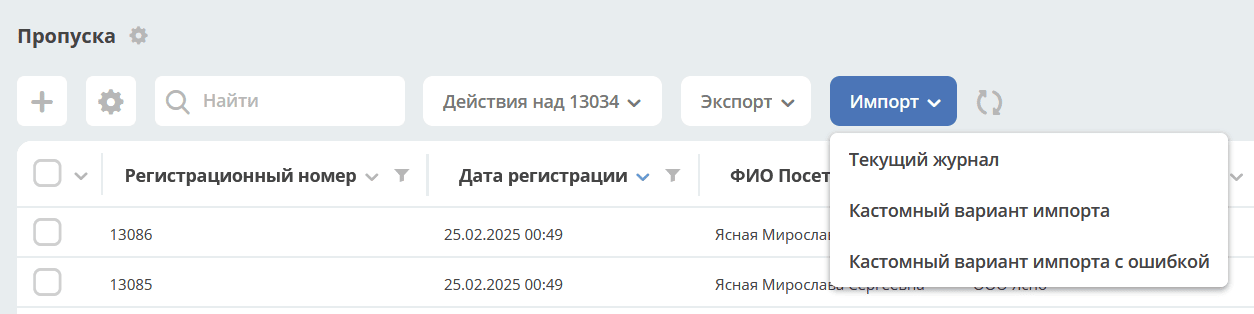
Several import configurations can be added for a data type.
The created configurations will be available in the journal via the Import button:
“Default” Option
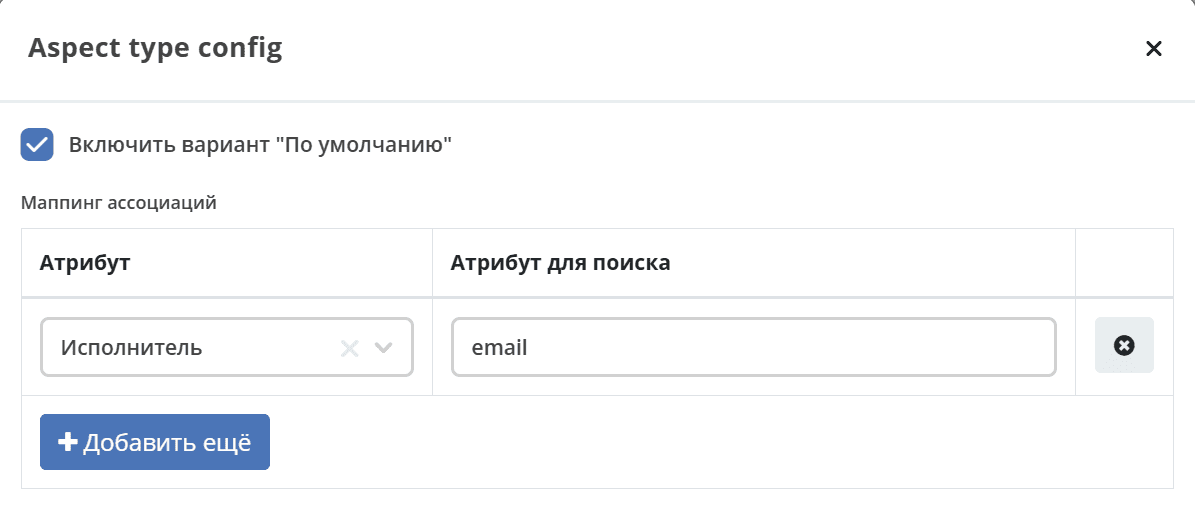
If the “Default” option is enabled, you can specify Mapping for Associations.
Specify the attribute in the Data Type and the attribute in the related type, for search. Several search attributes can be specified. If the field is left empty, the search will be conducted by the system attribute _name.
Note
The template for the “Default” option is generated based on the journal in which the template is downloaded.
If the type has mandatory attributes that are not in the journal, they will be added to the end of the columns in the template.
System, calculated (created both in the data type and in the journal), and nested fields are not uploaded to the template.
A universal CamelDSL default-import-data has been added for the “Default” option.
Has Activities
For an email to be processed and added as an activity, it is necessary:
Add the Has Activities (has-ecos-activities) aspect to the data type and configure its settings:
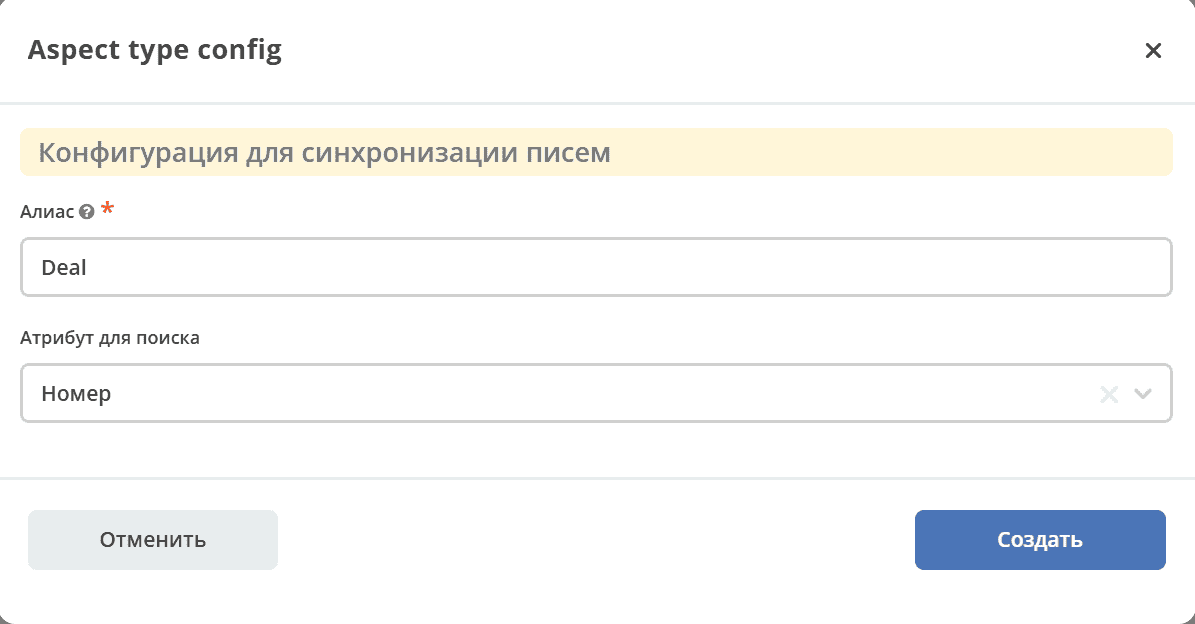
Specify the alias by which the data type will be searched in the email header, select the attribute of the data type.
In the Subject of the message, specify the connection at the end in the format (Alias: Value)

The following aspect configuration has been added for workspaces by default:
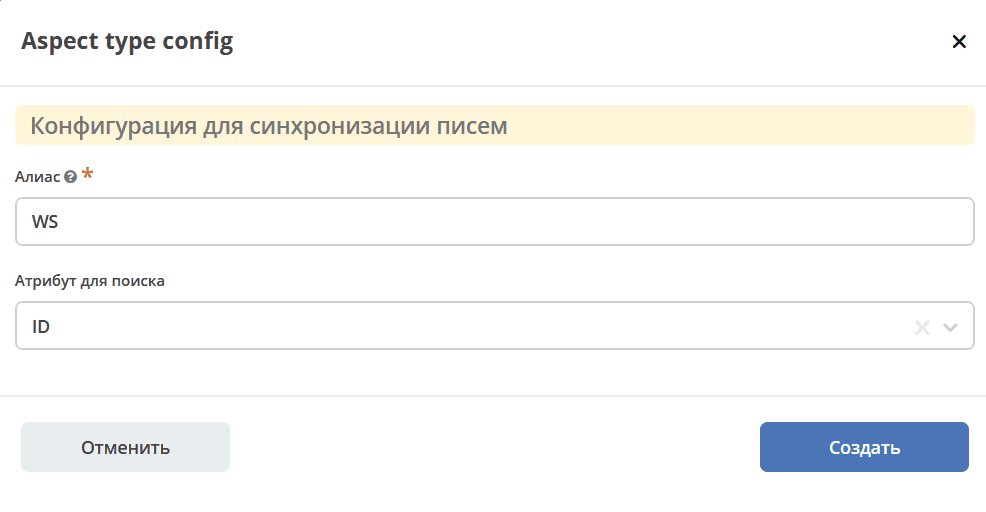
To enable email processing in the “Activities” widget, you need to specify a mailbox in the mail-inbox-activity setting.
Document Library File
TBD