Sending Emails Signed with an Electronic Digital Signature (EDS)
Certificate storage
A new type “Certificates” has been added to Admin Section → Model → Secrets, where you can upload a private key and certificate:
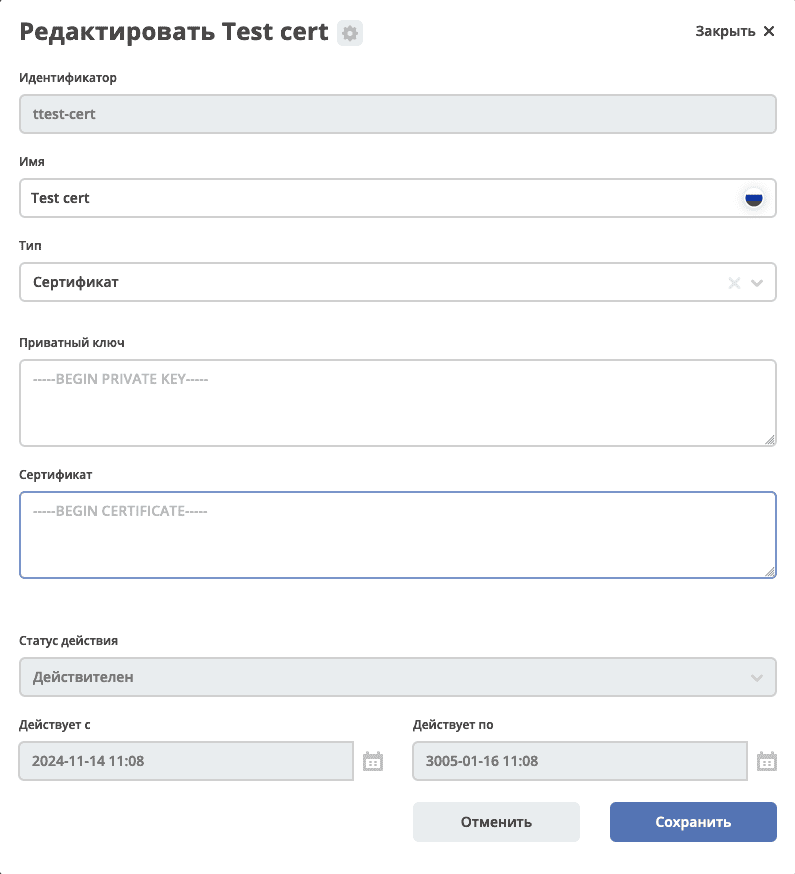
For informational purposes, status and validity period information has been added to the uploaded certificate.
Enabling signing
Note
Signing is only available with an enterprise license and the enabled email-certificate-sign feature.
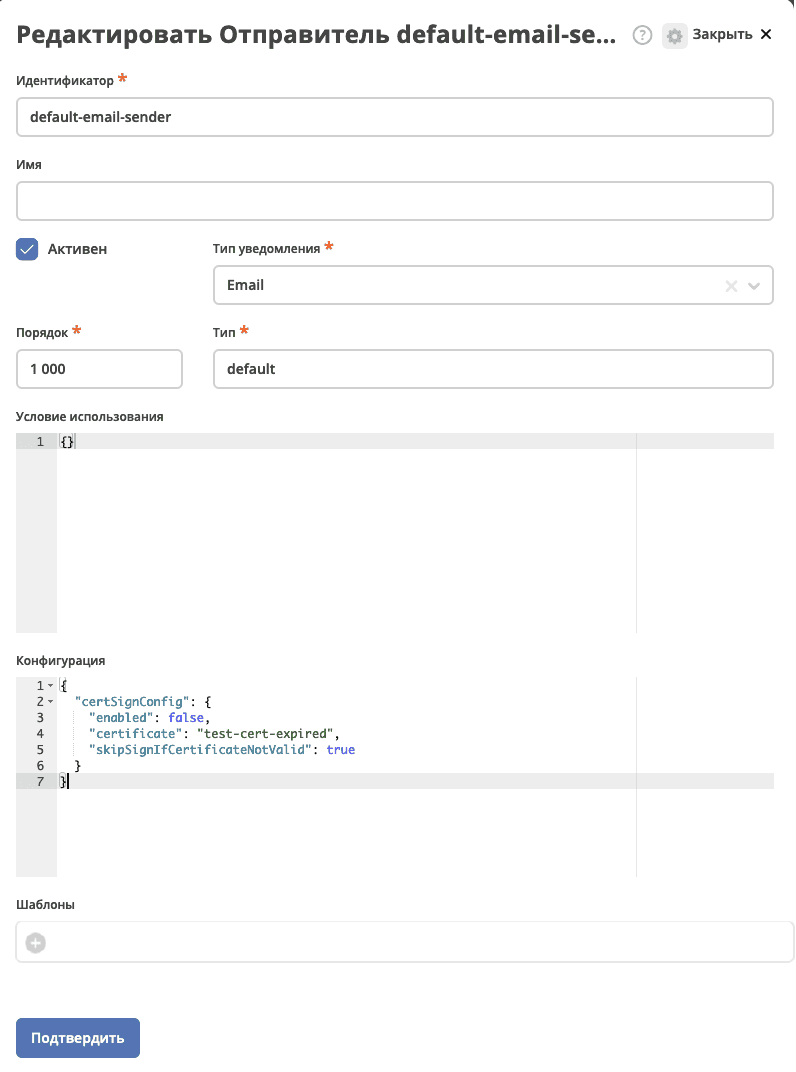
Email signing is configured in the Sender settings (Admin Section → Notification Configuration). This configuration is available for senders with the notification type email_notification and type default:
{
"certSignConfig": {
    "enabled": true,
    "certificate": "test-cert-expired",
    "skipSignIfCertificateNotValid": true
}
}
enabled - whether email signing is enabled or not.
certificate - the id of the secret containing the certificate for signing.
skipSignIfCertificateNotValid - if the value is true and the certificate is not valid by its expiration date, email signing will be skipped. If the value is false, the email will be signed in any case, even with an expired certificate.
In the ecos-events dto notification NotificationEventDto, an object sendingMeta has been added with information about the signing result in the variable signResult:
enum class EmailSignResult {
    NOT_REQUIRED,
    SUCCESS,
    SKIPPED_BECAUSE_CERTIFICATE_EXPIRED,
    SKIPPED_BECAUSE_CERTIFICATE_NOT_YET_VALID,
    SKIPPED_BECAUSE_CERTIFICATE_UNKNOWN_ERROR,
}
Signed emails in clients
The display of signed emails works in Microsoft Outlook and looks as follows:
Email signed with a valid certificate:

Email signed with an expired certificate:

Certificate expiration reminders
A Reminders journal has been added to Admin Section → Notification Configuration.
Currently, only one reminder type is available - “Certificate expiration”. In the future, various reminders can be implemented.
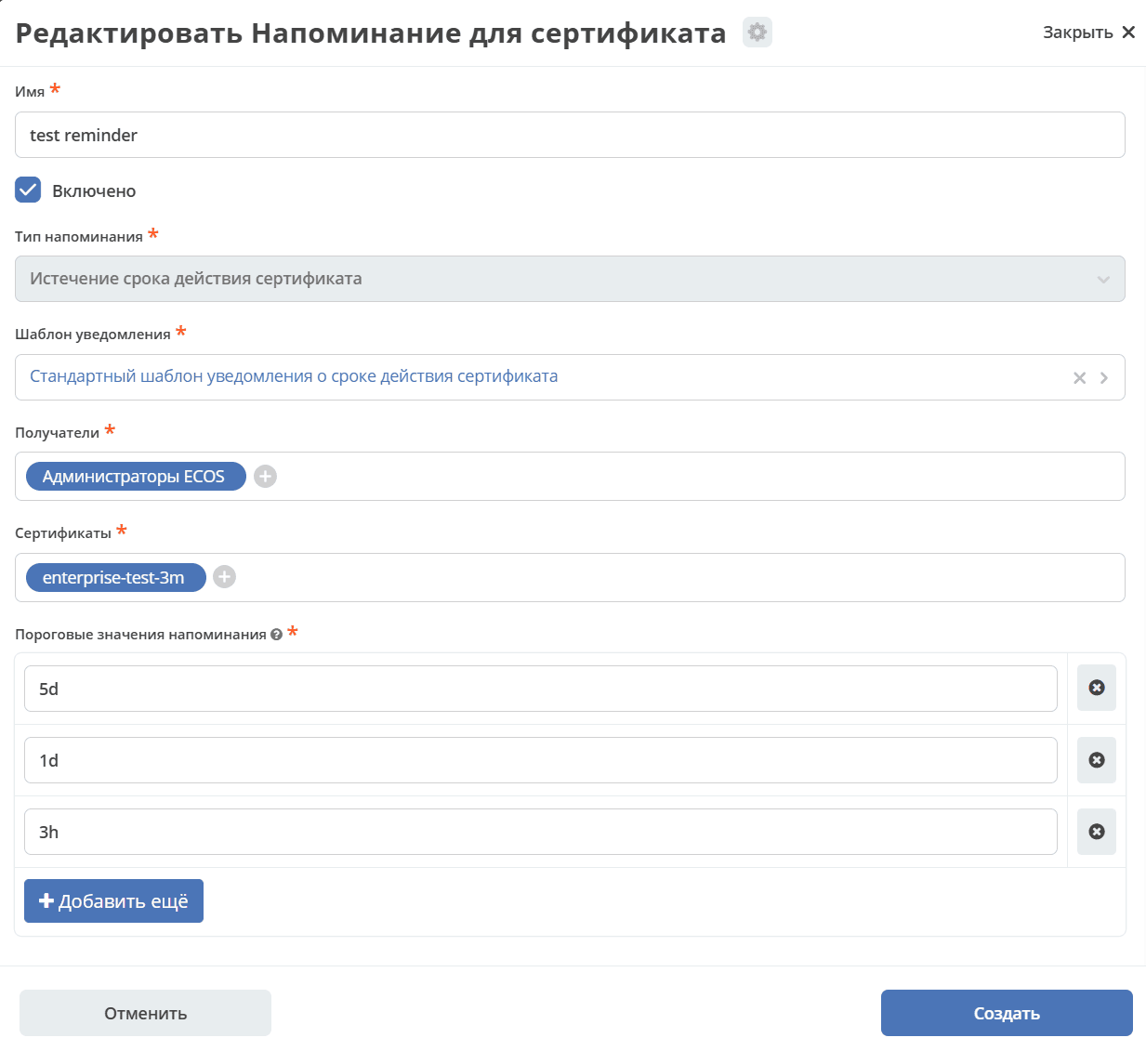
Notification template - which notification template will be used when sending the notification.
Recipients - notification recipients.
Certificates - certificates for which reminders should be sent.
Reminder thresholds:
The time for sending notifications about the approaching certificate expiration in Duration format. This format allows specifying the time interval before expiration when the notification should be sent.
Format examples:
15d - notification will be sent 15 days before expiration.
6h - notification will be sent 6 hours before expiration.
1h 30m - notification will be sent 1 hour 30 minutes before expiration.
Note
Use the abbreviations: d for days, h for hours, m for minutes. Intervals can be combined, for example, 2d 4h means 2 days and 4 hours.
When creating a reminder, bulk mailing objects with delayed sending will be generated. They can be viewed in the Notification Configuration → Bulk Mailing journal or on the reminder card, in the corresponding journal.
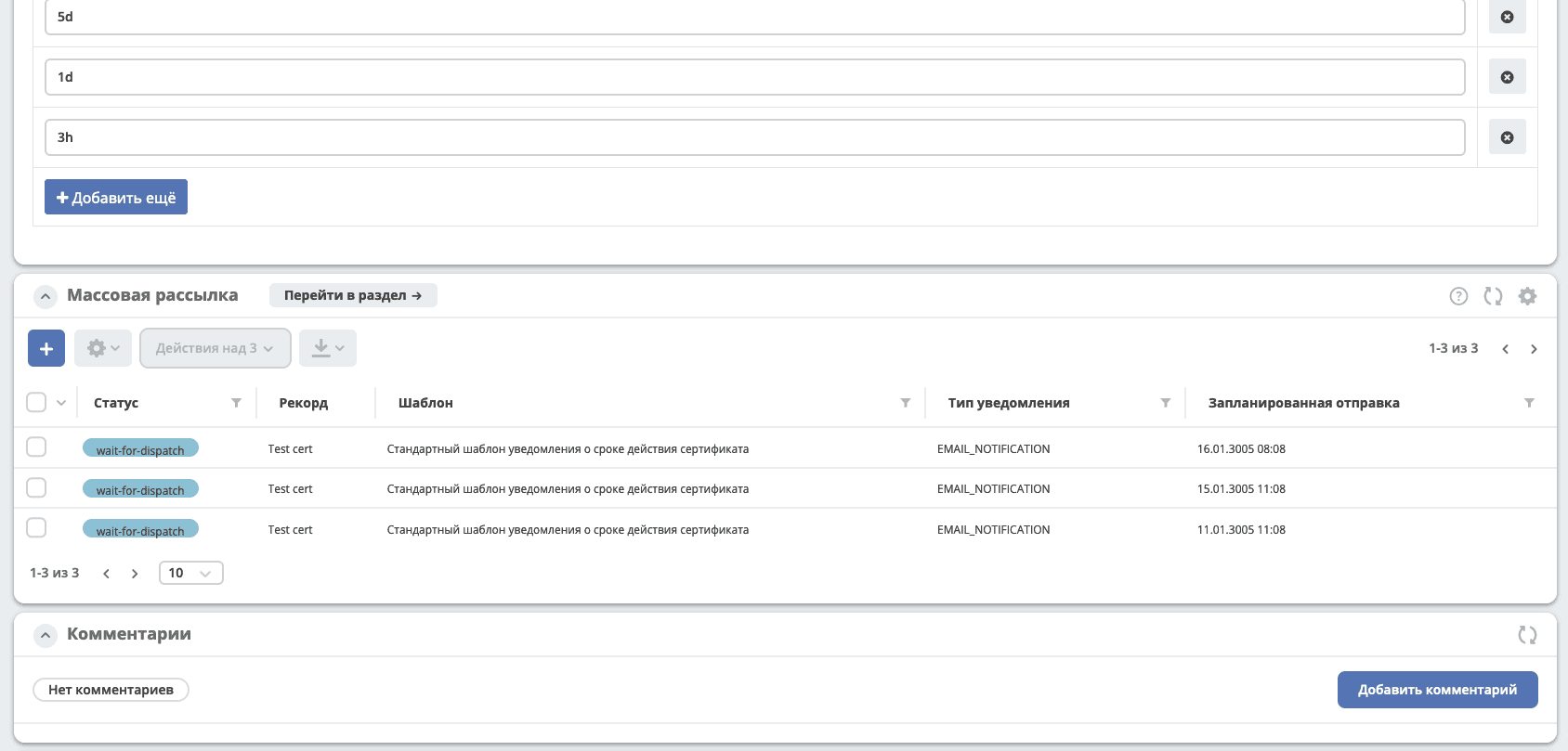
When disabling, deleting, or changing the reminder configuration, the delayed sending is recalculated/canceled.
When a certificate is changed, if there is a configured reminder for it, it will be recalculated.
A standard notification template default-certificate-expiration-template has been added to the system with the text:
Приближается окончание срока действия сертификата <a href="${link.getRecordLink(doc_ref)}" target="_blank">${certName}</a>, действительного до ${expDate?string.short}.