Notification Templates
1. General Information
1.1 Description of the “Notification Template” Entity
- Id:
Unique identifier of the notification template.
- Name:
Name of the notification template.
- Tags:
Tags.
- Notification title:
Notification title, a multi-language field – a string with freemarker support.
- Notification body:
A multi-component field for describing the notification body tied to a specified locale. One notification template supports different locales (languages).
Lang - Message locale, e.g., en, ru.
Body - The original message text content using freemarker. Clicking the “Edit as HTML” button opens a richText editor for easier editing of HTML markup.- Model:
The model based on which text templating will occur – title or body for notifications.
The model is a key:value map, where the key is the variable name that will be available in the template, and the value is an ecos records expression for calculating the variable’s value.
The base record is the document associated with the business process. So, if you specify the value.dispin the model, the document’s title is calculated. Access to other objects is also available via the$sign, e.g., if the notification is sent within a business process, -$process.webUrl(by default, additional variables$now,$user,$webUrlare available).
When using multi-templates, the model from the base template will be merged with the model found by type, so part of the “base” model can be described in the base template, and more specific attributes can be moved to a specific template.- Multi templates:
Computed templates depending on the type of document for which the notification is sent. For example, there can be a “base” template that includes several other templates with different document types.
When sending a notification, if the document type for which the notification is sent does not match any of the multi-templates, the sending will occur according to the “base” template; if the document type matches a multi-template, the sending will occur according to the corresponding template.- Predicate:
Allows setting additional conditions for the template - type link. Predicate evaluation is based on model attributes.
1.2 “Notification Templates” Journal
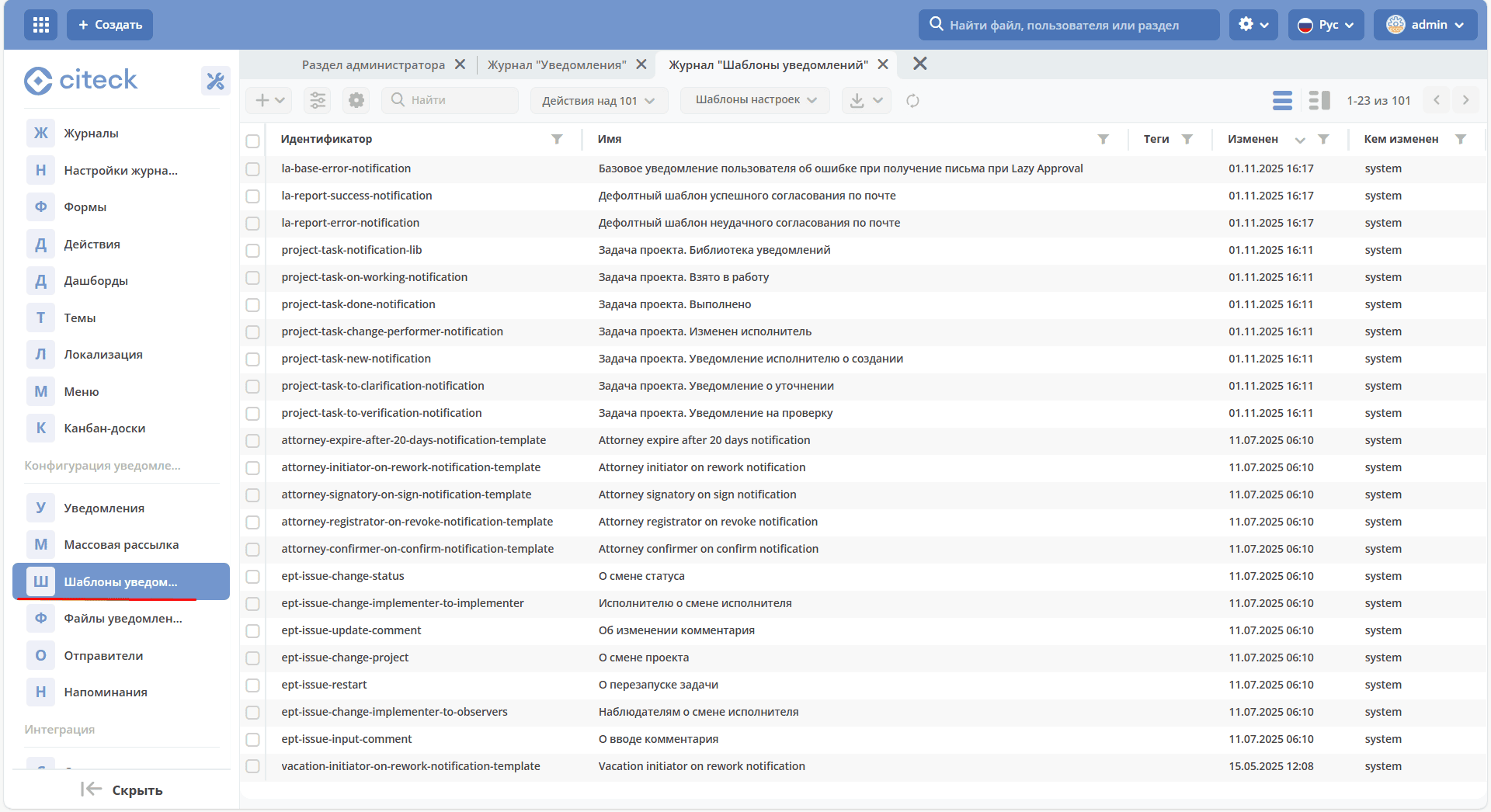
Журнал ”Шаблоны уведомлений” расположен в Разделе администратора → Конфигурация уведомлений:
2. Operations
2.1 Creating a Notification Template
To create one, go to the “Notification Templates” journal, see 1.2 “Notification Templates” Journal.
A notification template can be created in several ways:
Creating a new object;
Importing a module (zip).
2.1.1 Creating a New Object
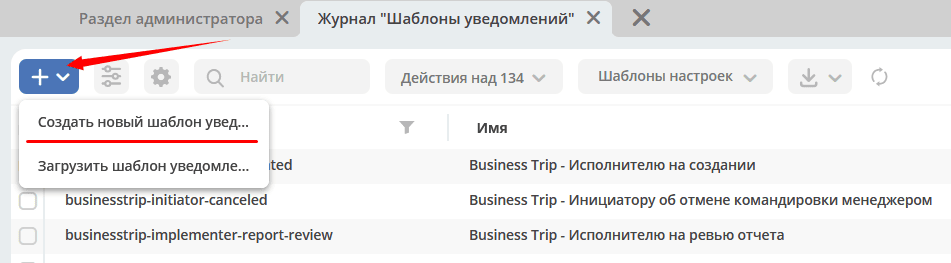
To create a new object, click «+» and select «Create new notification template»
For field descriptions, see 1.1 Description of the “Notification Template” Entity.
As an example, let’s create a base template with a notification about a new document being created.
Open the creation form and fill in the following information:
id - test-incident-base-new-incident-to-possible-responsible
name - Base template. New document
notification title - New incident: ${title}.
In this case, ${title} means that the value from the described model, which is the document’s title, will be taken.
This field is multi-language; switching languages is done by clicking the flag icon.
Notification body -
lang= ru,bodyis filled with the following text:
<#import "test-template-lib" as lib>

<@lib.its_test_message/>
<p>
    Сообщаем, что сформирован документ, за обработку которого Вы являетесь ответственным.<br>
    <@lib.document_link/><br>
    Пожалуйста, проверьте рабочий список задач Скиф.<br>
<p>
A library template is imported in this template:
<#macro its_test_message>
    <b>Это письмо было отправлено вам в рамках тестирования настроек новой системы.
        Вам не нужно отвечать или как-то реагировать на него.</b>
</#macro>

<#macro document_link>
<a href="${web_url}/v2/dashboard?recordRef=${doc_recordRef}"><u><i>${title}</i></u></a>
</#macro>
Notification templates support import and include of other templates by their id.
In the current example:
<@lib.its_test_message/> - prints a text block informing that this message is a test.
<@lib.document_link/> - prints a link to the document associated with the business process, in this case – the document itself.
For more details on using macros, importing, and including other templates, see the Apache Freemarker documentation - https://freemarker.apache.org
Model - describe the model required for text templating:
Flowable:
web_url : $process.webUrl – used to form a link to the document
doc_recordRef : .id – unique document id, also used to form a link to the document
title : .disp – document title
Citeck BPMN:
See the description of the component “Notification” in the Citeck BPMN documentation.
2.1.2 Importing a Module
To import a module, in the “Notification Templates” journal, click «+» and select «Upload notification template»
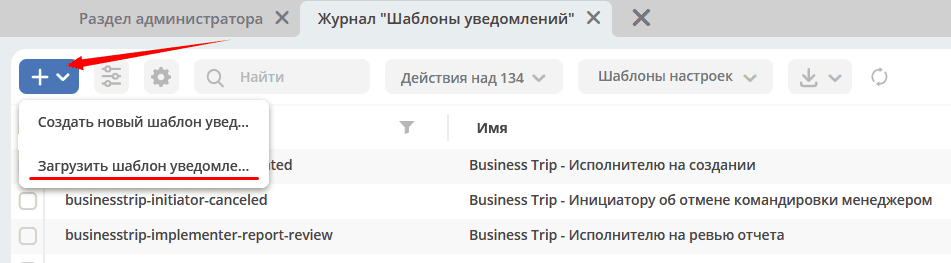
In the opened form, upload a zip archive with the notification template. For more details on the “Notification Template” module, see 2.4 Downloading a Notification Template.
2.2 Editing a Notification Template
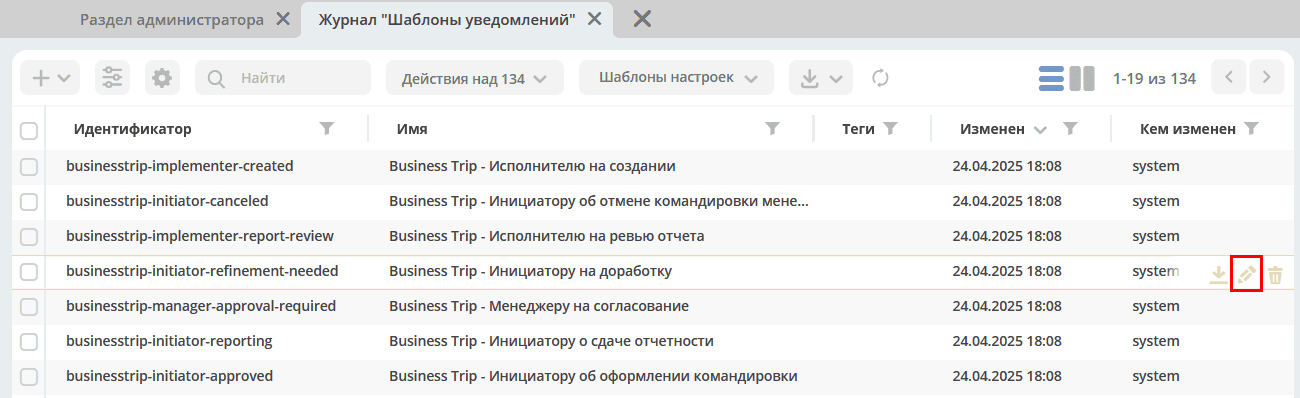
To edit a notification template, go to the journal (see 1.2 “Notification Templates” Journal), find the desired template, and click the “Edit” action.
2.3 Deleting a Notification Template
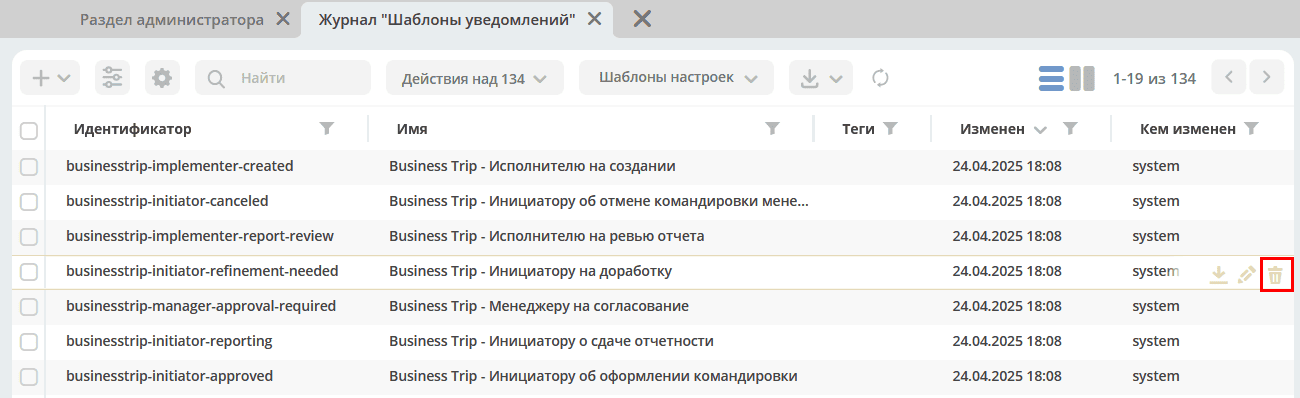
To delete a notification template, go to the journal (see 1.2 “Notification Templates” Journal), find the desired template, and click the “Delete” action.
2.4 Downloading a Notification Template
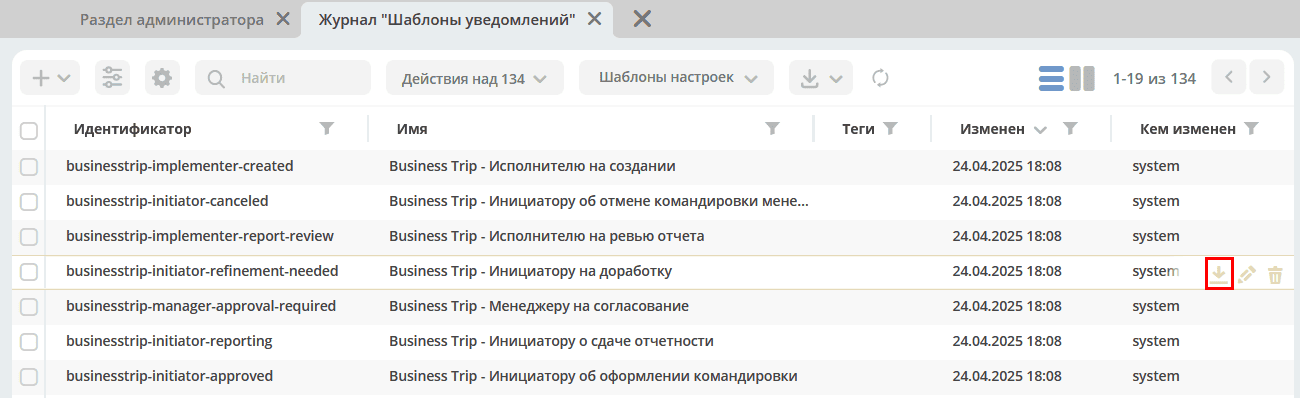
To download a notification template module, go to the journal (see 1.2 “Notification Templates” Journal), find the desired template, and click the “Download” action.
The module is a zip archive containing meta-information about the template and the template content itself. As an example, let’s download the module for the template created in step 2.1.1 Creating a New Object.
The file test-incident-base-new-incident-to-possible-responsible.html.meta.yml is the meta information, the file content:
{
    "id" : "test-incident-base-new-incident-to-possible-responsible",
    "name" : "Базовый шаблон. Новый документ",
    "notificationTitle" : {
        "ru" : "Новый инцидент: ${title}"
    },
    "model" : {
        "web_url" : "$process.webUrl",
        "doc_recordRef" : ".id",
        "title" : ".disp"
    },
    "multiTemplateConfig" : []
}
The file test-incident-base-new-incident-to-possible-responsible.html.ftl is the template content itself, its content:
<#import "test-template-lib" as lib>

<@lib.its_test_message/>
<p>
    Сообщаем, что сформирован документ, за обработку которого Вы являетесь ответственным.<br>
    <@lib.document_link/><br>
    Пожалуйста, проверьте рабочий список задач Скиф.<br>
<p>
Note that the module must be a zip archive, and the files inside it are case-sensitive to naming and extension.
The content file must have the extension “.html.ftl”, and the meta information file must be named according to the rule: full_content_file_name_with_extension.meta.yml
Note
If the template body provides for several locales, the locale is specified in the content file name according to the following rule:
test-incident-base-new-incident-to-possible-responsible.html_en.ftl for locale en
test-incident-base-new-incident-to-possible-responsible.html_ru.ftl for locale ru
etc.
2.5 Template Structure in the Project Repository
When developing an application on the Citeck platform, notification templates are stored as artifacts in the project resources and deployed via ecos-apps.
Each template is a separate directory inside notification/template/:
src/main/resources/<path>/
└── notification/
    └── template/
        └── my-notification-template/
            ├── my-notification-template.html.meta.yml   ← метаданные
            └── my-notification-template.html_ru.ftl     ← тело письма (Freemarker, язык ru)
Naming rules:
Directory name = template identifier (field
id)Metafile:
<id>.html.meta.ymlEmail body:
<id>.html_<lang>.ftl— one file per language (_ru,_en, etc.)
To support multiple languages, add multiple .ftl files:
my-notification-template/
├── my-notification-template.html.meta.yml
├── my-notification-template.html_ru.ftl    ← русский
└── my-notification-template.html_en.ftl    ← английский
Metafile example (<id>.html.meta.yml):
{
  "id": "my-notification-template",
  "name": "My Notification Template",
  "notificationTitle": {
    "ru": "${contract!\"\"} с ${counterparty!\"\"}: ${status}",
    "en": "${contract!\"\"} with ${counterparty!\"\"}: ${status}"
  },
  "tags": [],
  "model": {
    "contract":     "?disp",
    "date":         "date|fmt('dd-MM-yyyy')",
    "counterparty": "counterparty.fullOrganizationName",
    "initiator":    "_creator",
    "docRef":       "?id",
    "status":       "_status",
    "docNum":       "_docNum"
  },
  "multiTemplateConfig": []
}
Note
The path to the notification/template/ folder depends on the specific project and ecos-apps configuration. Typically it is src/main/resources/app/artifacts/ or src/main/resources/eapps/artifacts/.
2.6 The model Field — Records API Attribute Mapping
The model field is a JSON object: the key is the variable name available in the Freemarker template, and the value is a document attribute expression in Records API syntax.
The document for attribute evaluation is the one on which the process is running (set in the Notification record field in Send Task; if not specified — the process document).
Expression examples:
Template variable |
Expression in |
Description |
|---|---|---|
|
|
Document number |
|
|
Document RecordRef (used to build a link) |
|
|
System document status |
|
|
Displayed status name in Russian |
|
|
Displayed document name |
|
|
Nested attribute via |
|
|
Date with formatting via |
|
|
Local type identifier via |
|
|
Document creator |
|
|
Process URL (contextual variable) |
|
|
Current date/time |
|
|
Current user |
3. Using Variables in a Template
Notification templates have access to variables defined in the model, see the “Model” block in 1.1 Description of the “Notification Template” Entity, as well as services added to freemarker.
3.1 Services and Constants
The following services, added to freemarker, are available in notification templates:
link- link formationgetRecordLink(recordRef: String): String- returns the full link to the passed recordRef of the form http://<webUrl>/v2/dashboard?recordRef=<recordRef>
meta- service for obtaining various meta informationgetWebUrl(): String- returns the configured server webUrl
_notification- information about the current notificationtitle- notification titlefrom- notification senderto- notification recipientcc- notification copybcc- notification blind copy
image- working with images in the template, see example - Inserting images into a template .toBase64Data(fileName: String): String- returns a base64 data image representation of the image by the passed image file nametoBase64(fileName: String): String- returns a base64 representation of the image by the passed image file name
config- provides access to the Citeck Configuration by key in the format<area>$<identifier>.get(key: String): DataValue- getting a value by keygetOrDefault(key: String, defaultValue: Any): DataValue- getting a value by key, if the value is not found, the default value is returnedgetNotNull(key: String): DataValue- getting a value by key, if the value is null, an exception is thrown
//получение значения конфигурации по ключу и приведение к типу String
<#assign replyEmail = config.getNotNull("app/service-desk$sd-email-reply").asText()>
To add a constant, you can use the context attribute str in the template model:
$str.CONSTANT
will return:
CONSTANT
3.2 Multiple Attributes
Suppose the source has an attribute eventLines that returns a list of “lines” with attributes.
To get data for multiple attributes, as for all others, standard records expressions are used:
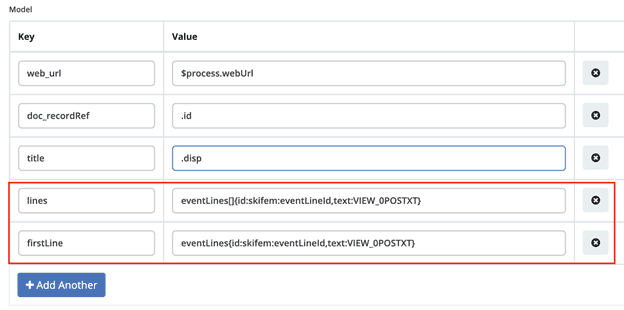
lines: eventLines[]{id:skifem:eventLineId,text:VIEW_0POSTXT}- get a list of lines, with attributes id and VIEW_0POSTXT. Inside {} you can specify the attributes that need to be loaded into the object.firstLine: eventLines{id:skifem:eventLineId,text:VIEW_0POSTXT}- similar to the example above, with the caveat that only the first object will be loaded.
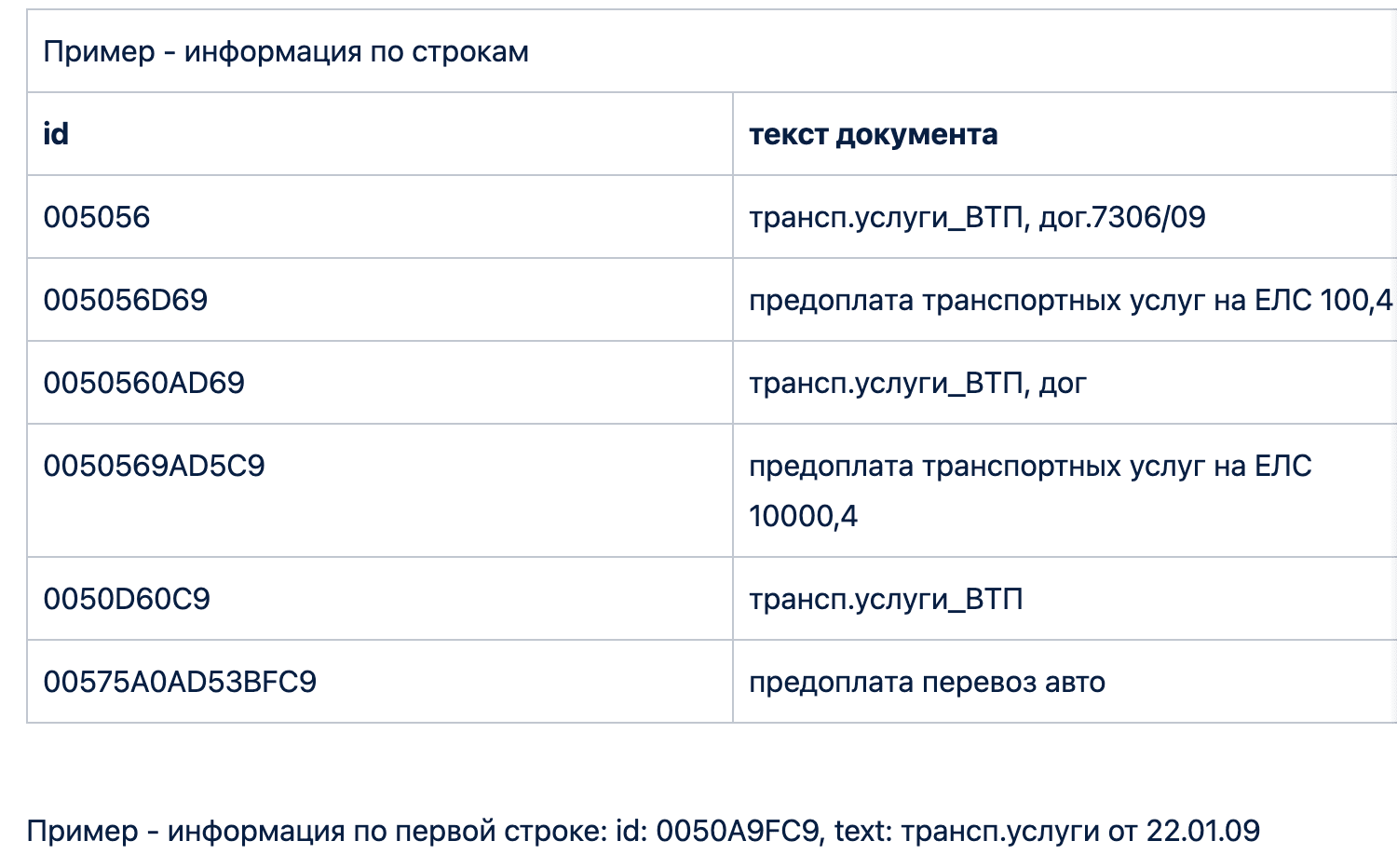
In the notification template itself, we will display information about the list of lines in the form of an HTML table and the first element in a separate line:
<style>
    table, tr, td {
        border: 1px solid;
        border-collapse: collapse;
        overflow-wrap: break-word;
    }

    thead {
        font-weight: bold;
    }
</style>

<table>
    <caption>Пример - информация по строкам</caption>
    <tr>
        <th>id</th>
        <th>текст документа</th>
    </tr>
    <#if (lines?? && lines?size > 0)>
        <#list lines as line>
            <tr>
                <td>${line.id!""}</td>
                <td>${line.text!""}</td>
            </tr>
        </#list>
    </#if>
</table>
<br>
Пример - информация по первой строке: id: ${firstLine.id!""}, text: ${firstLine.text!""}
<p>
As a result, we will get an email with the following content:
3.3 Inserting Images into a Template
Notification templates have the ability to insert images into HTML markup as base64 data.
Images available for insertion are located in the journal “Notification Files” in Admin Section → Notification Configuration:
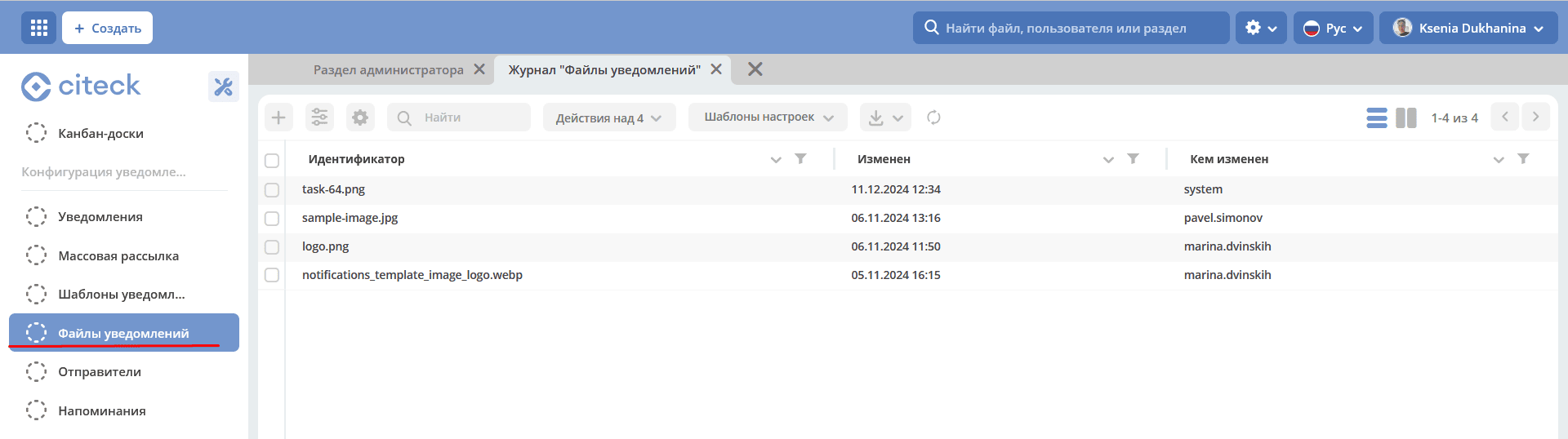
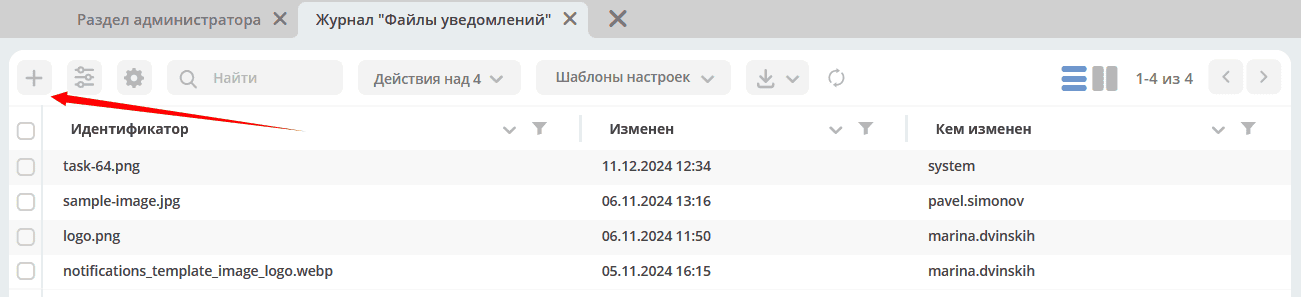
To upload a new image, click «+» and upload the image. The image name serves as an identifier and must be unique.
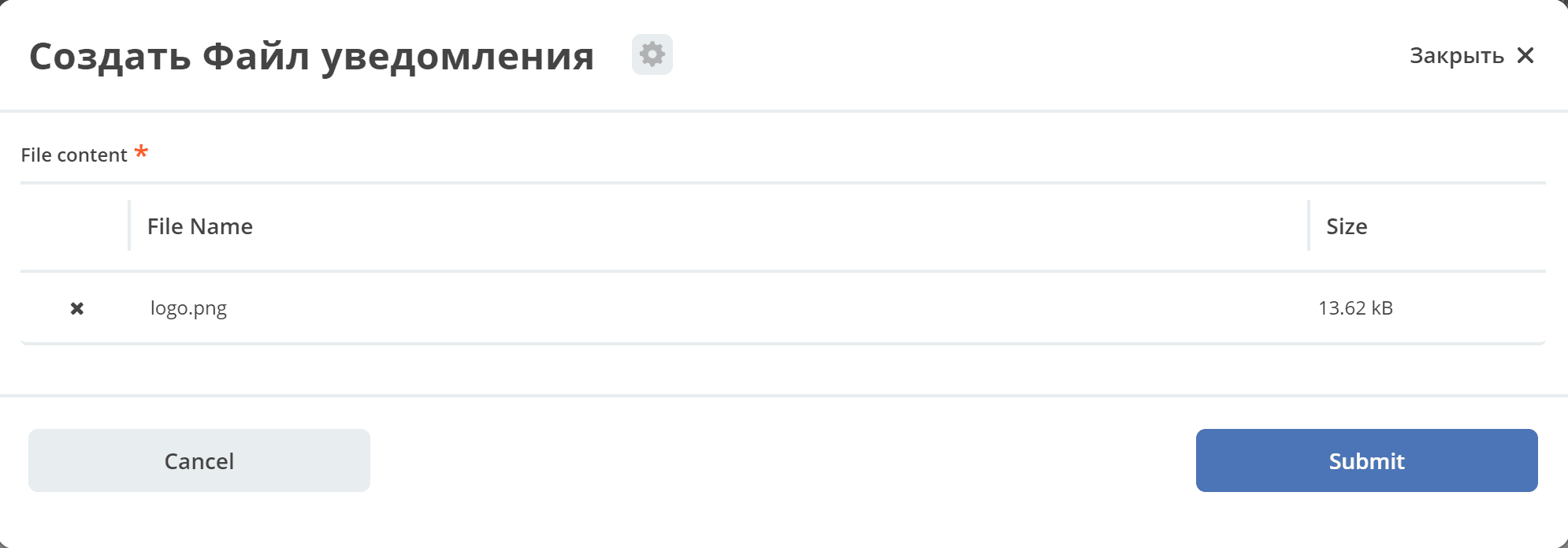
As an example, suppose we need to add a button with a link to the resource https://citeck.com to the email template. To do this, the following steps must be performed:
Upload the image file test-logo-citeck.png to the “Notification Files” journal.

In the template, we will add HTML markup with a button and the src as a base64 image, uploaded in step No. 1.
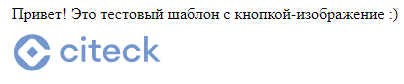
Привет! Это тестовый шаблон с кнопкой-изображение :)
<form action="https://citeck.com/">
    <input type="image" src="${image.toBase64Data("test-logo-citeck.png")}" style="max-height: 67px; max-width: 200px;">
</form>
As can be seen from the template above, to convert the image to base64 data, the image service’s method toBase64Data must be called and passed the image identifier.
As a result, we will get an email with a button in the form of an image:
3.4 Attaching Attachments to Email Notifications
To attach an attachment, it is necessary to add an attribute _attachments to the model in the notification template. We can specify content or a list of contents in it. It should look like the following:
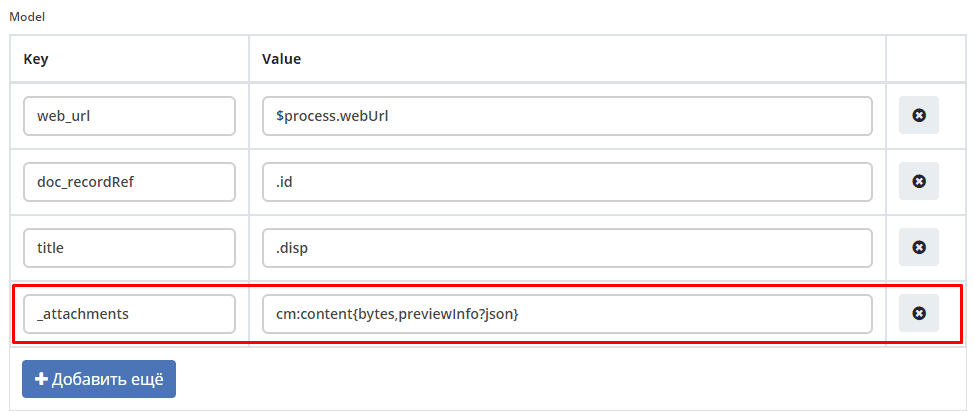
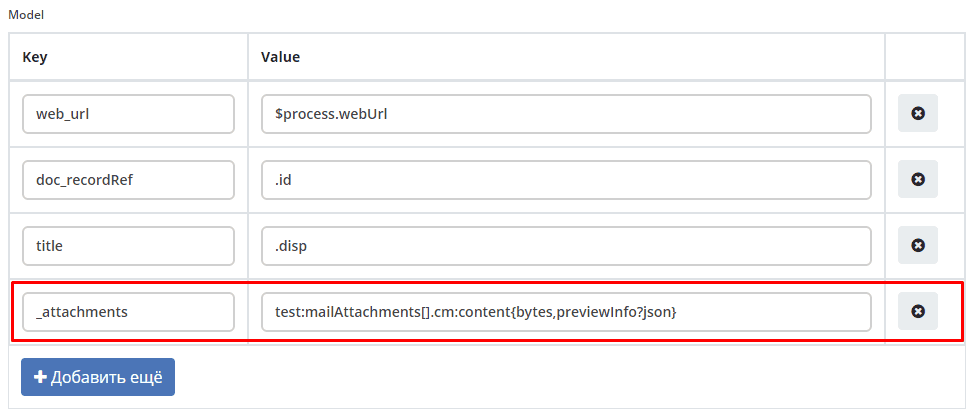
In the value for the _attachments field, a Records API attribute. must be specified
For records stored in emodel - _content{bytes,meta:?json}
Note
Available since version 2.15.0 of the ecos-notification microservice. Any attribute that stores the record’s content can be used. The example uses _content as it is the default attribute for storing content.
Expected model:
{
    "bytes": "SOj2",
    "meta": {
        "name": "test.txt",
        "ext": "txt",
        "mimeType": "text/plain"
    }
}
For records stored in Alfresco - cm:content{bytes,previewInfo?json}
Note
Available since version 2.5.0 of the ecos-notification microservice.
Expected model:
{
    "bytes": "SOj2",
    "previewInfo": {
        "originalName": "test.txt",
        "originalExt": "txt",
        "mimeType": "text/plain"
    }
}
The use of the above attributes is not mandatory; the main thing is that the _attachments attribute matches the expected model.
- bytes:
File content encoded in Base64 format
- mimeType:
File mimetype
- ext:
File extension
- name:
File name
Note
If
originalNamecontains a name without an extension, the system will automatically add the file extension from originalExt.If it turns out that
cm:contentis missing from the node (or the list of contents is empty), a notification will be sent without attached attachments.
3.5 Library Templates (Macro Libraries)
A template without language-specific html_<lang>.ftl files, but with a <id>.html.ftl file, is a macro library. Such a template is not sent on its own — it contains reusable Freemarker macros that are imported into other templates.
Library structure in the repository:
notification/template/my-template-lib/
├── my-template-lib.html.ftl          ← определение макросов
└── my-template-lib.html.ftl.meta.yml ← метаданные
Library metafile (YAML, not JSON):
id: my-template-lib
name: My Template Library
Example library content (my-template-lib.html.ftl):
<#macro reply_message>
  <#assign replyEmail = config.getNotNull("app/your-app$reply-email").asText()>
  <hr/>
  <i>Вы можете <a href="mailto:${replyEmail}?Subject=Re: ${_notification.title}"
      target="_top">Ответить</a> на это сообщение.
      Ваш ответ будет добавлен как комментарий.</i>
</#macro>

<#macro document_link docRef title>
  <a href="${link.getRecordLink(docRef)}" target="_blank">${title}</a>
</#macro>
Importing a library in another template:
<#import "my-template-lib" as lib>

<p>Уважаемый (-ая) ${initiator}!</p>
<p>Создана заявка: <@lib.document_link docRef=docRef title="SD-${docNum}"/></p>

<@lib.reply_message/>
Note
The key difference of a library from a regular template — the body file has the extension .html.ftl (without a language code), and language-specific .html_ru.ftl files are absent.
Example from ecos-service-desk: the sd-template-lib library contains the reply_message macro, which inserts an email reply link with automatic binding to the request.