Lazy approval functionality for tasks
Note
Available only in Enterprise version.
Lazy approval - functionality that allows making decisions from email without logging into Citeck.
The user receives an email with clickable verdict links. Clicking a link opens the email client with a pre-filled reply message. After sending the reply, the system automatically completes the task on behalf of the user.
To activate this functionality, the following microservice versions are required:
ecos-process: 2.17.0 +
ecos-integration: 2.18.0 +
1. General Working Principle
1. Задача создаётся в BPMN-процессе (UserTask с ecos:laEnabled="true")
2. Система отправляет email исполнителю(ям) задачи с вердиктами-ссылками
3. Пользователь нажимает на ссылку вердикта → почтовый клиент открывает предзаполненное ответное письмо с нужной темой и телом
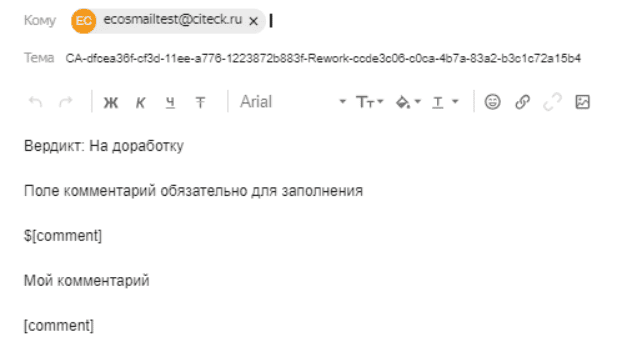
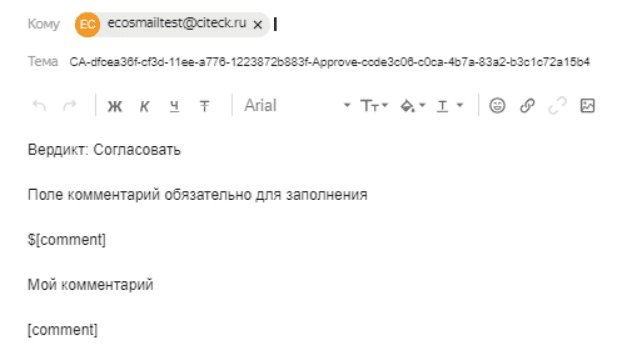
4. Пользователь добавляет комментарий между метками [comment]...[comment] и отправляет письмо
5. Apache Camel читает почтовый ящик через IMAP и передаёт письмо в LazyApprovalEndpoint (ecos-integrations)
6. Система парсит тему письма: Prefix-{taskId}-{outcome}-{taskToken}
7. Система извлекает комментарий из тела письма
8. Задача завершается от имени пользователя с нужным вердиктом и комментарием
9. Отправляется отчётное письмо (если настроено)
Reply email subject format:
<Prefix>-<taskId>-<Outcome>-<taskToken>
Where:
Prefix— an arbitrary string (e.g.CA). Used to identify the type of email.taskId— UUID identifier of the Camunda task. Automatically substituted via the${task_id}variable.Outcome— the verdict identifier (idfrom the task’secos:outcomes). Must match the task’s verdict id.taskToken— UUID security token generated when the task is created. Substituted via${task_token}.
Extracting a comment from the email body:
The comment is extracted from the text between the [comment] and [comment] markers:
Вердикт: Согласовать

Поле комментарий обязательно для заполнения

$[comment]
Ваш комментарий здесь
[comment]

${default_comment}
The $[comment] construct is a placeholder and will be replaced with real text when editing. The final comment is the text between [comment] and [comment] in the sent email.
2. Configuration Variables
To ensure Lazy approval works, some variables in the Citeck configuration need to be filled:
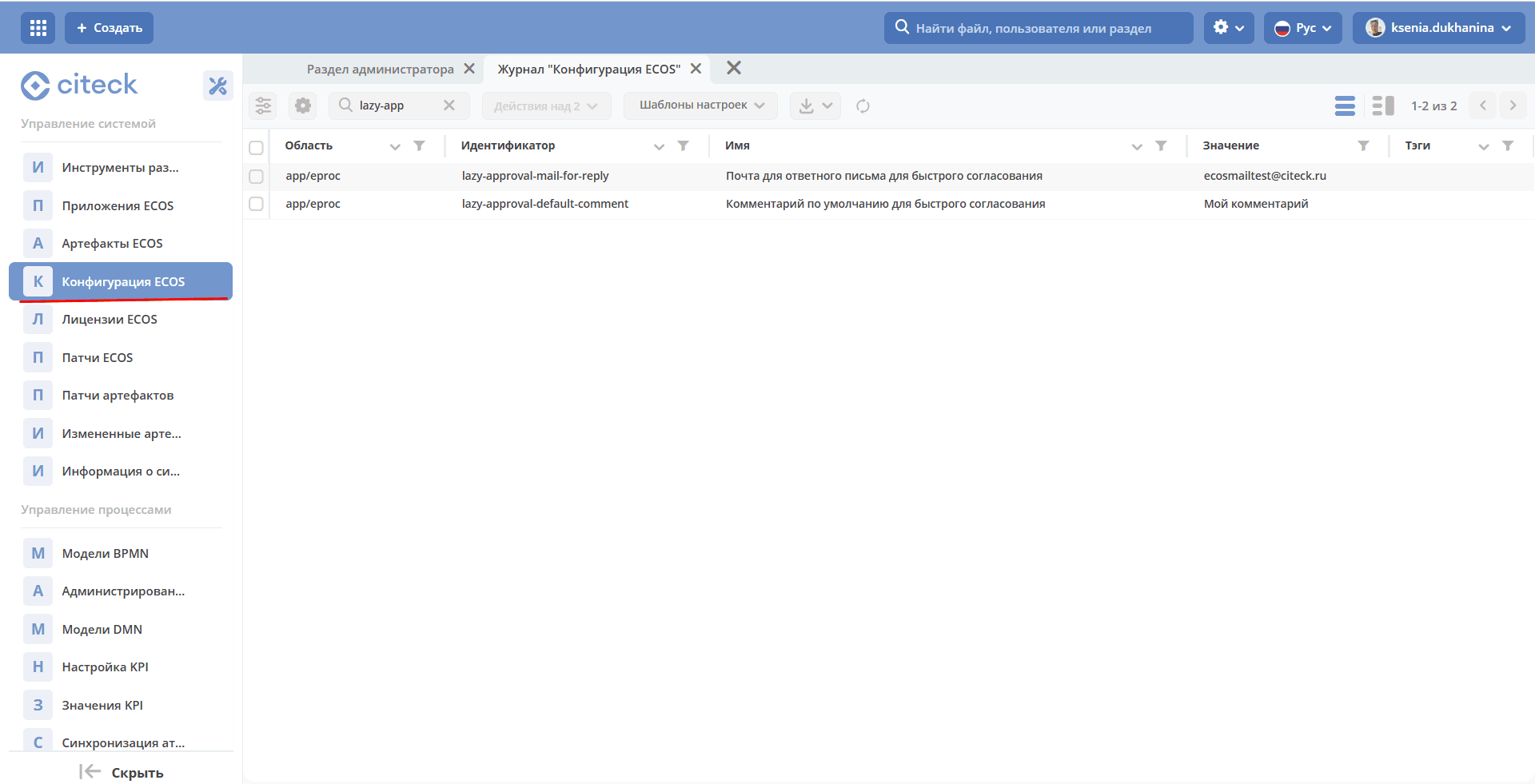
Configuration Key |
Description |
|---|---|
|
Email address to which the user sends the reply with a verdict. This is the address configured in Camel DSL for reading incoming emails. Substituted into the template via the |
|
Default comment inserted into the body of the reply email. Substituted into the template via the |
3. Configuring UserTask in BPMN
Lazy approval is enabled at the level of a specific UserTask via ECOS attributes.
Attribute |
Description |
|---|---|
|
Enables Lazy approval for the task. When the task is created, the system automatically sends a notification and generates a security token. |
|
Notification type. Currently, only |
|
Reference to the notification template with verdicts. A statically defined template. |
|
Enables dynamic template mode (from a process variable). If |
|
Notification template from a process variable. May contain an expression |
|
Additional variables for the template model (JSON object). |
|
Enables sending a report email after processing the user’s reply. |
|
Report email template for successful task completion (overrides the value from configuration). |
|
Report email template for unsuccessful task completion (overrides the value from configuration). |
XML UserTask example with Lazy approval:
<bpmn:userTask
  id="approvalTask"
  name="Согласование"
  ecos:laEnabled="true"
  ecos:laNotificationType="EMAIL_NOTIFICATION"
  ecos:laNotificationTemplate="notifications/template@my-approval-la-template"
  ecos:laReportEnabled="true">
</bpmn:userTask>
Example with a template from a process variable:
<bpmn:userTask
  id="approvalTask"
  name="Согласование"
  ecos:laEnabled="true"
  ecos:laNotificationType="EMAIL_NOTIFICATION"
  ecos:laNotificationTemplate="notifications/template@my-approval-la-template"
  ecos:laManualNotificationTemplateEnabled="true"
  ecos:laManualNotificationTemplate="${laTemplateRef}"
  ecos:laReportEnabled="false">
</bpmn:userTask>
4. Configuring Response Message Processing via Camel DSL
In the system, processing of response messages from users is provided by reading email based on configuration through Camel DSL:
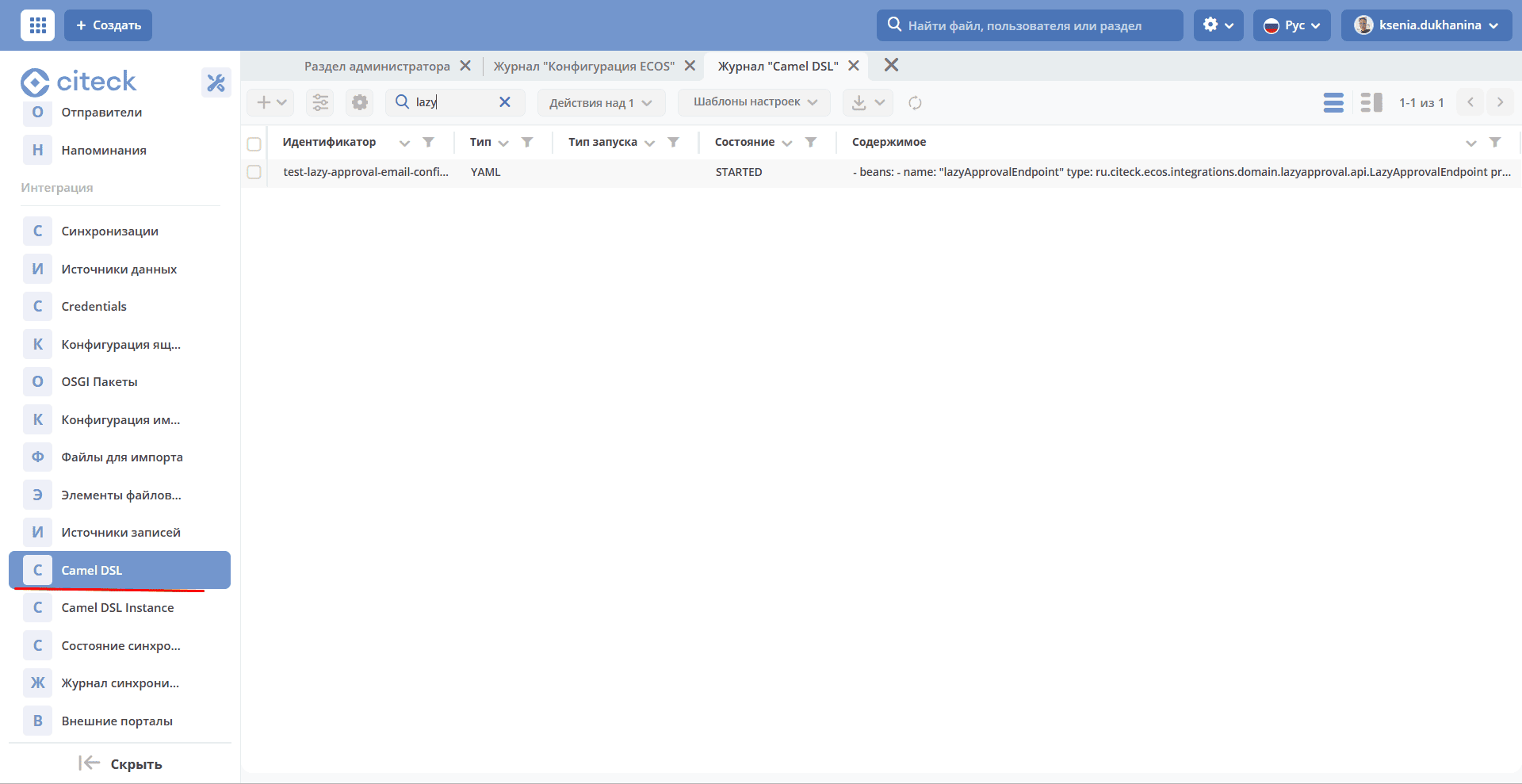
Camel DSL configuration example lazy-approval-email-configuration:
---
id: lazy-approval-email-configuration
type: YAML
state: STARTED
content: |-
  - beans:
      - name: "lazyApprovalEndpoint"
        type: ru.citeck.ecos.integrations.domain.lazyapproval.api.LazyApprovalEndpoint
        properties:
          type: "email"
  - route:
      from:
        uri: "imaps://imap.yandex.com?username=testuser1@mail.ru&password=password&delete=false&unseen=true&delay=60000"
        steps:
          - to: "bean:lazyApprovalEndpoint"
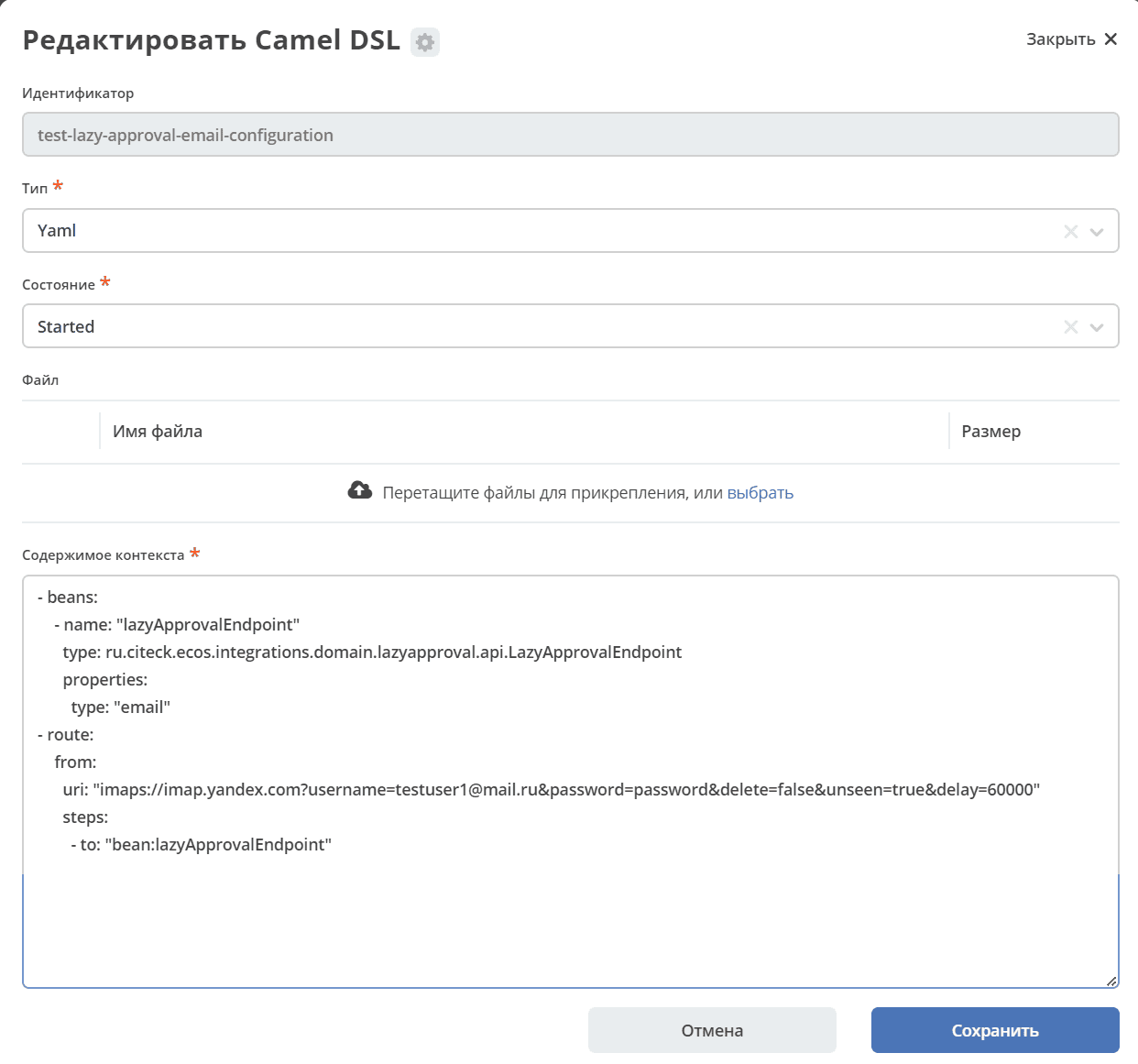
General working principle:
A bean of type “email” is created in the system, indicating that messages should be processed as messages coming from email. (In the future, the number of types may be expanded).
Then a route is set up, which specifies the email connection parameter settings and message processing rules.
Received messages from email are sent to the system, where the bean (described above) processes them and performs appropriate actions in the system.
Route uri parameters:
Parameter |
Description |
|---|---|
|
Email address configured to read reply emails. Must match the value of the |
|
Password for connecting to the mail server. |
|
Whether to delete emails from the mailbox after processing. Recommended: |
|
Process only unread emails. Must be set to ``true``, otherwise the same email will be processed indefinitely. |
|
Mailbox check frequency in milliseconds. Example: |
5. Notification Templates for Lazy Approval
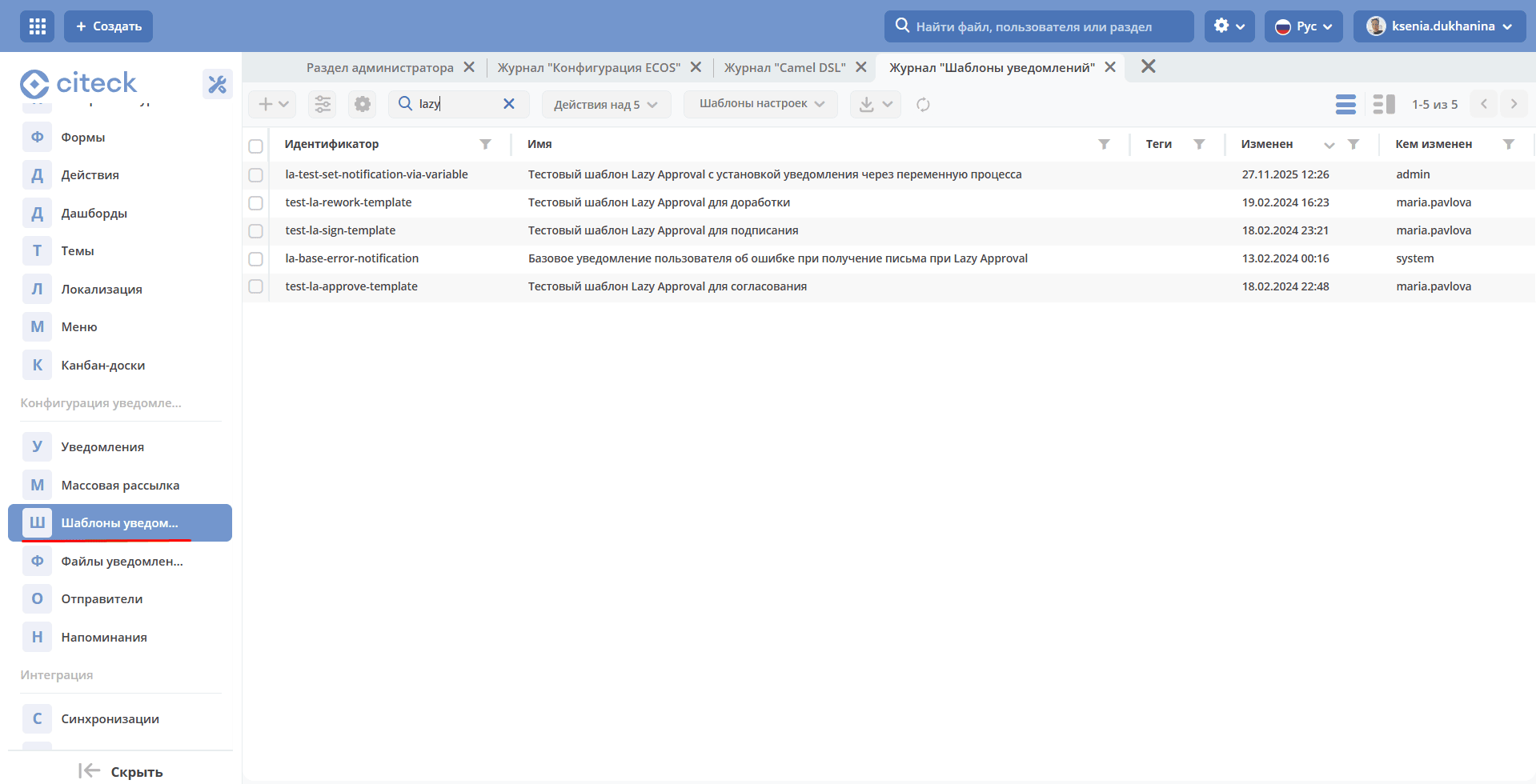
5.1 Template Variables
In addition to the standard variables from the template model, the following variables are automatically available in Lazy approval templates:
Variable |
Description |
|---|---|
|
UUID task identifier. Used in the reply email subject. |
|
UUID security token generated when the task is created. Protects against unauthorized task completion. |
|
Email address for sending the reply with a verdict. Taken from the |
|
Default comment. Taken from the |
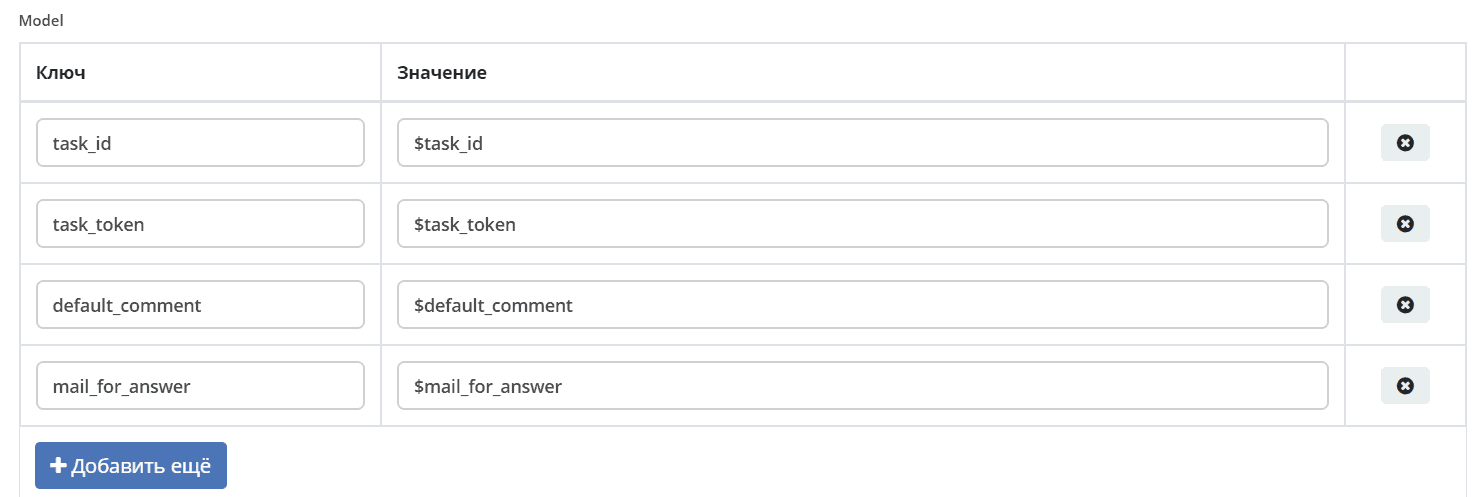
5.2 FTL Template with Verdicts
FTL template using verdicts:
<p>
Тестовое тело нотификации!
</p>
<div style="width: 100%; font-family:'GE Inspira',sans-serif;">
    <fieldset>
        <p style="font-weight:bold">Вердикты:</p>
        <div>
            <p><a href="mailto:${mail_for_answer}?Subject=CA-${task_id}-Done-${task_token}&body=Вердикт: Согласовать %0D%0A %0D%0A Поле комментарий обязательно для заполнения %0D%0A %0D%0A $[comment] %0D%0A %0D%0A ${default_comment} %0D%0A %0D%0A [comment]" target="_top">Согласовать / Approve</a></p>
        </div>
    </fieldset>
</div>
Verdict link structure:
mailto:${mail_for_answer}
  ?Subject=CA-${task_id}-<Outcome>-${task_token}
  &body=...%0D%0A$[comment]%0D%0A${default_comment}%0D%0A[comment]
CA— an arbitrary prefix (can be anything).<Outcome>— the verdict id, strictly matching theidin the task’secos:outcomes.%0D%0A— line break (URL-encoded\r\n).$[comment]/[comment]— markers for extracting the comment.
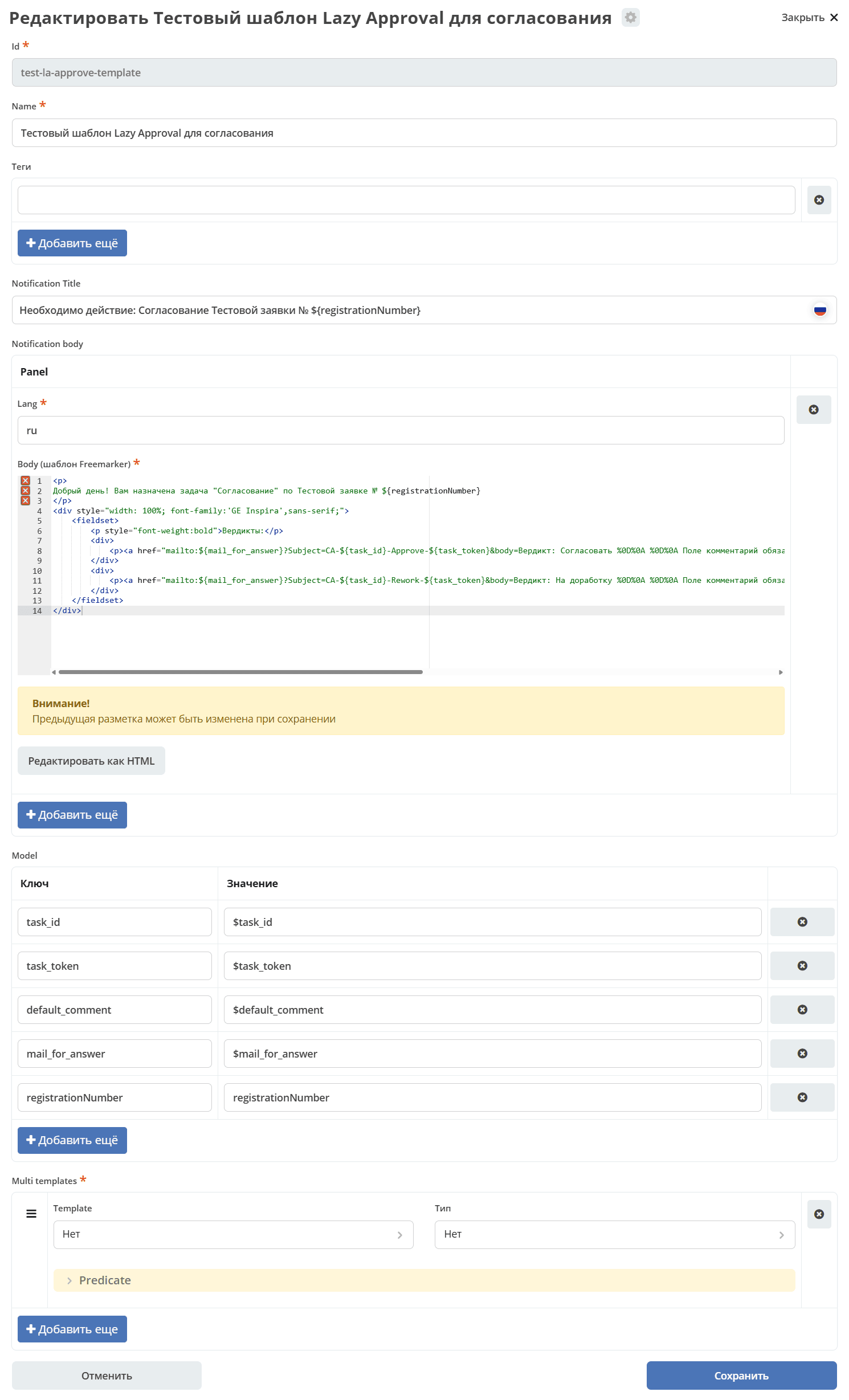
The final template should look approximately like this:
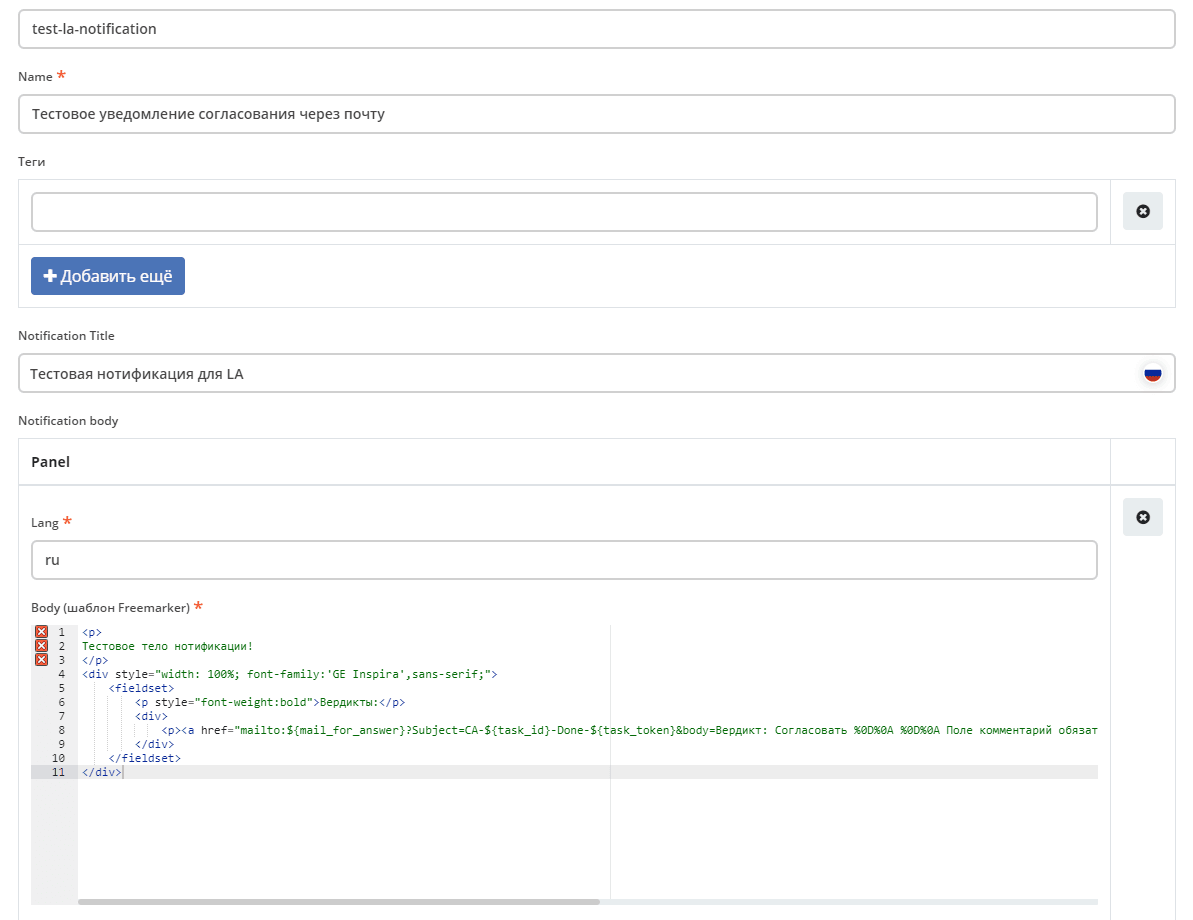
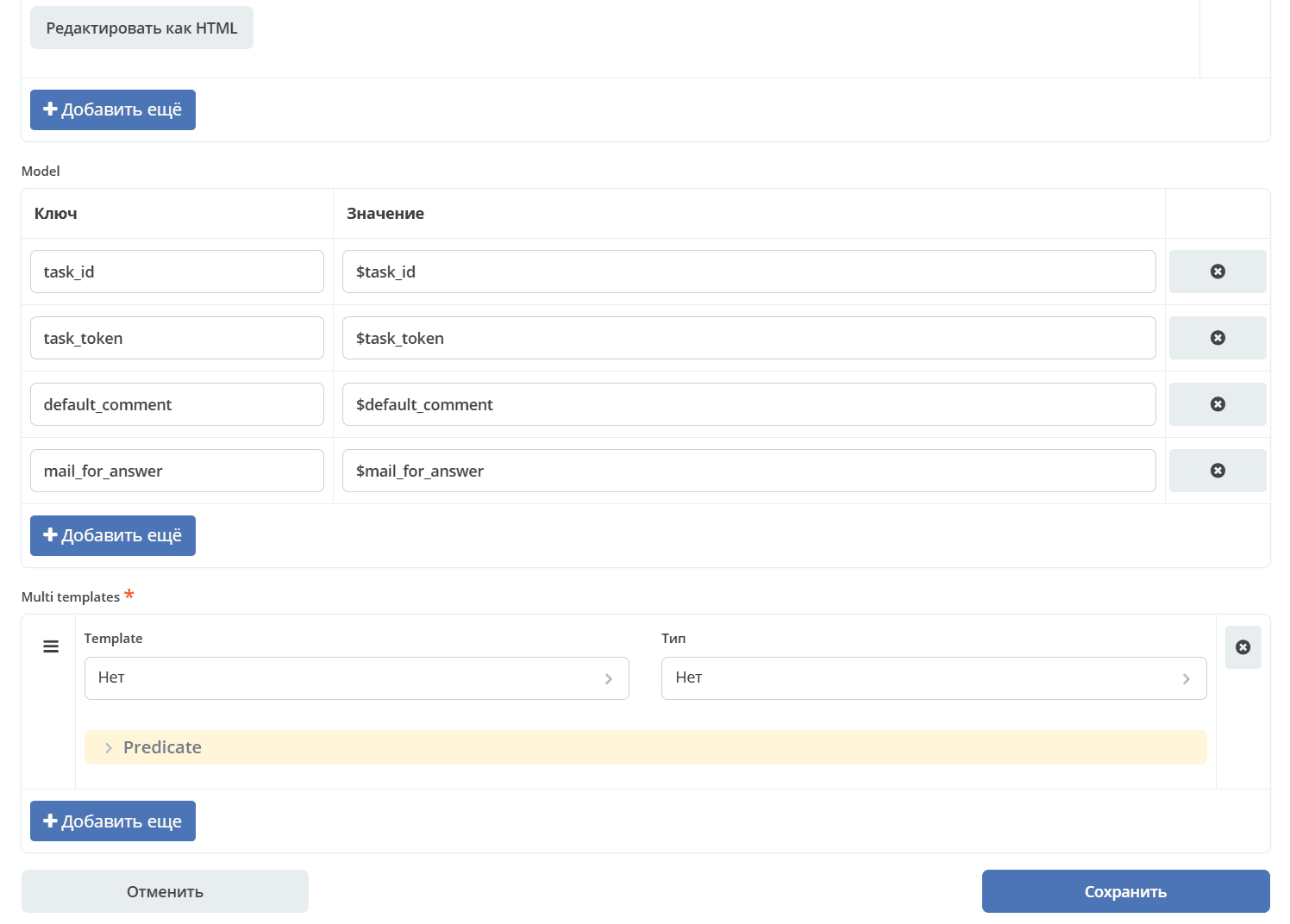
5.3 Example of a Lazy Approval Notification for a Task
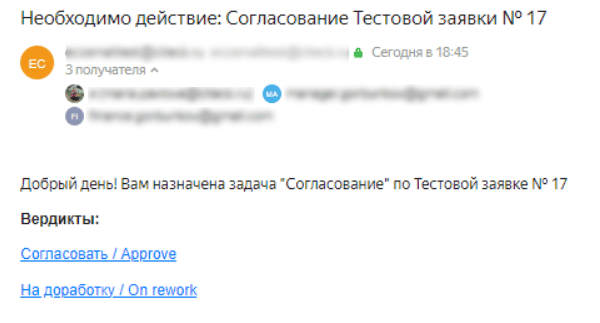
Let’s consider an example of a Lazy approval notification for an approval task with the following verdicts:
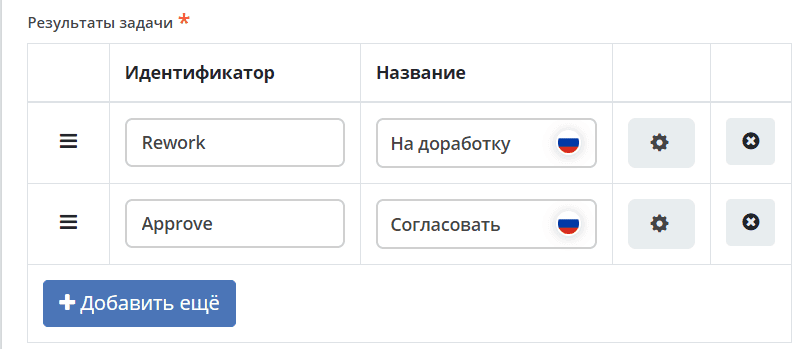
Template body:
<p>
Добрый день! Вам назначена задача "Согласование" по Тестовой заявке № ${registrationNumber}
</p>
<div style="width: 100%; font-family:'GE Inspira',sans-serif;">
    <fieldset>
        <p style="font-weight:bold">Вердикты:</p>
        <div>
            <p><a href="mailto:${mail_for_answer}?Subject=CA-${task_id}-Approve-${task_token}&body=Вердикт: Согласовать %0D%0A %0D%0A Поле комментарий обязательно для заполнения %0D%0A %0D%0A $[comment] %0D%0A %0D%0A ${default_comment} %0D%0A %0D%0A [comment]" target="_top">Согласовать / Approve</a></p>
        </div>
        <div>
            <p><a href="mailto:${mail_for_answer}?Subject=CA-${task_id}-Rework-${task_token}&body=Вердикт: На доработку %0D%0A %0D%0A Поле комментарий обязательно для заполнения %0D%0A %0D%0A $[comment] %0D%0A %0D%0A ${default_comment} %0D%0A %0D%0A [comment]" target="_top">На доработку / On rework</a></p>
        </div>
    </fieldset>
</div>
In addition to those described above, an additional variable registrationNumber is set - the test application number, which is taken from the card.
Notification |
Response with verdict |
|---|---|
|
|
6. Processing Report Messages
The system provides response messages to the user about successfully completed tasks via Lazy approval or about unsuccessful executions.
They are divided into 3 types:
Basic error templates (set in configuration);
Notification of successful task completion (set for the task, or through configuration);
Notification of unsuccessful task completion (set for the task, or through configuration).
Basic error messages differ from unsuccessful approval notifications in that basic ones are always sent (if the template is set in the configuration), while unsuccessful approval notifications can be disabled through a property in the task. Basic error messages are sent as a response email to the user’s message and handle errors that occurred before the system could reach the task itself and check the task configurations (For example: failed to parse the email subject).
Notifications of successful or unsuccessful task completion can be set for the task itself. In this case, a response email will be generated based on these templates. If templates are not specified in the task, the basic template from Citeck configuration will be used.
Setting Default Templates for Lazy Approval Response Messages
Through Citeck configuration, basic versions of templates are set for sending response messages to users about the results of processing their messages sent via Lazy Approval.
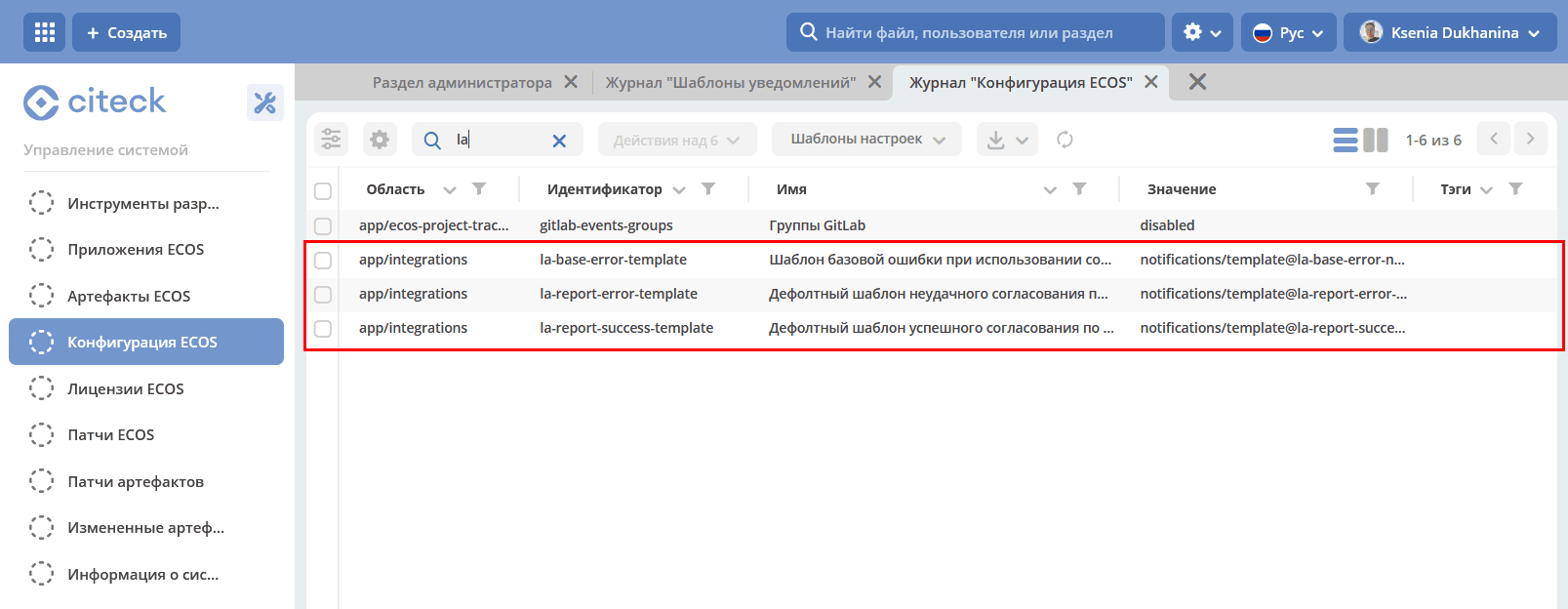
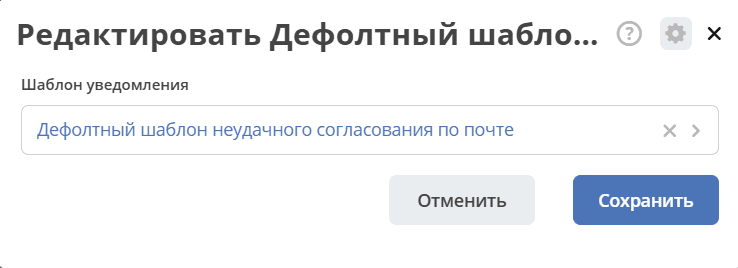
This template will be selected if it is necessary to send a message to the user, but no template is specified in the task.
If a template is not specified anywhere (neither in configuration nor in the task), the message will not be sent.
6.1 Error Codes
All error codes available in the error_code variable of report templates:
Code |
Description |
|---|---|
|
Failed to parse the email subject (invalid format |
|
The user whose email sent the message was not found in the system. |
|
The task with the specified |
|
The task has already been completed. |
|
The verdict specified in the email subject was not found among the available task verdicts. |
|
The security token from the email subject does not match the task’s token. |
|
An unexpected error occurred while completing the task. |
6.2 Report Template Variables
Basic error template:
Variable
Description
subject
Subject of the message from the user with the prefix “Re: “ (to form the email as a response message)
error_code
Error message code. Possible values:
INCORRECT_DATA,USER_NOT_FOUND,TASK_NOT_FOUND
Notification of successful task completion:
Variable
Description
task_name
Task name
Notification of unsuccessful task completion:
Variable
Description
task_name
Task name
error_code
Error message code. Possible values:
TASK_ALREADY_COMPLETED,OUTCOME_NOT_FOUND,TOKEN_NOT_FOUND,EXCEPTIONerror_message
Error message text