Notification
General Description
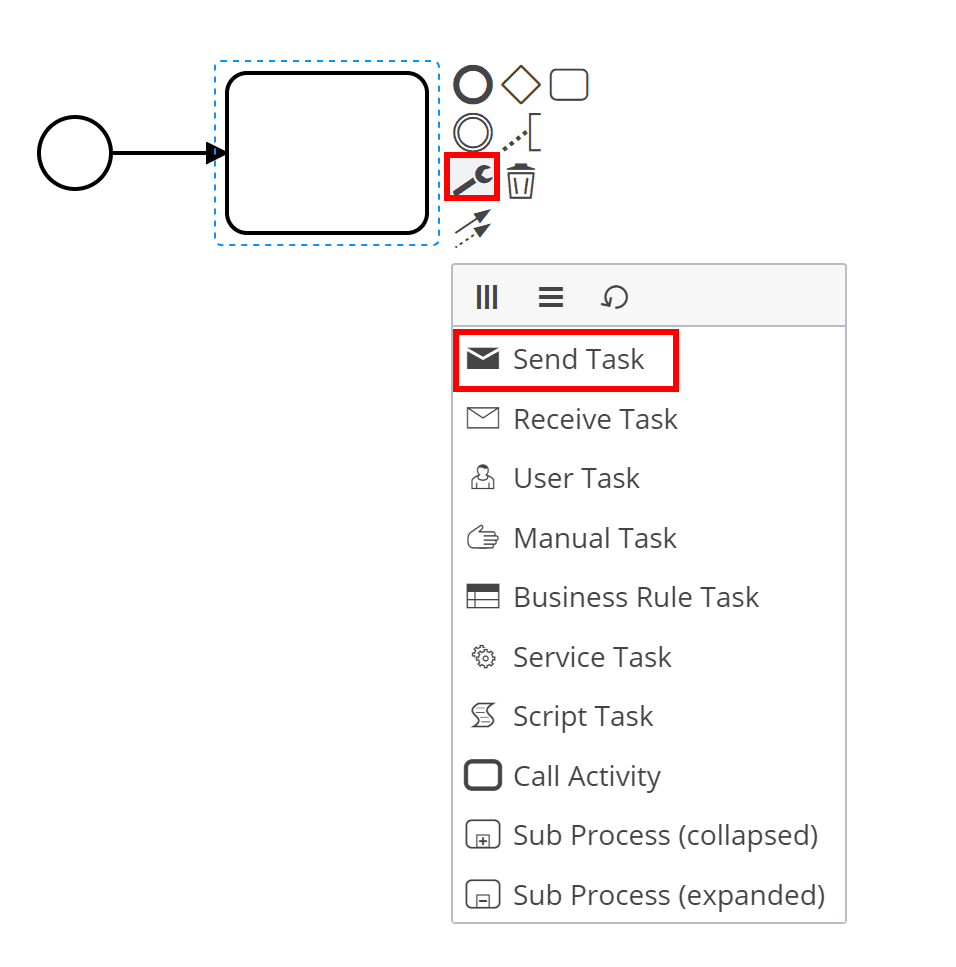
The element is used to send notifications to users. Currently, only email notifications are supported.
Notifications are sent via the ecos-notifications microservice, see more details — notifications and notification templates.
Attributes and Form
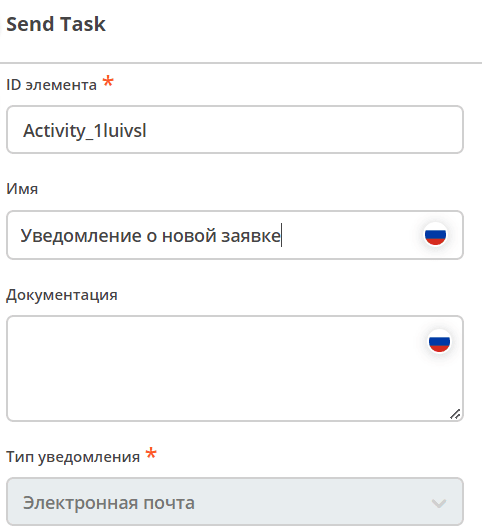
Specify Name,
Notification type is set to Email by default.
|
|
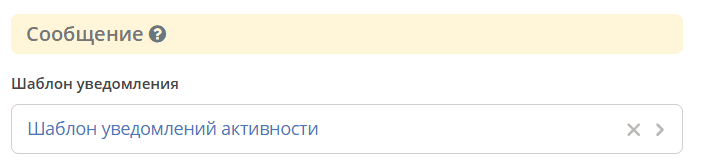
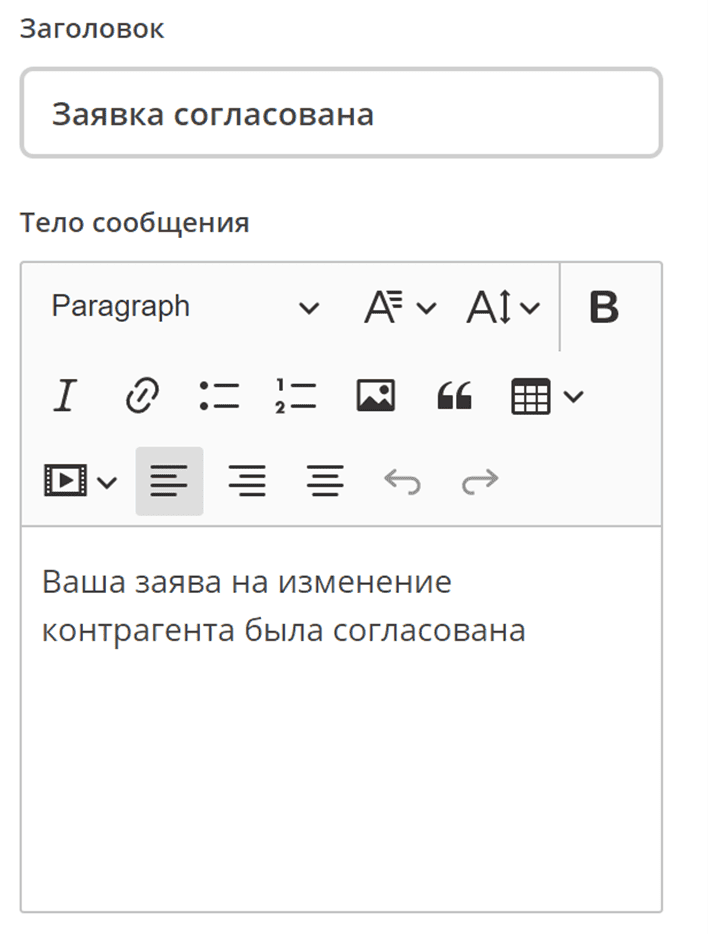
You can select a notification template or directly specify the Subject and Body of the message.
When using Subject and Body directly, only text can be specified, without using dynamic variables from the process or document.
|
|
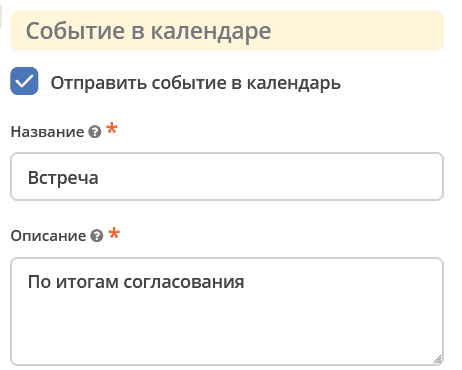
Sending meeting invitations to the user’s calendar
Name and Description can be specified directly or via expression
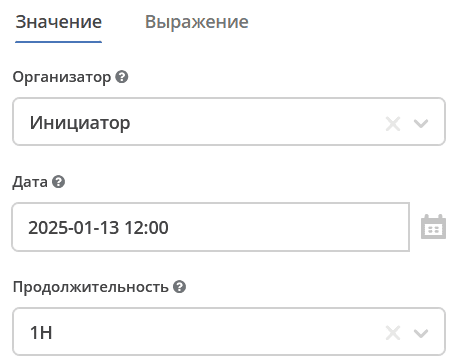
${someVariable}Event settings can be selected as values or specified as expressions.
- Значение
Organizer is selected from roles filled in the data type. The final result of processing the field will be an email. If a role contains multiple users, the first computed email will be selected.
Event start Date. When creating an event, the organizer’s timezone from the user profile will be specified.
Select event Duration from the list.
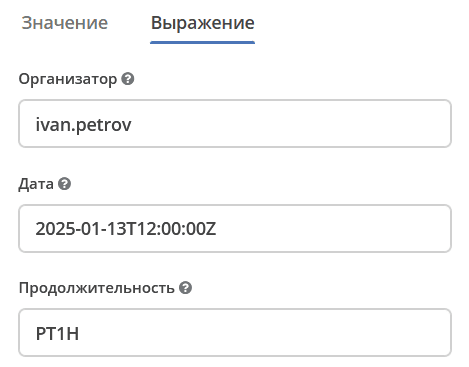
- Выражение
Organizer — name, recordRef, or organizer’s email. The final result of processing the field will be an email.
Expressions are supported for obtaining data from variables or services.
For example:
ivan.petrovGROUP_company_accountantemodel/authority-group@company_accountantemodel/person@ivanivan.petrov@citeck.ruIf an object containing multiple emails (user group) is passed, the first computed email will be selected.
Event start Date can be specified in ISO format or as an expression:
2020-06-20T10:30:00Z${ someDate}The expression must always return java.util.Date, java.util.String (ISO 8601), or null.
Event duration is specified in ISO 8601 format. For example:
- PT15S — 15 секунд
- PT1H30M — 1 час 30 минут
- P14D — 14 дней
Can be specified directly or via expression. For example:
${someVariable} |
|
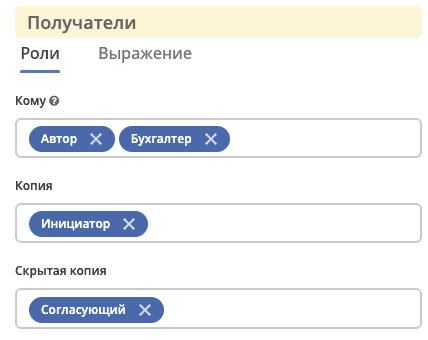
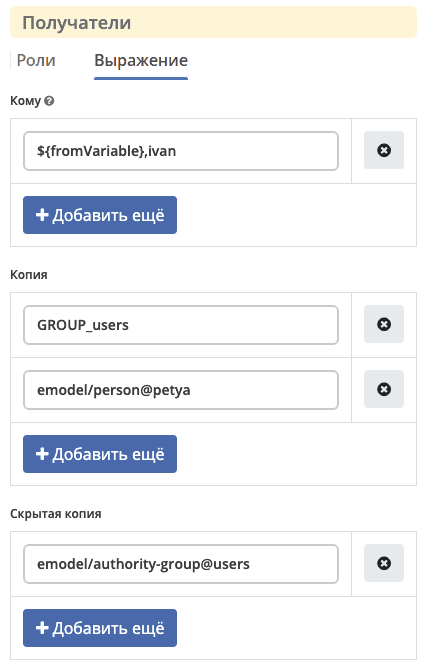
Recipients can be selected from:
- Роли — роли, заполненные в типе данных.
- Выражение — имя, recordRef или емейл получателя. Поддерживаются expression для получения данных из переменных или сервисов. Expression может вернуть множественное значение — строки разделенные запятой:
ivan@mail.com,user2,user3.For example:
ivan.petrovGROUP_company_accountantemodel/authority-group@company_accountantemodel/person@ivan${someVariable}${someService.getEmails()},petya.voks |
|
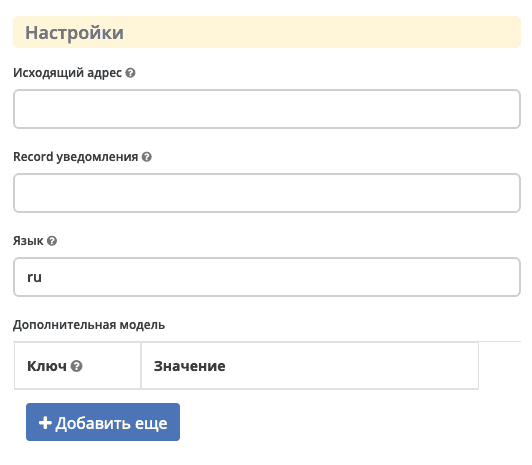
From address — the sender address of the notification. Can be specified directly or via expression.
If empty, the default value will be used.
For example:
someAddress@mail.com"Some Name" <someAddress@mail.com>${someExpressionToGetAddress}Getting address from Citeck Configuration:
${Config.getNotNull("app/you-app$you-config-key").asText()}Notification record — base record for template population. If nothing is specified in this field, the document on which the business process was started is taken.
Language — specifies the notification template language in the format
ru, en, etc. If no language is specified, the default language is used.Additional model (additional meta) — description of additional meta information, where
- ключ (string) — по ключу становится доступна информация в модели шаблона уведомления.
- значение (object) — если в значении передана строка и начинается с префикса
!str_, то символы после префикса записываются как строка, иначе строка считается как recordRef. |
|
Important
When saving, saving/publishing the process, the mandatory filling of the following fields is checked:
«Template» or «Message Body»;
«Recipients» (Roles or Expression).
Otherwise, an error will be issued in the linter.
Available Variables
The notification template model has access to the following variables:
Variables from the base record. By default, this is the document on which the business process is running. Access is directly to the record’s attributes.
Process variables. Through the
$processvariable, process variables at the time of sending the notification are available.Variables of Citeck events. Available via the
$process.eventvariable.Records API Context Variables
Also available within the notification template itself are templating services.
Example of using variables in a template
For example, we use an event sub process that reacts to the event of adding a new comment and sends a notification.
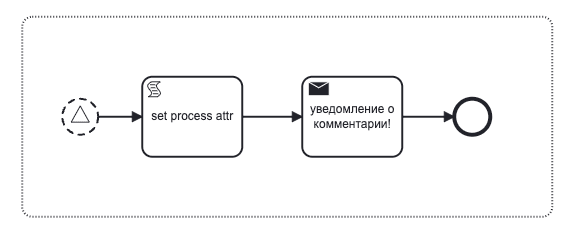
The notification template contains the model:
"model": {
       "documentDisp": ".disp",
       "documentCreated": "_created",
       "documentFio": "fio",
       "now": "$now",
       "user": "$user",
       "processAtt": "$process.someAttr",
       "str": "$str",
       "commentText": "$process.event.text",
       "eventId": "$process.event._meta.id",
       "eventType": "$process.event._meta.type",
       "eventRecord": "$process.event.eventRecord",
       "eventRecordCreated": "$process.event.eventRecordCreated",
       "currentRunAsUser": "$process.currentRunAsUser"
}
The notification template contains the text:
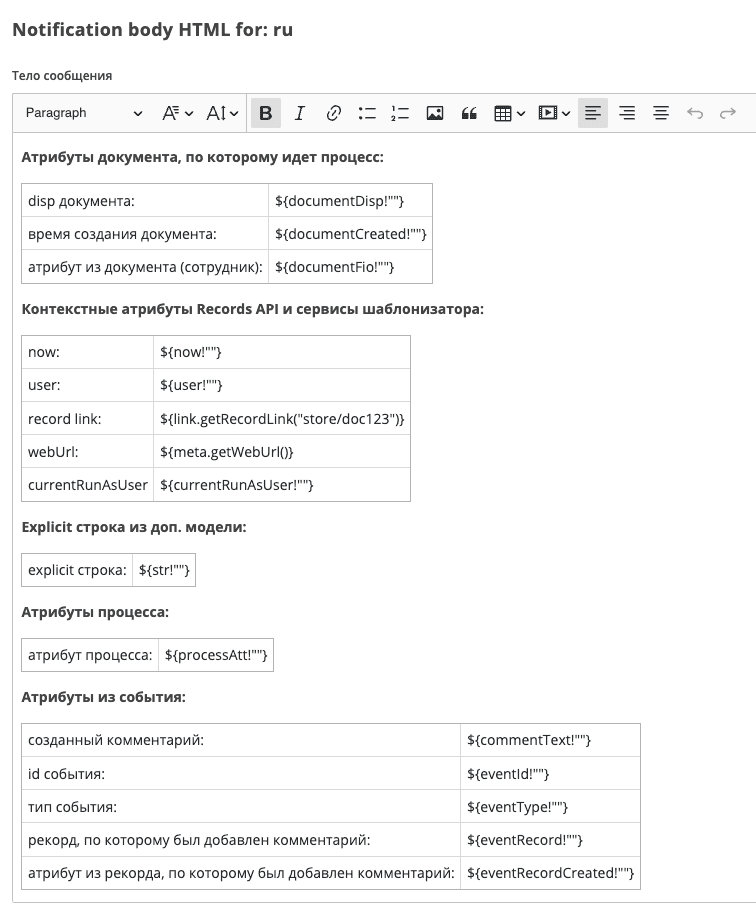
As a result, we get the following notification:
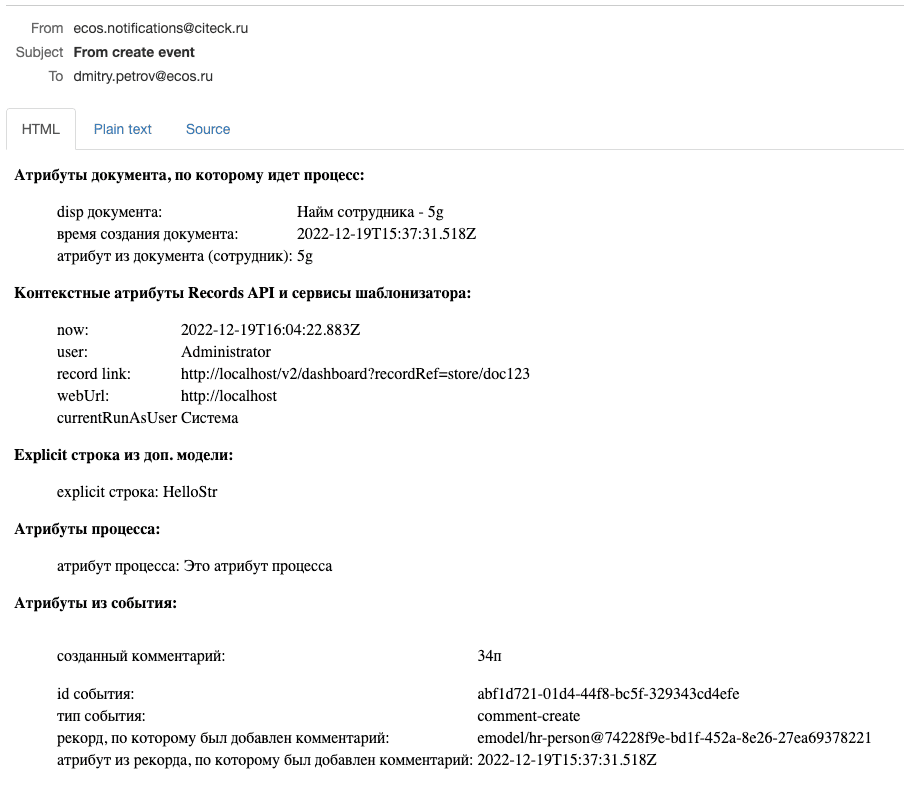
If it is necessary to send a message about adding a comment with an attachment (reaction to the comment addition event), then you need to add an attribute to the notification model:
"model": {
       "_attachments": "$process.event.attachments[]._as.ref._content{bytes, meta:?json}"
}