Permission Management in BPMN Section
In Citeck, access to BPMN sections and process operations is managed through a flexible permission system. Permissions are assigned to user groups at the level of each section and are inherited by child sections and nested processes. This allows access to be differentiated: some users can only view processes, others can edit and publish them, and others can manage running process instances.
Permission Configuration
Note
Only system administrators (users from the ECOS_ADMINISTRATORS group) can configure permissions for sections.
Permissions can be configured for each section separately. To do this, open the business process editor page:
https://{host}/admin?type=BPM
And next to the required section, click the actions button and select Edit permissions:
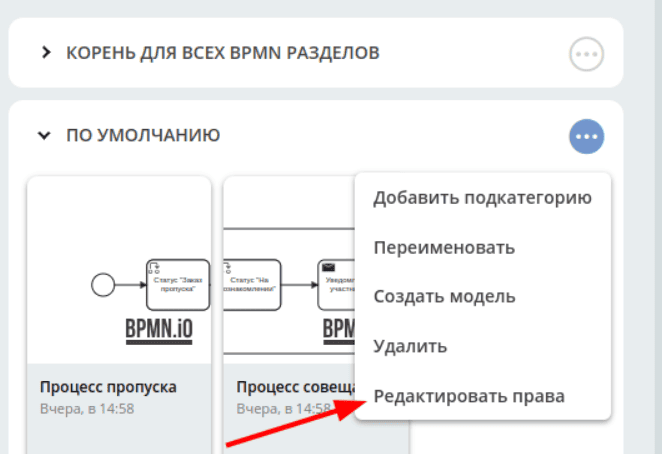
a configuration window is displayed:
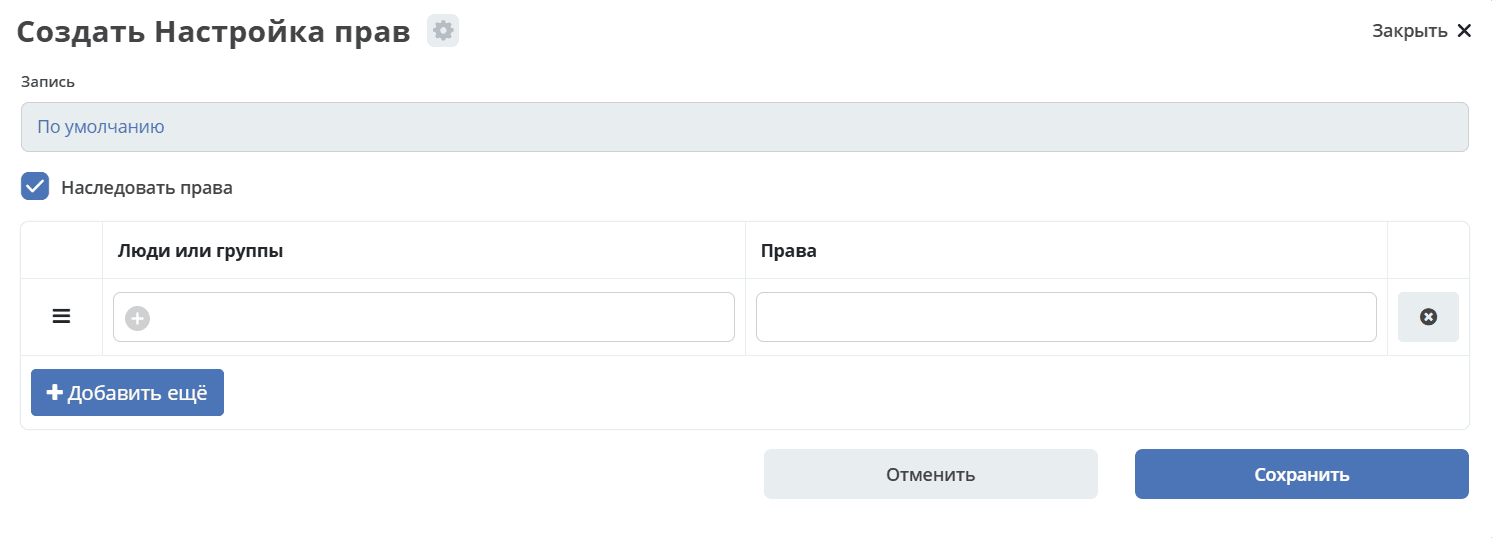
where you can configure permissions for groups and individuals, enable or disable inheritance of the following permissions:
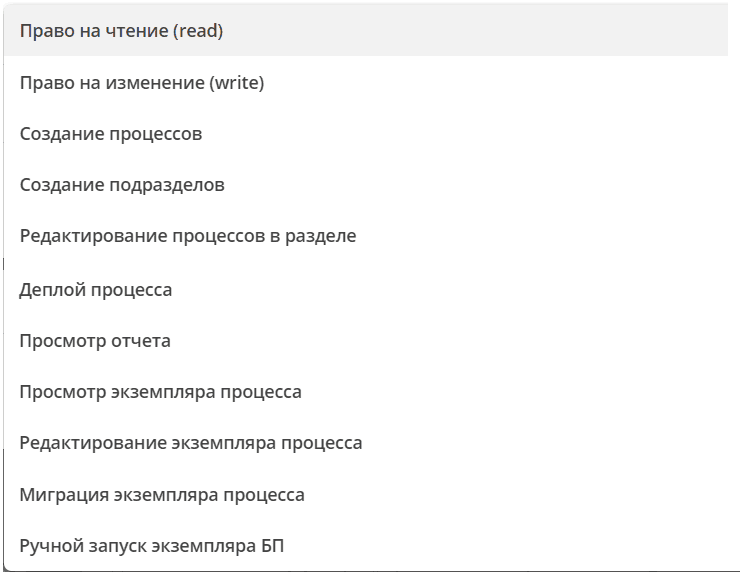
Type Permissions
When creating and editing processes, it is often necessary to make changes to type configurations. To allow editing and creation for users without system administrator rights, permissions should be configured on parent types as described in the article Configuring permissions for type descriptions
Example configuration options:
Configure permissions on the “base” type and grant users access to create and edit any types.
Configure permissions on the “user-base” type and grant users access to create and edit only business types.
Create a separate proxy type inherited from one of the standard types (case/data-list/document/doclib-file, etc.) and grant permissions only for it.
General Rules for Permission Distribution Across Sections
All sections belong to a tree with a single root - the root section. Permissions are inherited from parent to child sections and from sections to nested processes.
If the “Inherit permissions” flag is removed when configuring permissions for a section, then permissions will not be inherited.
Permissions on child entities are added to parent permissions if permission inheritance is enabled.
Root Section
The root section has the identifier ROOT and serves to configure default permissions for all other sections.
The root section is only visible to system administrators (users in the ECOS_ADMINISTRATORS group).
You cannot create subsections in the root section through actions next to this section. To create new sections at the root, use the “+” button above all sections:
Default permissions for BPMN root section
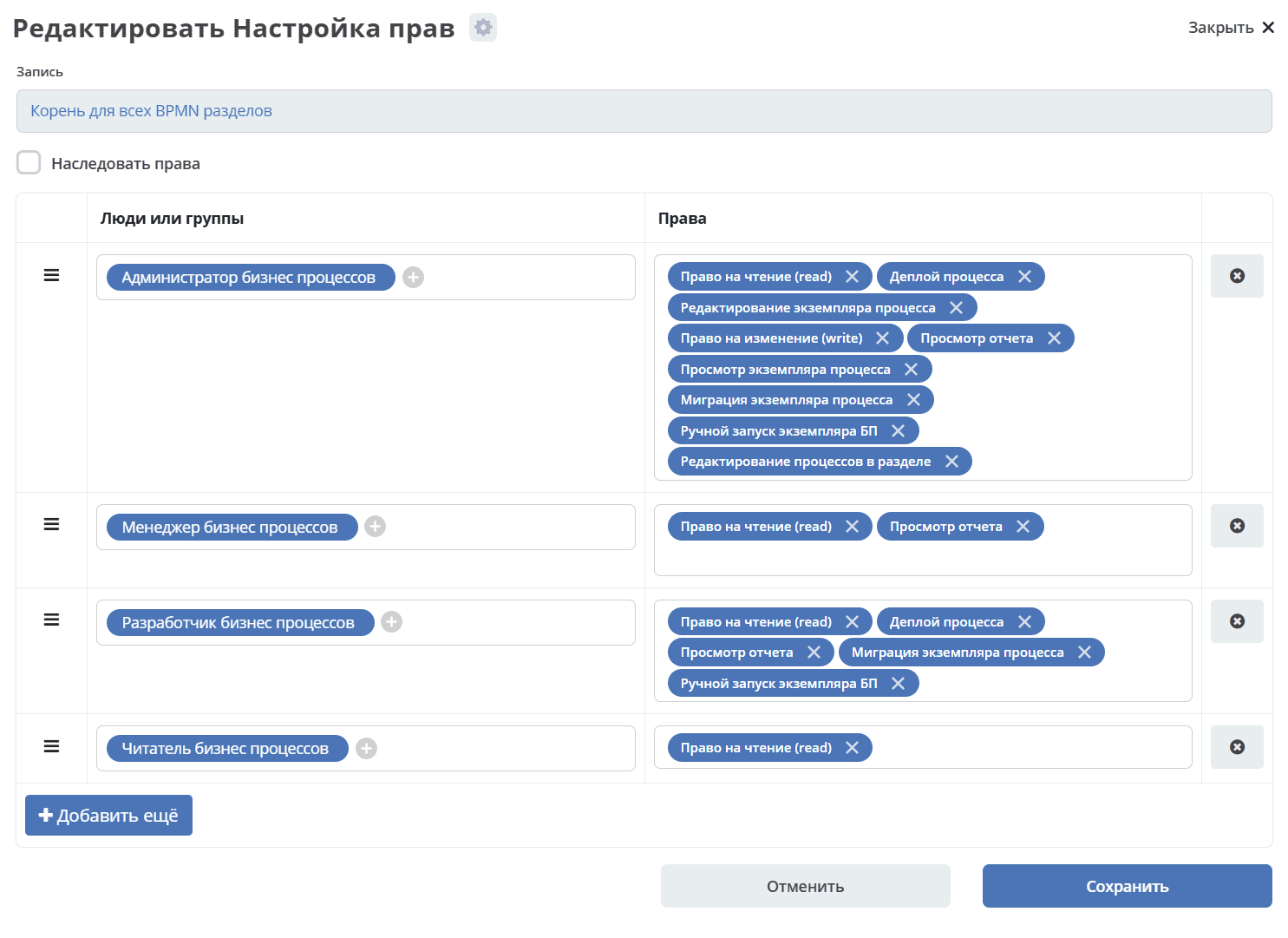
Group |
Permissions |
|---|---|
bp-administrator |
read
write
bpmn-process-def-deploy
bpmn-process-def-report-view
bpmn-process-instance-run
bpmn-process-instance-edit
bpmn-process-instance-read
bpmn-process-instance-migrate
bpmn-section-edit-process-def
|
bp-manager |
read
bpmn-process-def-report-view
|
bp-developer |
read
bpmn-process-def-deploy
bpmn-process-instance-run
bpmn-process-def-report-view
bpmn-process-instance-migrate
|
bp-viewer |
read
|
BPMN Permissions Description
Identifier |
Name |
Description |
|---|---|---|
read |
Read permission (read) |
Whether the section and all processes within it will be visible to the user. |
write |
Write permission (write) |
Whether the section and processes within it can be edited |
bpmn-section-create-process-def |
Create processes in section |
Whether new processes can be created in the section |
bpmn-section-create-subsection |
Create subsections |
Whether subsections can be created within the section |
bpmn-section-edit-process-def |
Edit processes in section |
Whether processes in the section can be edited |
bpmn-process-def-deploy |
Process deployment |
Whether process description can be published to the BPMN engine |
bpmn-process-def-report-view |
View report |
Whether process statistics can be viewed |
bpmn-process-instance-read |
View process instance |
Whether process instances can be viewed |
bpmn-process-instance-edit |
Edit process instance |
Whether process instances can be edited |
bpmn-process-instance-migrate |
Process instance migration |
Whether process instances can be migrated |
bpmn-process-instance-run |
Manual business process instance start |
Whether new process instances can be started manually |