KPI
KPI (Key Performance Indicators) in Citeck BPMN is a tool for monitoring compliance of business process execution with established standards. It allows setting time norms and quantitative indicators for process elements, tracking deviations, and generating reports.
Functionality has been developed for configuring time norms for:
task execution,
status changes,
condition fulfillment (event, attribute updates).
These norms may vary depending on the parameters (attribute values) of a specific data type instance.
Norms are available for configuration by users.
Configuration
To configure KPI, navigate to the “KPI Configuration” log (Administrator Section workspace - Process Management):
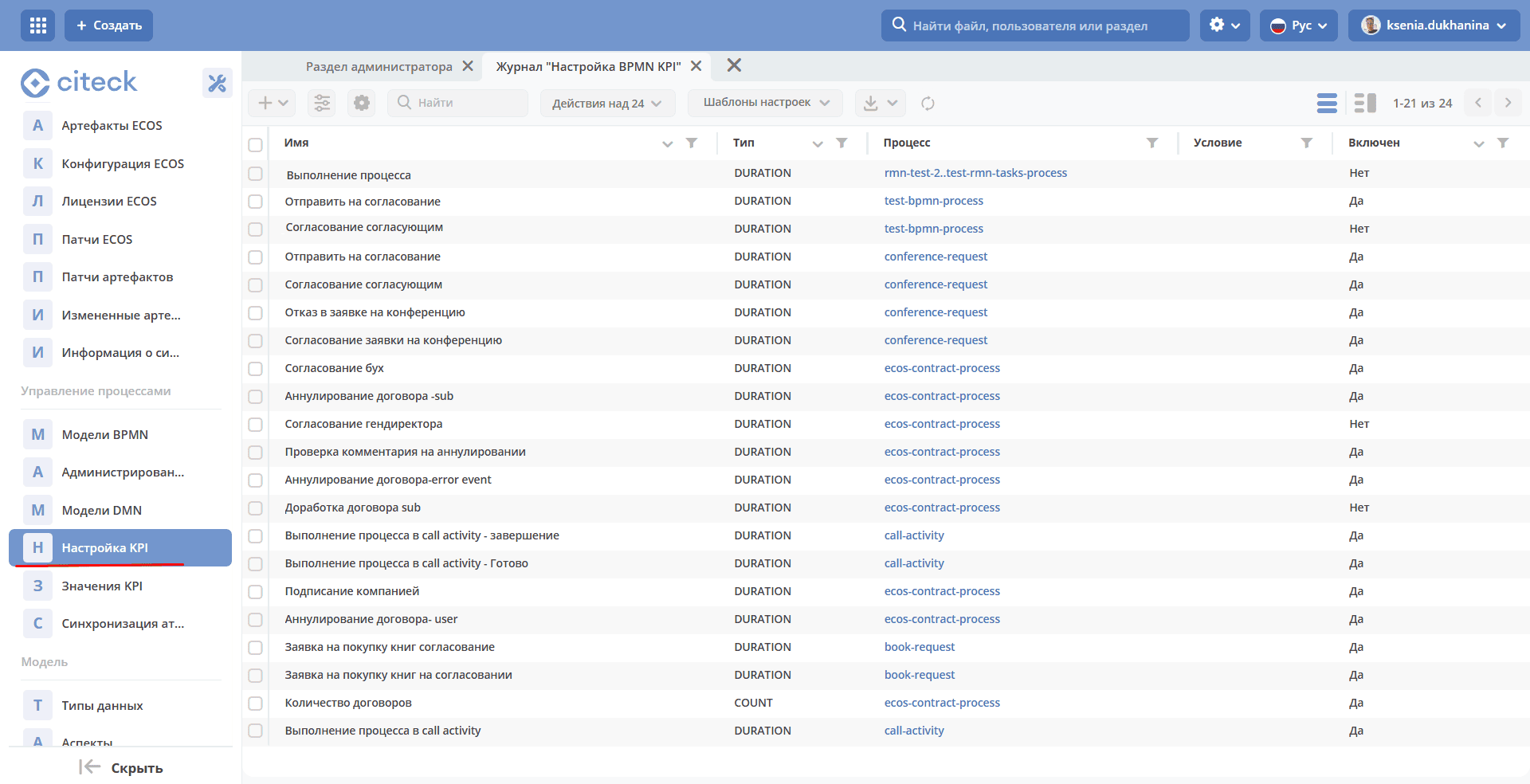
Creation form:
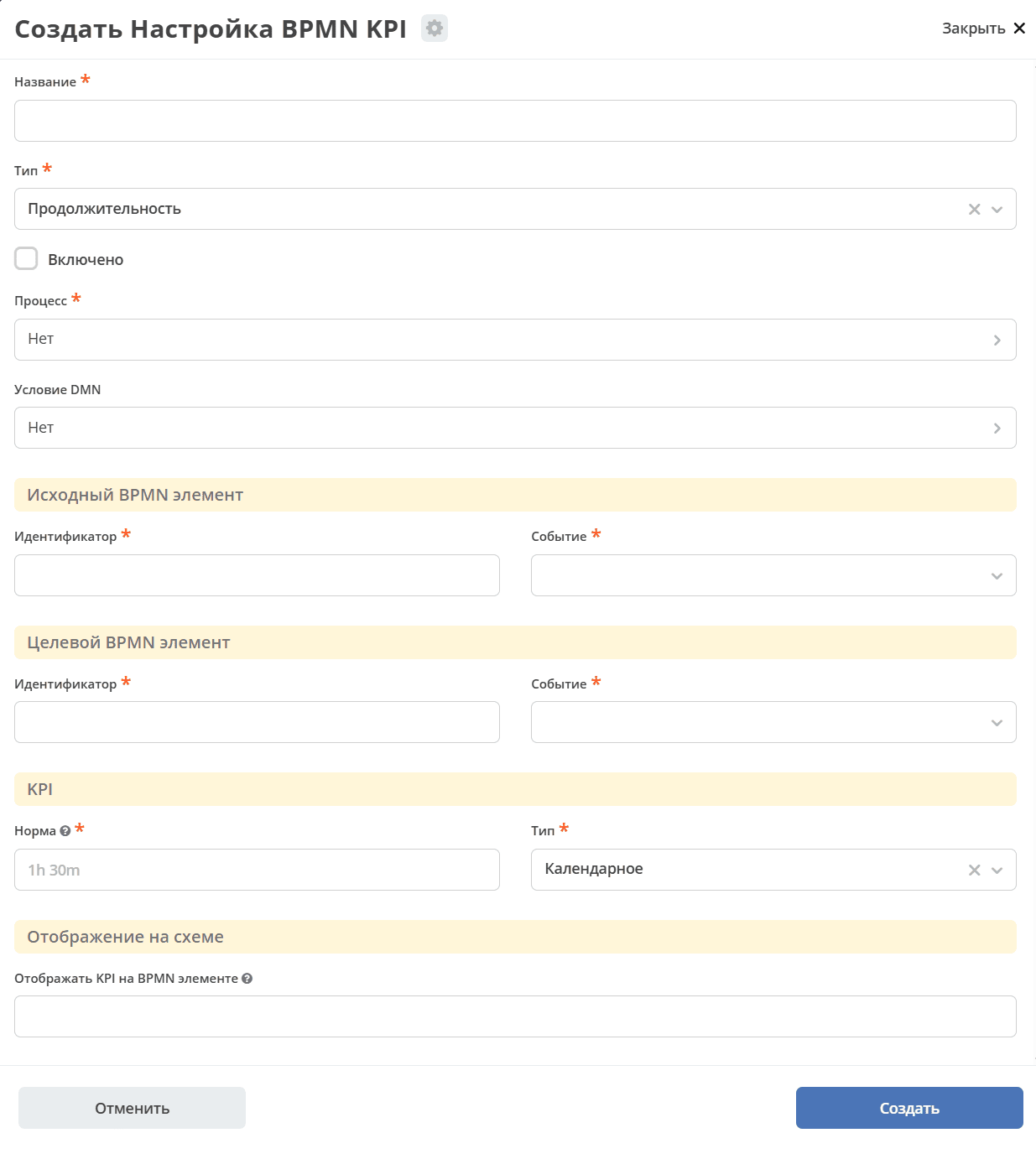
In the form, you must specify Name, select Type (Duration or Quantity), Process, BPMN Element, Norm.
You can set a condition for applying KPI using DMN. The model is described in DMN, with the base record being the document associated with the business process.
If DMN is specified and the calculation result returns boolean (true), then KPI is applied. The name of the returned variable does not matter.
Duration KPI
Duration KPI allows tracking the time between specified BPMN elements (Source and Target) in the process.
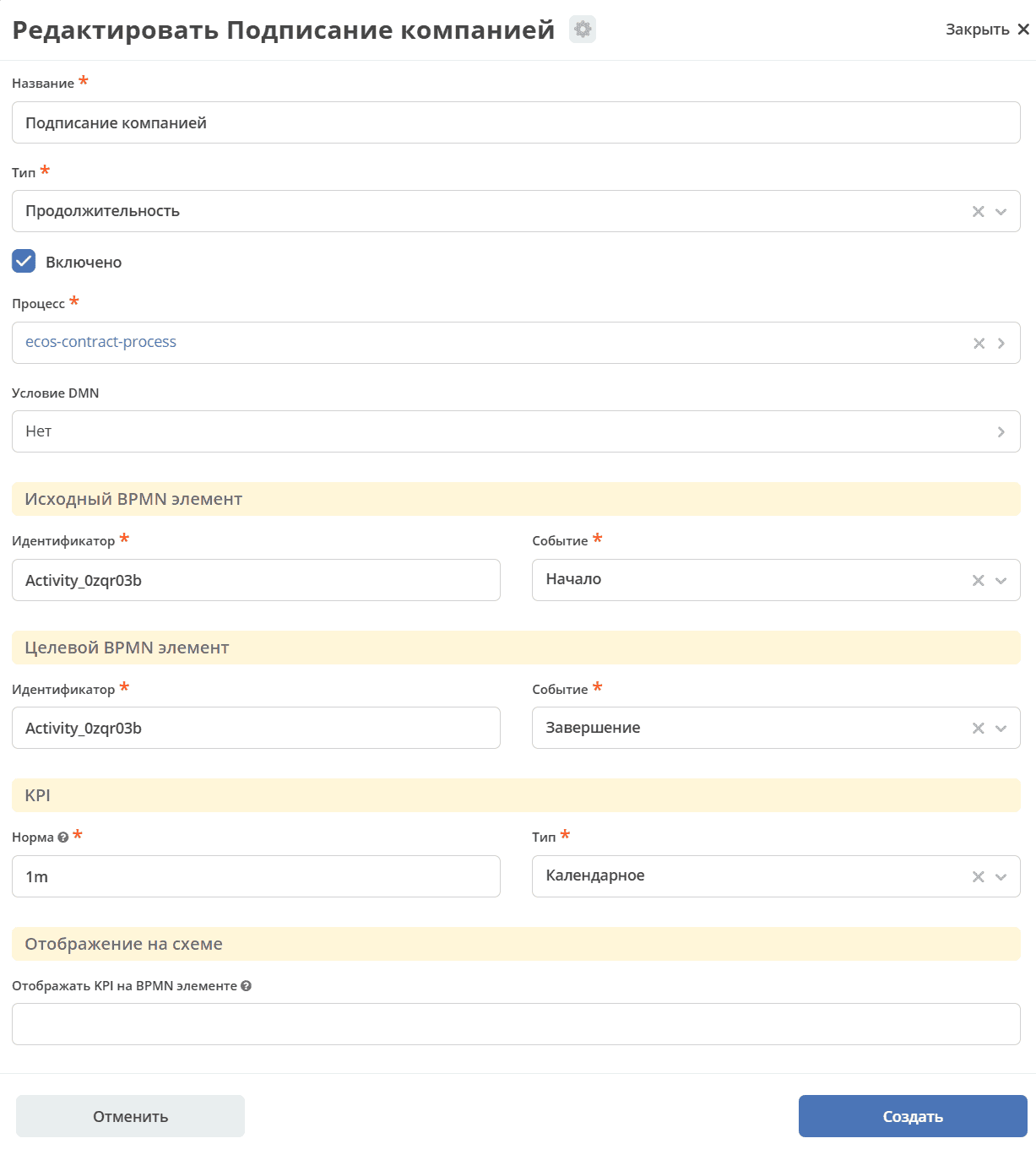
Important
Source and target elements must be within the same process.
In the Source and Target BPMN elements, specify the Identifier (business process element ID) and select Event.
Note
It is not recommended to use on start and end of a single multi-instance element, as the duration will be calculated incorrectly.
Time (Norm) can be accounted for in 2 Types - calendar or working (in the current implementation only using the working calendar and default schedule - id=DEFAULT).
Time duration is specified in the format d h m:
1d 3h 10m - 1 day 3 hours 10 minutes
1d - 1 day
1h 15m - 1 hour 15 minutes
30m - 30 minutes
Quantity KPI
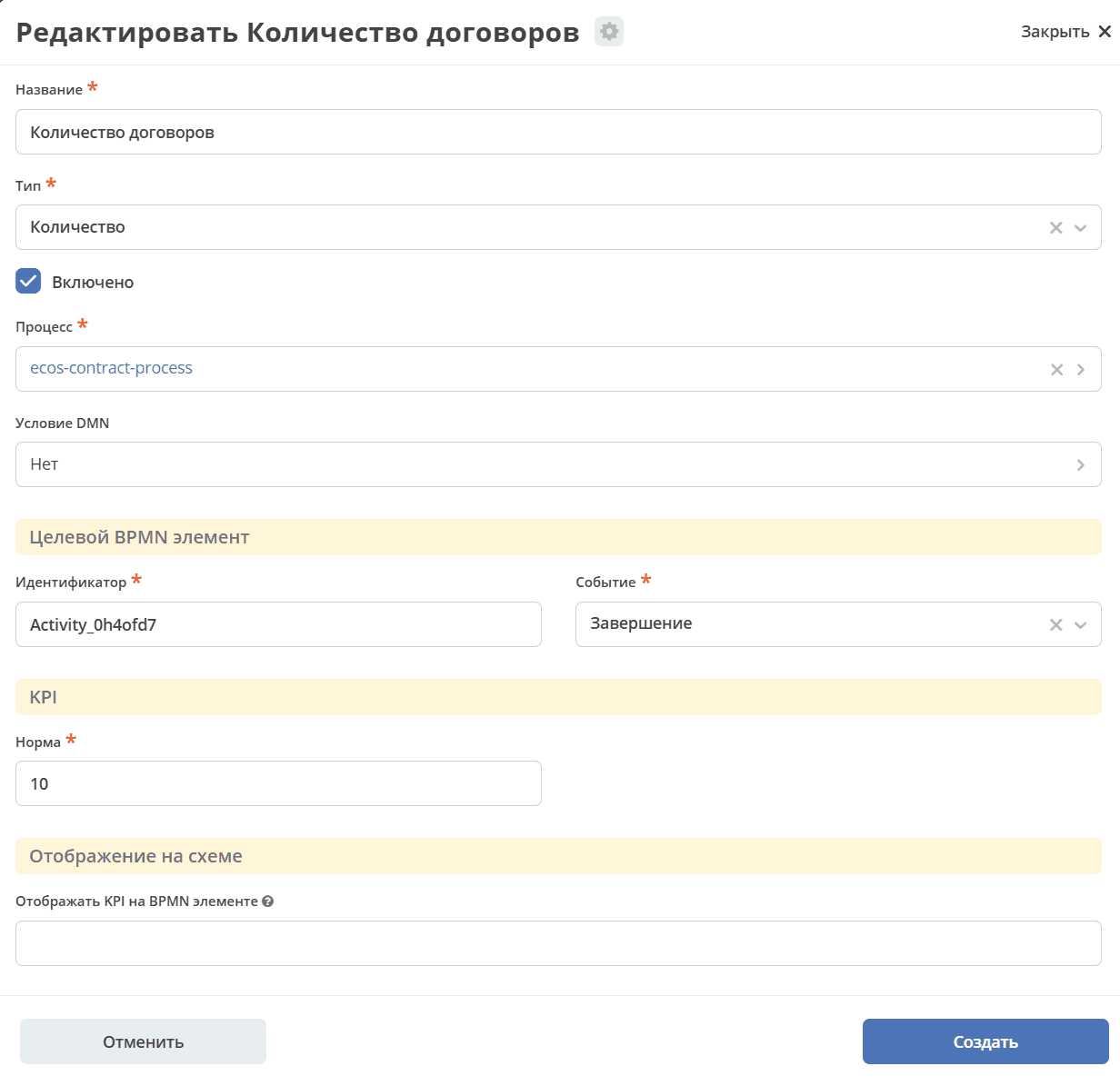
Quantity KPI allows counting the number of passes through the specified element.
In the Target BPMN element, specify the Identifier (business process element ID) and select Event. Specify the number of passes in the Norm field.
In the future, it is planned to add time period configuration - month, quarter, year, etc.
KPI Values
In the administrator logs, a general KPI Values log is displayed.
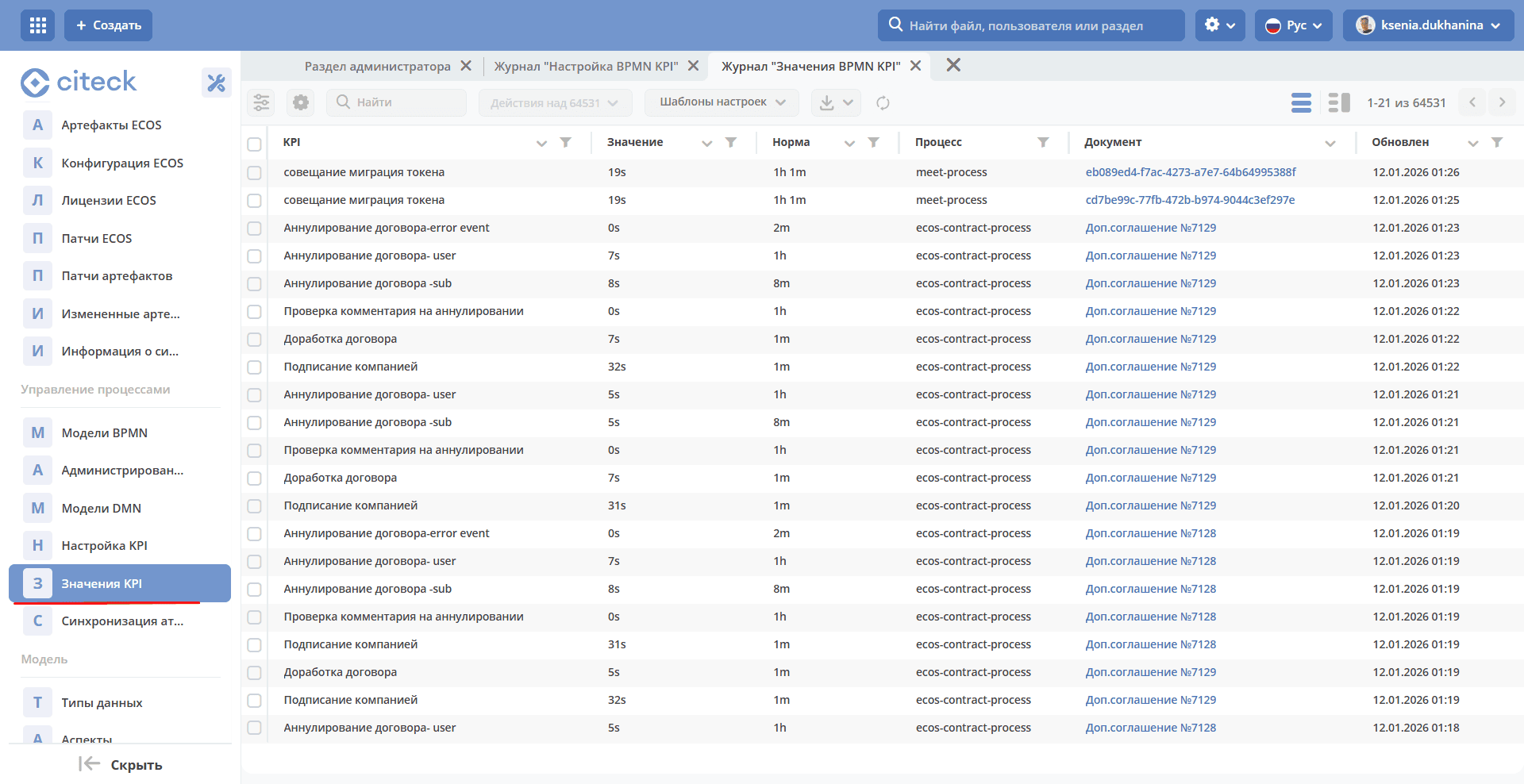
For convenience, it is recommended to configure your own KPI log with the necessary filters, groupings, and aggregations.
To create your own log with KPI values, you can copy the KPI Values log and configure the columns as needed.
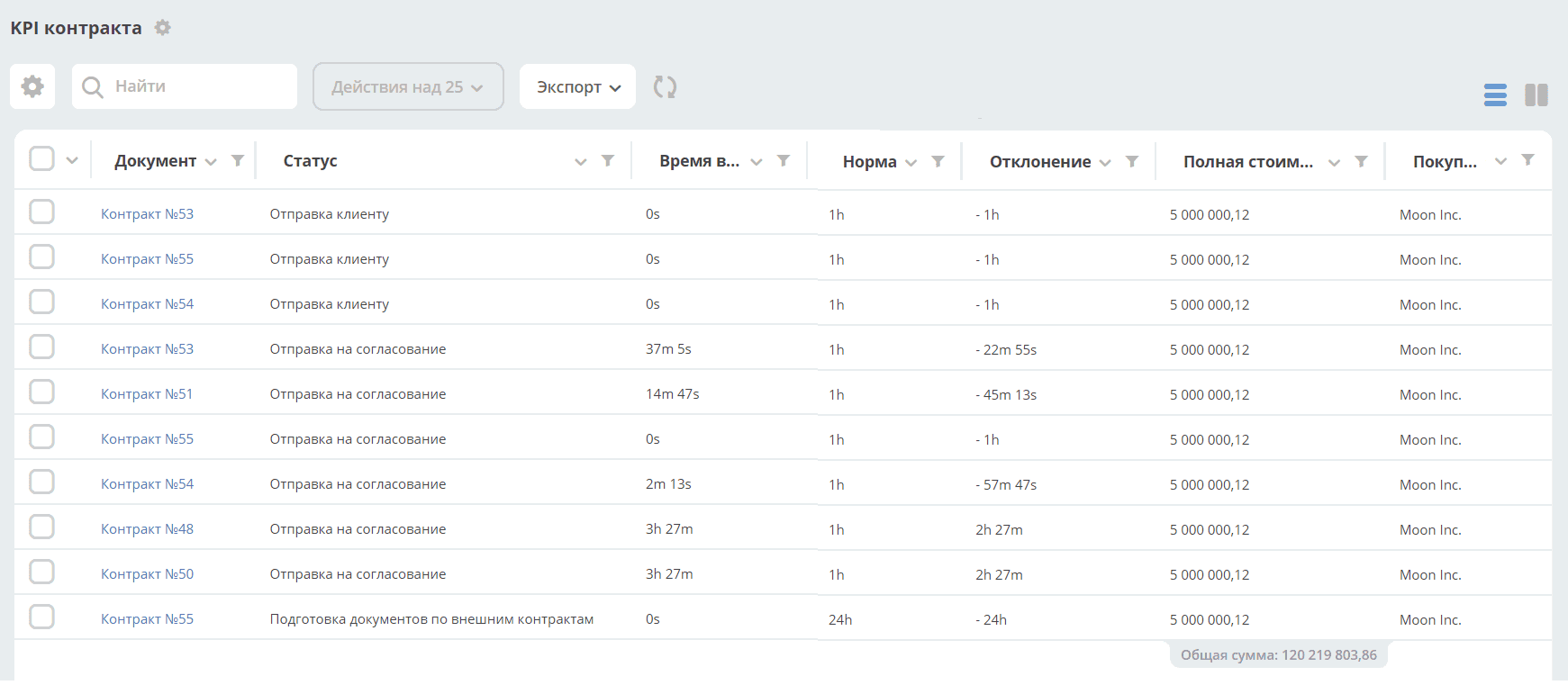
If KPI is for duration, the Norm and Value fields can be configured using the Duration formatter (Duration) for better readability.
Example of a generated report
Display on BPMN diagram
KPI deviation values are available on the BPMN diagram in the Process Statistics widget