Using Expressions in Journals
In Citeck journals, in addition to simple attributes (name, counterparty, etc.), expressions can be used — SQL-like constructs evaluated at the time of the database query. They support mathematical operations, date functions, as well as search, grouping, and sorting with guaranteed data freshness.
An Expression is a set of functions, operators, parentheses, and attributes that computes a value based on data in the database.
Note
Computed attributes defined in the type have functionality similar to expressions and allow more flexible configuration of attribute values, but they have limitations for search, grouping, and sorting.
These operations are only available if the computed attribute is configured to be saved to the database, but even then there is a limitation — recalculation occurs only when the entity is updated.
If related entities or global objects used in the computation are updated, the computed attribute will not be recalculated. Unlike computed attributes, journal expressions allow configuring calculations that are evaluated at query time for each record, enabling search, grouping, and sorting with guaranteed data freshness.
Expressions are configured in the column’s advanced settings in the «Attribute for loading» field.
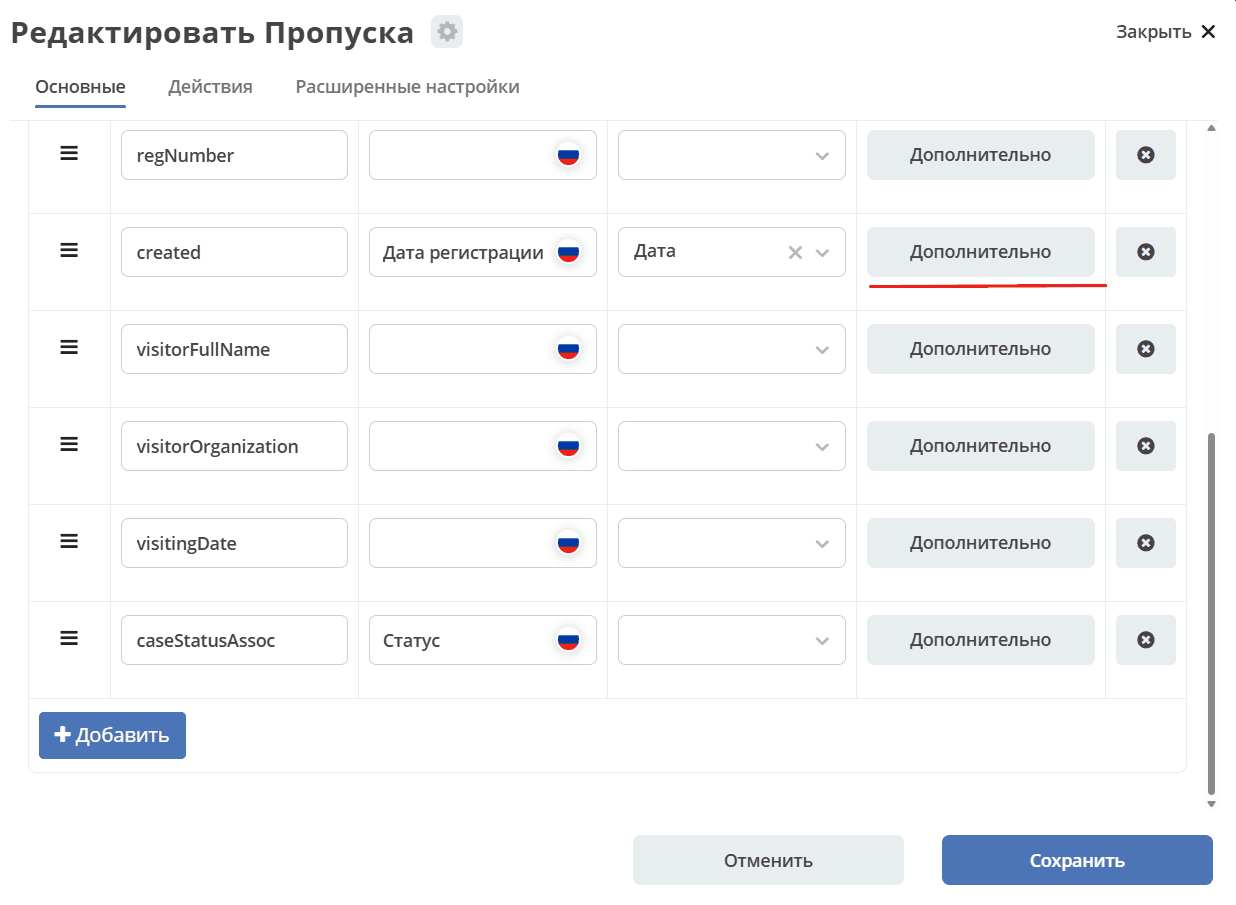
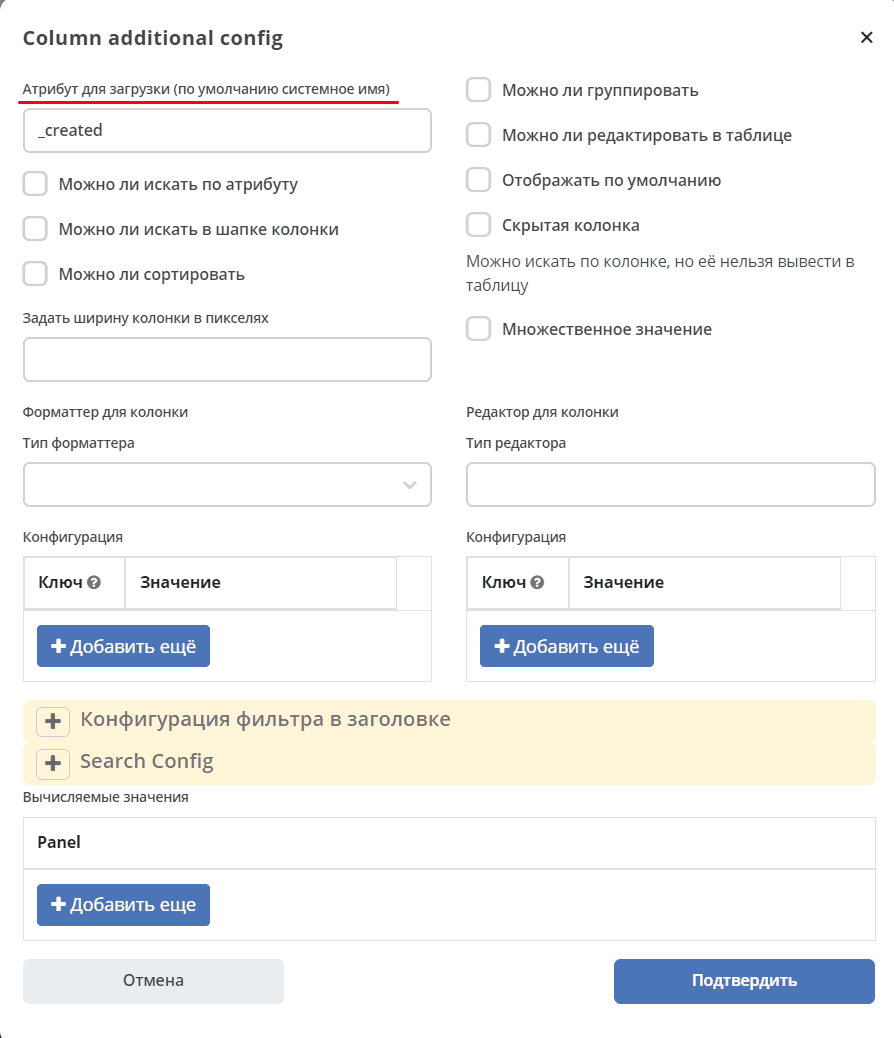
To configure an expression, the field content must be either a function or an expression fully wrapped in parentheses.
Examples
Calculating the difference between dates in days
ceil(((date_part('epoch', date0) - date_part('epoch', date1)) / (60 * 60 * 24)))
date0 and date1 — date or datetime attributes between which the calculation is performed.
ceil — round up to the nearest integer greater than or equal to the argument. This function can be replaced with:
floor — truncate the fractional part;
round — round the result to the nearest integer.
Arbitrary mathematical operations
ceil(field0 + field1)

(field0 + field1)

(10 * (field0 + field1))
field0 and field1 — entity attributes. Expression complexity and the number of attributes are unlimited.
Getting the month and year
to_char(date0, 'MM.YYYY')
date0 — a date or datetime attribute.