Creating a new journal
A Journal in Citeck is a tabular representation of records of a specific data type, providing search, filtering, sorting, grouping, and action capabilities for objects.
Journal configurations are available in the Administrator Section workspace → UI Configuration → Journals. To create a new journal, click + and select Create journal configuration.
The new journal creation form consists of the following tabs:

Main — main journal characteristics.
Actions — configuration of actions available for the journal.
Advanced settings — additional journal settings.
Main
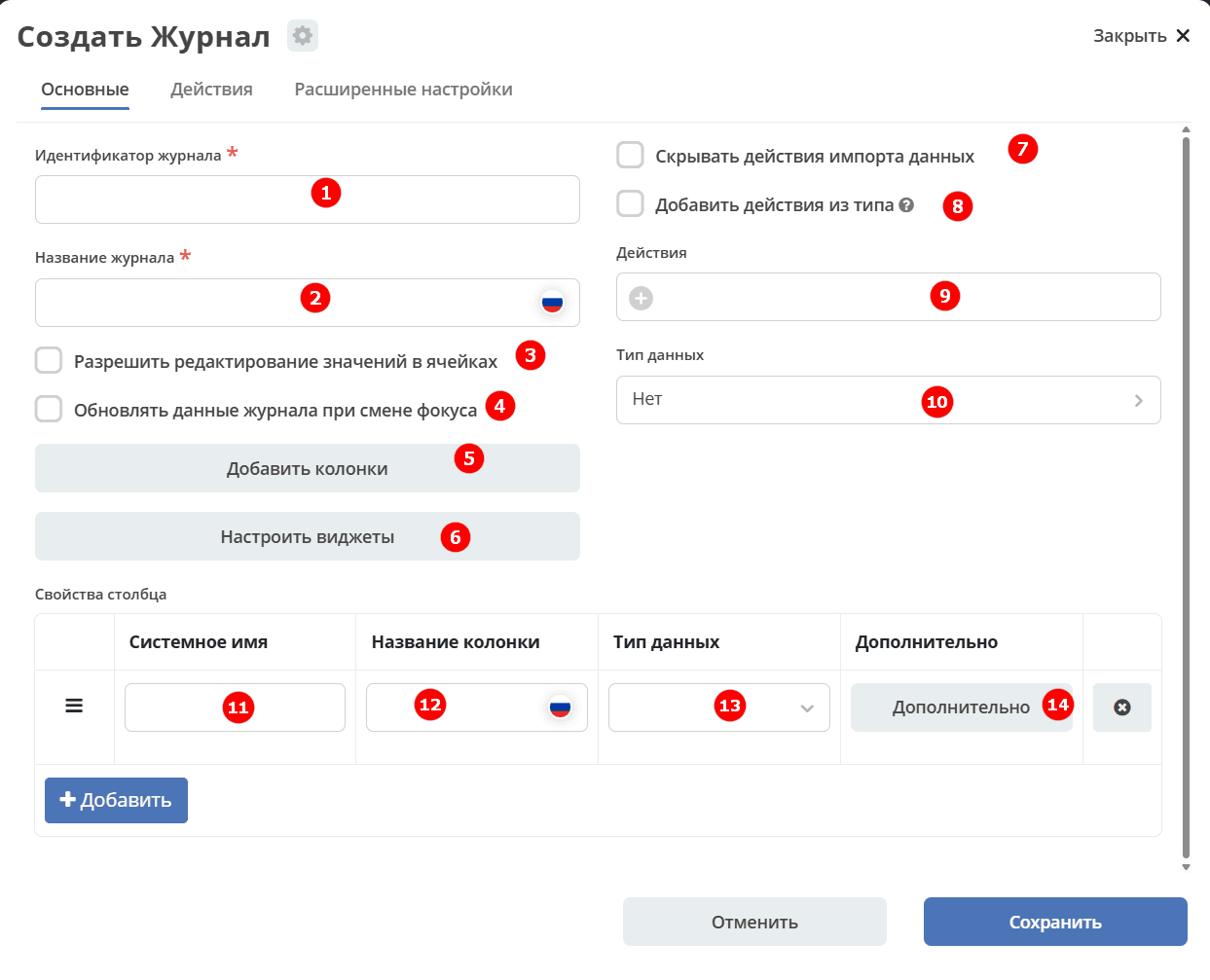
No. |
Name |
Description |
Example |
|---|---|---|---|
1 |
Journal ID (required) |
Unique journal identifier |
test_journal (kebab_case) |
2 |
Journal name |
Journal name that will be displayed |
Test journal |
3 |
Allow editing values in cells |
Inline editing capability — editing data directly in the cell. |
Flag |
4 |
Refresh journal data on focus change |
Journal data will be refreshed when the user changes focus. For example, to update the current tasks journal when completing a task. |
|
5 |
Add columns |
[to be specified] |
|
6 |
Configure widgets |
Configuring preview widgets for card data |
|
7 |
Hide data import actions |
Hide the data import button |
|
8 |
Add actions from type |
Adds actions that were added in the data type.
Three values are possible:
— empty (null) — if actions and actionsDef are empty, add actions from type;
— true — always add actions from type;
— false — never add from type.
|
empty (null) / true / false |
9 |
Actions |
Select from the list actions that will be available for journal objects (inline actions in the row) |
selected from the suggested list |
10 |
Data type |
Select a previously created data type from the list.
Not required to select — the following relationships are sufficient:
type → journal
type → form
Reverse relationship is only needed when there are multiple forms or multiple journals for one type.
|
selected from the suggested list |
11 |
System name |
Id of model attribute |
testAttribute |
12 |
Column name |
Column name that will be displayed |
Test attribute |
13 |
Data type |
Field type. Supported types |
selected from the suggested list |
14 |
Additional |
Additional column settings. See below |
Columns can be moved and deleted.
Additional column settings
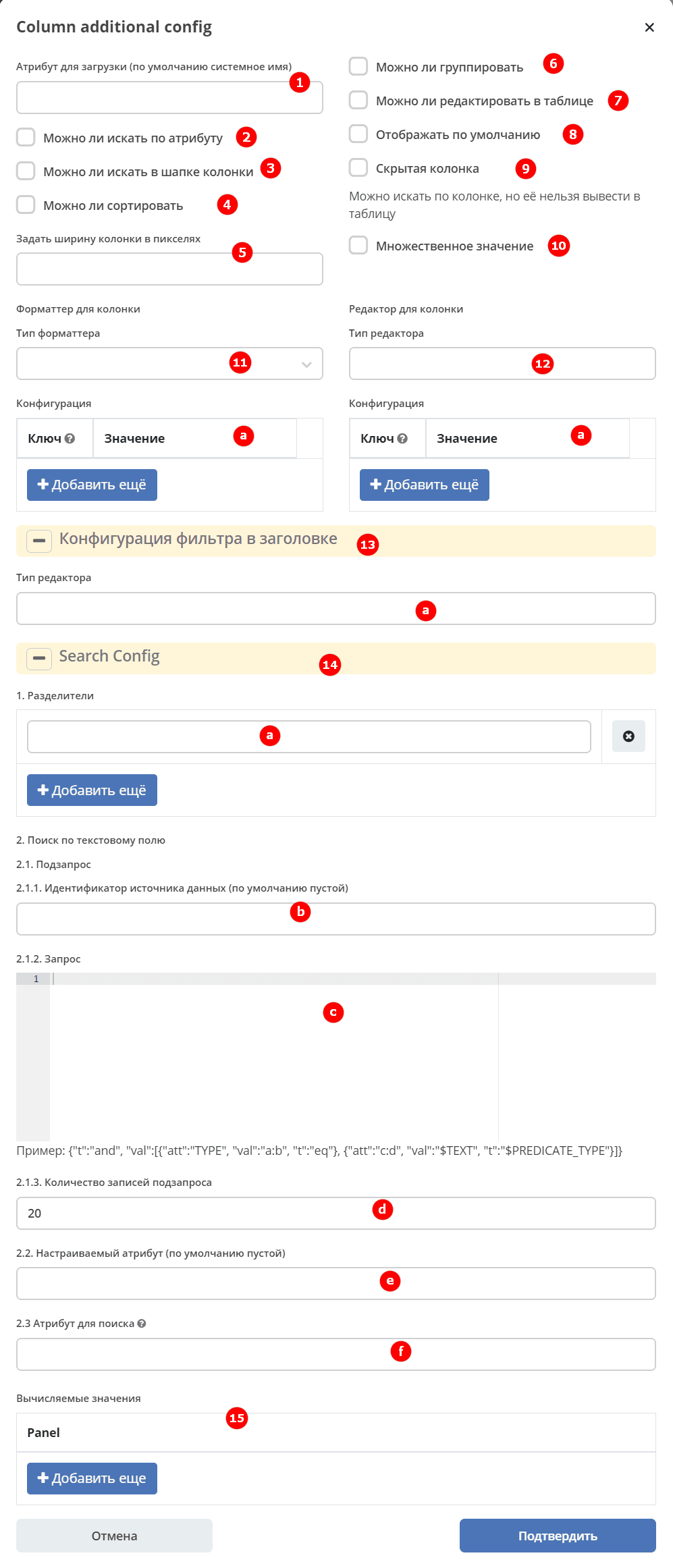
No. |
Name |
Description |
|---|---|---|
1 |
Attribute for loading (default: system name) |
|
2 |
Search by attribute allowed |
Allow search by attribute |
3 |
Search in column header allowed |
Allow search in column header |
4 |
Sorting allowed |
Allow sorting by column |
5 |
Set column width in pixels |
Preset column width in pixels.
Column width changes made with slider are saved and take priority.
|
6 |
Grouping allowed |
Allow grouping by column |
7 |
Editing in table allowed |
Inline editing by clicking on the value.
Depending on the data type, different editing options are available. [to be specified]
|
8 |
Display by default |
Allow column to be displayed by default |
9 |
Hidden column |
Search by column is allowed, but it cannot be displayed in the table |
10 |
Multiple values |
How many values can be in a cell:
—
false — 0–1;—
true — any number. |
11 |
Formatter for column |
Specify formatter see Formatters |
a |
Formatter configuration |
Key and value if needed |
12 |
Editor for column |
Specify editor see Editors |
a |
Editor configuration |
Key and value if needed |
13 |
Filter configuration in header |
[to be specified] |
a |
Editor type |
Specify editor see Editors |
14 |
Search config |
Search configuration |
a |
Delimiters |
Ability to set and configure delimiter for array values |
b |
Data source identifier (empty by default) |
[to be specified] |
c |
Query |
Query body |
d |
Number of subquery records |
Displayed number of subquery records |
e |
Custom attribute (empty by default) |
[to be specified] |
f |
Attribute for search |
Parameter is used in the interface when building a query with column filter (
searchAttribute).When building a query with column filter and
searchAttribute present in column configuration, the search attribute should be replaced with the value from searchAttribute. See details. |
15 |
Panel |
[to be specified] |
Actions
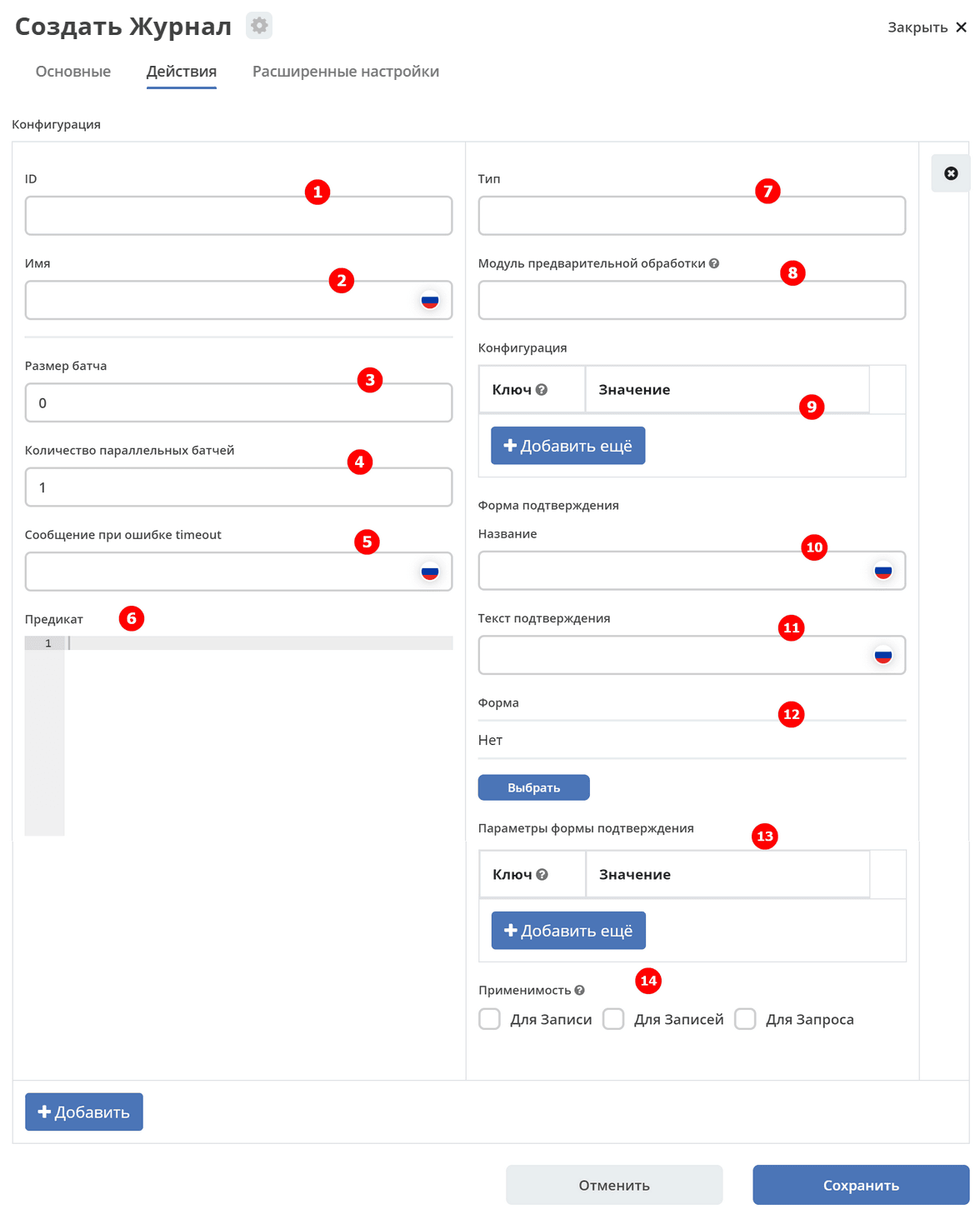
No. |
Name |
Description |
|---|---|---|
1 |
ID |
Unique identifier |
2 |
Name |
Action name |
3 |
Batch size |
Query size |
4 |
Number of parallel batches |
Specify how many queries are launched simultaneously |
5 |
Timeout error message |
Enter error message text |
6 |
Predicate |
Specify predicate. See details Predicate language |
7 |
Type |
Specify type (actions) |
8 |
Preprocessing module |
Specify link to module containing JS code |
9 |
Configuration |
Key and value if needed |
10 |
Confirmation form name |
Form name |
11 |
Confirmation text |
Confirmation text |
12 |
Form |
Form that opens when action is selected. Form is selected from the suggested list |
13 |
Confirmation form parameters |
Key and value if needed |
14 |
Applicability |
Apply for record, records, search query. See details below. |
Example of batch approval action for selected requests:
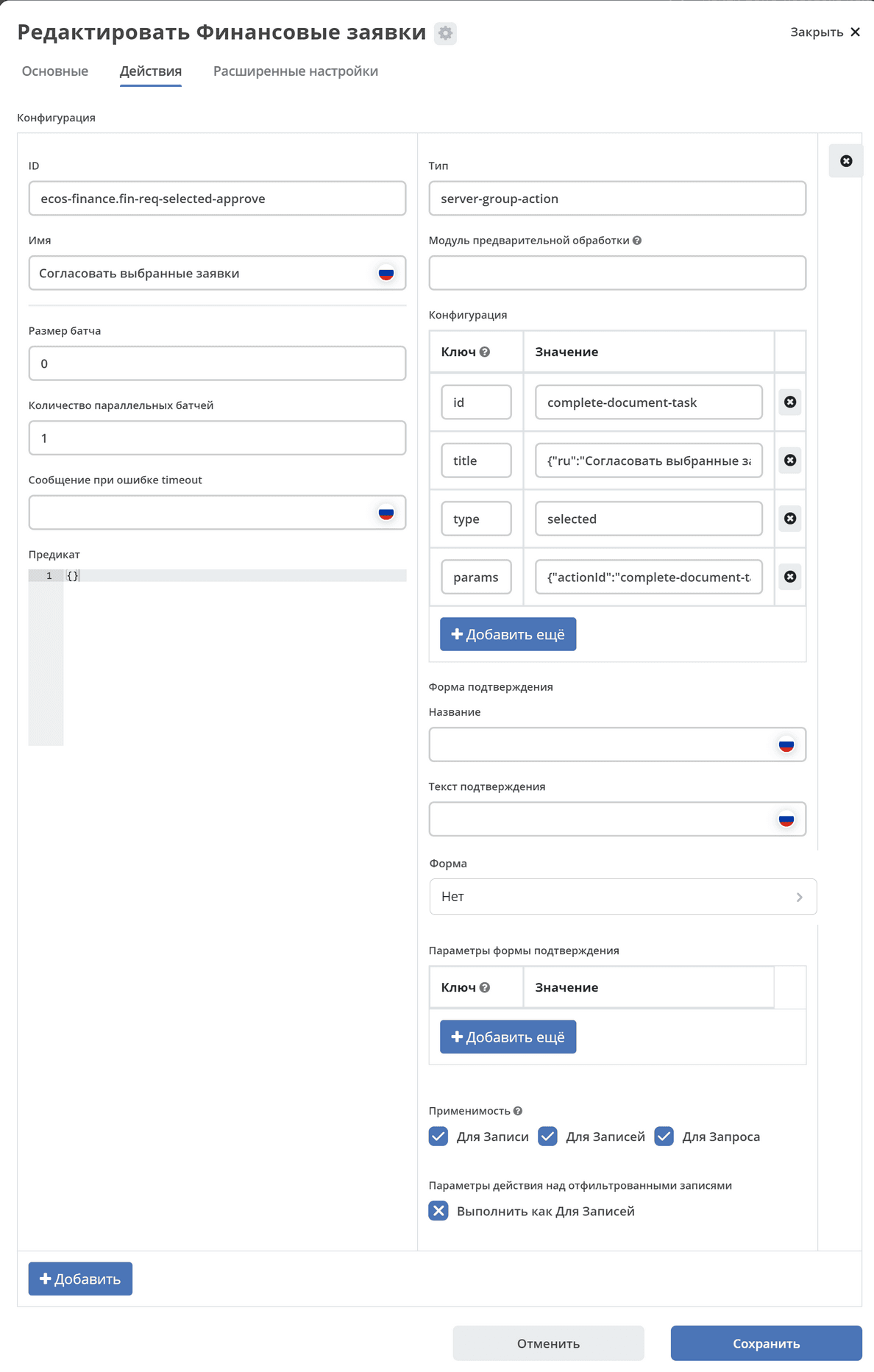
No. |
Name |
Value |
|---|---|---|
1 |
ID |
ecos-finance.fin-req-selected-approve |
2 |
Name |
Approve selected requests |
3 |
Batch size |
0 |
4 |
Number of parallel batches |
1 |
5 |
Timeout error message |
not specified |
6 |
Predicate |
not specified |
7 |
Type |
server-group-action |
8 |
Preprocessing module |
not specified |
9 |
Configuration key value |
|
10 |
Confirmation form name |
not specified |
11 |
Confirmation text |
not specified |
12 |
Form |
not specified |
13 |
Confirmation form parameters |
not specified |
14 |
Applicability |
all true |
Applicability
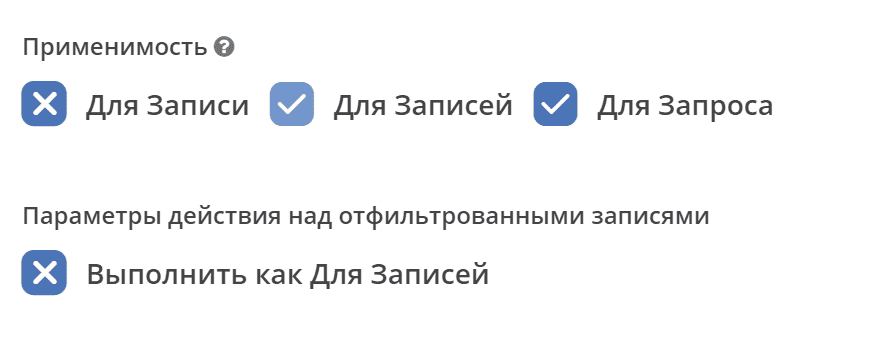
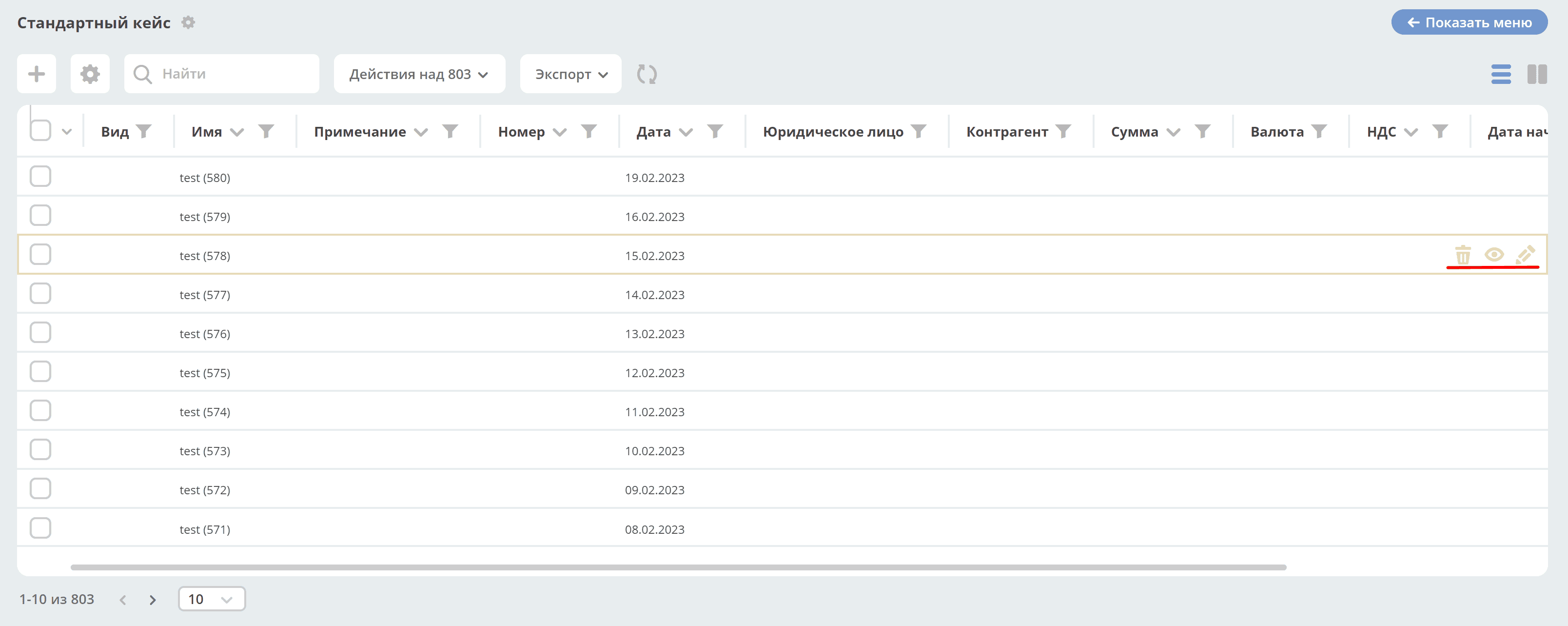
For record
Actions for a record in the journal:
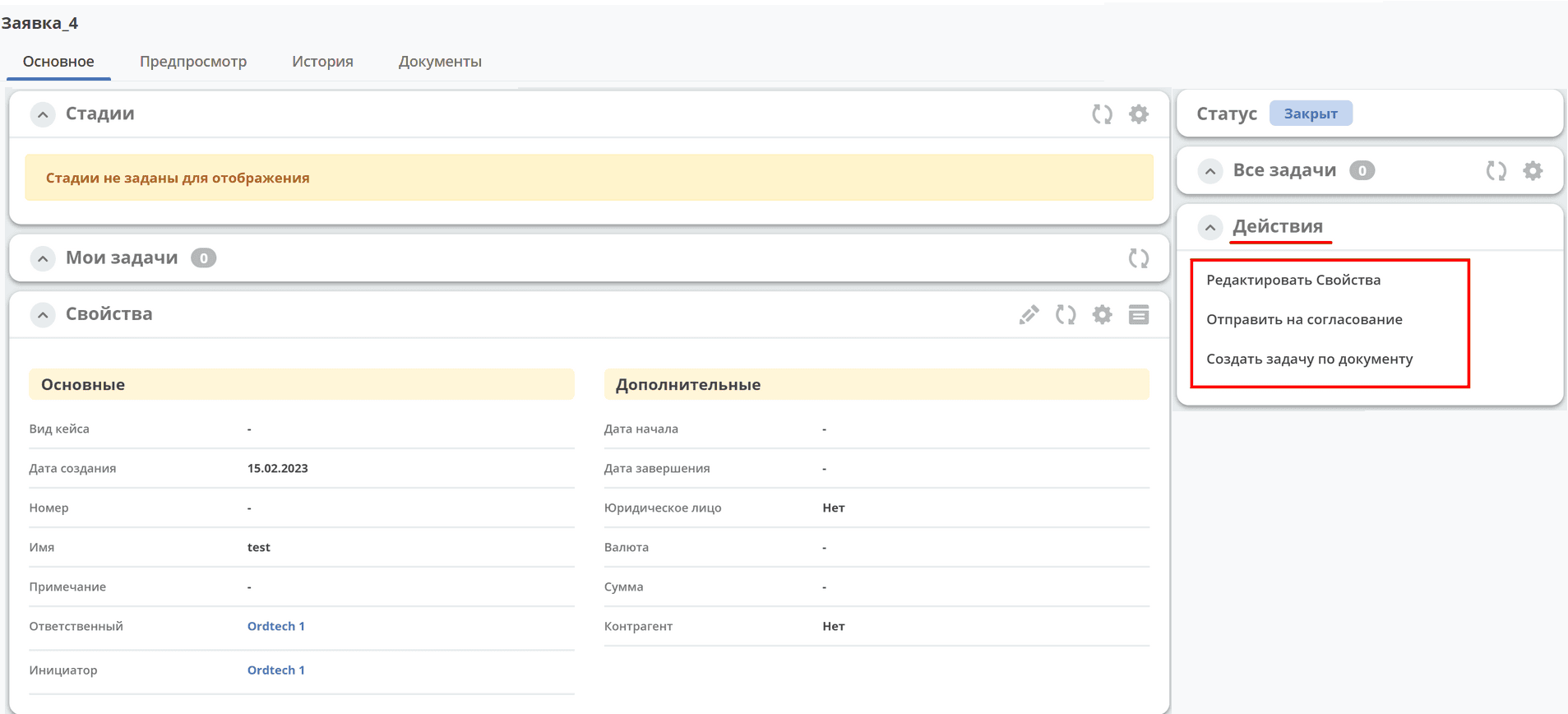
in the card in the «Actions» widget:
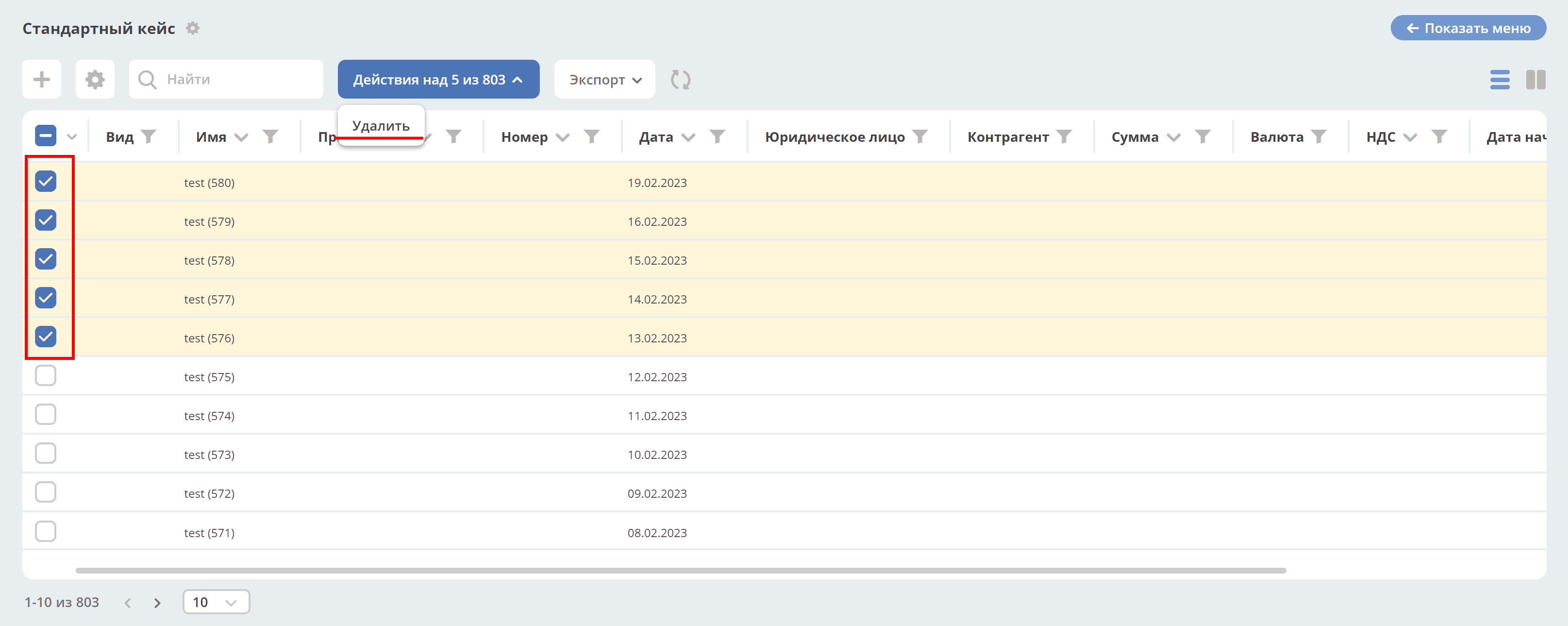
For records
Actions on selected records:
For query
Actions on filtered records:
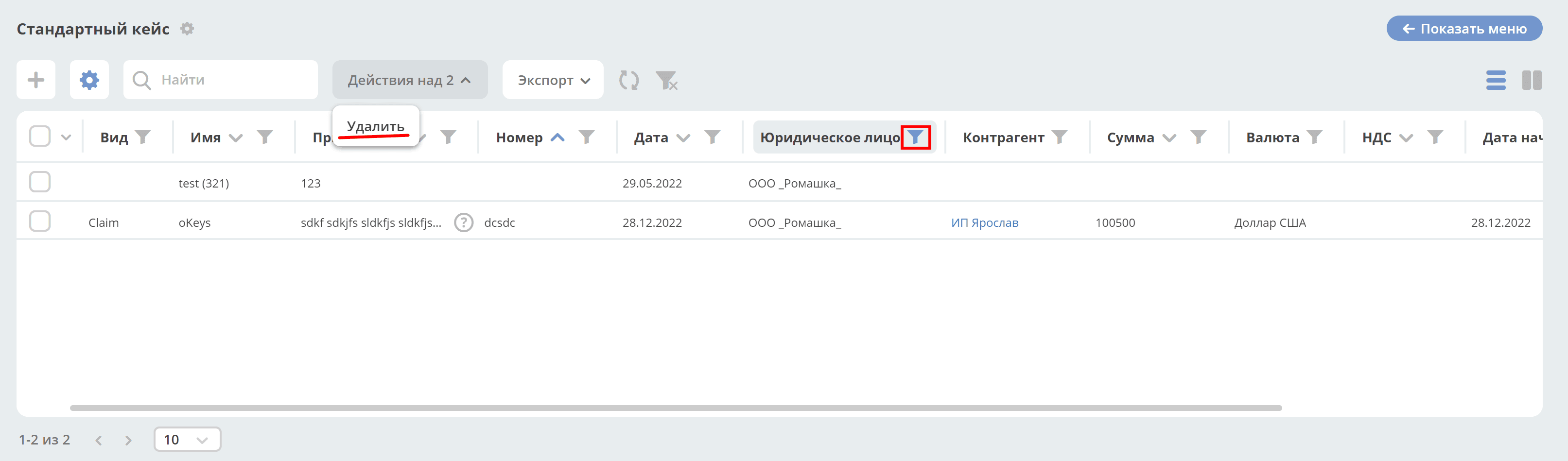
Search criteria is sent to the server, the server performs paginated execution of the batch action.
Execute as for records
Flag determines that the logic for iterating through pages and executing batch action should be performed on the frontend (e.g., for working with digital signatures).
Advanced settings
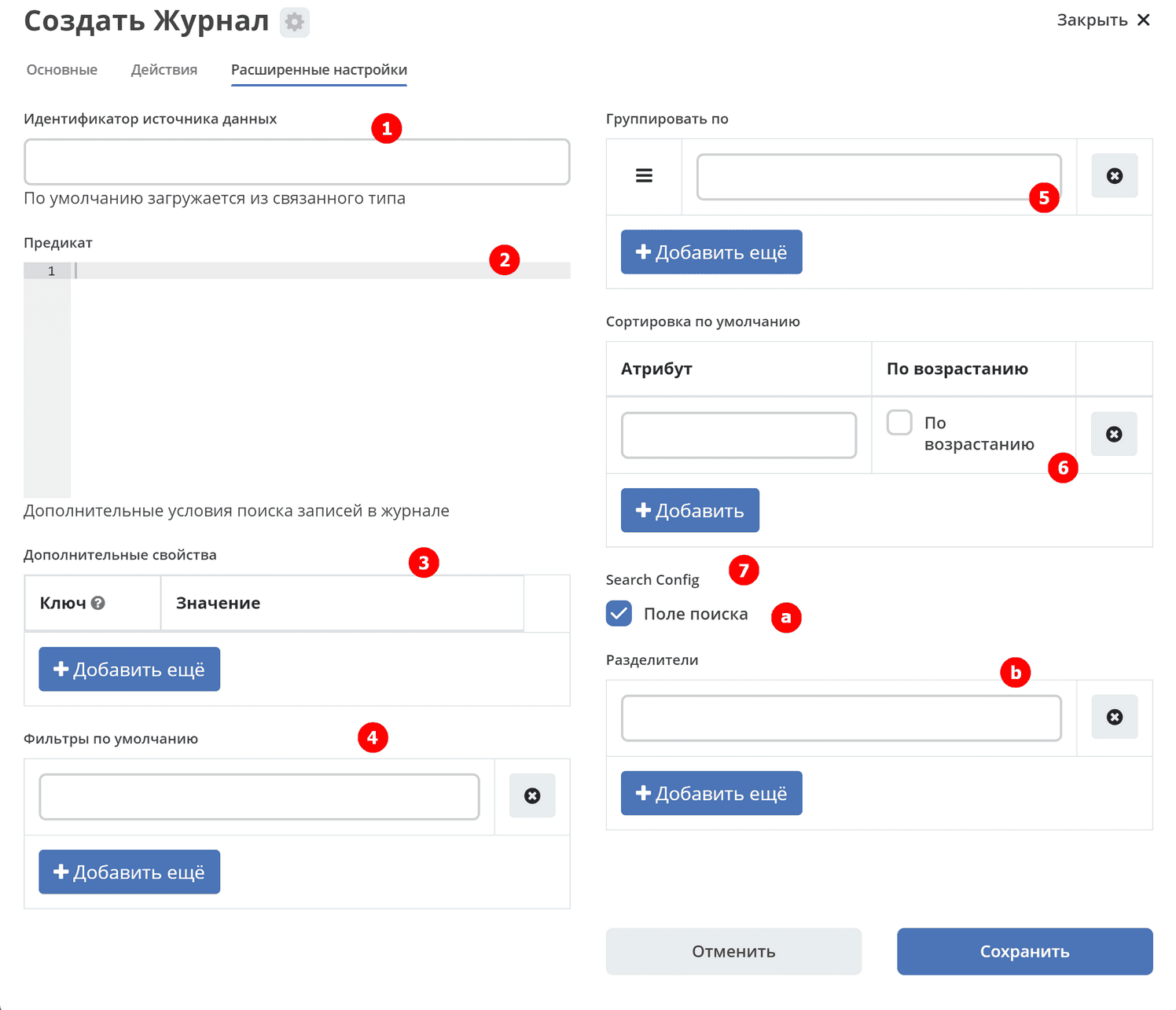
No. |
Name |
Description |
|---|---|---|
1 |
Data source identifier |
[to be specified] |
2 |
Predicate |
Predicate input. Predicate language |
3 |
Additional properties |
Properties that allow adding arbitrary information to the journal without requiring system modifications. |
4 |
Default filters |
Add default filter.
For example,
{"t":"eq","att":"name","val":"123"}Filter by attribute
name — attribute value = 123. |
5 |
Group by |
Add columns for grouping. |
6 |
Default sorting |
Specify attributes for default sorting. |
7 |
Search Config |
Search configuration. |
a |
Search field |
Unchecked checkbox — journal records search panel is hidden.
If checkbox is unchecked, search query via URL with query parameter is ignored.
|
b |
Delimiters |
Search delimiters to allow specifying CONDITION_1 OR CONDITION_2 in one line.
For example, if the delimiter is
|, then searching for «Contains abc|def» will result in search query «Contains abc OR Contains def». |