Formatters
Formatters define how attribute values are displayed in journal column cells. Each formatter type sets its own appearance and cell behavior — from plain text to colored indicators, links, dates, and script-based computations. A formatter is set in the journal column configuration in the formatter field.
Note
Computed attributes can be used in formatters.
Settings
Go to the administration section > Journals > find the required journal > Edit action. Navigate to Advanced.
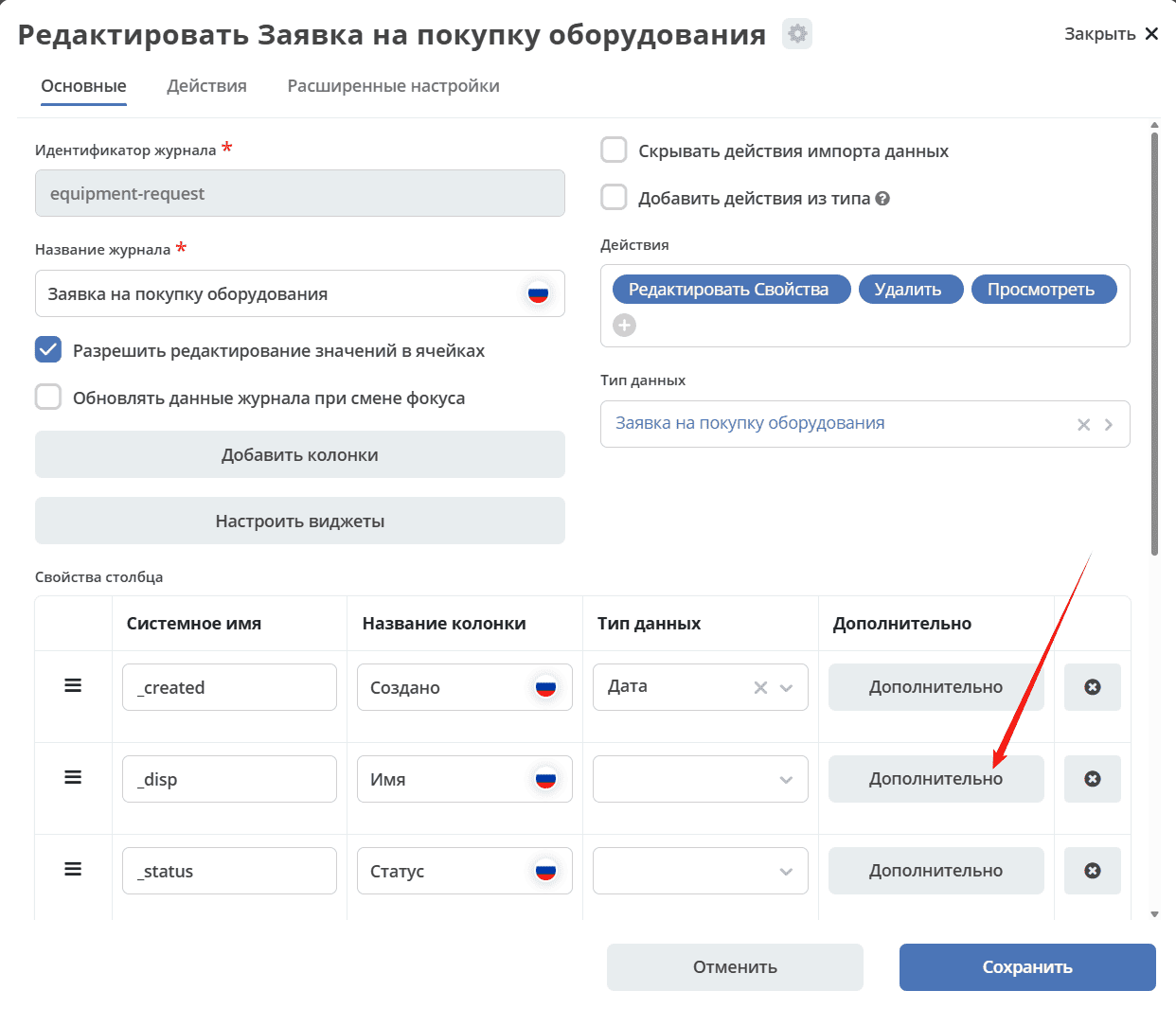
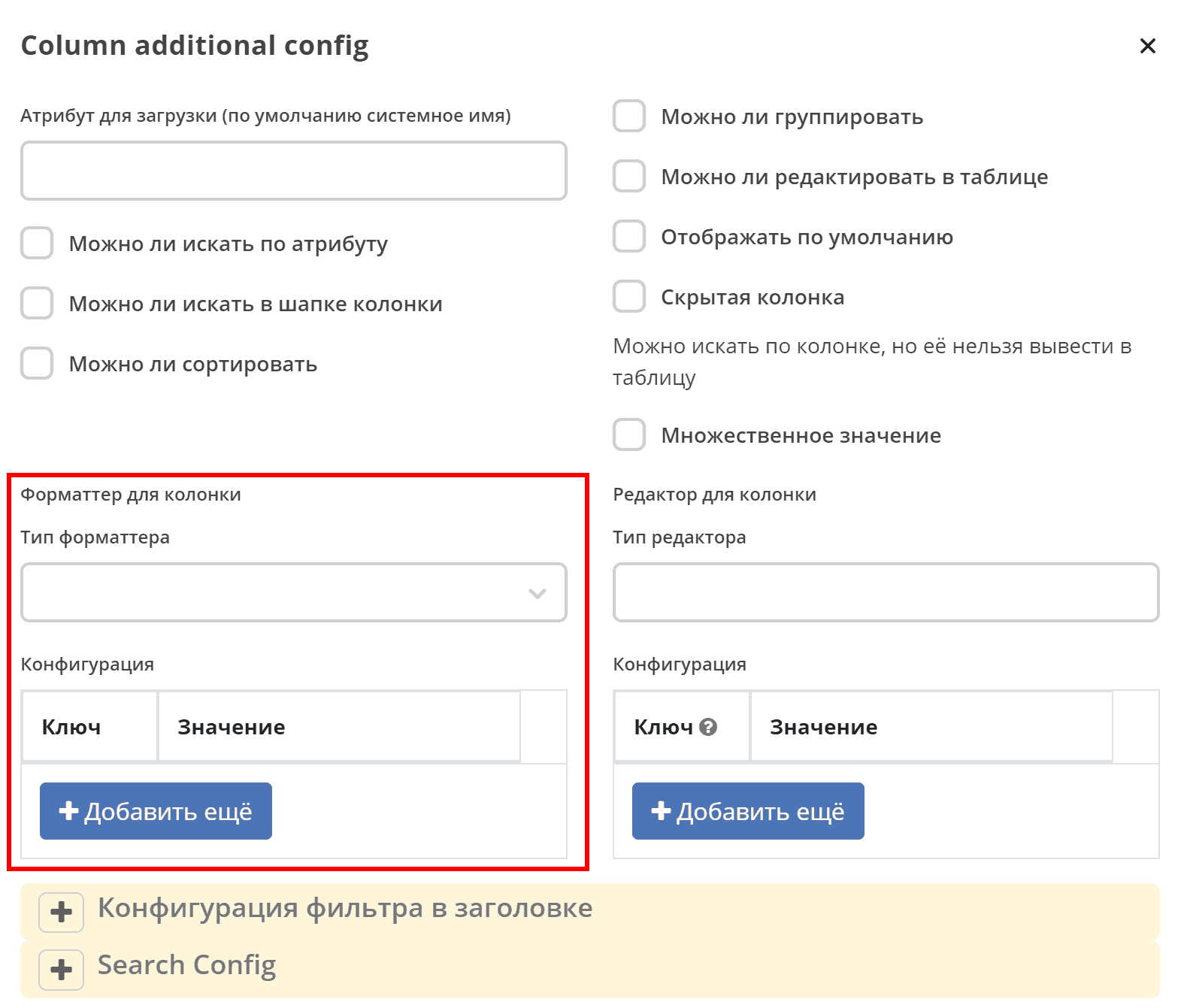
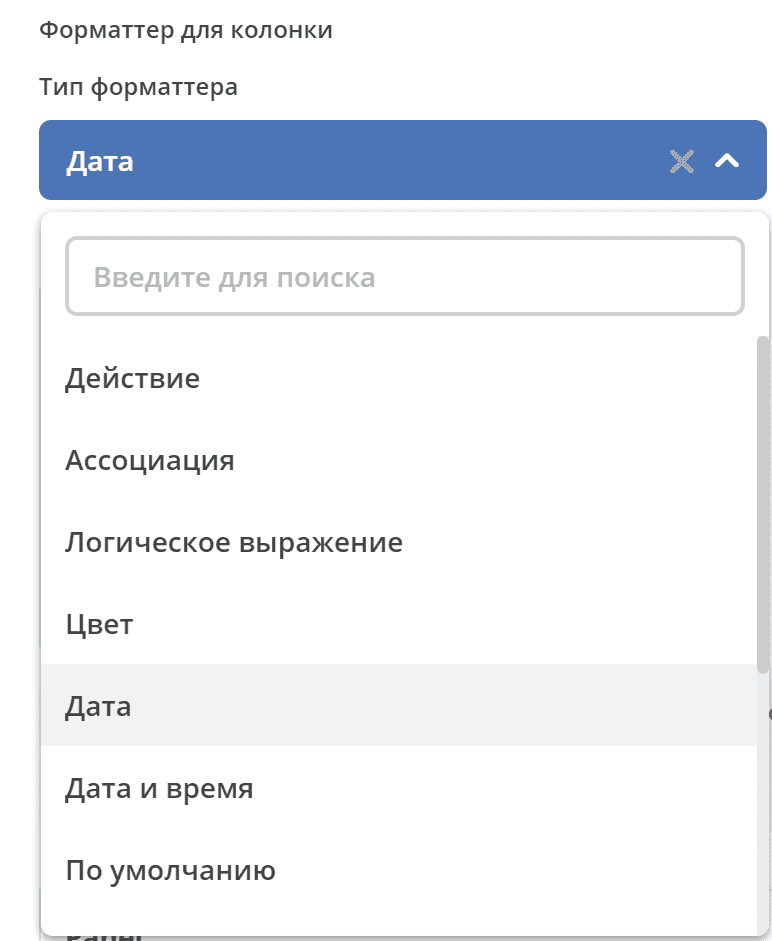
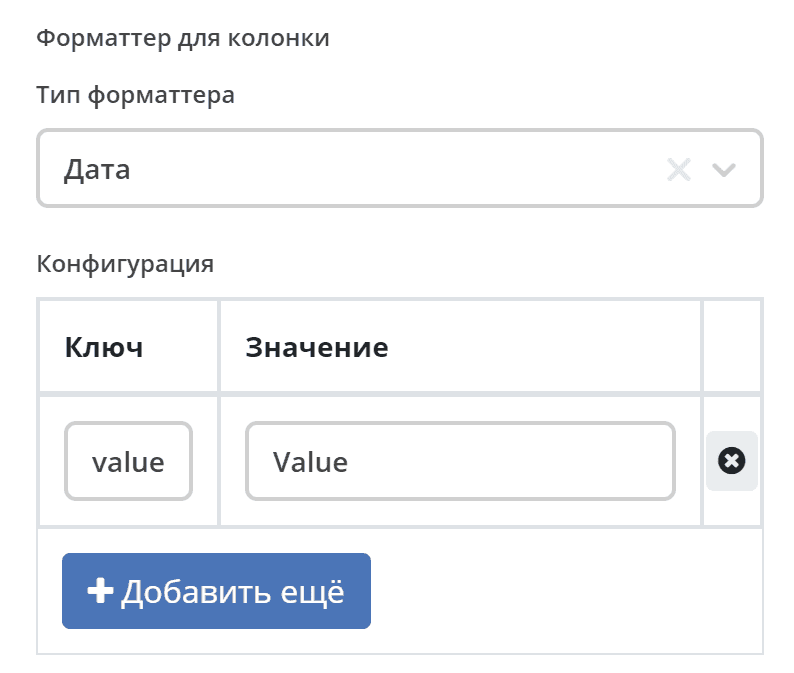
Select a formatter from the list and fill in the key-value pair:
Types
AssocFormatter / Association
Type: assoc
Configuration:
Key |
Value |
|---|---|
sourceId |
Association identifier |
openInBackground |
Open in a new ECOS tab |
openNewBrowserTab |
Open in a new browser tab |
ActionFormatter / Action
Type: action
Configuration:
Key |
Value |
|---|---|
type |
<action type> |
actionId |
<action type id> |
The journal row is expected to contain an id or recordRef — the record ref required to perform the action.
Example:
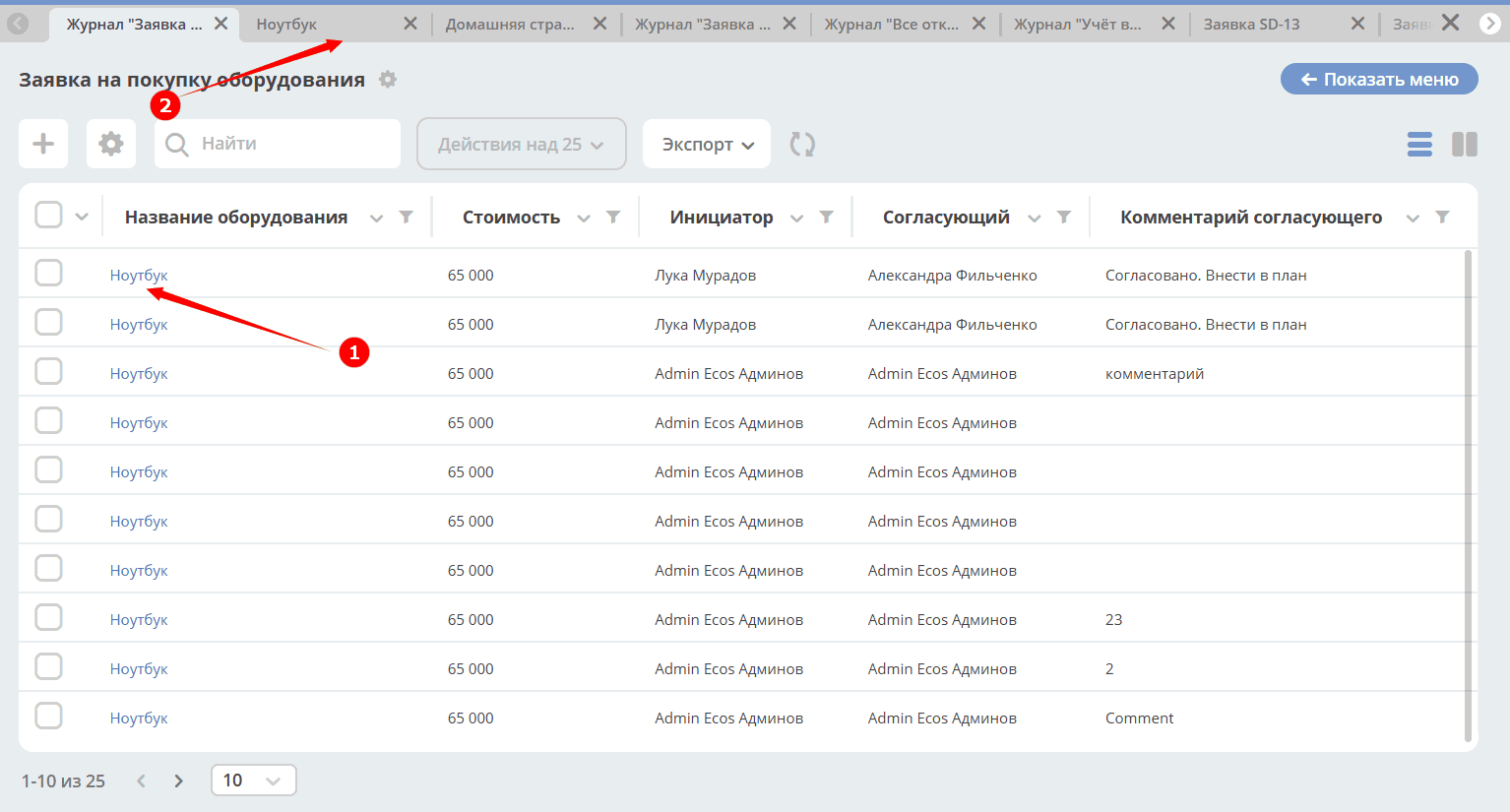
Clicking the information in field (1) opens a dashboard with the document data (2) in an adjacent Citeck tab:
Formatter configuration:
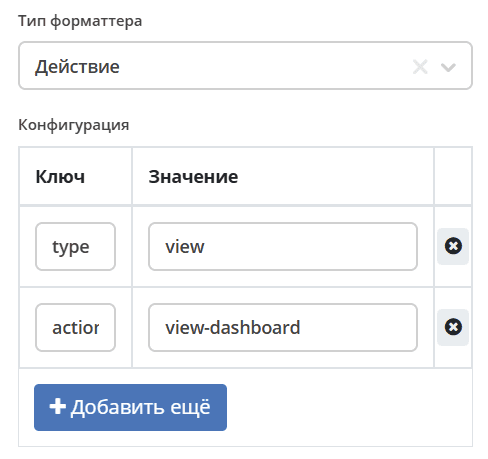
where:
type —
viewactionId —
view-dashboard
BooleanFormatter / Boolean
Type: bool
Configuration:
A simple formatter that returns «Yes» or «No» in the cell.
ColoredFormatter / Color
Type: colored
A universal formatter for displaying values with color indication.
Features
Support for both predefined colors (via CSS classes) and custom HEX colors.
Using an identifier for color mapping and a localized value for display.
Ability to display a color indicator as a pointer or background.
If
showPointeris set to false, the background color is displayed as a rounded oval.Support for new and legacy journal formats.
Configuration Parameters
Parameter |
Type |
Default |
Description |
color |
Object |
{} |
Mapping of object values to colors. |
showPointer |
Boolean |
false |
Whether to show a color pointer. If false, shows a rounded oval background. |
defaultColor |
String |
|
Default color for values not found in color. Can be a HEX or named color. |
fn |
String/Function |
Script or function for determining the text color. |
Predefined colors
The formatter supports the following predefined colors:
green;
yellow;
pink;
red.
For custom colors, use the HEX format (e.g. «#FF0000»).
Configuring the condition for displaying a value in a specific color depending on the attribute data value
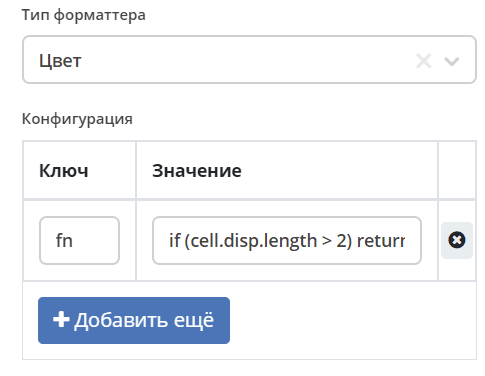
The function must return a string with a CSS color (WebColor or HEX):
if (cell.disp.length > 2) return "red"
or:
if (cell.disp.length > 2) return "#FF0000"
Usage
Basic usage with predefined colors
- id: priority
  name:
    ru: Приоритет
    en: Priority
  type: TEXT
  editor:
    type: select
  formatter:
    type: colored
    config:
      color:
        low: green
        medium: yellow
        high: pink
        urgent: red
Usage with HEX colors
- id: priority
  name:
    ru: Приоритет
    en: Priority
  type: TEXT
  editor:
    type: select
  formatter:
    type: colored
    config:
      color:
        low: '#00FF00'
        medium: '#FFFF00'
        high: '#FF69B4'
        urgent: '#FF0000'
Usage with display pointer
- id: priority
  name:
    ru: Приоритет
    en: Priority
  type: TEXT
  editor:
    type: select
  formatter:
    type: colored
    config:
      color:
        low: green
        medium: yellow
        high: pink
        urgent: red
      showPointer: true
Usage with default color
- id: priority
  name:
    ru: Приоритет
    en: Priority
  type: TEXT
  editor:
    type: select
  formatter:
    type: colored
    config:
      color:
        low: green
      defaultColor: '#CCCCCC'
Usage with named default color
- id: priority
  name:
    ru: Приоритет
    en: Priority
  type: TEXT
  editor:
    type: select
  formatter:
    type: colored
    config:
      color:
        low: green
      defaultColor: 'red'
Script-based color formatting
- id: priority
  name:
    ru: Приоритет
    en: Priority
  type: TEXT
  editor:
    type: select
  formatter:
    type: colored
    config:
      fn: 'if (cell.value > 2) return "#e2e2e2"'
      defaultColor: '#FFFFFF'
DateFormatter / Date
Type: date
Configuration:
Key |
Value |
|---|---|
format |
Date format (default |
DateTimeFormatter / Date and Time
Type: datetime
Configuration:
Key |
Value |
|---|---|
format |
Date-time format (default |
relative |
Flag that displays elapsed time as a relative value |
DefaultFormatter / Default
Type: default
Configuration:
Always returns the string value derived from the attribute value. If the cell has a boolean value, it returns «Yes» or «No».
DurationFormatter / Duration
Type: duration
Configuration:
Key |
Description |
|---|---|
showSeconds |
When applied in the journal, the value is displayed in the format
1d 2h 30m 2s.Possible values:
true / false.By default seconds are shown —
showSeconds = true. |
maxAsHours |
When applied in the journal, the duration is converted to hours, i.e.
2d 3h 30m = 51h 30m.Possible values:
true / false. |
Example:
formatter:
  type: duration
  config:
    maxAsHours: true
FileNameFormatter / File Name
Type: filename
Configuration:
Always returns a document link of the form:
<a href="${URL.DASHBOARD}?recordRef=${row.id}" target="_blank" rel="noopener noreferrer">
  <icon />
  { НАЗВАНИЕ ЯЧЕЙКИ}
</a>
HtmlFormatter / HTML
Type: html
Configuration:
Key |
Value |
|---|---|
html |
String with HTML code |
LinkFormatter / Link
Type: link
The Link formatter is used for journal cells, using fields (columns) as variables.
Link opening configuration options
List of options:
updateUrl {boolean}
openNewTab {boolean}
openNewBrowserTab {boolean}
reopenBrowserTab {boolean}
closeActiveTab {boolean}
openInBackground {boolean}
pushHistory {boolean}
replaceHistory {boolean} - default true, if updateUrl is true
rerenderPage {boolean} - needed to replace link in the router and start rerendering page
Template-based link using variables
The ability to build links from a template using variables (record attributes/journal fields) has been added. The link URL template is set in the column formatter parameters in the journal configuration (Formatter for column).
Link template example:
urlTemplate: "https://example.com/path?var1=${columnId1}&var2=${columnId2}"
where columnId1 and columnId2 are journal columns.
The cell value is used as the link label. If no value is present, the label equals url.
The link is not displayed if the journal cell is in edit mode (i.e. data is being entered into the cell).
For example:
Select the Link (1) formatter and specify:
key (2) —
url,value (3) —
${$computed.url}.
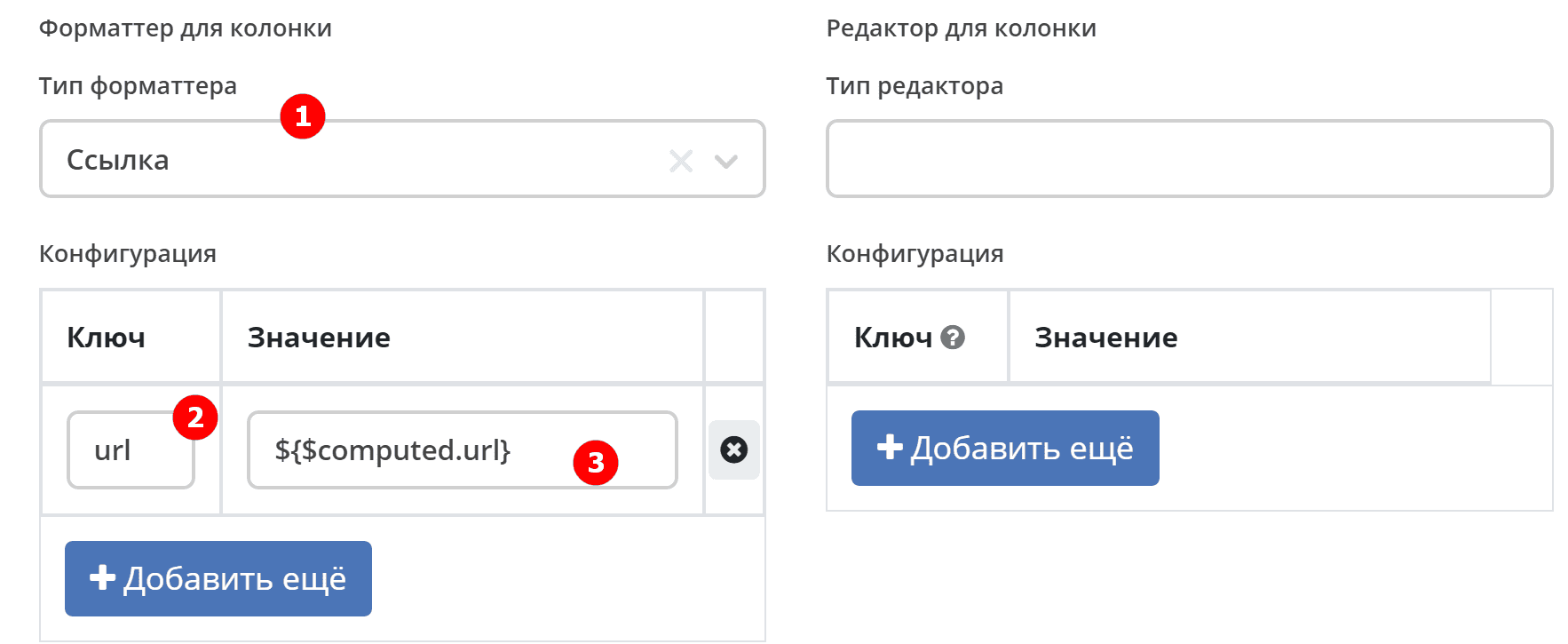
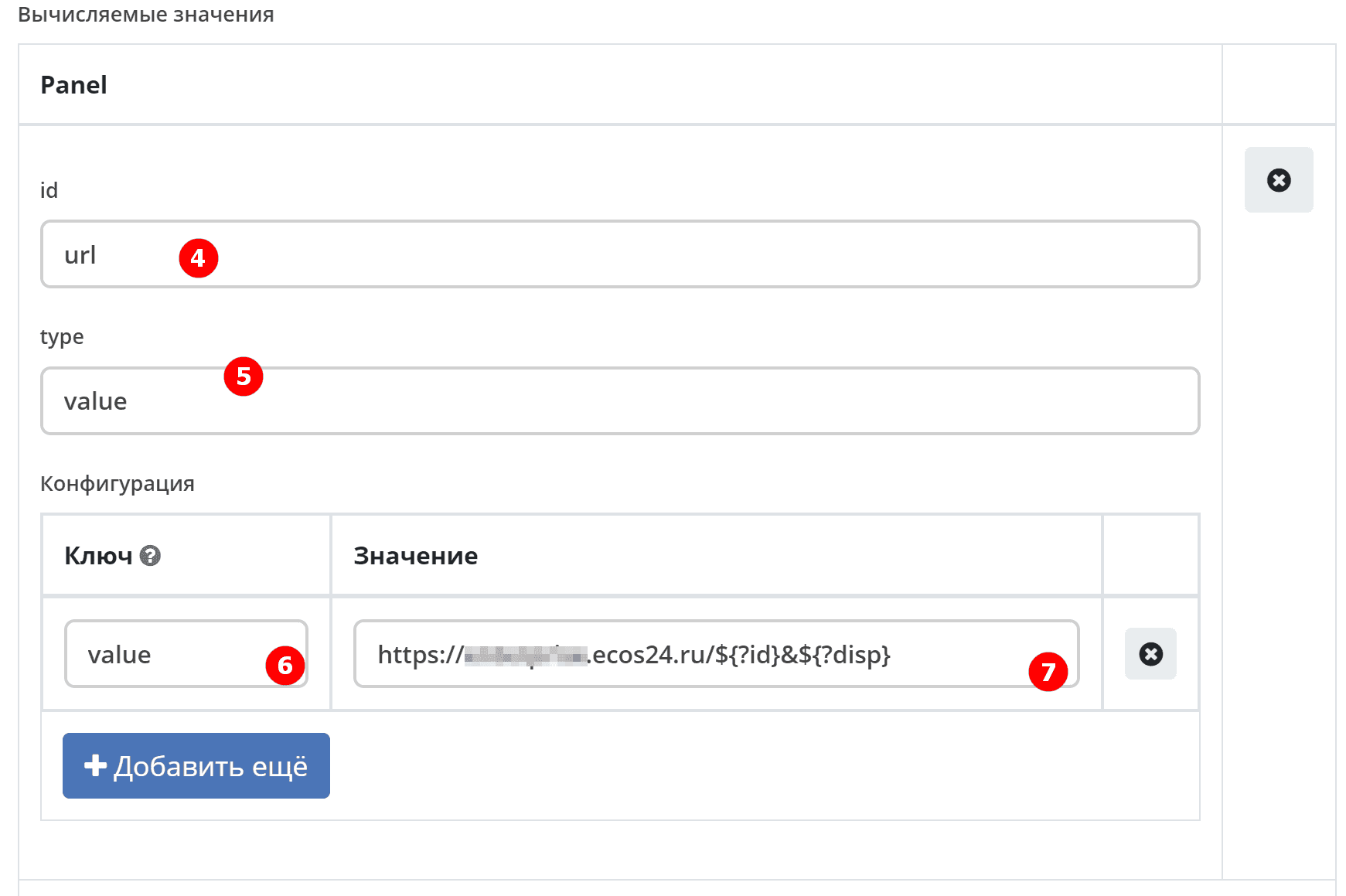
Specify:
id (4) —
url,type (5) —
value.
In the configuration specify:
key (6) —
value,value (7) —
https://host/${?id}&${?disp}.
In the journal it looks as follows:
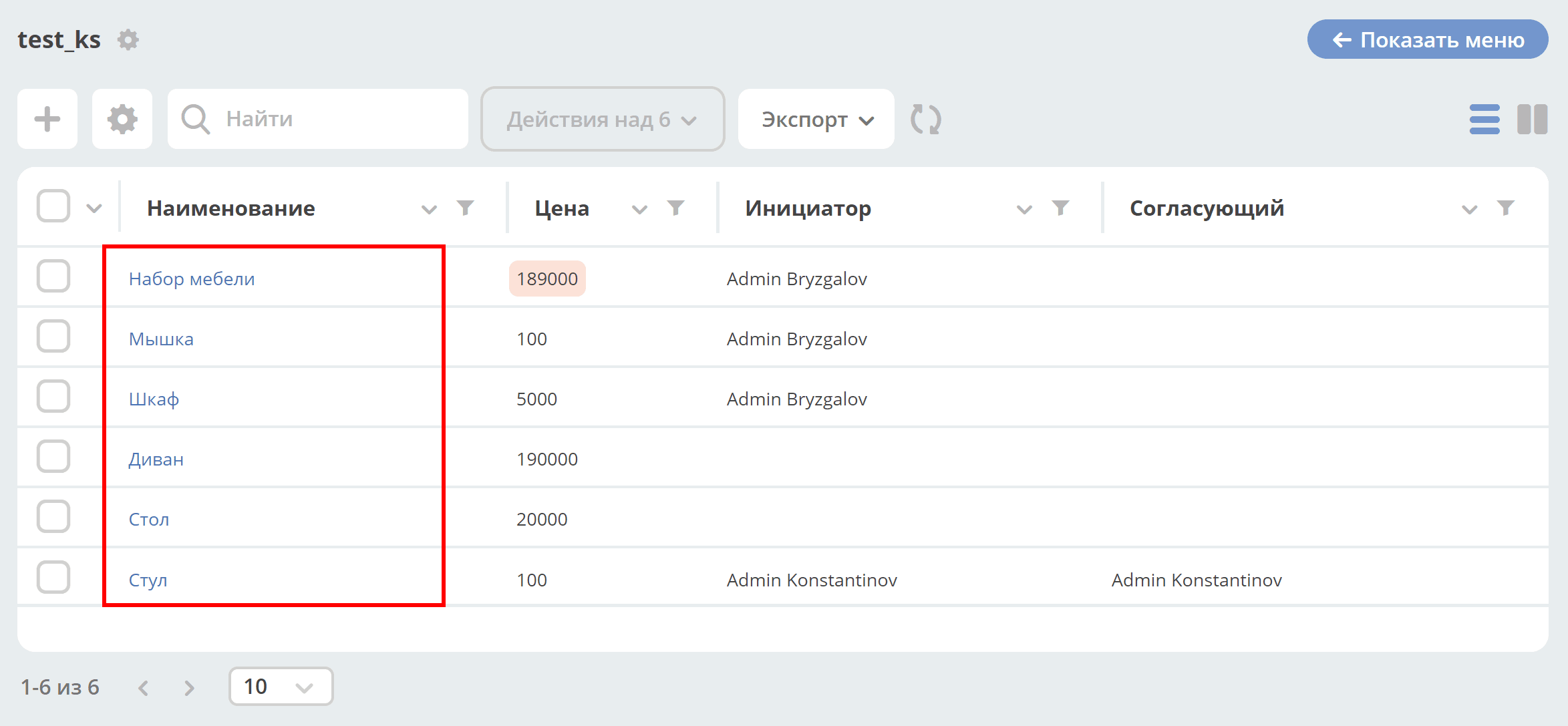
Clicking the label will open the link.
NumberFormatter / Number
Type: number
Configuration:
Key |
Description |
|---|---|
mask |
mask where |
locales |
Which locale to use for formatting.
It determines how thousands and decimal numbers are separated (by dot, comma, or space). Default is the current locale.
|
maximumFractionDigits |
number of decimal places |
decimalSeparator |
how decimal numbers are separated. Default depends on locale |
thousandSeparator |
how thousands are separated. Default depends on locale. |
Example:
mask: {value} руб.
locales: ru
maximumFractionDigits: 16
decimalSeparator: .
thousandSeparator: ,
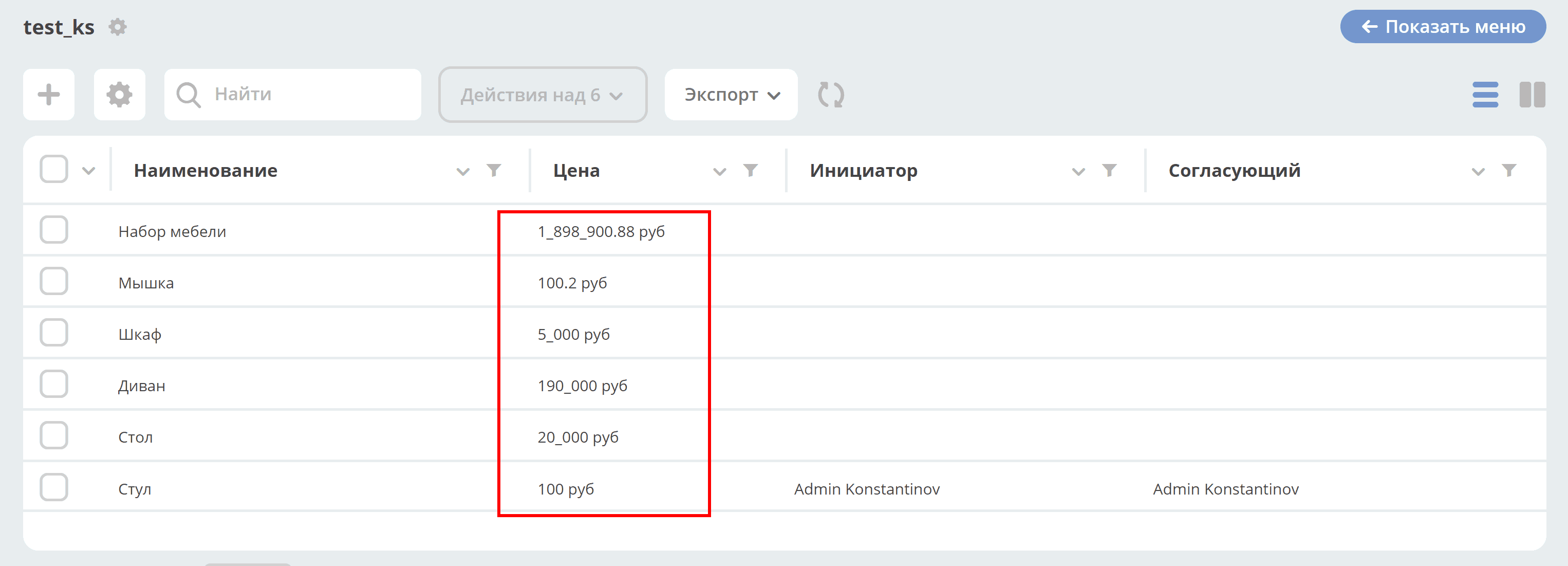
For example:
Key |
Description |
|---|---|
mask |
{value} RUB |
maximumFractionDigits |
2 |
decimalSeparator |
. |
thousandSeparator |
_ |
ScriptFormatter / Script
Type: script
Configuration:
Key |
Value |
|---|---|
fn |
Type:
StringFunction body.
return can be used anywhere in the script.The following parameters are available in the function body:
_ — the Lodash library (https://lodash.com/docs/)
t — a helper localization function. Takes a key and returns the localized value, or the key itself if no translation exists.
vars — variables from the configuration.
cell — the current cell value.
row — the entire row.
index — the value index in the cell (for multiple values).
The function can return values of different types:
Boolean — replaced with a localized value using the key
boolean.yes for true and boolean.no for false;Number or String — the result is displayed in the cell;
Object — interpreted as the configuration for the next formatter in the format
{"type":"...", "config": {...}}.If the object contains
cell, its value is used as the cell value for the next formatter.If the object does not contain
cell, the original cell value is used. |
vars |
Type:
ObjectAdditional variables that may be needed during script execution.
Inside the script they can be accessed via
vars.yourVariable, where yourVariable is the key name in the vars object.This is useful, for example, when you need to dynamically load additional data through the formatter functionality,
which replaces all occurrences of the form
${...} with the corresponding attribute values.For example, if you specify
vars: { currency: "${currencyAssoc.code!'unknown'}" }, then in the script via vars.currencyyou can get the currency code from the
currencyAssoc association. |
Usage example:
formatter:
  type: script
  config:
    vars:
      processingStatus: ${processingStatus}
    fn: return Citeck.messages.global[vars.processingStatus];
If you need to call another formatter, for example HtmlFormatter:
formatter:
  type: script
  config:
    fn: |
      const cellNum = _.parseInt(cell) || 0;
      let link = "";
      if (cellNum > 100000) {
        link = "https://duckduckgo.com/";
      } else if (cellNum > 1000) {
        link = "https://www.yahoo.com/";
      } else {
        link = "https://www.google.com/";
      }
      return {
        "type": "html",
        "config": {
          "html": "<a href='" + link + "' target='_blank'>" + link + "</a>"
        }
      };
WorkflowPriorityFormatter / Workflow Priority
Type: workflowPriority
to be updated