Events
An Event is one of the key BPMN elements. Unlike a task, which describes an action (what needs to be done), an event describes a fact that occurs during the process and affects its execution: it starts the process, changes its course, or ends it. Examples of events: deadline expiration, receiving a signal from an external system, occurrence of an error.
Graphical event elements in BPMN are classified based on the event’s position in the process diagram:

|
Initial (start) event (initiating the business process)/ Start event |

|
Intermediate Event |

|
Final event (ending the business process) / End event |
Intermediate events - events that are located between the start and end events in BPMN. Such events are depicted using a double line. Intermediate events are divided into:
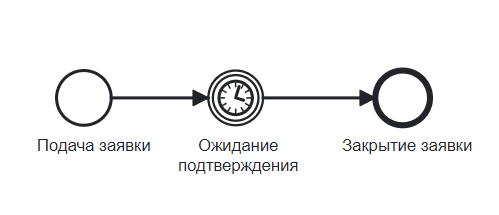
Catching – waiting events. During a catching event, process execution is suspended. Such events are not attached to any task:
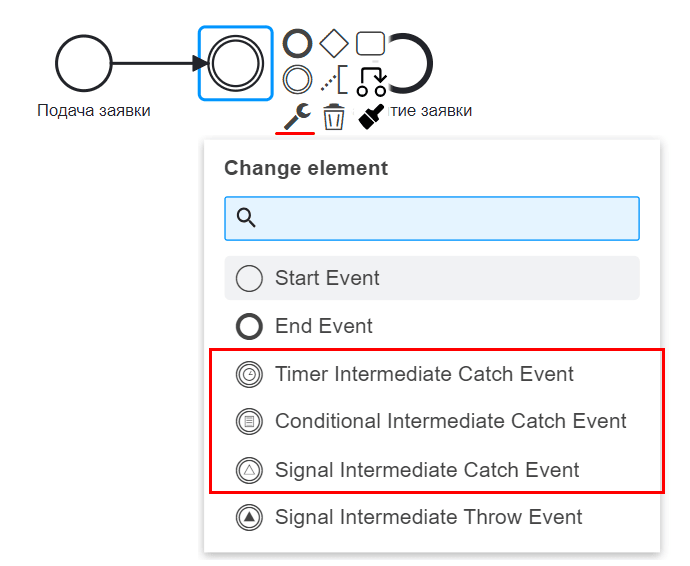
Place an intermediate event on the diagram, click the wrench in the context menu, and select one of the possible subtypes:
Boundary interrupting – events that are attached to an activity (e.g., a task) and are located on the border (boundary) of the activity element in the diagram.
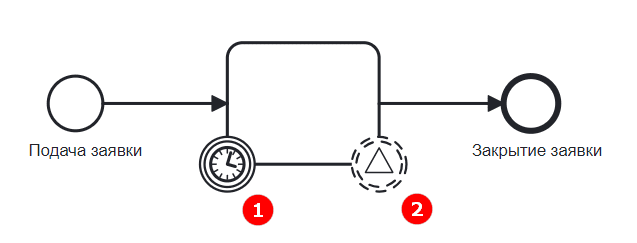
Boundary events are divided into two classes:
boundary interrupting (marked as 1 in the figure)
boundary non-interrupting (marked as 2 in the figure)
If there is an interrupting event for a task, it is necessary to wait until it occurs (e.g., until the application is confirmed). This task cannot be performed in parallel.
Waiting for a non-interrupting event does not suspend task execution. For example, at any moment, the consideration of an application can be moved to a higher level, but until such a message is received, the task execution (considering the application) should be performed at a lower level.
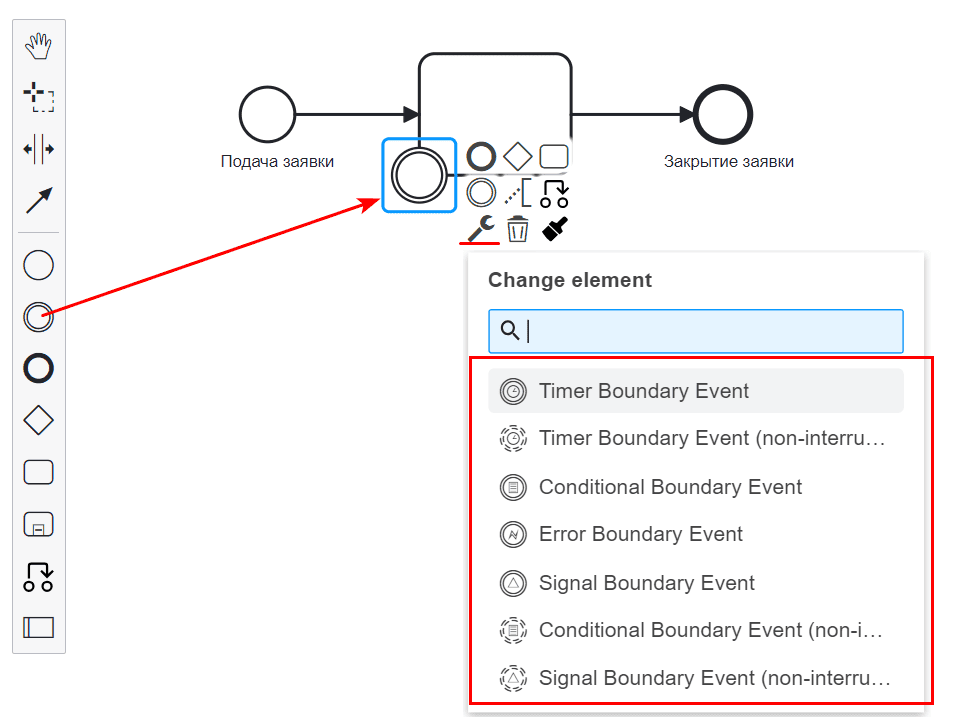
Drag the intermediate event element onto the border of a task or another element, and then select the required type by clicking the wrench image in the context menu.
Throwing
When the flow of control reaches a throwing event, the corresponding processing occurs immediately (a message is sent, a signal is triggered, etc.), after which the flow of control immediately leaves the current element and continues further along the process.
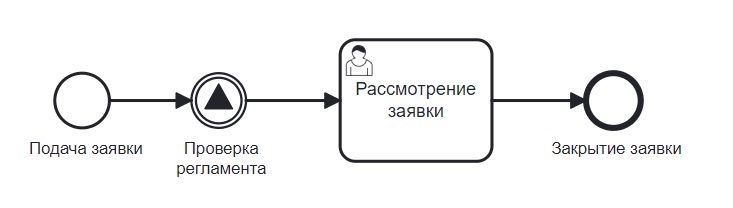
The border is the same as for a catching event, but according to the BPMN standard, the image inside a throwing event is filled with black.
Place an intermediate event on the diagram, click the wrench in the context menu, and select one of the possible subtypes:
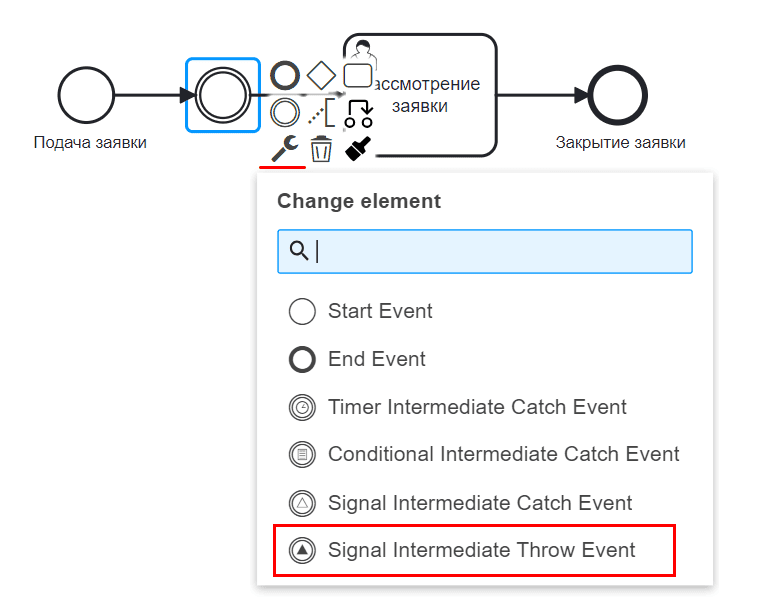
Currently, the following event types are available in Citeck:
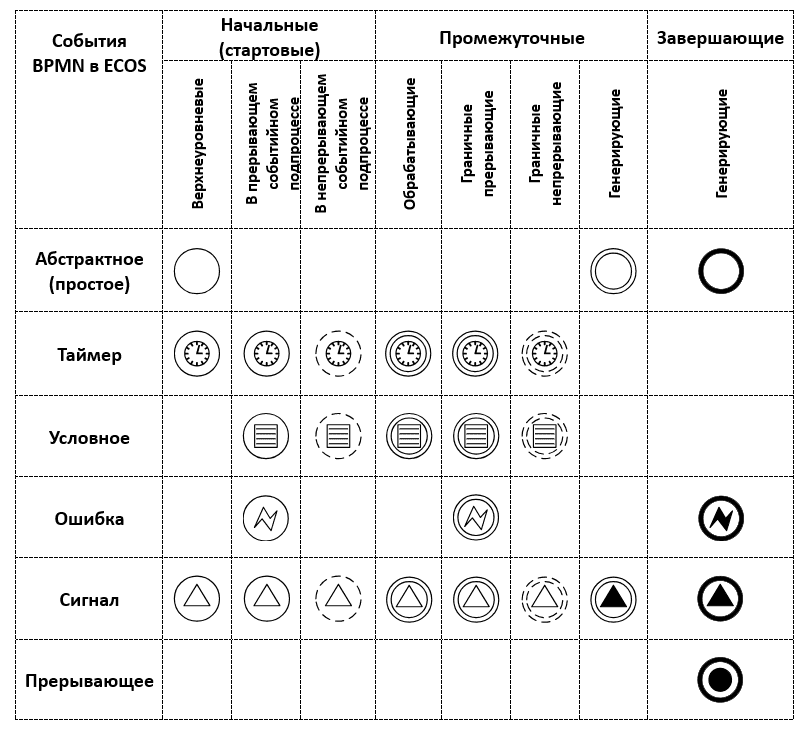
|
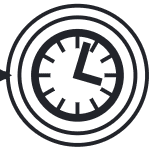
Used for modeling recurring events.
The timer can also be used to model points in time, time intervals, and exceeding time limits.
|
|

|
Used to model the business process’s reaction to changing conditions. |
|

|
Used to model possible errors during process execution, as well as to display the sequence of actions to resolve these errors. |
|

|
Denotes waiting for or sending a signal between processes; integration with Citeck events is used.
|
|

|
Causes immediate termination of process execution, and all its active control flows are interrupted. |