Citeck BPMN Components
Components are the building blocks used to assemble a business process diagram in the Citeck BPMN editor. Each component corresponds to a specific BPMN 2.0 element type and has settings specific to the Citeck platform.
Components are divided into several categories:
Tasks — perform actions in the process: user input, script execution, sending notifications, calling services, setting status, AI processing, applying business rules, and calling child processes.
Gateways — control flow routing based on conditions.
Events — capture the occurrence of certain states (start, end, timer, signal, etc.).
Sequence Flows — connect process elements to one another.
Structural Elements — subprocesses, pools, and lanes for grouping and delineating areas of responsibility.
Below is an overview of all available components with brief descriptions. To navigate to detailed documentation, click the corresponding section in the table or the table of contents.
Note
Click the image to navigate to the corresponding section
|
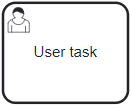
A User Task is performed by a person. Executing such tasks typically requires data input, object manipulation, etc. |
|
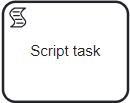
A Script Task runs a script (i.e., a sequence of actions) or program code that is executed automatically. |
|
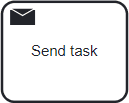
A Notification Task is used to send notifications to users |
|
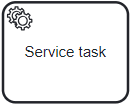
A Service Task is used to denote the connection to third-party services, not part of the business process execution environment. |
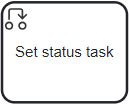
|
Set Status. This element allows changing the status within the business process being created. |
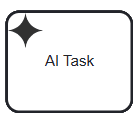
|
A task responsible for calling an AI based on a specified prompt. Subsequently, depending on business requirements, it can perform any action BPMN allows, such as sending tasks, notifications, generating documents, and so on. |
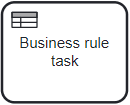
|
A Business Rule Task is used to call a DMN decision from a BPMN process, employed for the synchronous execution of one or multiple rules. |
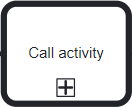
|
A process diagram element that allows calling another process within the context of the currently executing one. |

|
Gateways control the flow of movement within the process. |
|
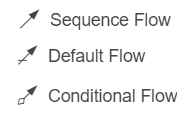
A Sequence Flow is used to connect BPMN flow elements (events, activities, gateways). |
|
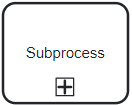
Sub-Process. An activity that can include: other activities, gateways, events, and sequence flows. |

|
A flow element that represents a state which affects the course of the process. Events can initiate process actions or be their results. |

|
Multi-Instance Activity. A way to define the repetition of a specific step in a business process. |
|
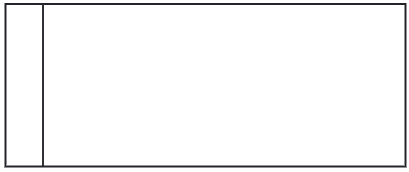
Pool and Lane are used to represent the performers of a BPMN process. |