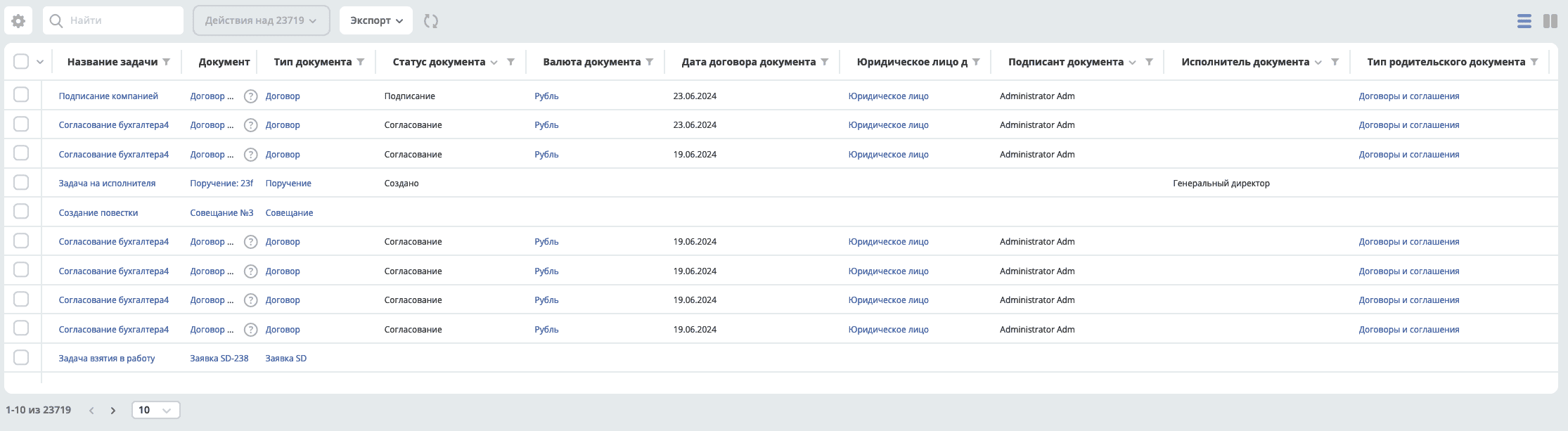
Configuring Task Attribute Synchronization
In task journals, the ability to filter BPMN tasks by document attributes and task attributes has been added.
To configure task attribute synchronization, the BPMN Task Attribute Synchronization settings journal has been added to the Administrator Section workspace — Process Management.
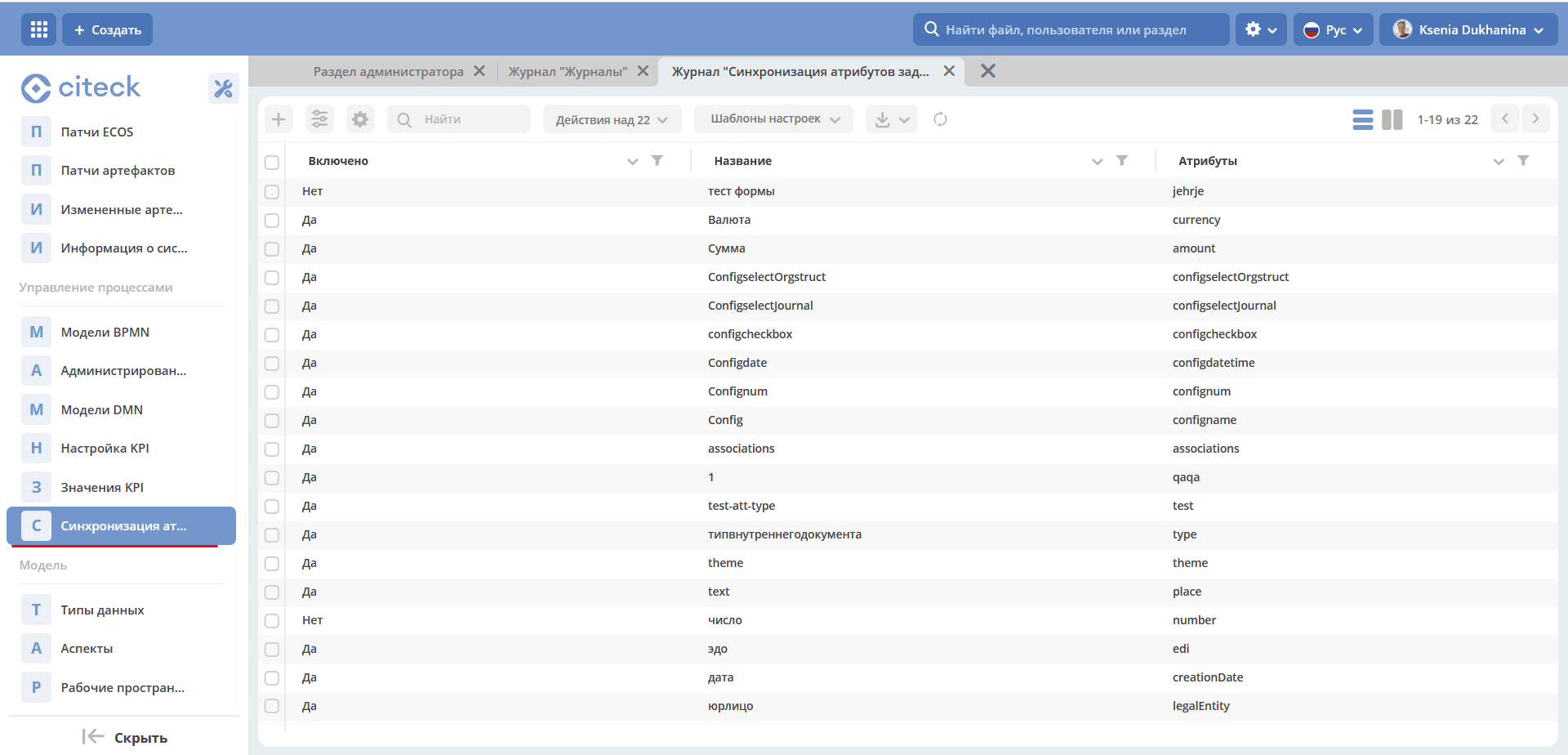
Configuration Object
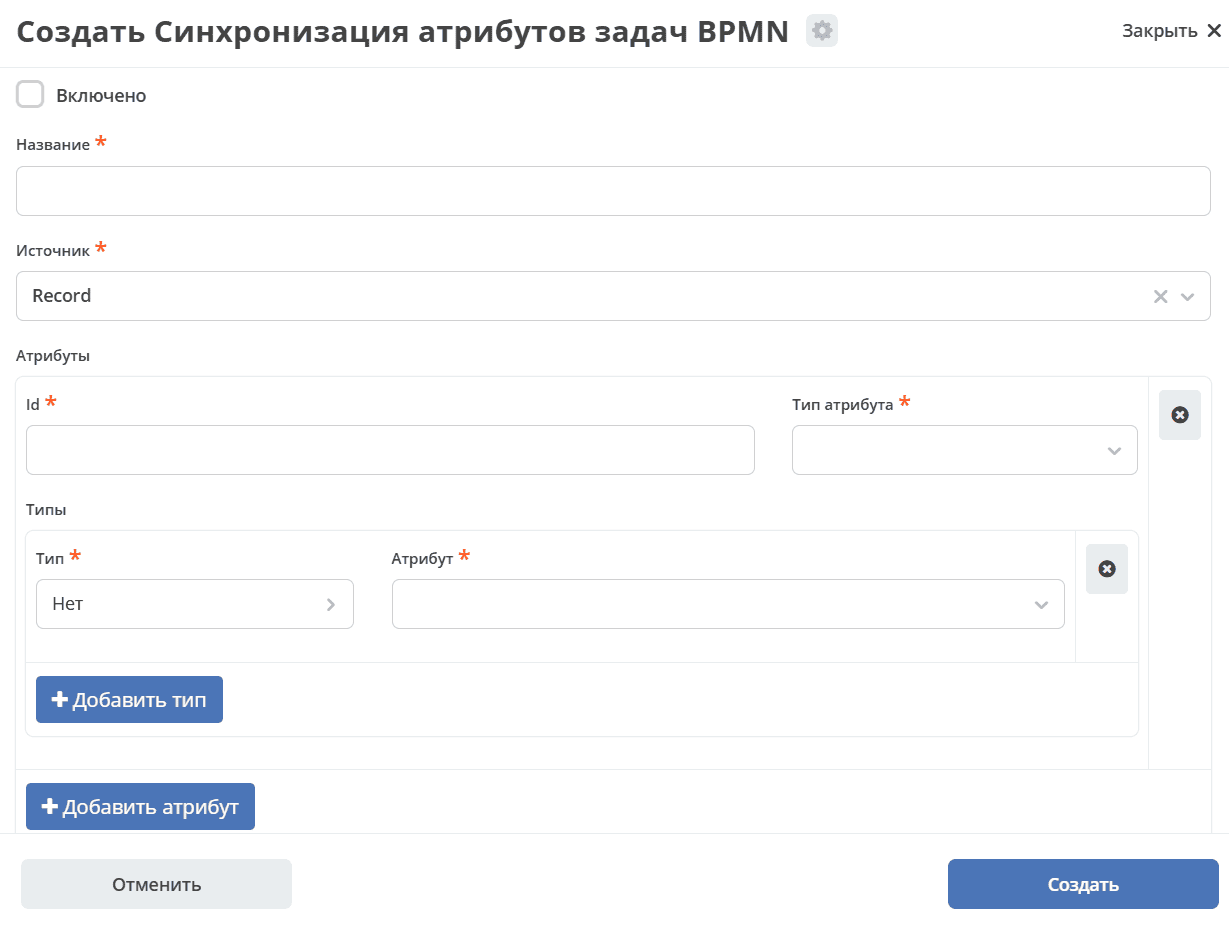
The configuration includes:
Enabled — flag indicating whether the current configuration is on or off.
Name — the configuration name.
Source — the attribute source; available values:
Record — the attribute source is the record for which the business process was started.
Type — the attribute source is the data type of the record for which the business process was started.
Attribute list. Attribute configuration includes:
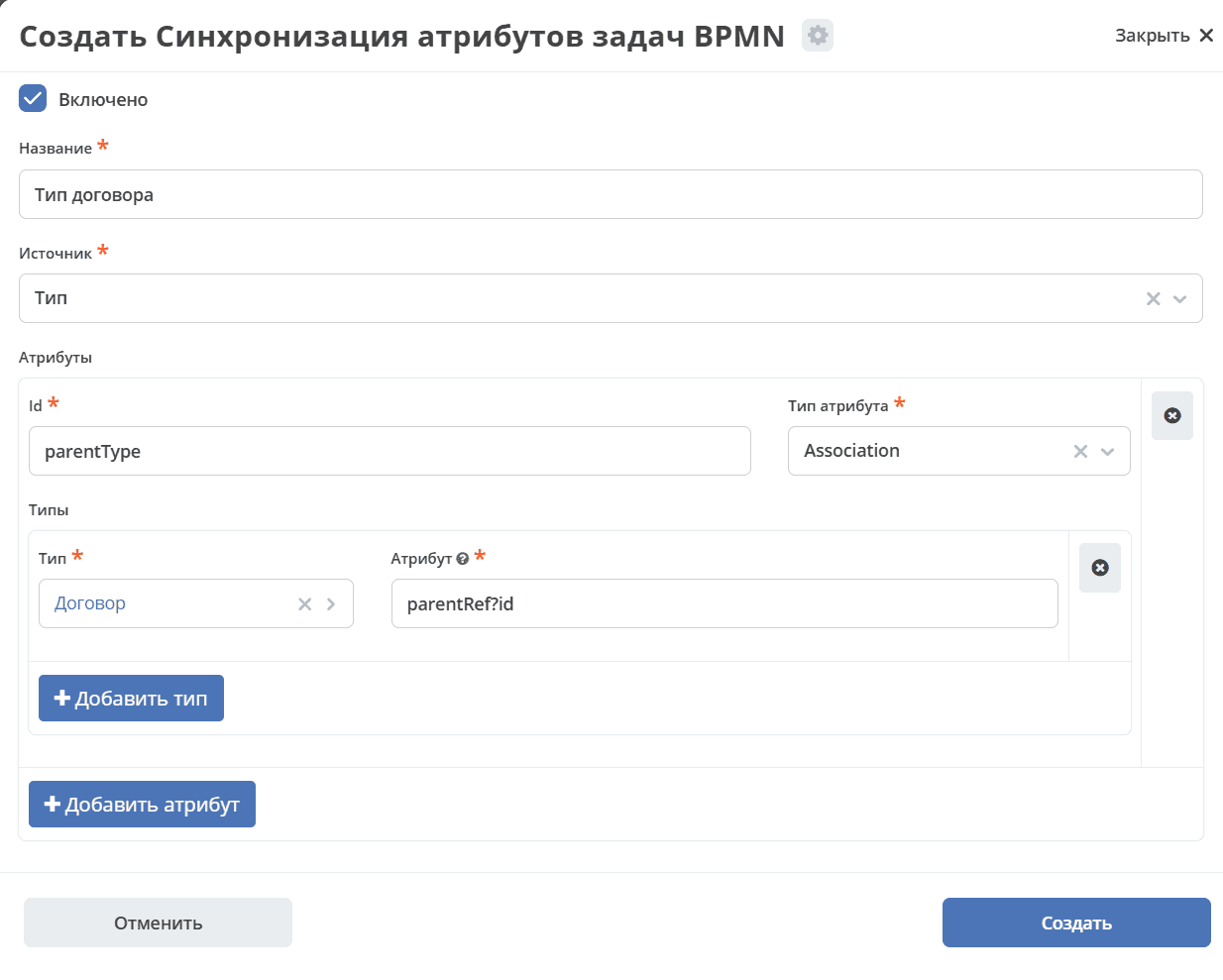
id — the task attribute identifier. This id must be unique.
Attribute type
Types (list)
The list of data types subject to synchronization. A single attribute can have multiple associated data types, making it possible to synchronize common fields (even if they are in different attributes) from different types into one attribute. For example, “Counterparty” can exist in contracts, invoices, etc.
Type — data type.
Attribute — attribute selection. For the “Record” source, selection is made from the attribute list; for the “Type” source, a record expression must be entered (required to access custom configuration — for example, config.urgency?num).
How It Works
Synchronization keeps attribute values up to date for all active tasks. Previously created tasks are also synchronized.
Task attributes are populated when:
a task is created;
a document is updated;
a data type is updated (bulk update of all affected tasks);
synchronization settings are updated (bulk update of all affected tasks).
Note
Bulk update of all tasks is not instantaneous; the speed depends on the number of active tasks. Based on measurements, 22,000 tasks synchronize in approximately 9 minutes.
Sorting by synchronized attributes is not supported. Filtering is fully supported.
If you need to synchronize the document status attribute, its id must be “documentStatus” and the type must be “Text”.
Status filtering currently works only by text with the status id. If all possible statuses are known, selection can be configured by enumerating statuses in the journal configuration.
Configuration Examples
Attribute Configuration with Record Source
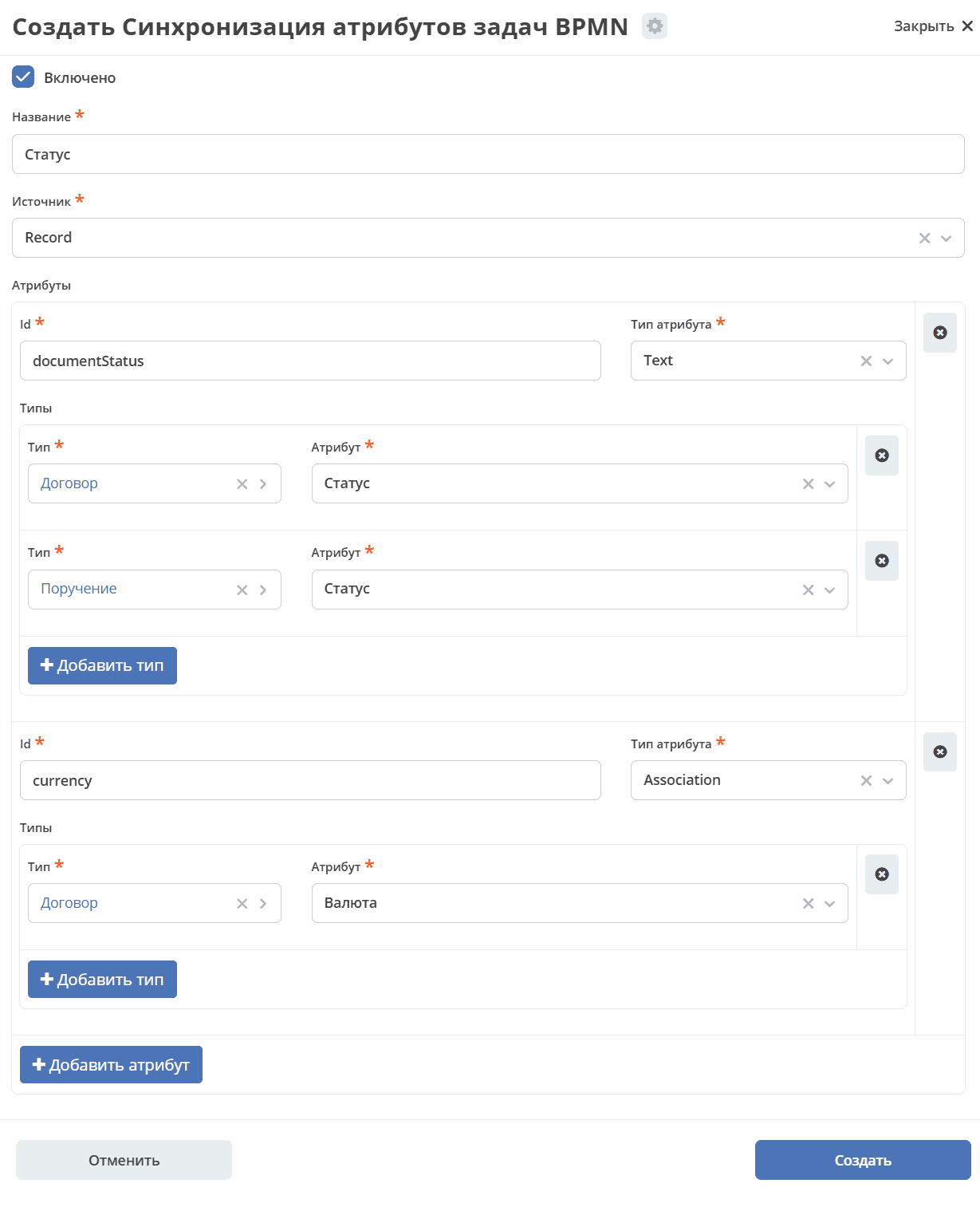
Attribute Configuration with Type Source
Journal Configuration
To display synchronized attributes in the active tasks journal, prefixes must be added to the attribute id. For attributes with source “Record” use prefix “doc”, for source “Type” use “doc_t”.
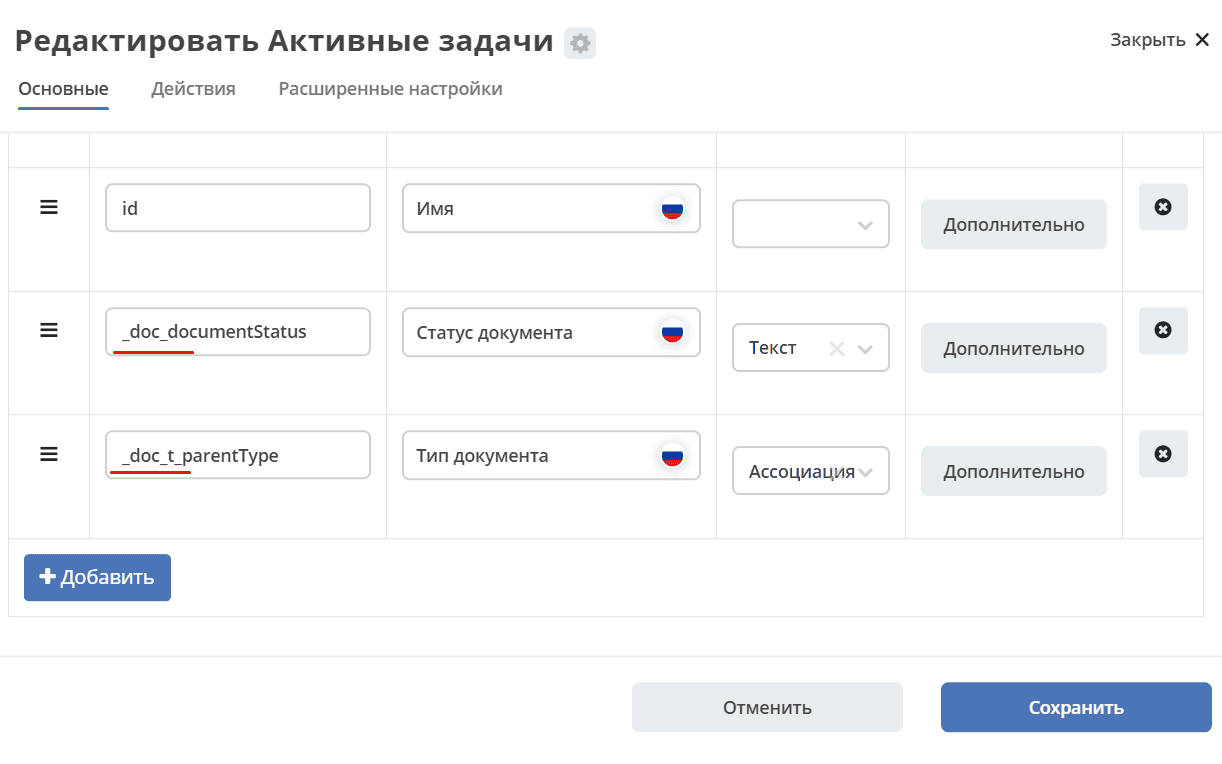
- id: _doc_documentStatus
  name:
    en: Document status
    ru: Статус документа

- id: _doc_currency
  name:
    en: Document currency
    ru: Валюта документа
  type: ASSOC
  formatter:
    type: assoc
  editor:
    type: journal
    config:
      journalId: currency
  searchable: true
  sortable: false

- id: _doc_contractDate
  name:
    en: Document contract date
    ru: Дата договора документа
  type: DATE
  searchable: true
  sortable: false

- id: _doc_legalEntity
  name:
    en: Document legal entity
    ru: Юридическое лицо документа
  type: ASSOC
  formatter:
    type: assoc

- id: _doc_signatory
  name:
    en: Document signatory
    ru: Подписант документа
  type: AUTHORITY

- id: _doc_performer
  name:
    en: Document performer
    ru: Исполнитель документа
  type: AUTHORITY

- id: _doc_t_parentType
  name:
    en: Document parent type
    ru: Тип родительского документа
  type: ASSOC
  formatter:
    type: assoc
Active tasks by default:
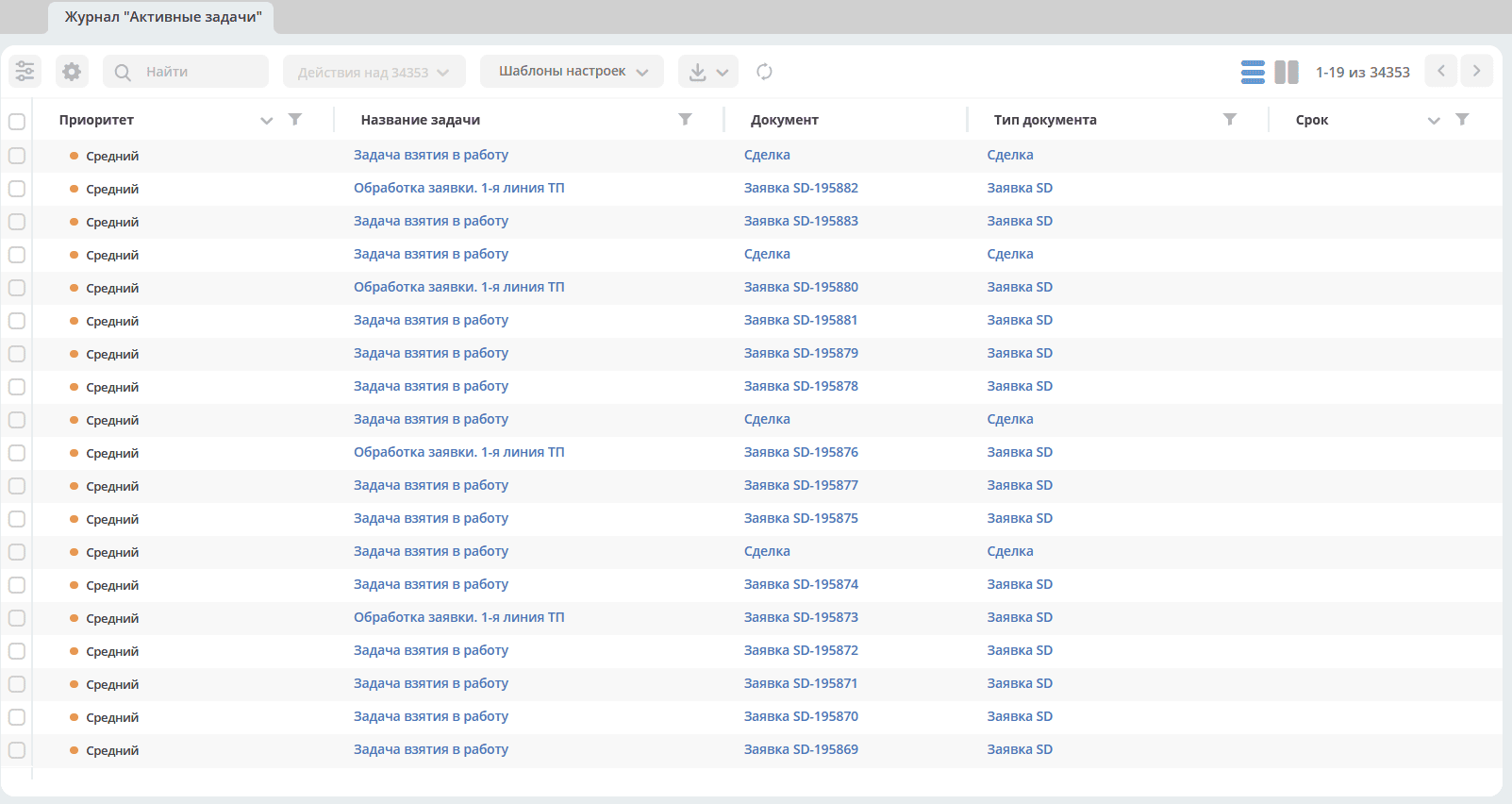
And with added fields: