Localization
All Label fields on the form go through a localization stage before rendering. If a localization key is not found, the string written in the Label field of the component is rendered.
1. Global Localization
All localization that has the prefix ecos.forms goes into forms. For example, ecos.forms.someTitle="123" will appear in forms as: {"someTitle":"123"}.
Global localization uses localization from site-messages/*.properties files of *-share modules.
2. Attribute Localization
If the Field Label of a field matches the attribute being edited, a request is made to the server for the title of that field. If the title is found, the field will be localized.
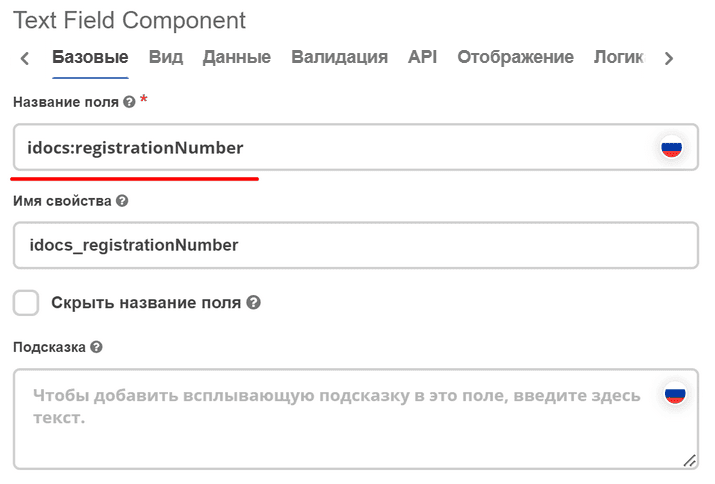
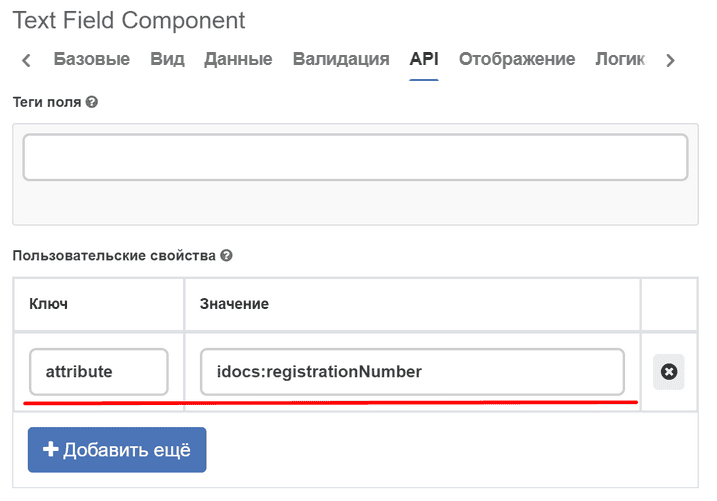
3. Form Localization
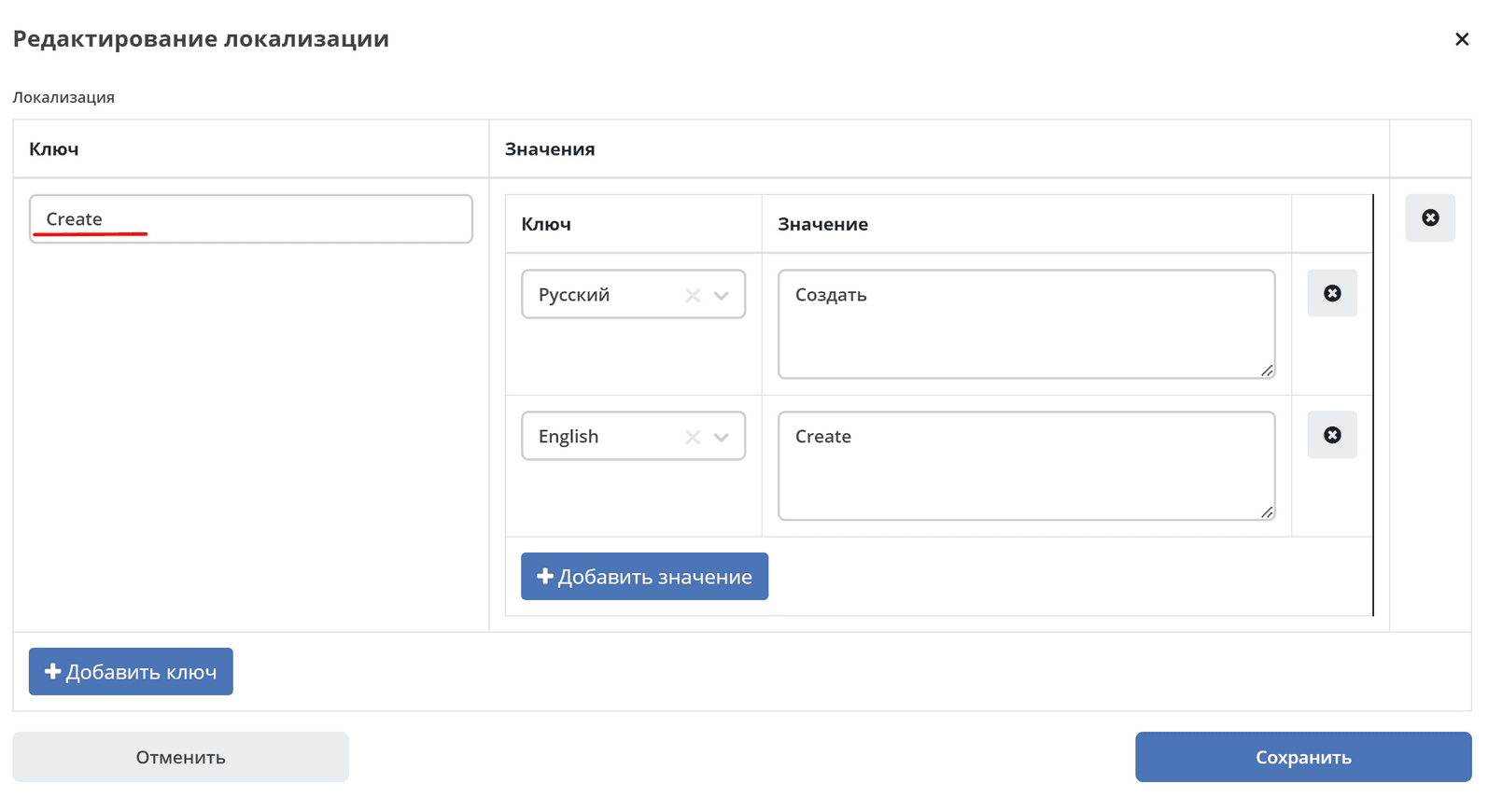
In the form’s json configuration, you can set localization that will only apply within this specific form. Example:
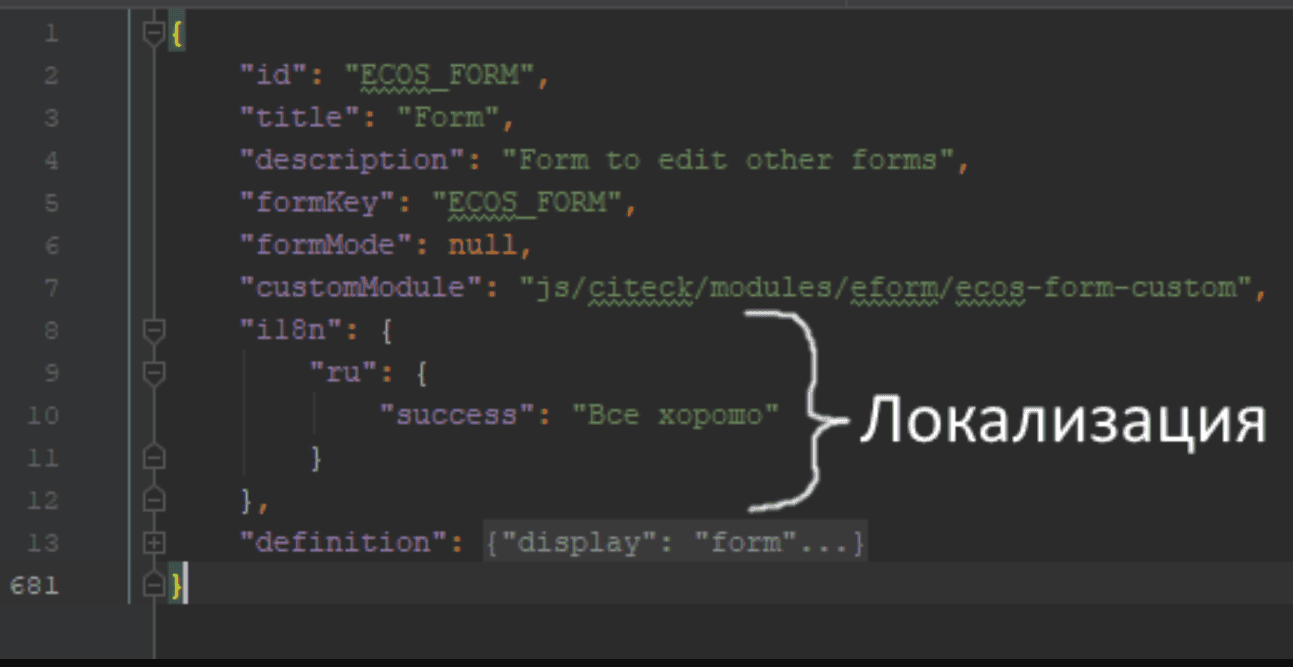
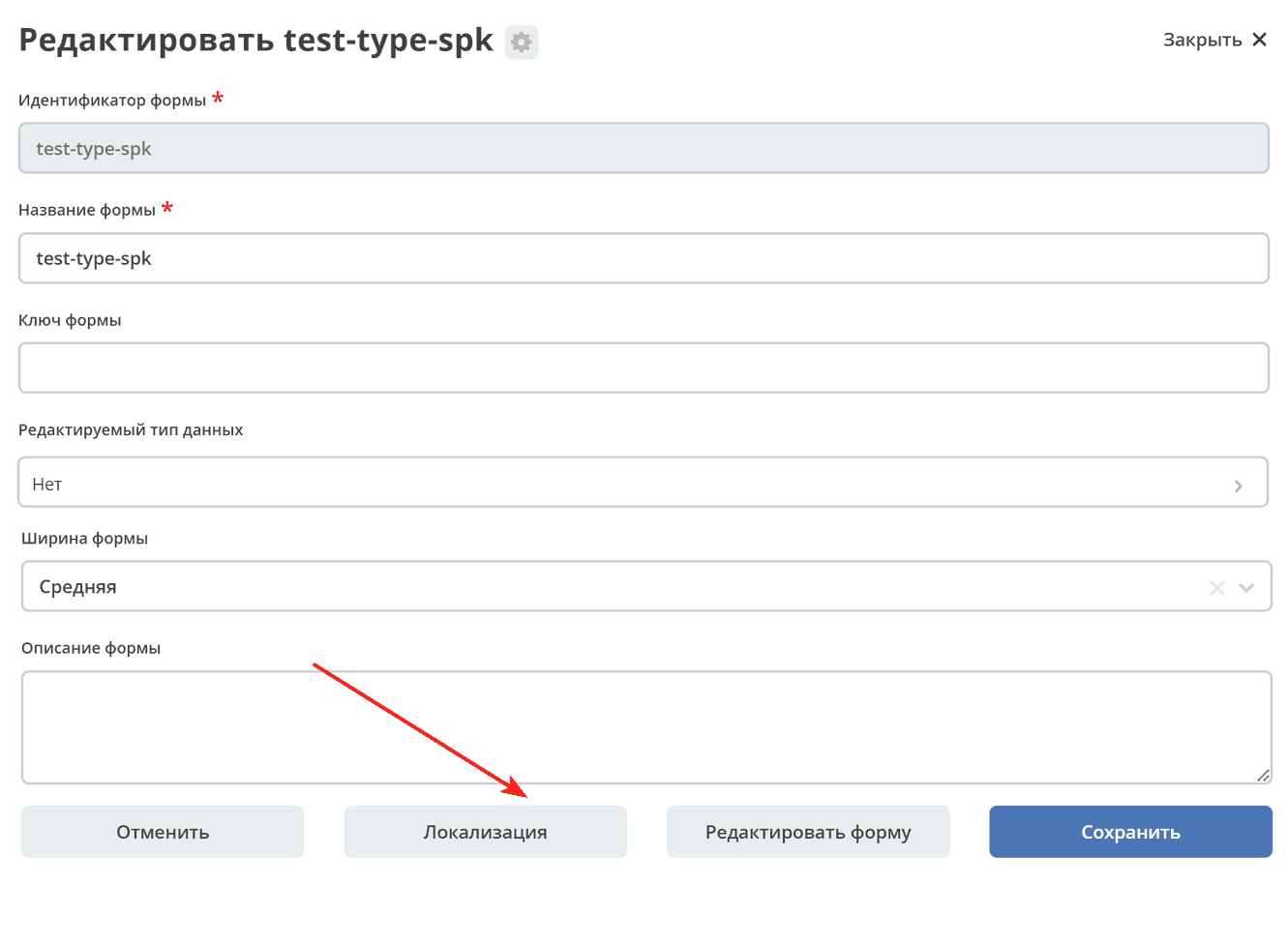
This option is suitable if you need to add custom localization for error messages, hints, etc. To set the localization, you need to go to the Localization form and place your localization there. After that, it can be used on the form itself by key. For naming keys, it is best to use Latin characters.
4. Localization of Form Component Field Text
For localizing the text of form component fields (Field Label, Tooltip), the ML Text component is provided - a text field with a switch in the form of a Russian/USA flag. After selecting the language, the text is entered in the field.
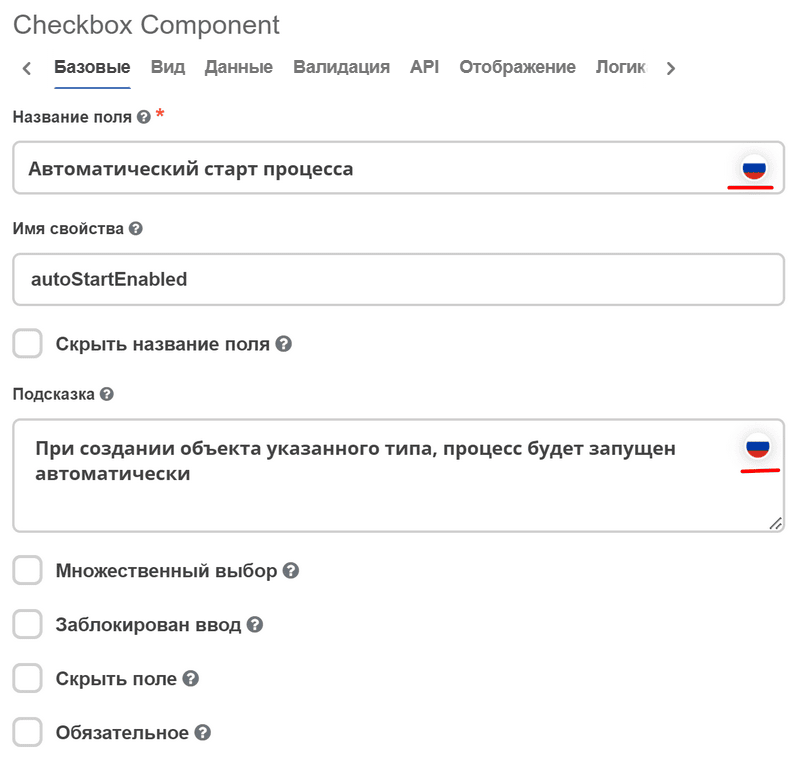
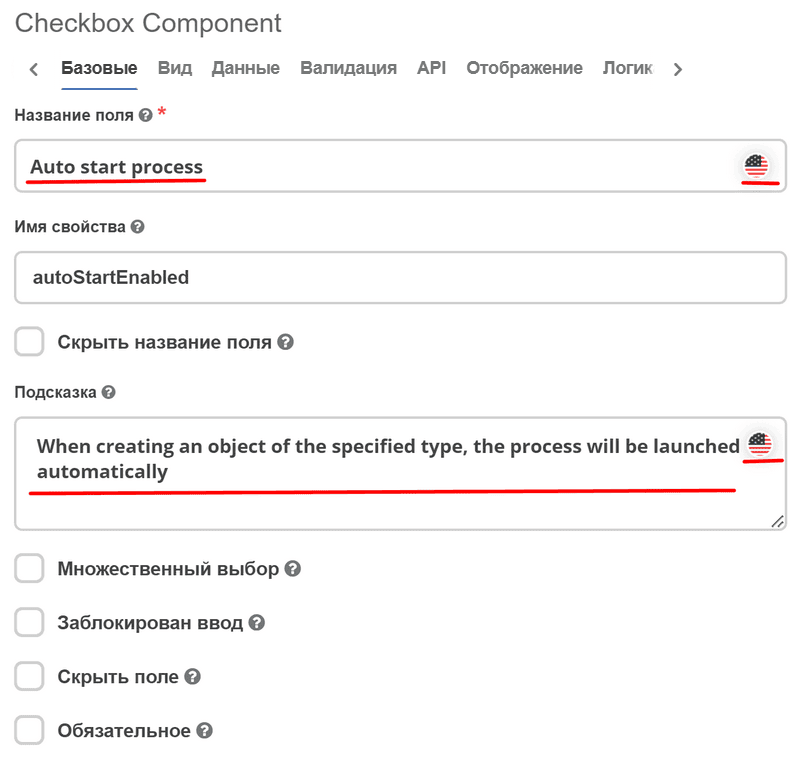
Both entered values are saved.