Delegation
Note
Available only in the enterprise version.
Delegation is a mechanism for transferring tasks and authority to other employees for a period of absence or on a permanent basis. Available to users of any role.
To configure delegation, one or more deputies must be assigned. Each of them gains access to all of the principal’s tasks — both personal ones and those in which the principal is a member of a group.
Note
The Administrator and Technologist can also assign a deputy to a user through the organizational structure. See below
Configuring Delegation
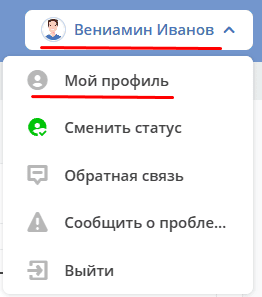
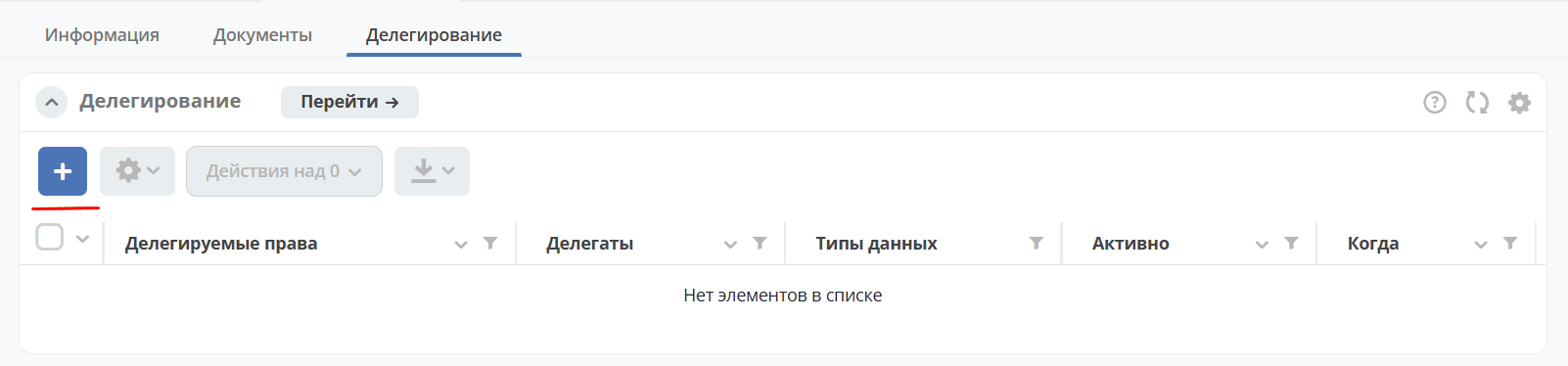
Go to My Profile, open the Delegation tab and click the add record button:
In the card, select:
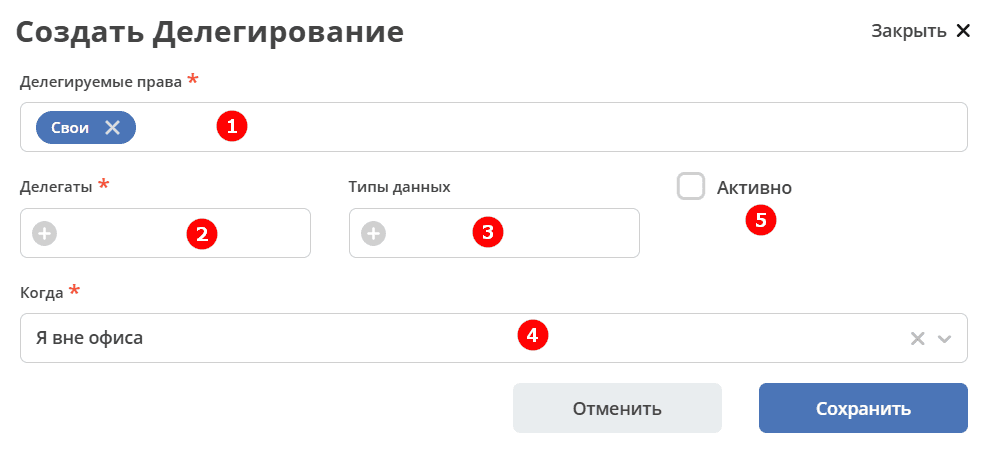
Delegated rights (1) – Own (by default) and Groups, in which the user is a member, from the dropdown list,

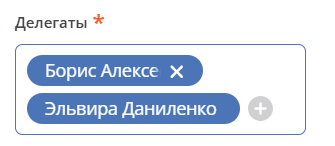
Delegates (2) — one or more deputies:
When (4) — delegation activation mode (two options):
«I am out of office» - the deputy will have access to perform the principal’s tasks only during the latter’s absence from the office (i.e., while the principal’s status in the profile is «Absent»);
«Always» - regardless of the principal’s presence in the office.
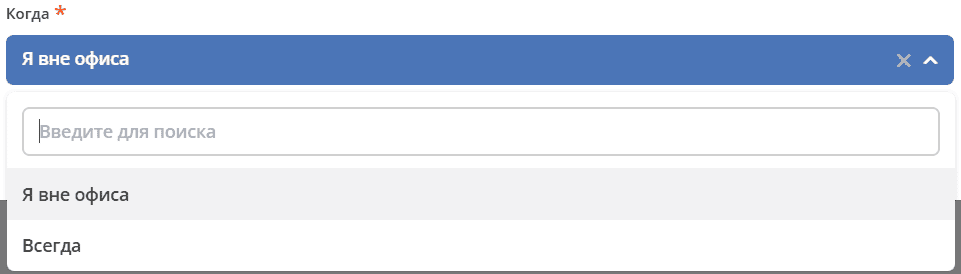
And click Save
Delegation can be restricted to specific Data Types (3) — for example, delegating tasks for Contracts but not for Powers of Attorney.
If necessary, a configured deputy can be “disabled” without deleting the record from the deputies journal by unchecking the «Active» (5) checkbox.
Note
The Administrator can also configure delegation by opening the user’s profile in the Organizational Structure.
There can be several active delegation records. They are summed up based on conditions.
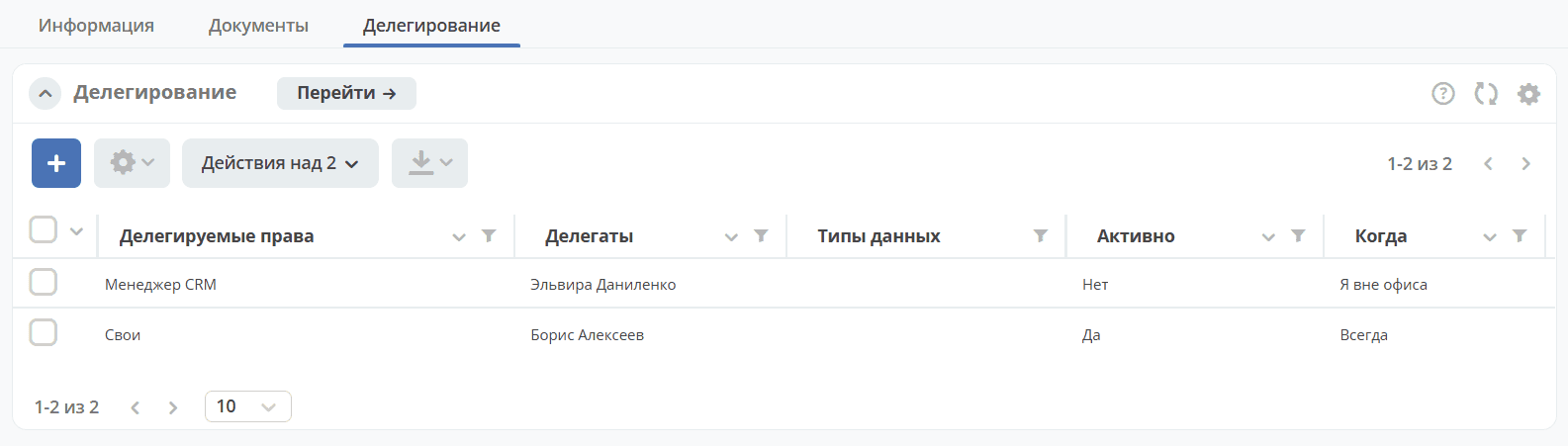
Note
If a task meets the conditions of at least one delegation, it is delegated. For example, there are tasks A, B, C, D. A and B meet the conditions of the first delegation, B and C meet the conditions of the second. As a result, tasks A, B, and C are delegated.
Enabling Delegation by the User
Select Change status:
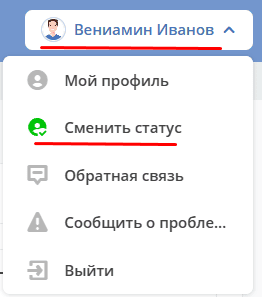
If the «I am out of office» delegation setting was selected, a pop-up window appears where it is necessary to check the «Delegate task execution» checkbox and click Confirm:
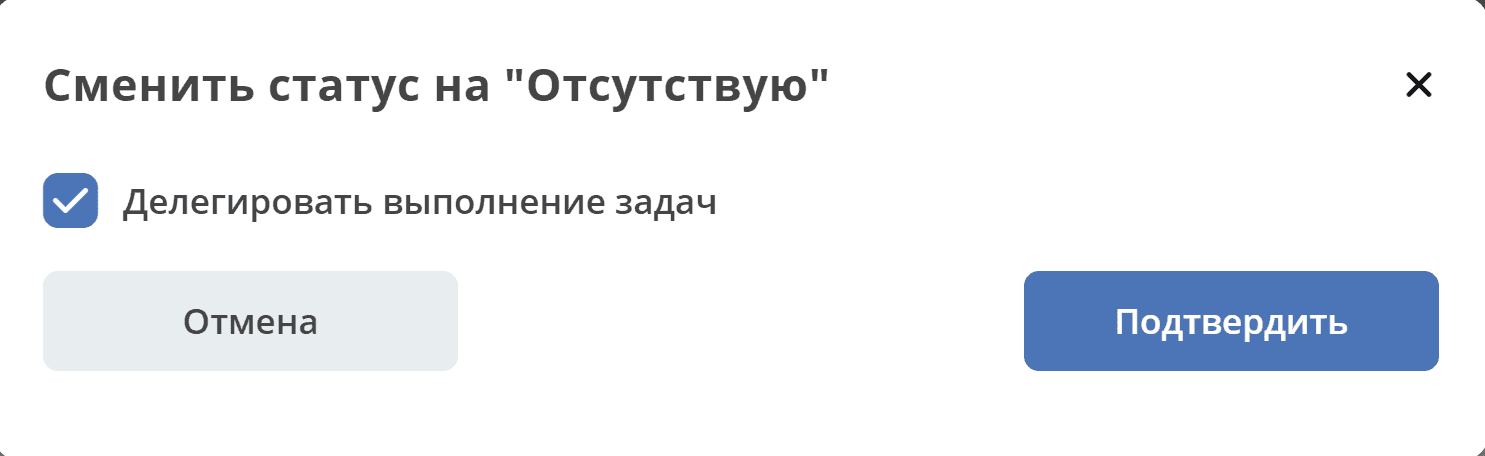
Note
If the user’s substitution is set to «Always» or the user has no deputies, then the status change is performed without an intermediate window.
If the user did not activate the «Delegate task execution» option when changing status, delegation is NOT performed.
The user’s status will be changed to «Absent»,
Status icons:

|
Present |

|
Absent |
Enabling Delegation by Administrator, Technologist
In the organizational structure, go to the user’s profile in the Delegation tab.
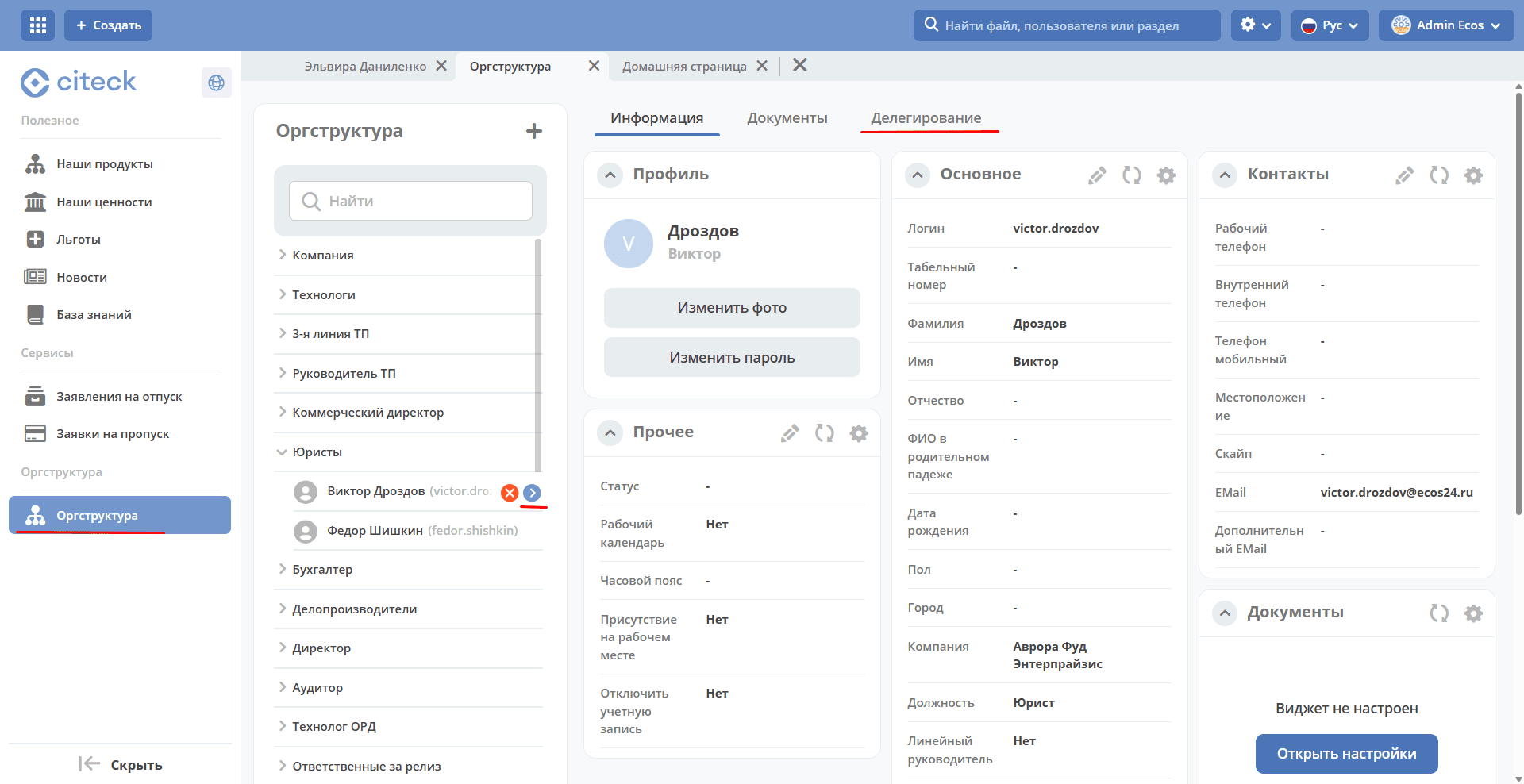
Further steps are similar and described in Delegation Settings.
Description of the Delegation Mechanism
Always
If a user has deputies and the condition is «Always», task delegation to deputies is carried out immediately upon saving the deputies configuration form.
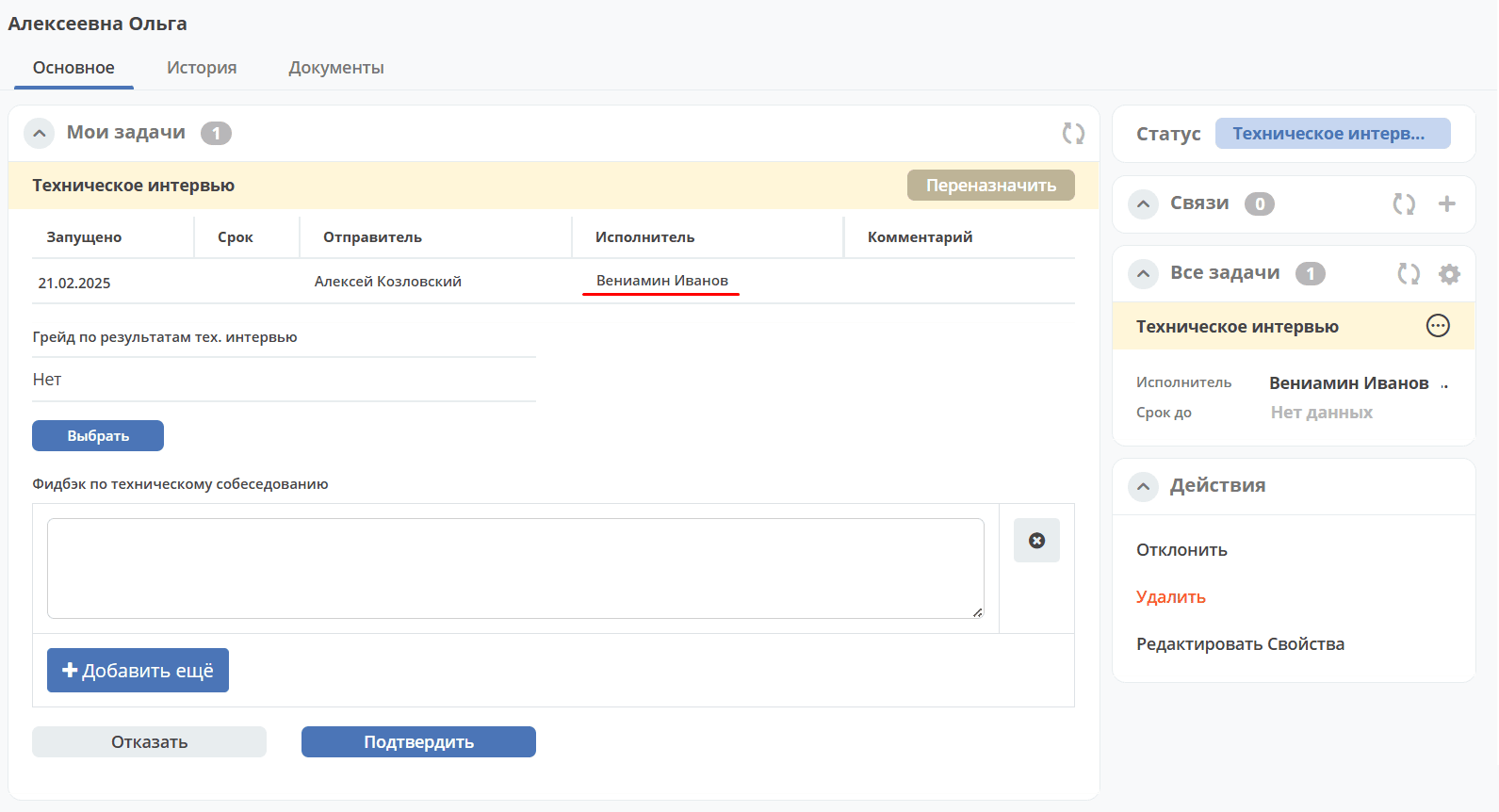
Deputies will see the principal’s tasks in the «Current Tasks» journal and they will be available for execution. The deputy has access to the document for which the task was delegated to them in the respective journal.
However, the assignee in these tasks will still be the principal themselves; the tasks will not be removed from the principal’s own «Current Tasks» journal, and the principal will still have access to their tasks through the active tasks journal and the system module journals.
I am out of office
If a user has deputies and the condition is «I am out of office», task delegation to deputies is carried out only upon changing the principal’s profile status to «Absent».
Deputies will see the principal’s tasks in the «Current Tasks» journal and will have the ability to perform tasks through the system module journals. The deputy has access to the document for which the task was delegated to them in the respective journal.
However, the assignee in these tasks will still be the principal themselves; the tasks will not be removed from the principal’s own «Current Tasks» journal, and the principal will still have access to their tasks through the active tasks journal and the system module journals.
After changing the principal’s profile status back to «Present», the principal’s tasks disappear from the deputies’ «Current Tasks» journal and the ability to perform tasks through the system module journals is removed.
If a deputy performs a task, the Event History will indicate that the action was performed by the deputy on behalf of the principal (the «On behalf of» field is filled in).
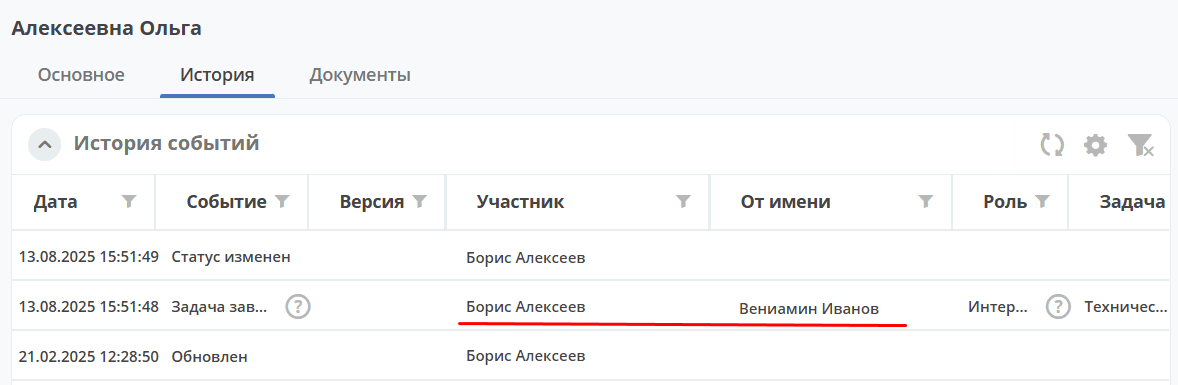
If a deputy sends a task for revision (or cancellation), and the Initiator performs the revision (or does not confirm the cancellation), the task will be returned to the principal, while the deputy will retain access rights to the task.