Actions in Cards
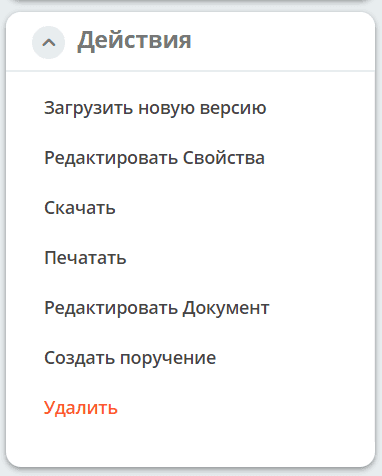
The record card provides actions for managing the document: editing properties and content, printing, uploading a new version, and creating assignments. The set of available actions depends on the record type and the user’s configured permissions.
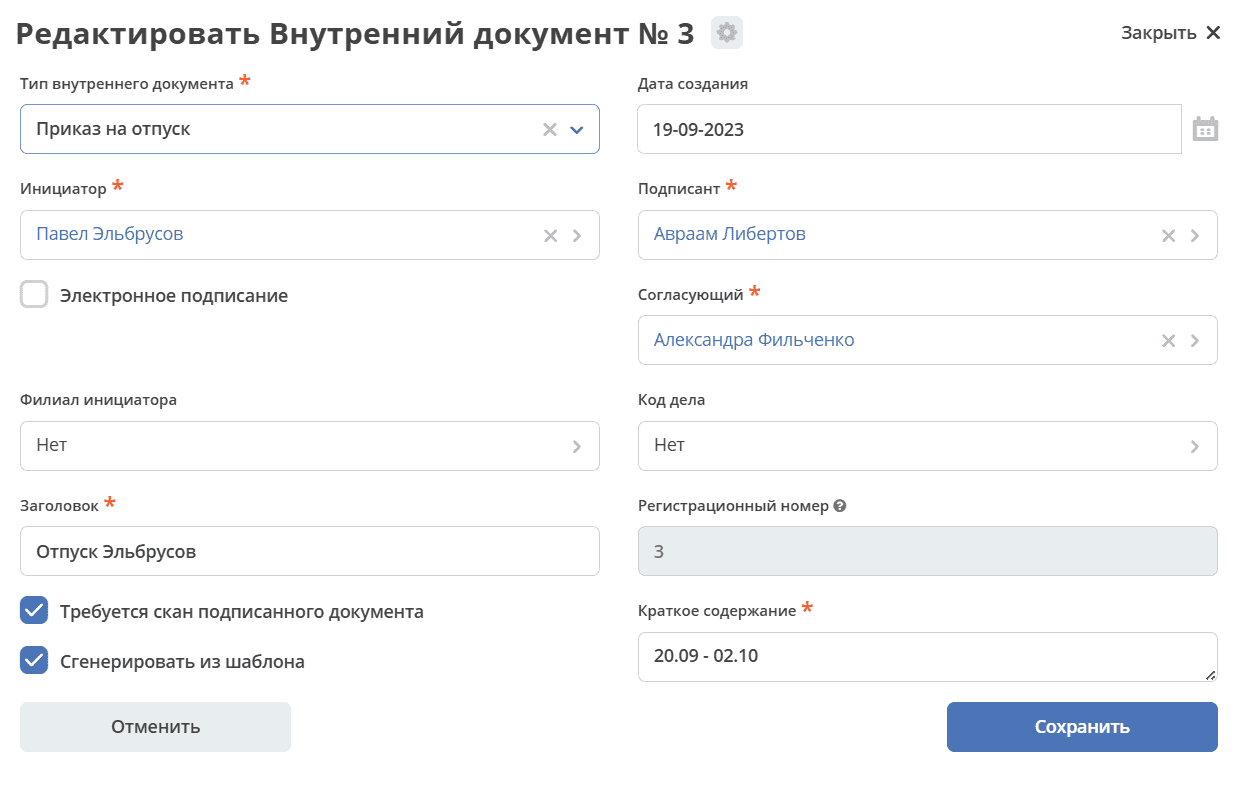
Edit Properties
The document card opens with the ability to make changes and save:
Edit Document
For attached and template-generated documents in MS Office and OpenDocument formats, editing in OnlyOffice is available.
See details
Print
Supported file formats:
Microsoft Word - .doc, DOCX;
Microsoft Excel - .xls, XLSX;
OpenDocument documents - .ODT;
OpenDocument spreadsheets - .ODS;
Adobe Portable Document Format - .PDF;
Text - .txt
Upload New Version
Adding a new document version:
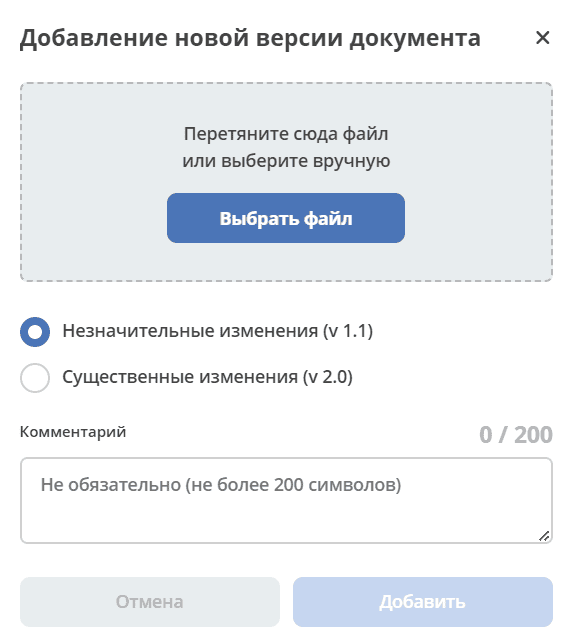
Select a file, change type, specify a comment if necessary:
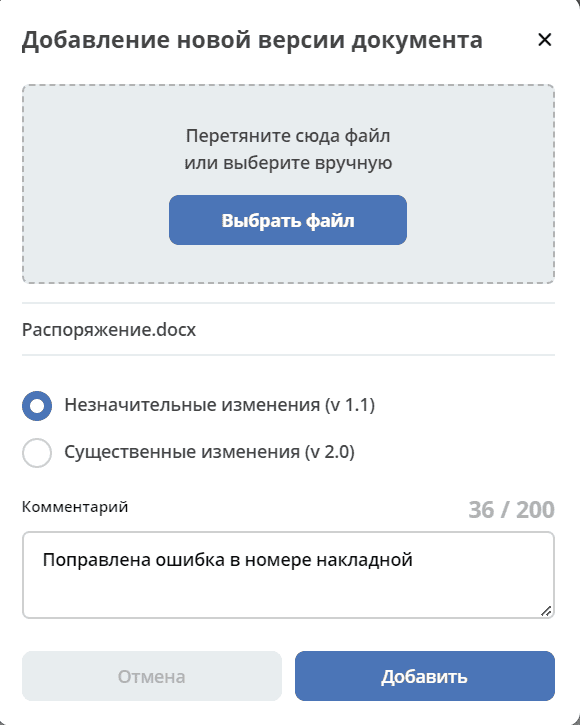
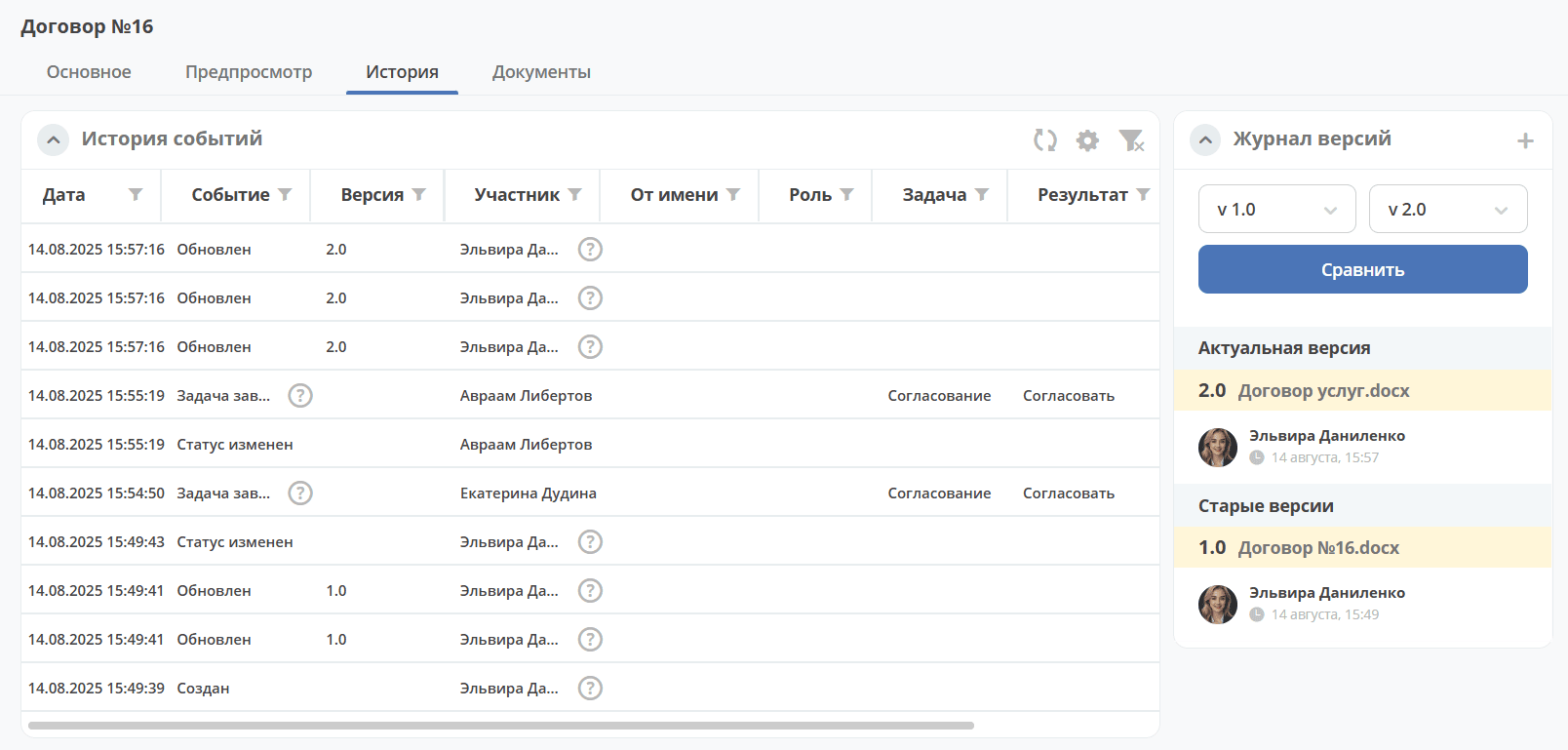
Version changes are recorded in the «Version Journal» widget
Create Assignment
Creating an assignment from a document card - the assignment form opens:
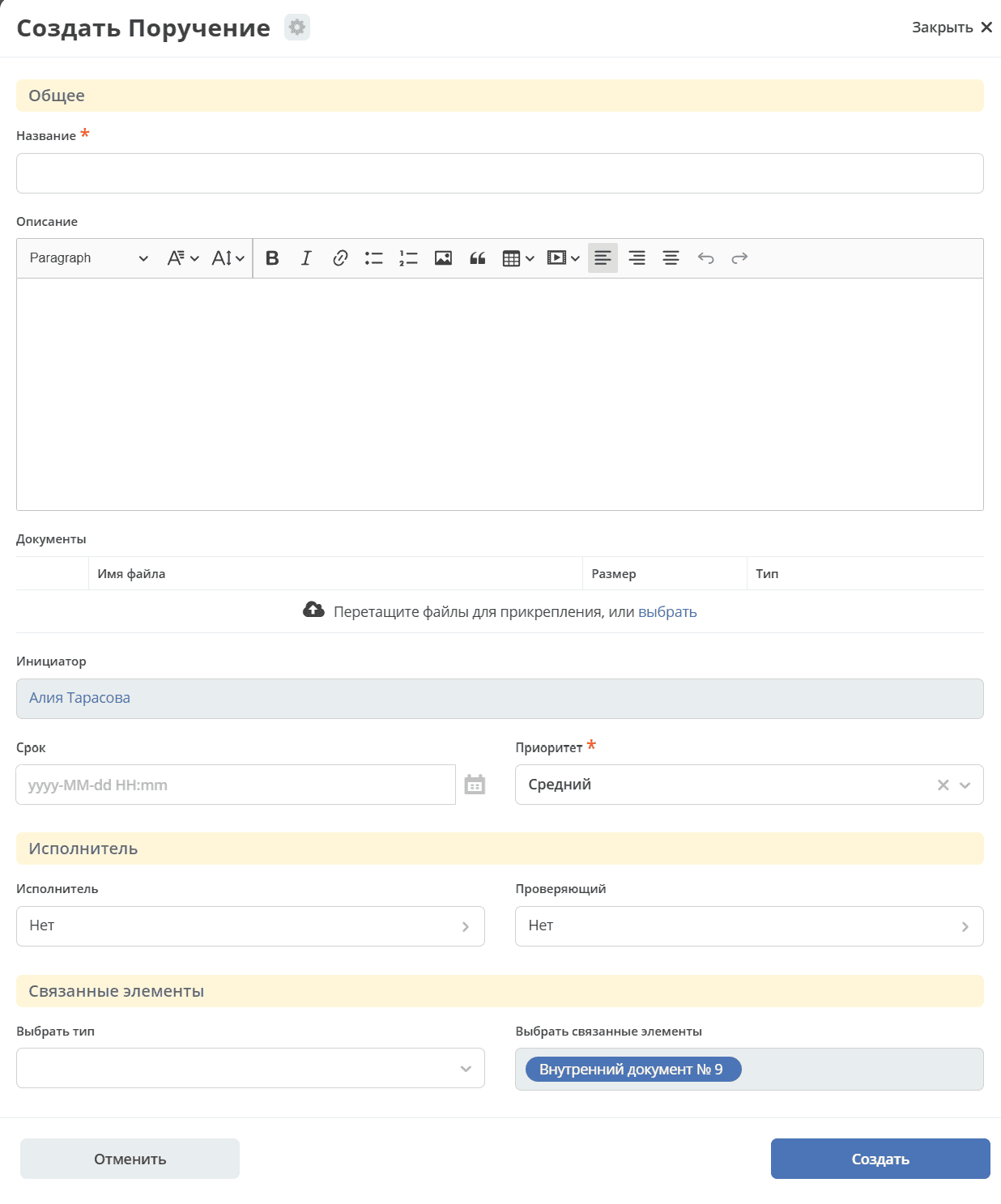
When creating an assignment from a document card, a two-way link is automatically established.
See details: Creating an assignment from a card