Hierarchy View
Hierarchy is a tree-like data structure where each node can contain child elements.
To select the Hierarchy view, click (1).
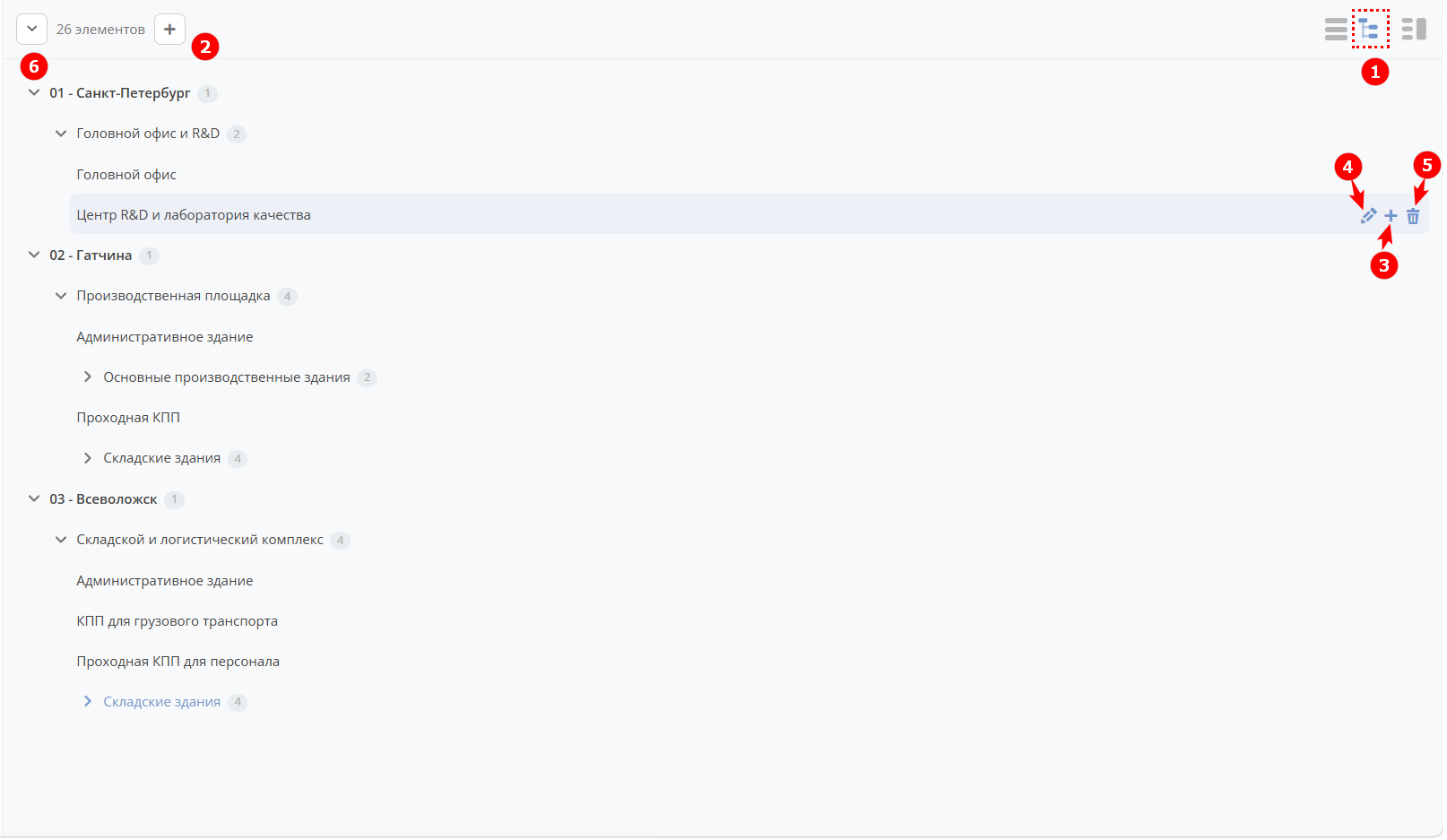
The following actions are available in this view:
(2) — add a top-level element
(3) — add a child element one level down
(4) — edit an element
(5) — delete an element
(6) — collapse / expand the hierarchy structure
Elements can be moved by drag and drop.
To learn how to add the Hierarchy view to a data type and form, see the example.