Card Data Preview
Preview is a built-in mode for viewing record data directly from the journal, without opening the full card. It allows quickly reviewing key information about an item: viewing widgets, properties, and related data in a side panel without leaving the list.
The preview mode is available for all journal views. To preview card data, click (1), then click on a journal row (2) - the preview dashboard (3) will open, consisting of widgets:
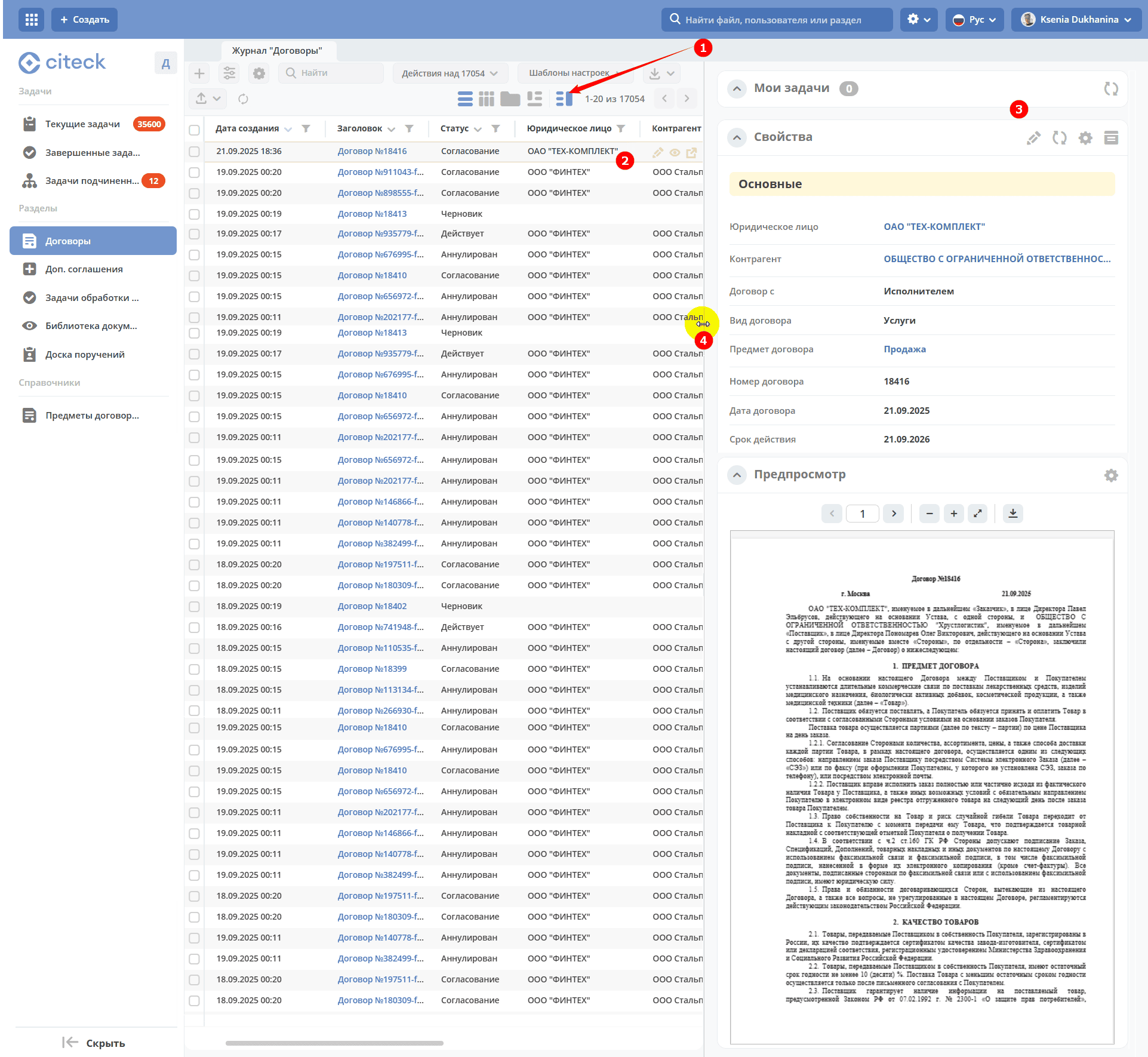
The width of the preview window can be changed by dragging its border (4). To turn off the preview mode, click (1) again.
Configuring Widgets and Preview Window Placement
Note
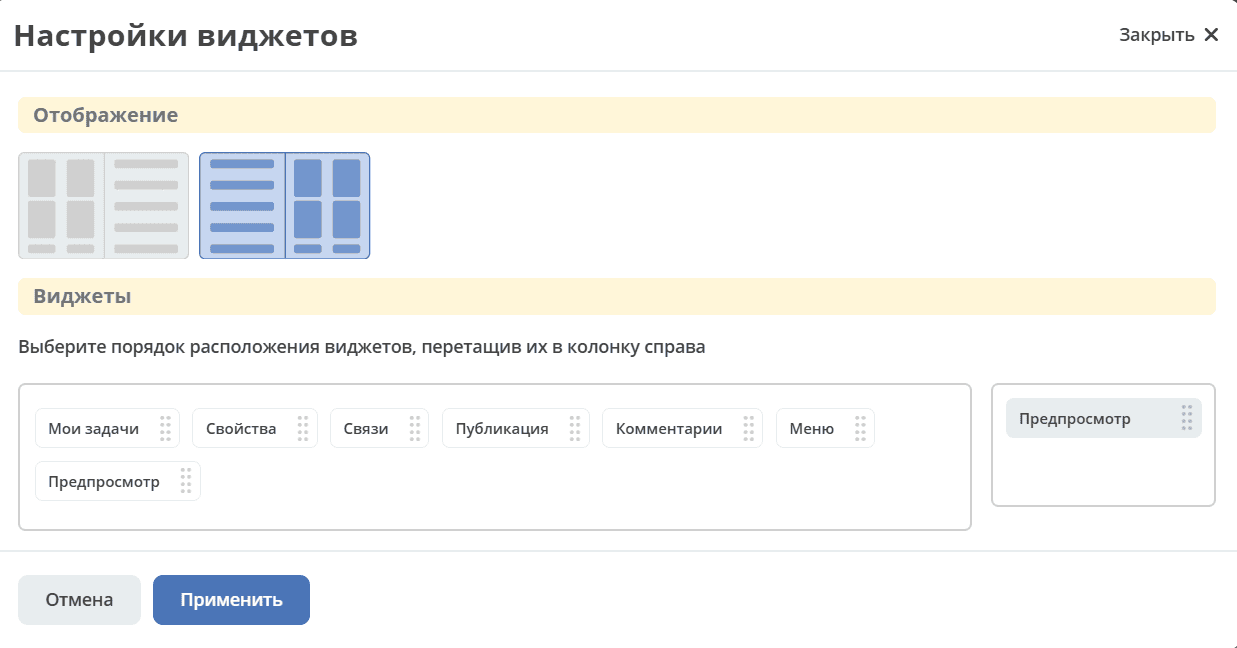
An administrator can configure the preview window - its position (left or right), which widgets will be displayed. The settings will apply to all users.
Click (1) and for the table view, then select “Configure widgets” (2).
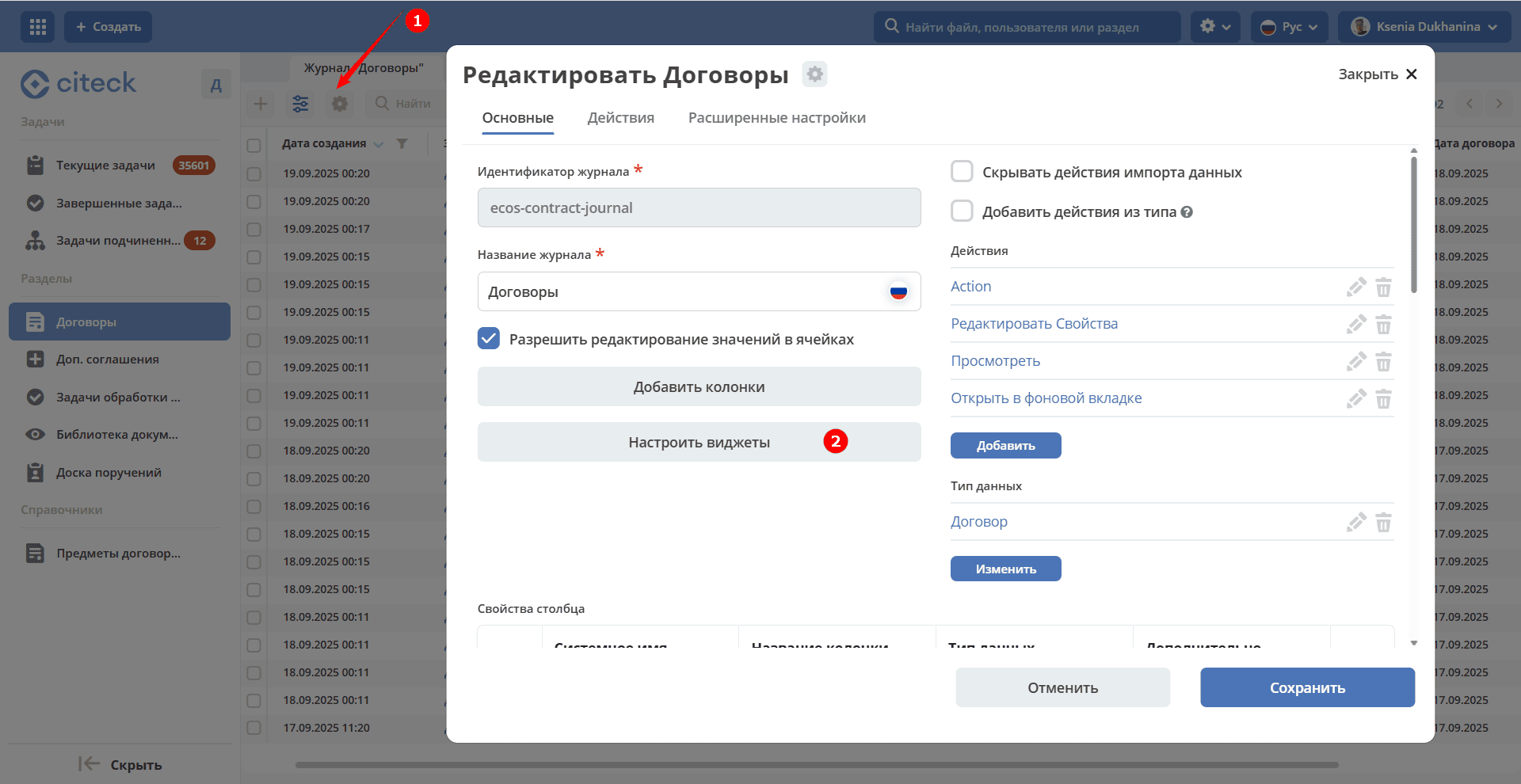
For list/tile views, the widget configuration will open immediately.
Select the window placement (left or right) and the order of widgets by dragging them into the right-hand column: