Widget “Versions Journal”
Key versions-journal
The widget contains the current and previous versions of the document.
It is used to upload a new document version via button (1), and also to compare files.
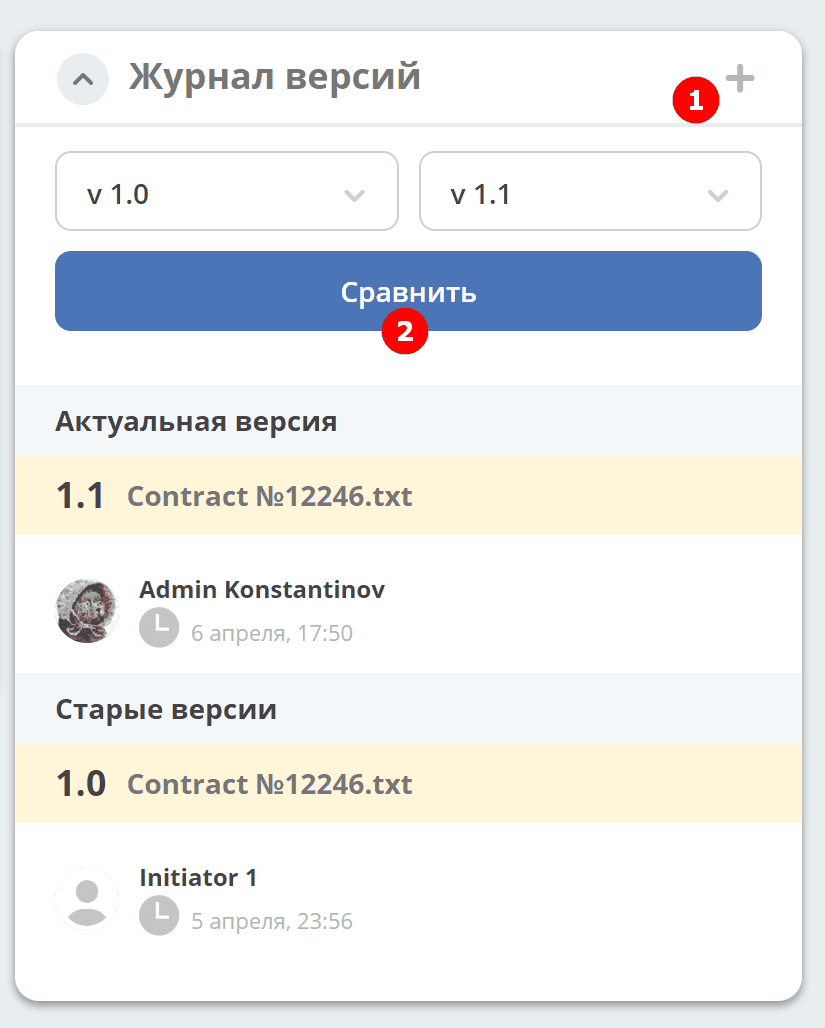
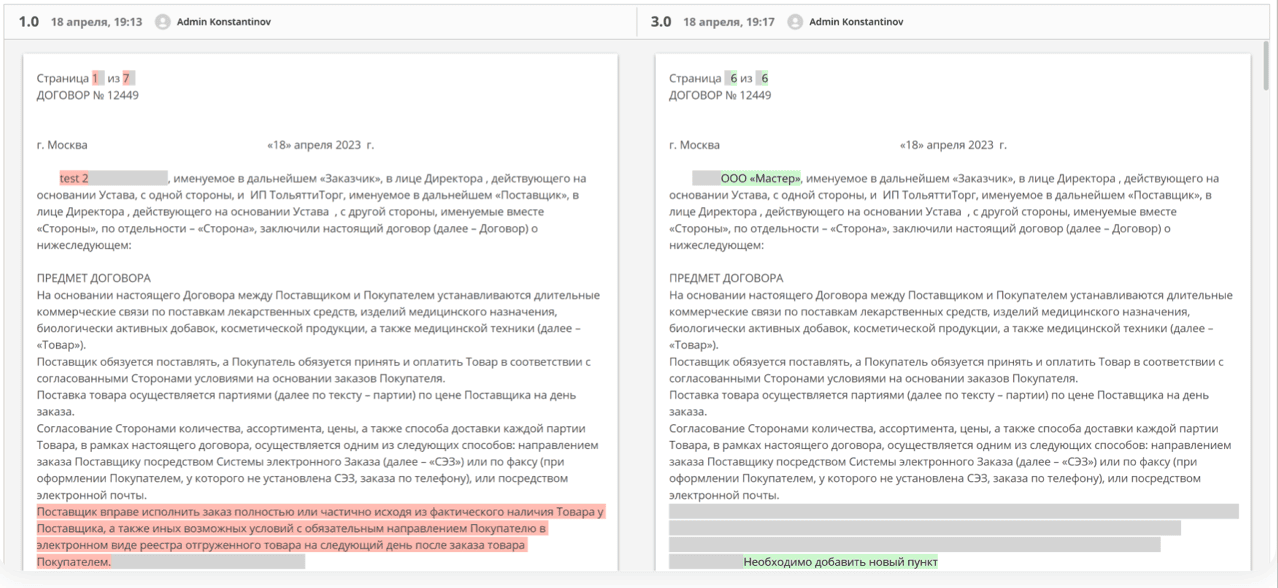
Document versions can be compared — select the versions and click Compare (2). Differences will be highlighted:
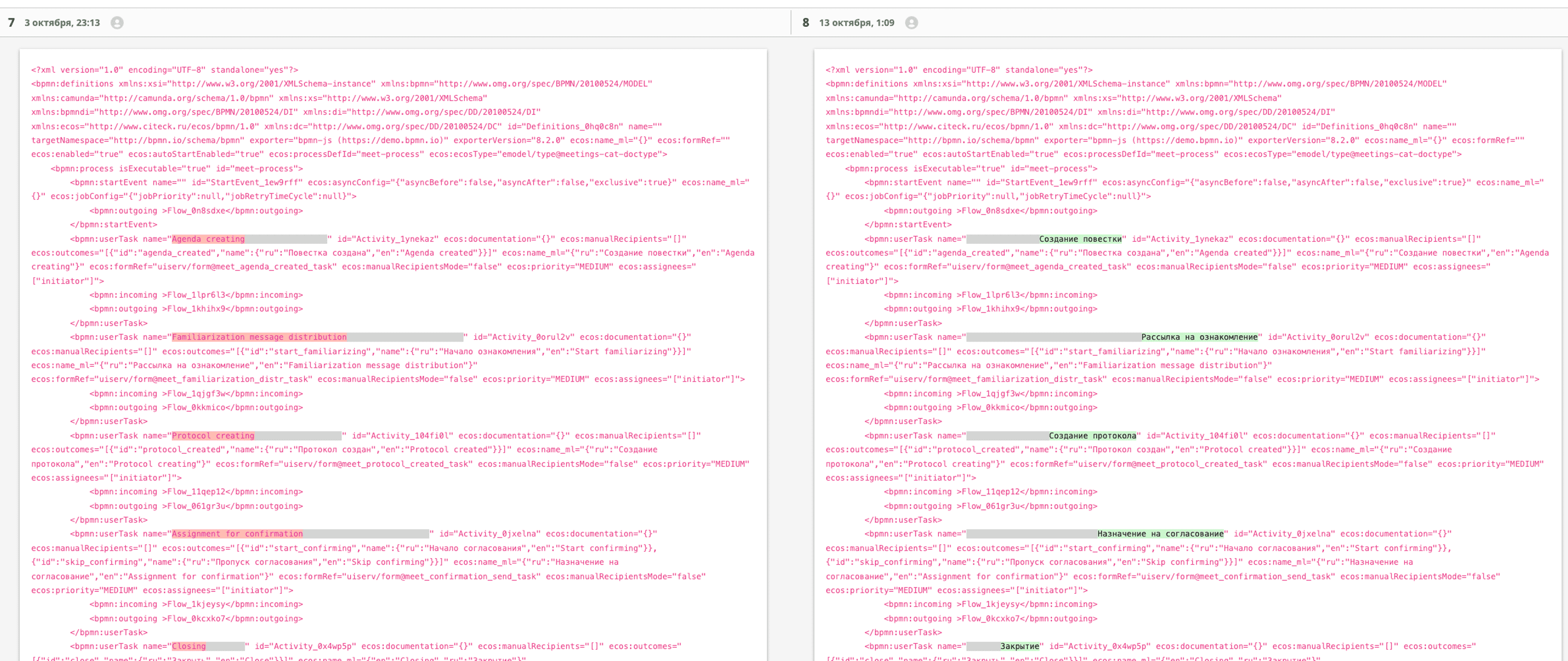
For a BPMN process:
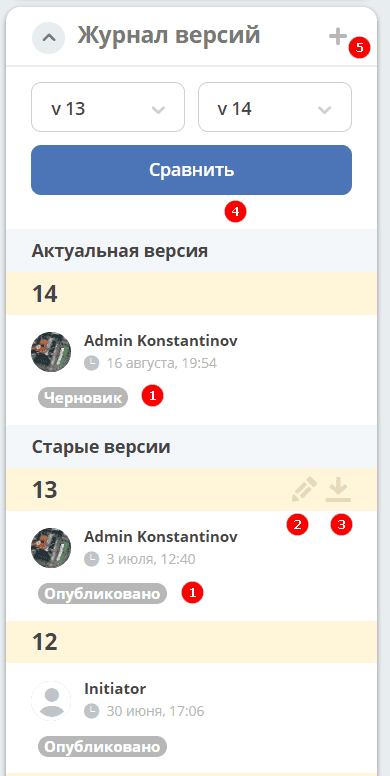
The widget includes a “tags” feature. A published process version will display the “Published” tag; a process saved as a draft will show the “Draft” tag (1).
An edit button (2) has been added; clicking it opens the BPMN editor for that specific process version.
Clicking the download button (3) downloads the specific process version.
When saving a process in the editor, if there are differences, a version increment is saved.
To compare process versions, select the versions and click “Compare” (4):
To upload a new version, click (5):
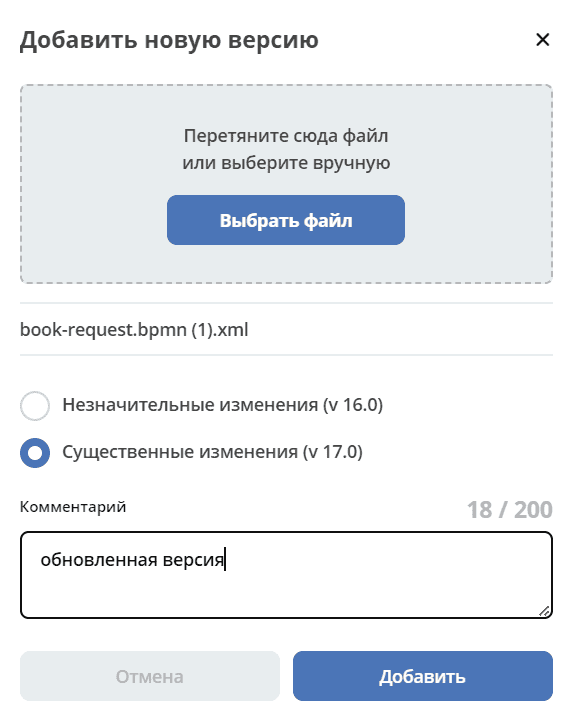
Select a file, specify the type of changes and a comment if needed, then click “Add”. The uploaded version will become the current one.