Releases Module
The module allows the company to record and account for all stages related to software or product releases of the company and its divisions.
The module ensures transparency and systematization of the release process, allowing the company to more effectively manage and control the stages of development and implementation of new products.
Implemented Requirements:
The module provides the ability to create and manage release projects, where users can add and track the stages of each release.
Each release project contains necessary attributes such as release name, description, start and end dates, responsible persons, and other related details described below.
Users have the ability to mark completed stages to track progress and the current status of the release.
The new module is integrated into the Citeck user interface, ensuring ease of use and navigation.
Business Process Diagram
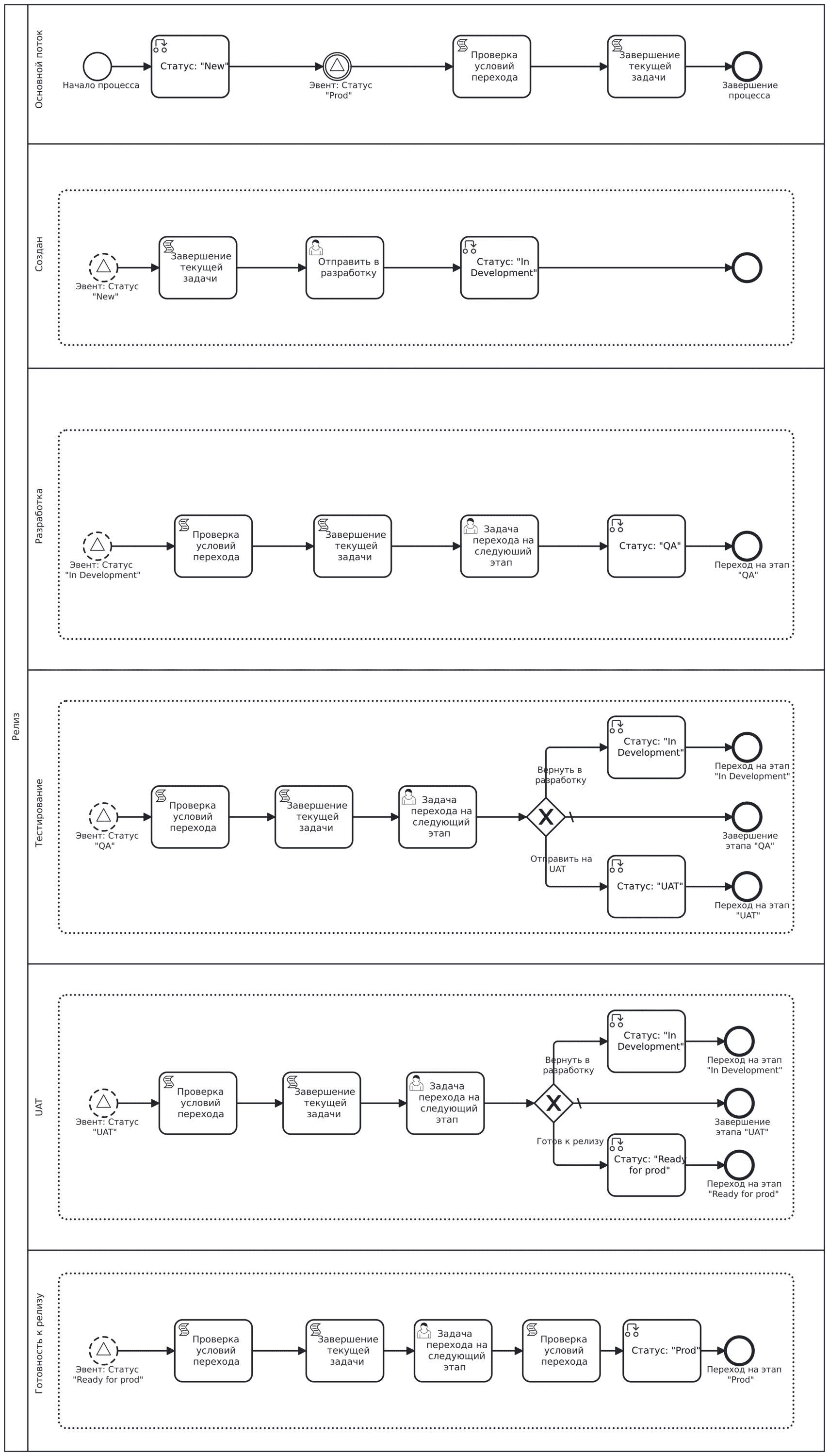
Roles
Assignee
Responsible Persons
Director
Organizational structure groups to which users must be added
Release Responsible Persons
Statuses
New |
Release project |
In development |
Release in development |
QA |
Release testing |
UAT |
UAT release testing |
Ready for prod |
Release verified and ready for deployment to prod environment |
Prod |
Release deployed to prod environment |
Available Workspace
The module is available in the workspace of each project in Project tracker.
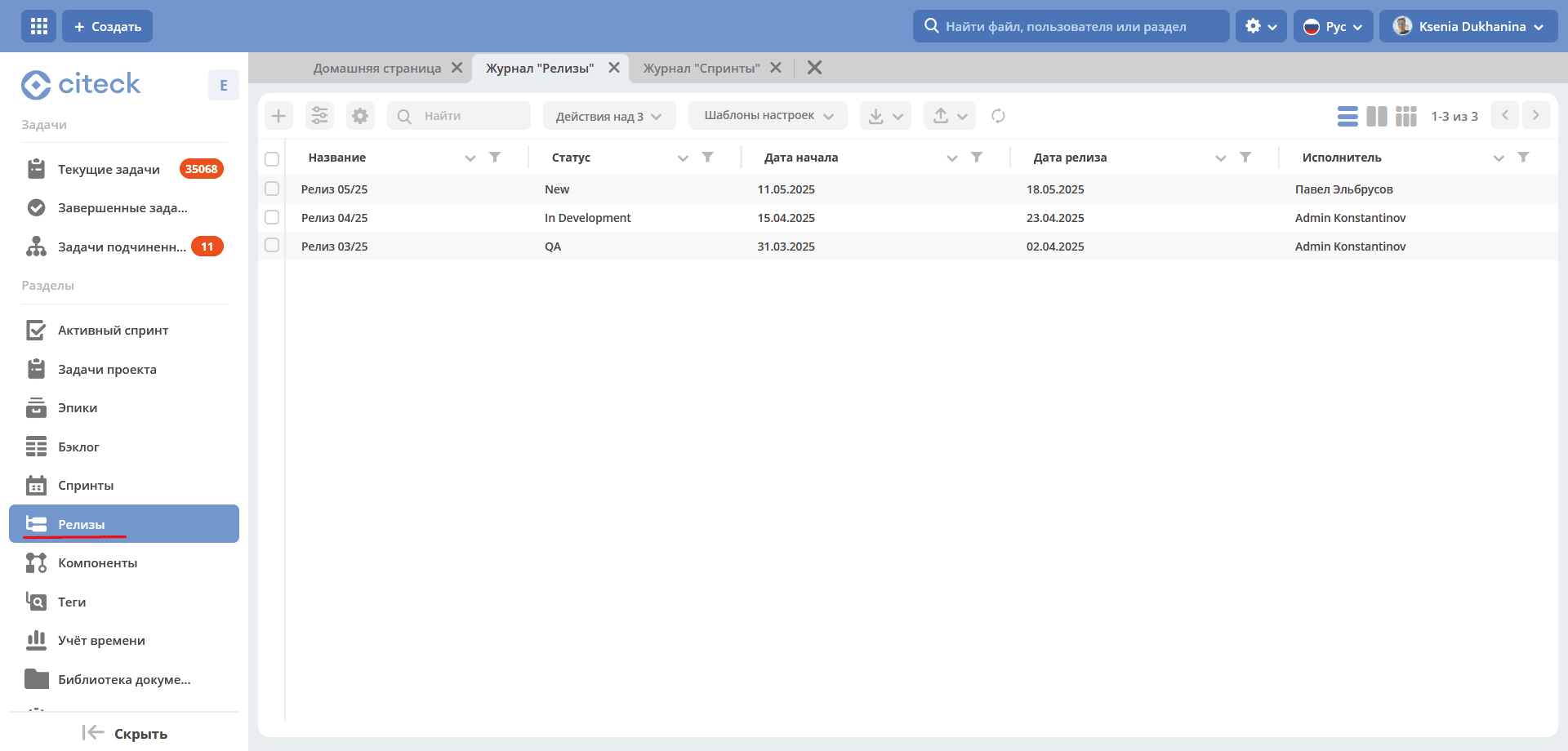
Journal and Kanban Board
Note
The journal is available only to members of the release-responsible-persons group (Release Responsible Persons).
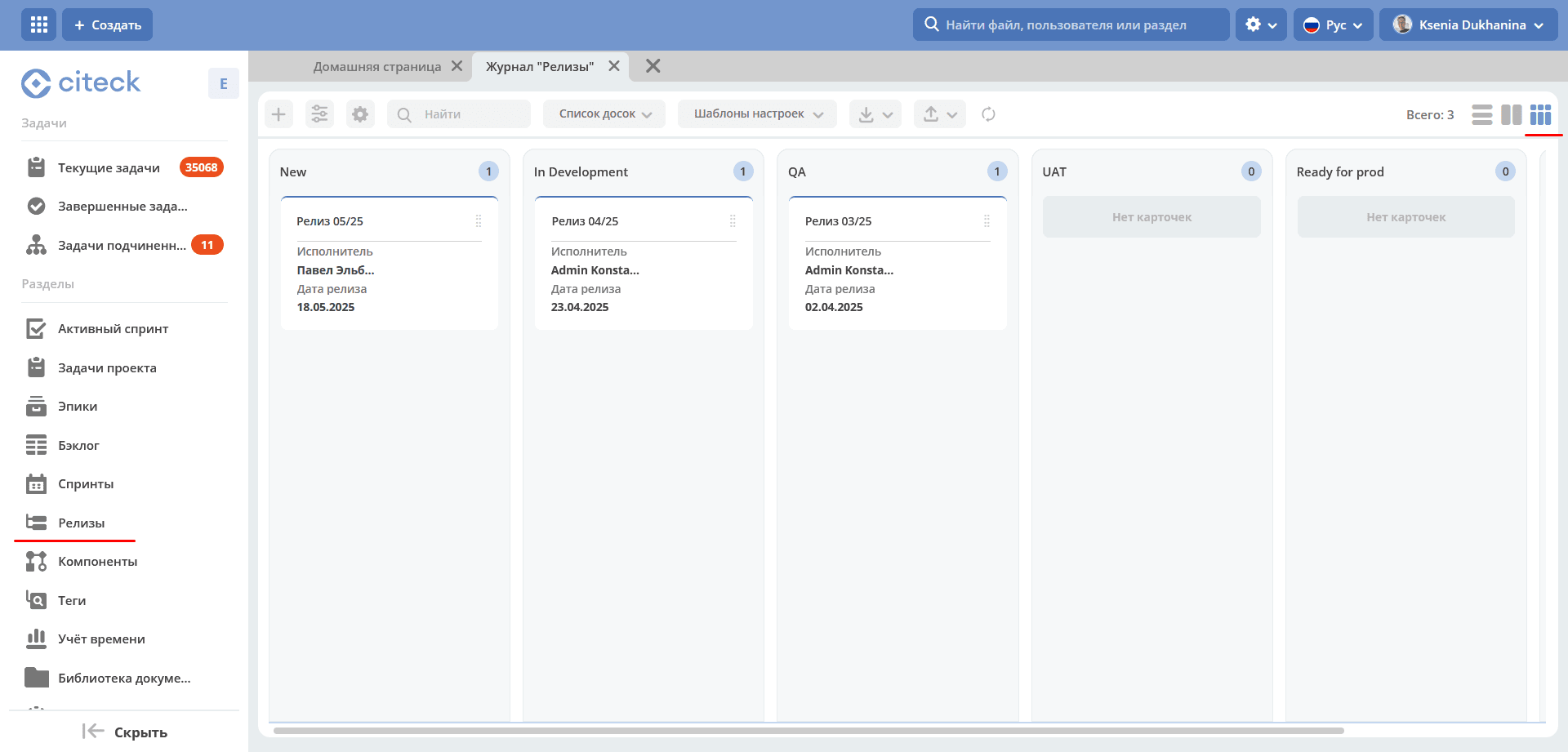
A Kanban board is also available. The board columns display release statuses, and the releases themselves are distributed across statuses on the board. Clicking on the release name navigates to the request card.
Release Card

Mandatory fields to fill in:
Release name;
Assignee;
Start date;
Planned release date. The planned release date must be later than the start date.
Release Dashboard with Widgets
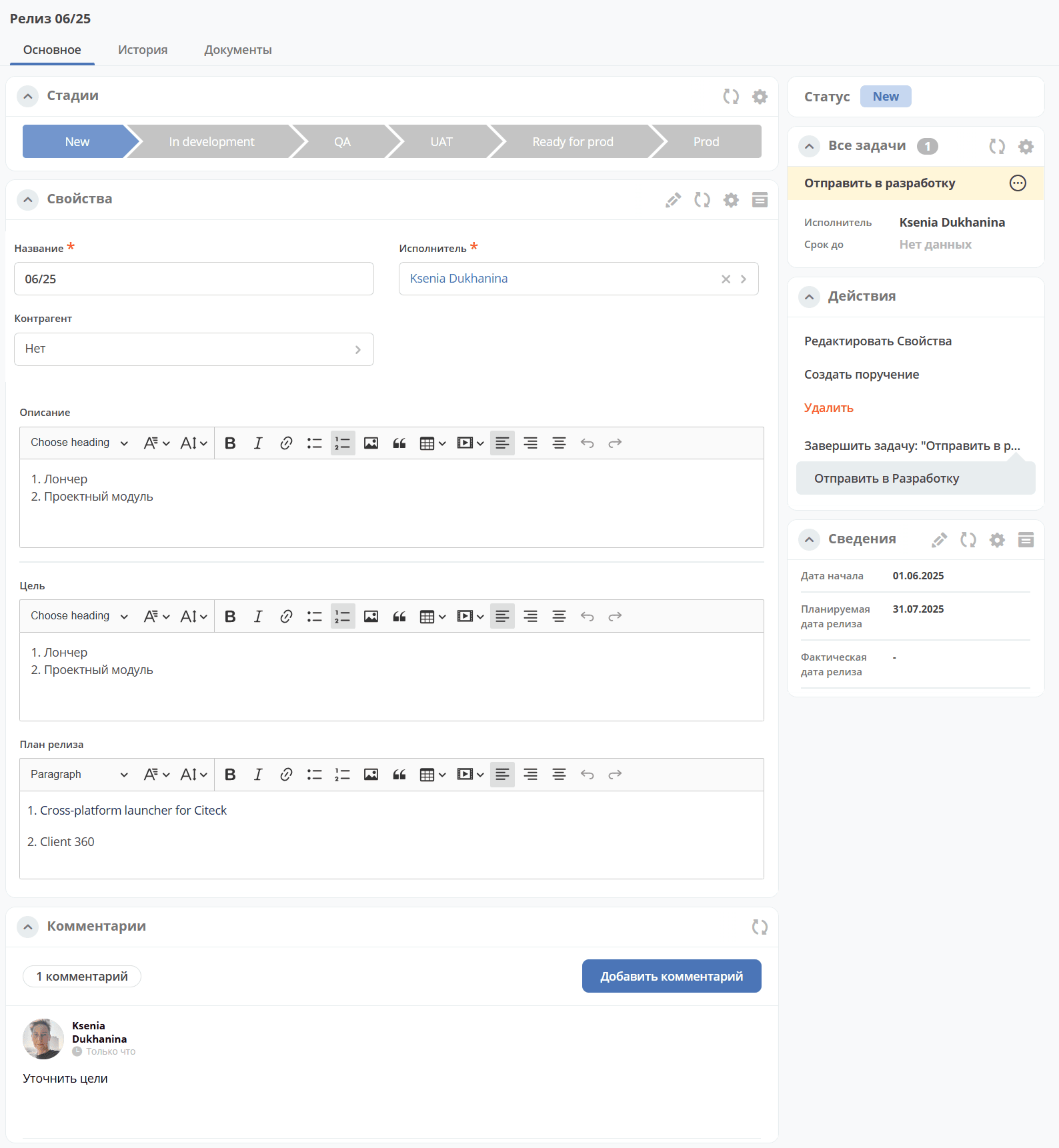
The dashboard contains the «Stages» widget, which visualizes the progression through release statuses.
Status Change
Transition between statuses is done via the Kanban board by moving the card across columns. The columns correspond to release statuses:
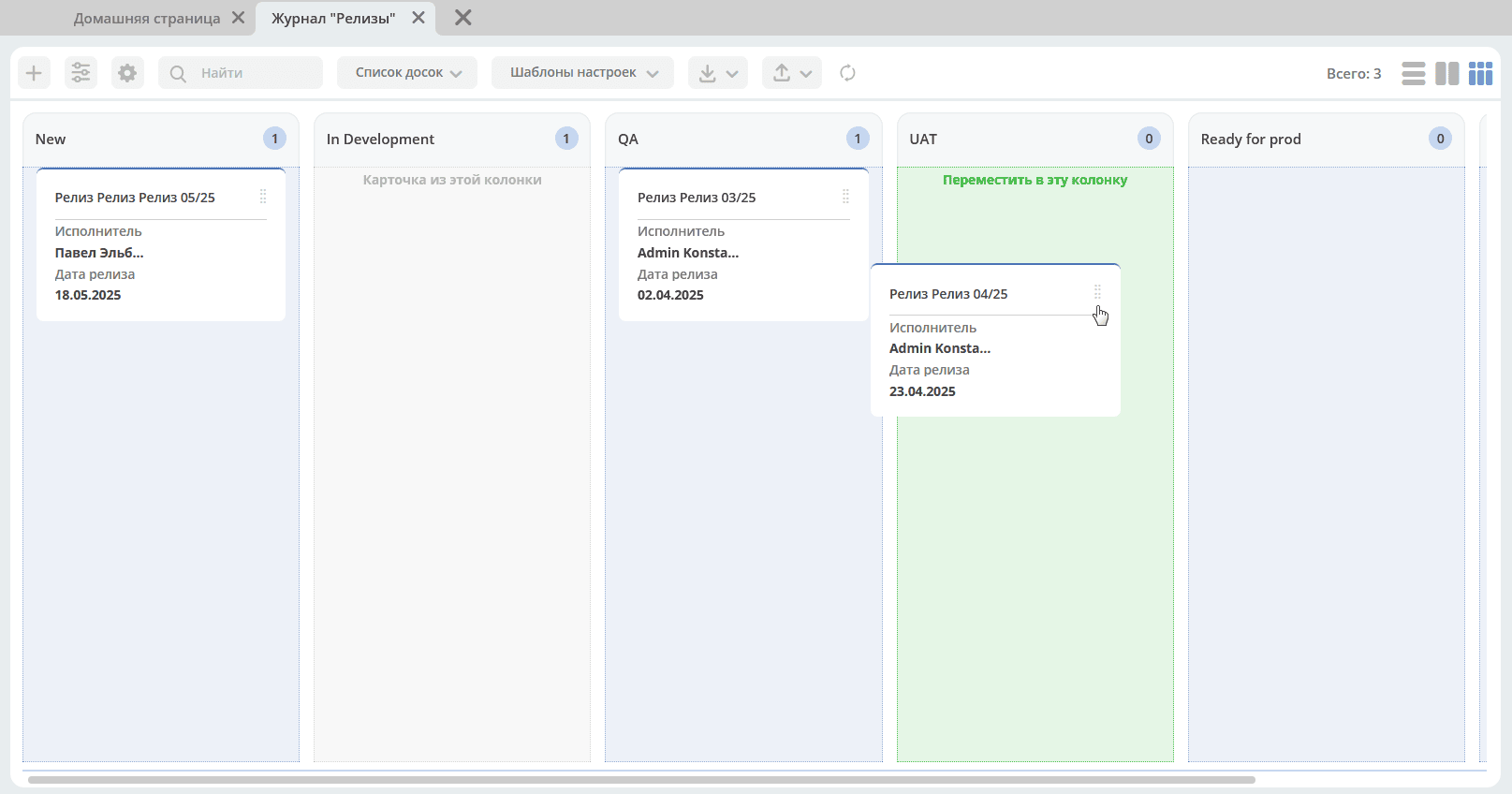
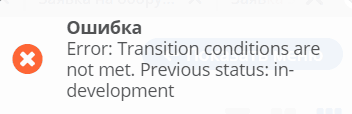
If the conditions for transitioning from one status to another are not met, an error will be displayed, for example:
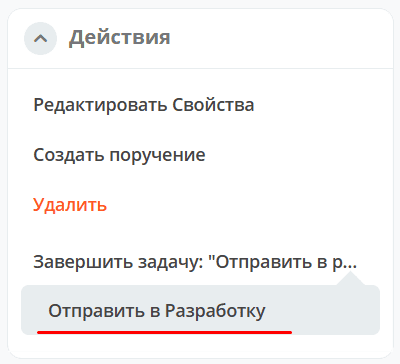
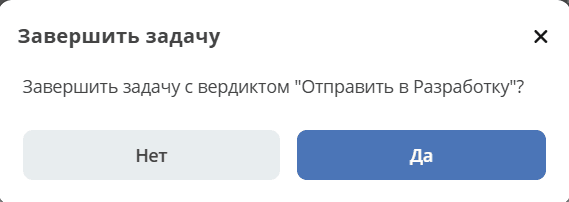
Or by using the action options «Complete task: “Task for transitioning to the next stage» in the card. The action requires confirmation.
Status |
Available Actions |
|---|---|
New |
Send to development |
In development |
Send for testing |
QA |
Return to development
Send to UAT
|
UAT |
Return to development
Ready for release
|
Ready for prod |
Deploy release to prod environment |
Prod |
Complete release |
Creating an Assignment for a Release
For a release, you can use the assignment creation functionality by selecting the action «Create Assignment». See details: Creating an assignment from the card