Passes Module
The module is designed for issuing and tracking passes.
Business Process Diagram
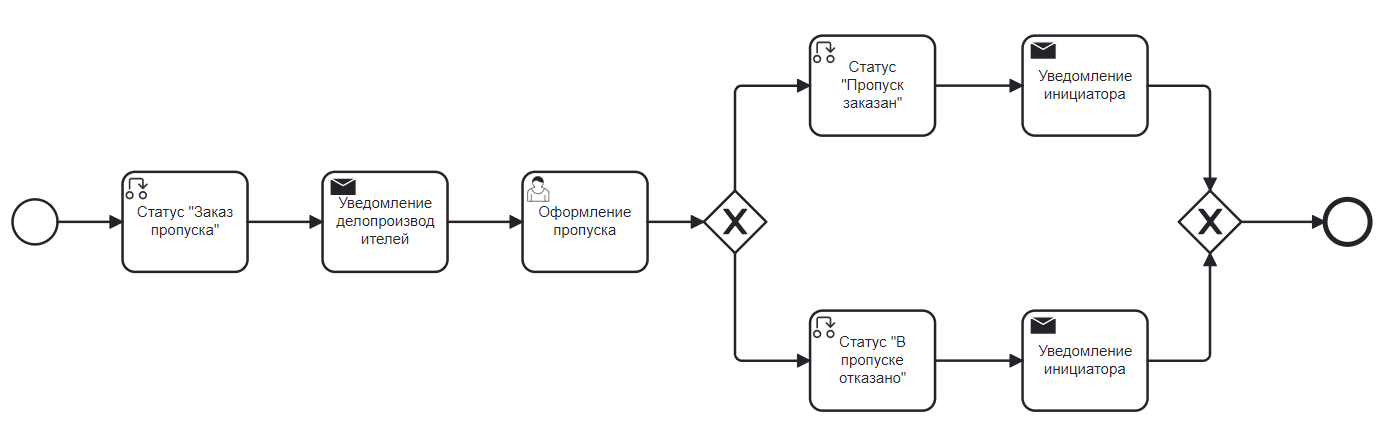
Roles
Initiator |
A user with the right to create a pass. |
Records Manager |
Employees belonging to the ‘Records Managers’ group and, accordingly, included in the role with the same name, who approve the pass. |
Organizational structure groups to which users must be added
Records Managers
Statuses
Pass Order |
After creating a pass when sending the ‘Pass Issuance’ task. |
Pass Ordered |
Upon approval in the ‘Pass Issuance’ task. |
Pass Denied |
Upon rejection in the ‘Pass Issuance’ task. |
Available Workspace
The module is available in the workspace Corporate Portal.
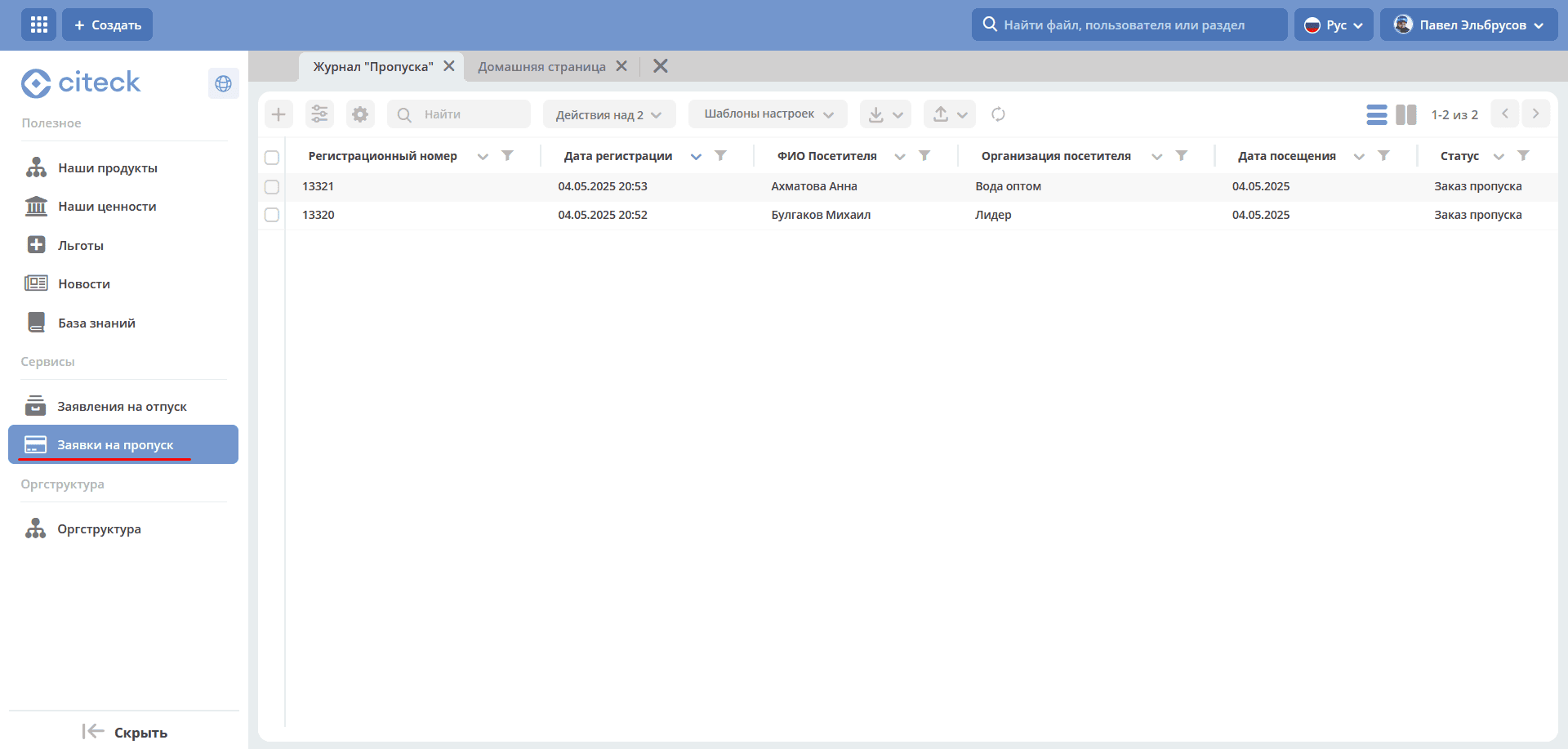
Journal
Passes are available for viewing in the “Pass Applications” journal:
Pass Card with Widgets
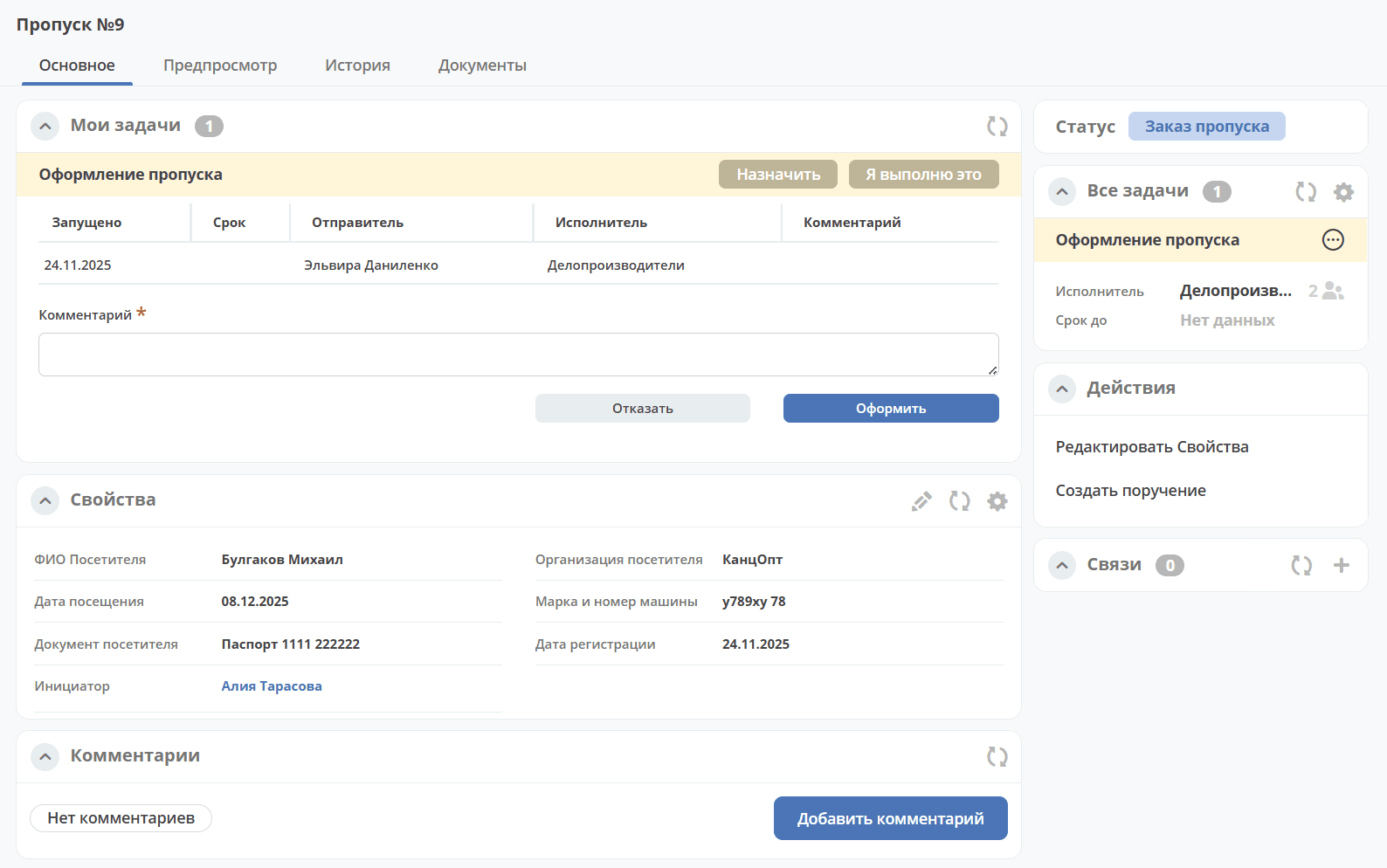
Details about widgets.
Creating a Pass
Creation is possible either using the quick create button:
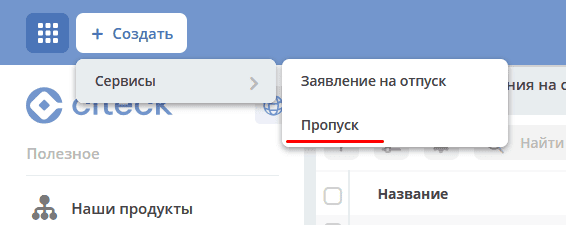
or from the «Passes» journal:
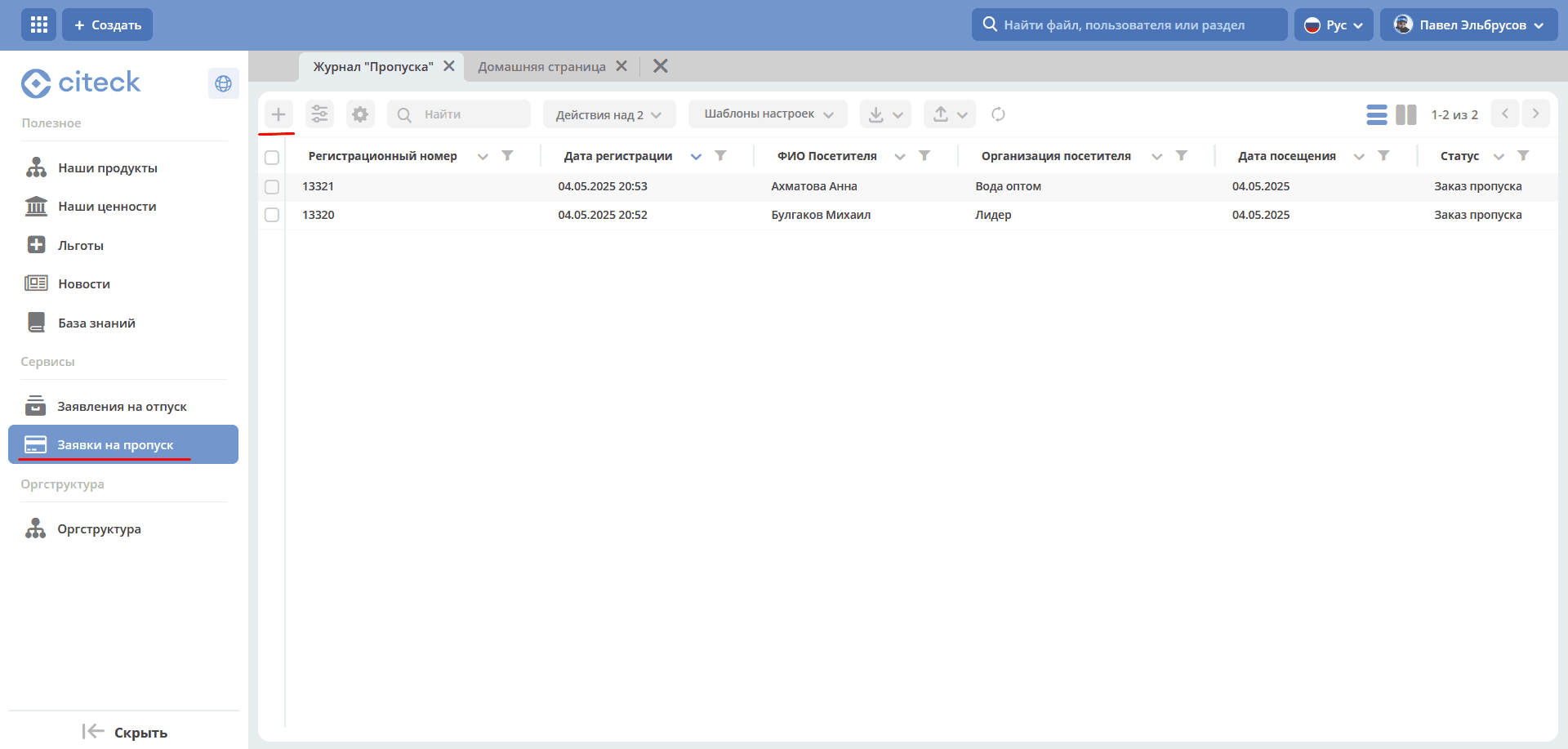
The form for creating a Pass becomes available on the screen:
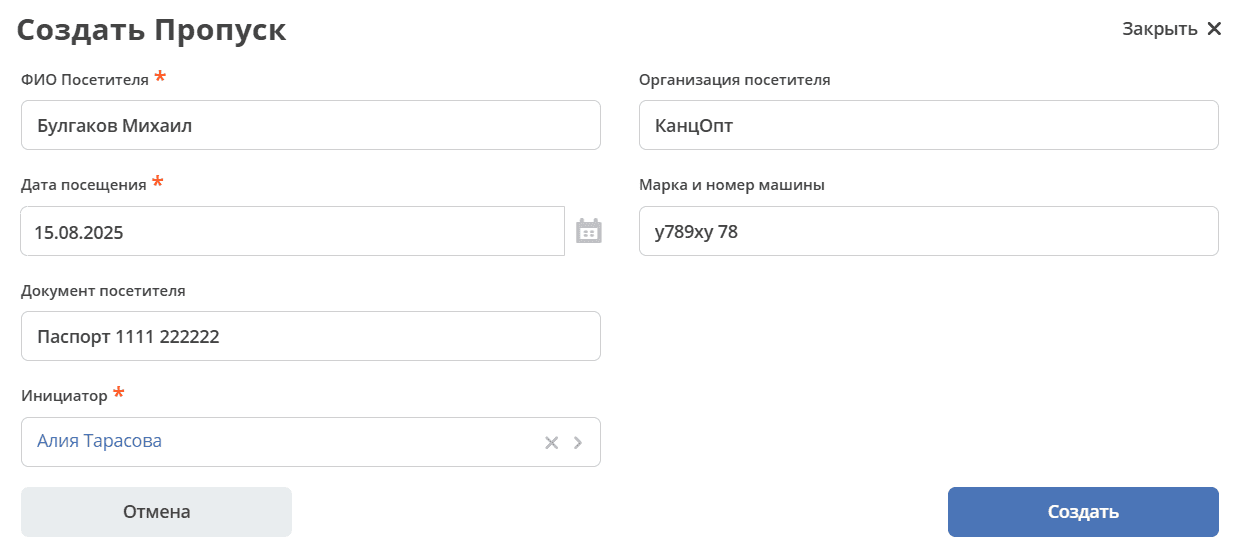
Fill in the mandatory fields marked * and click «Create».
The system creates a task «Pass Issuance», which is assigned to employees belonging to the «Records Managers» group and, accordingly, users included in the role with the same name.
The task remains active until any of the assigned employees is the first to make a decision to approve or deny the pass issuance.
Task «Pass Issuance»
The Records Manager can navigate to the Pass in status «Pass Order» in any of the following ways:
from the received notification;
from the «Current Tasks» journal;
by opening the pass in the «Passes» journal.
Details about tasks.
The Pass card opens in a separate tab:
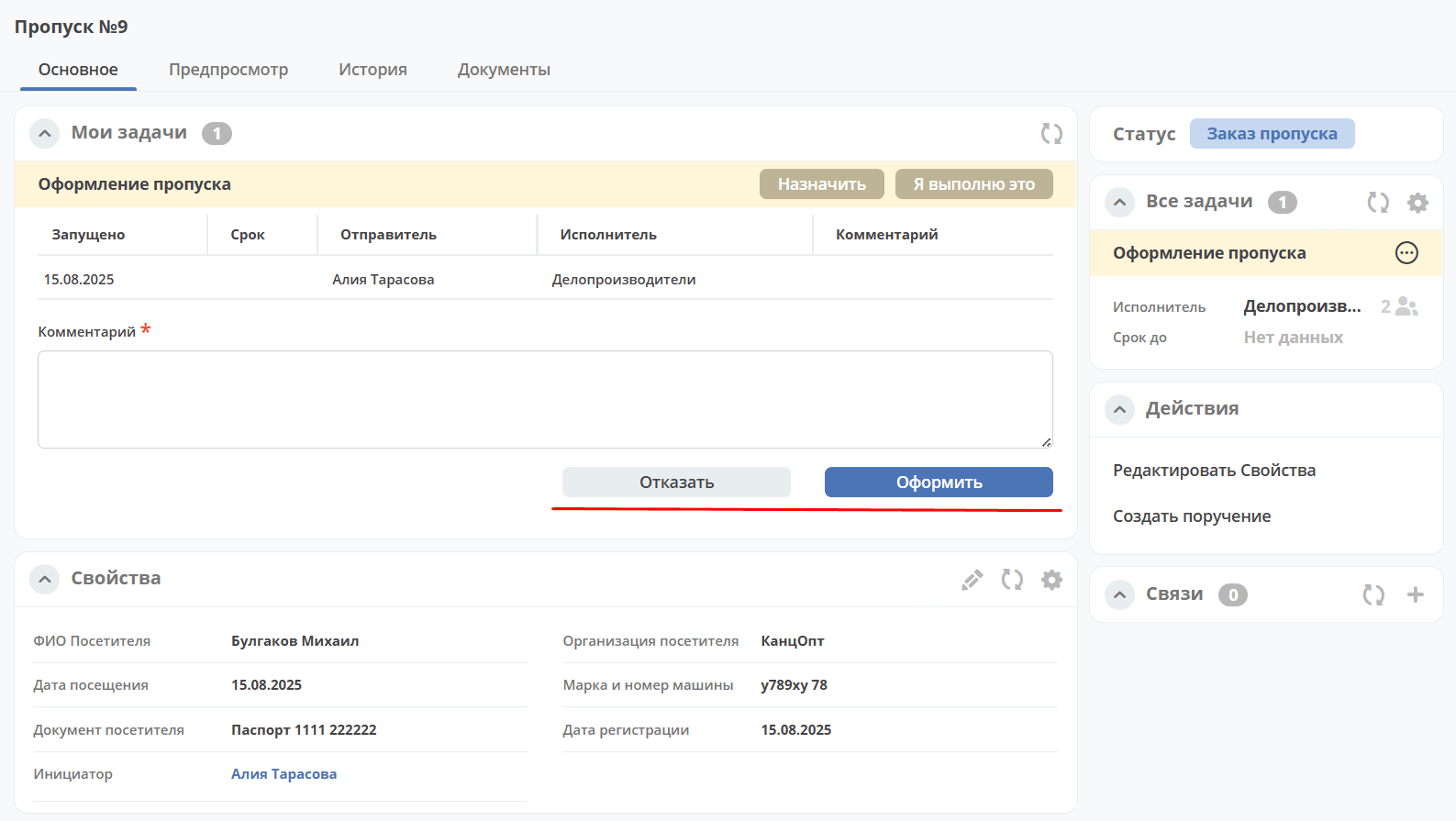
The assignee in the «My Tasks» widget makes a decision and clicks «Issue» or «Deny».
When denying, the «Comment» field is mandatory.
The pass transitions to the final status «Pass Ordered» or «Pass Denied», respectively.
Actions with a Pass
Create Assignment
An assignment can be created from the document card by selecting the action «Create Assignment». See details: Creating an assignment from the card