Time Tracking
The system has functionality that allows tracking the time an employee spends working on a specific task or document directly from the task or document card.
All entered information about the recorded time spent is available in the Time Tracking journal.
Time Entry
A user can maintain a work log for their tasks (where they are the sole assignee or have taken on the task) for any data type where this action is configured.
And, accordingly, if a user is not a participant in the process, they cannot enter time spent.
A user can specify working time directly in the task itself or through the journal of active, completed, or all their tasks.
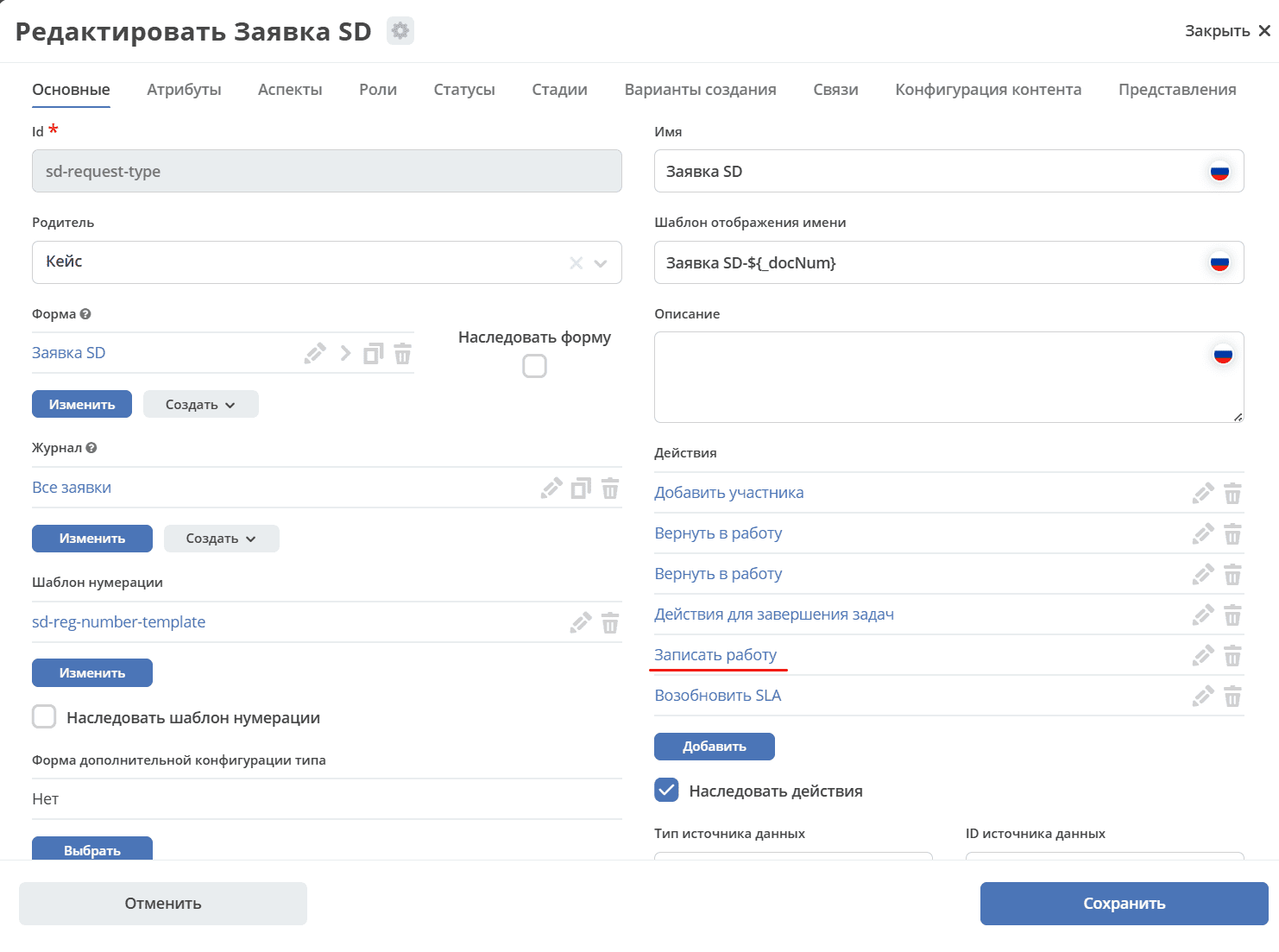
The form for entering time spent is available via the «Log Work» action in the task or document card’s action widget.
Let’s consider the functionality using an SD request as an example:
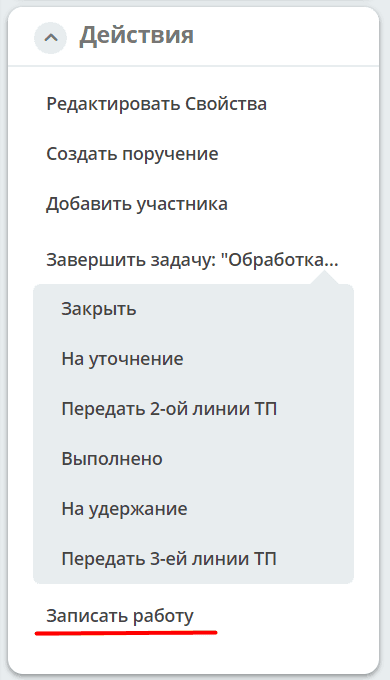
When the action is selected, the time tracking form opens:
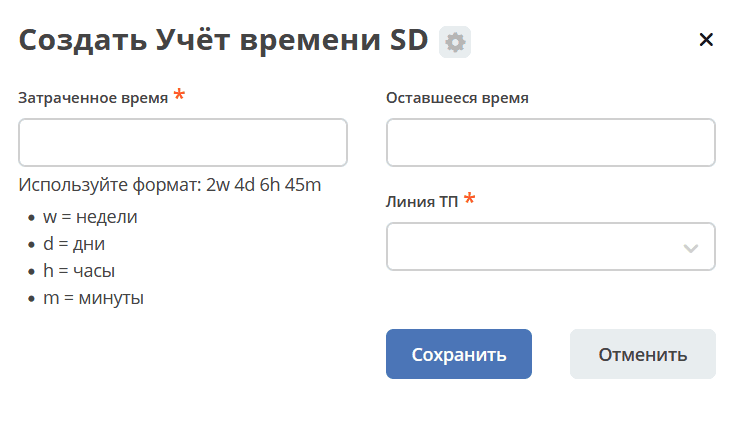
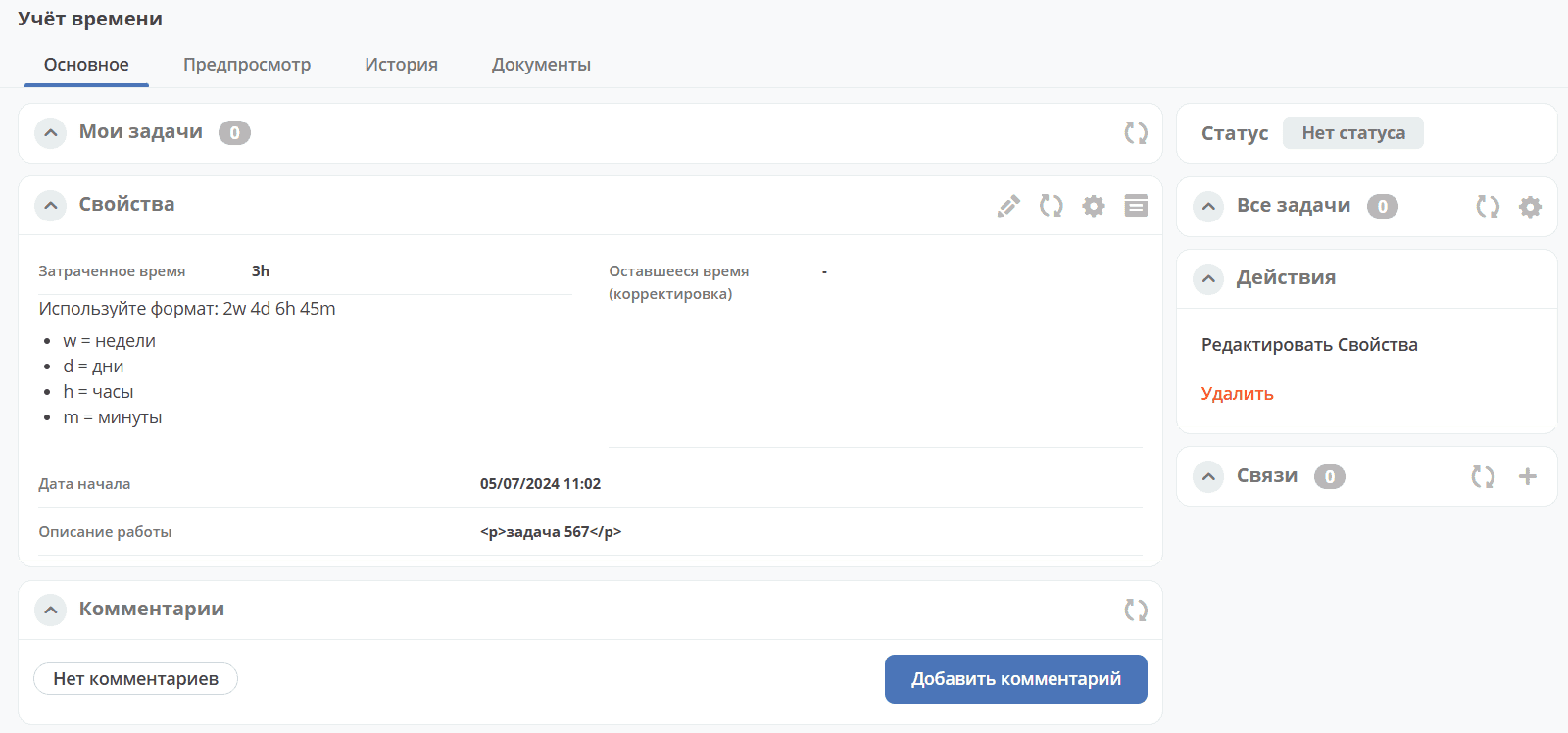
In the form, you must enter Time Spent in the format 2w 4d 6h 45m, select Support Line, click Save, then fill in Start Date and Work Description if necessary:
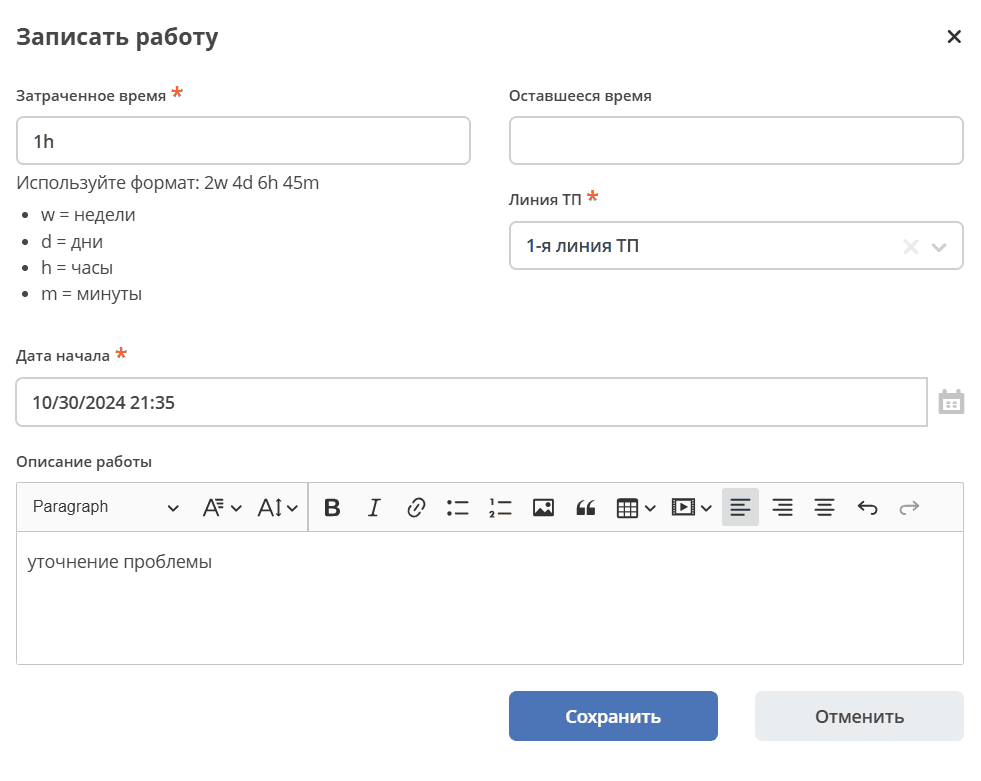
Remaining Time - the difference between the Due Date and the sum of time spent on the current task.
Due Date - filled in automatically.
When logging time, it is automatically subtracted from the remaining time for that line, and the Remaining Time widget is updated.
«Time Tracking» Journal
All entered information is available in the SD Time Tracking journal (the journal includes both active and completed user tasks):
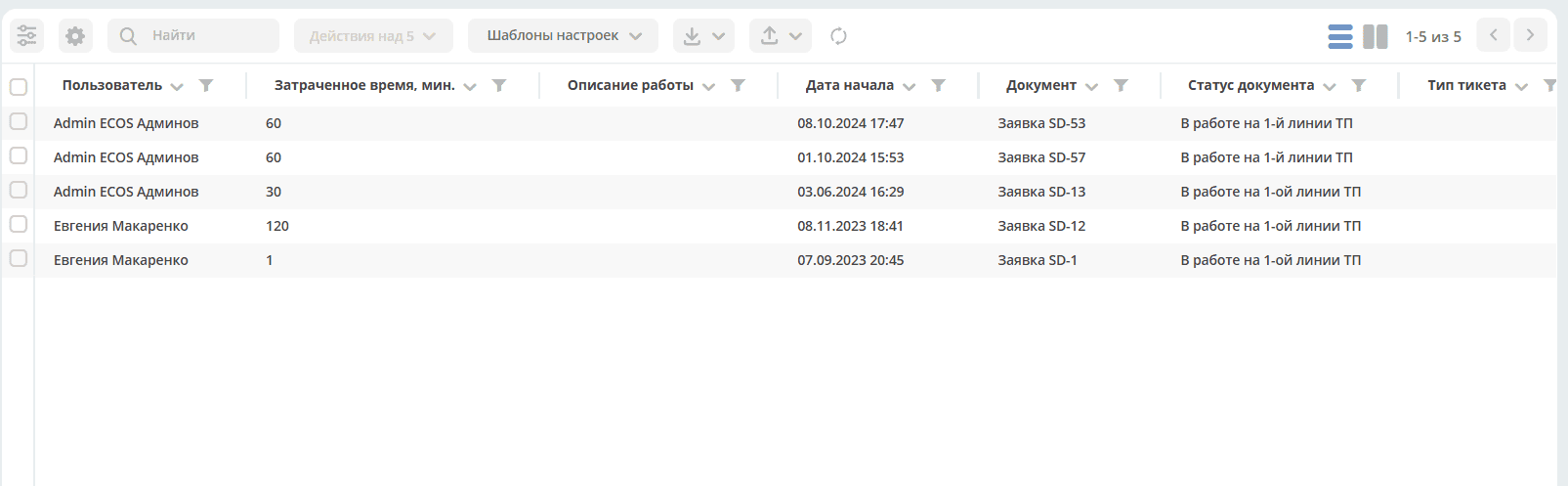
Journal fields:
User |
The user who entered the time spent data |
Document |
The document the user was working on when they entered the time spent |
Time Spent, min |
Time spent in minutes |
Work Description |
Description of the work performed |
Start Date |
The date when the first time spent entry was made |
Document Status |
Status in the task or document card |
In the journal, you can view information about the time spent entered for a task:
Data Type Configuration
In order to log time against tasks or documents, it is necessary to add the Log Work action to the data type:
Implementation
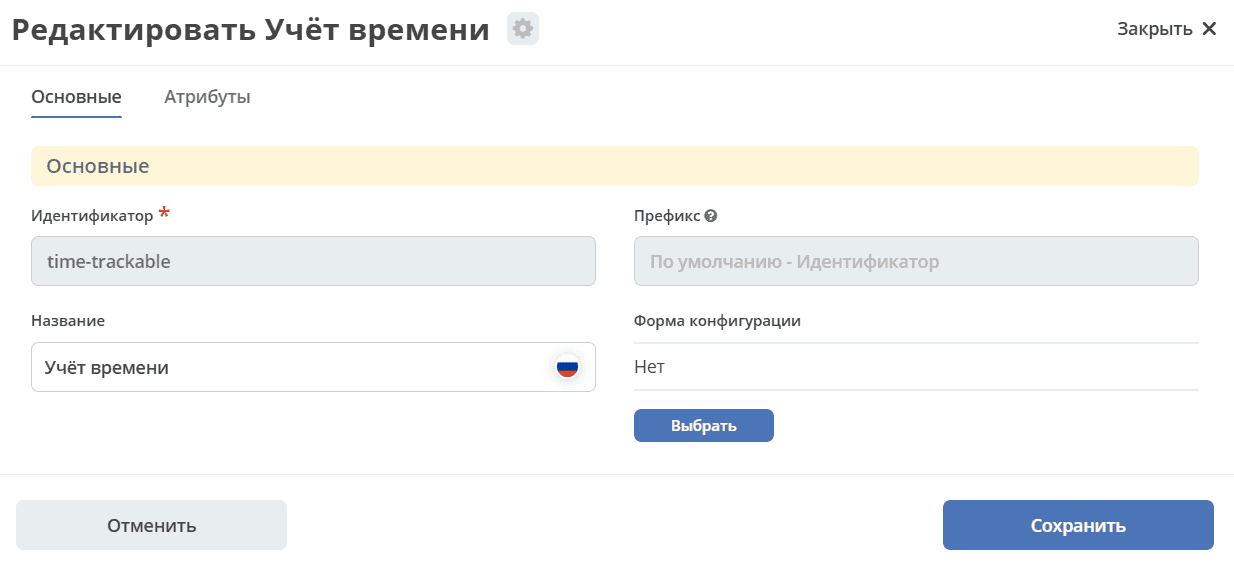
Time logging is implemented using the time-trackable aspect:
In the aspect, the timeTracking attribute is represented as a child association:
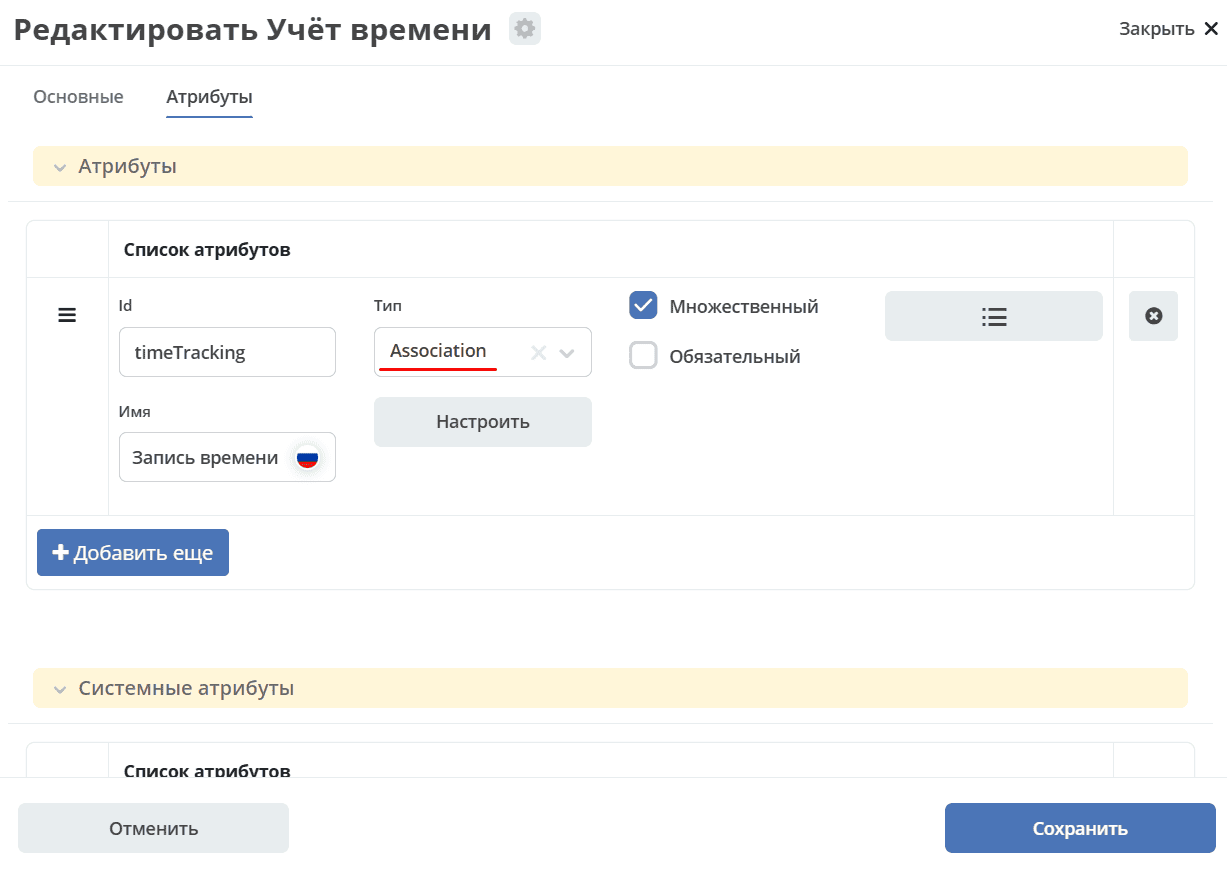
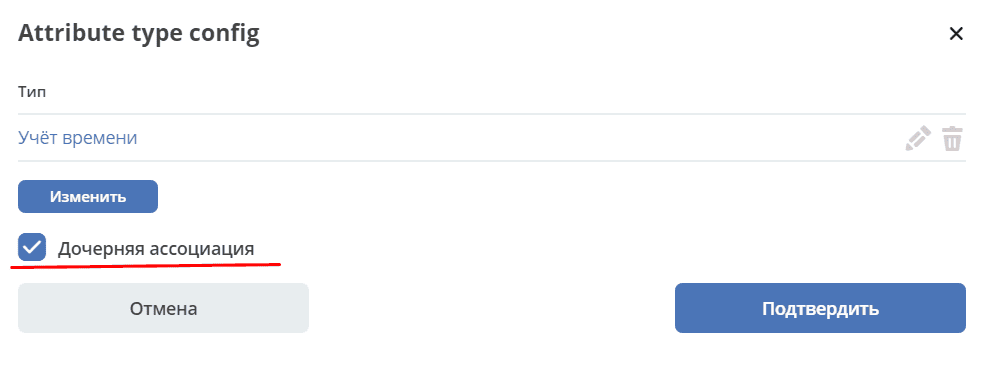
The SD request has the time-trackable aspect added via a parent association.
A new timeTracking entry is added to the request via this association, and then the aspect is added.