Module «Vacation Requests»
The module facilitates the creation, approval, and accounting of vacation requests.
Business Process Diagram
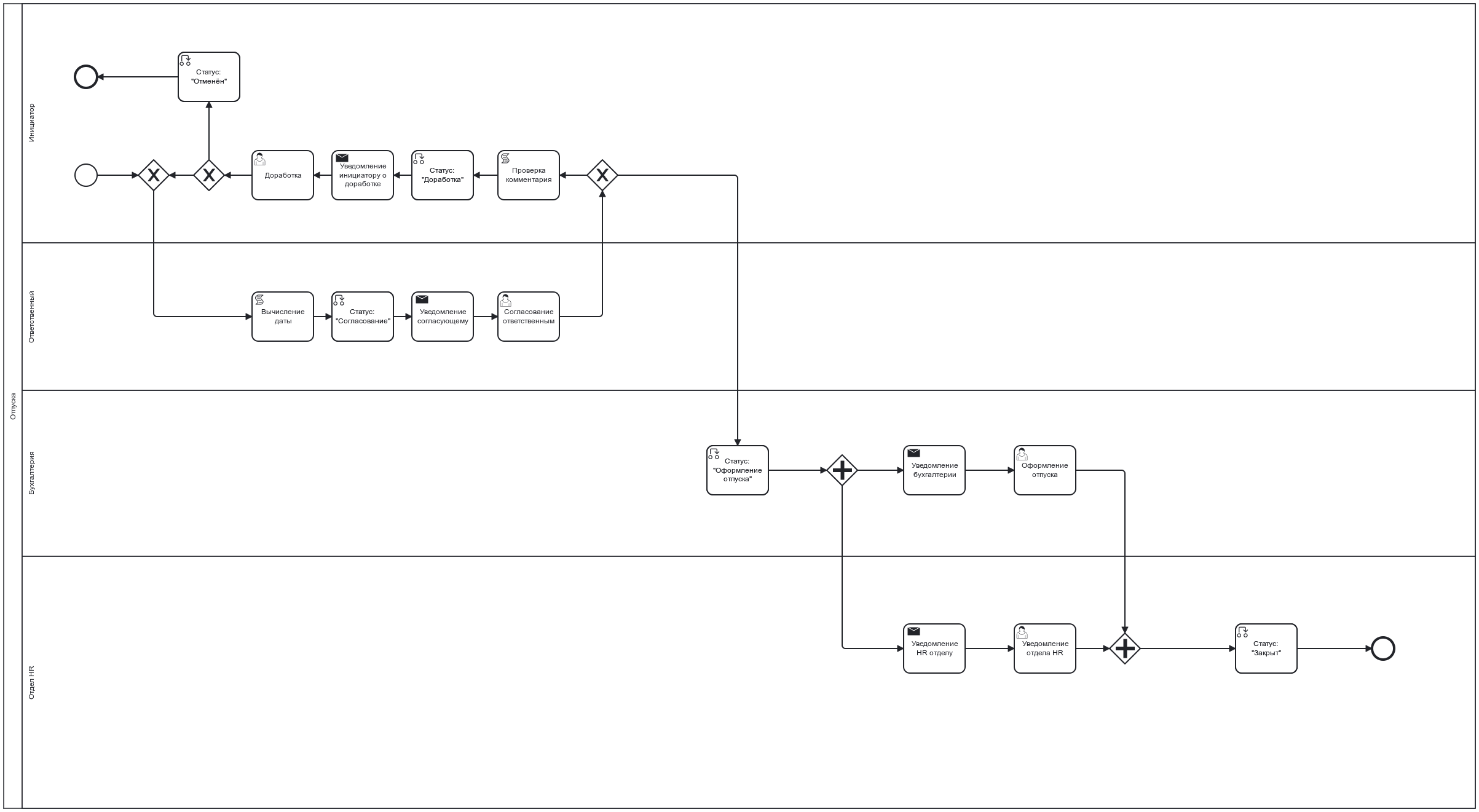
Roles
Initiator |
Company employee creating the request in the system. |
Approver |
Company employee approving the vacation request. |
Vacation Processing Specialists |
A group of employees receiving the task for calculating vacation pay and preparing financial documents. |
HR Notification Group |
A group of employees receiving the task for accounting and preparing HR documents. |
Organizational Structure Groups Where Users Must Be Added
Vacation Processing Specialists (vacation-registrators);
HR Notification Group (vacation-familiarizers).
Statuses
Draft |
Request created by the Initiator but not submitted through the process. |
Revision |
After approval, the request was sent for revision to the Initiator. |
Approval |
Approval of the request by the Approver. |
Vacation Processing |
The group of accountants and HR department process the vacation according to the established procedure. |
Closed |
Vacation processed. |
Canceled |
Request canceled by the Initiator. |
Available Workspace
The module is available in the workspace Corporate Portal.
Journal
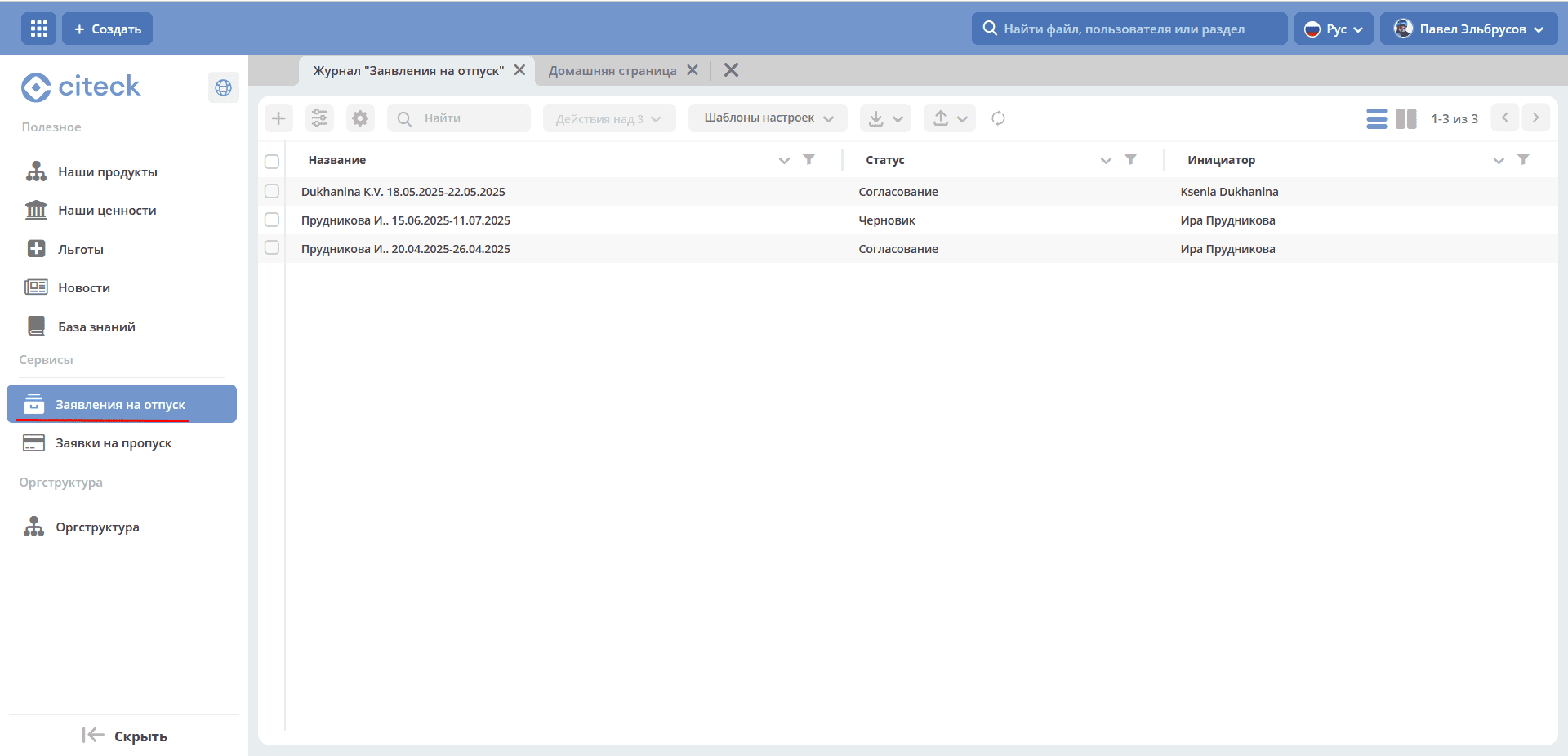
Creating a Request Card
Creating a vacation request in the System is possible using the quick create button:
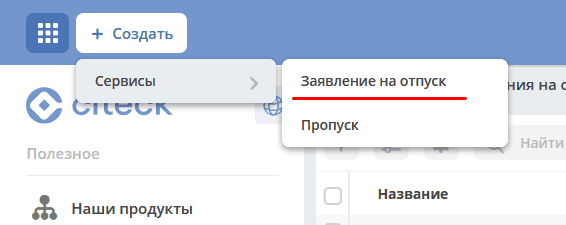
or from the journal «HR Documents - Vacation Requests»:
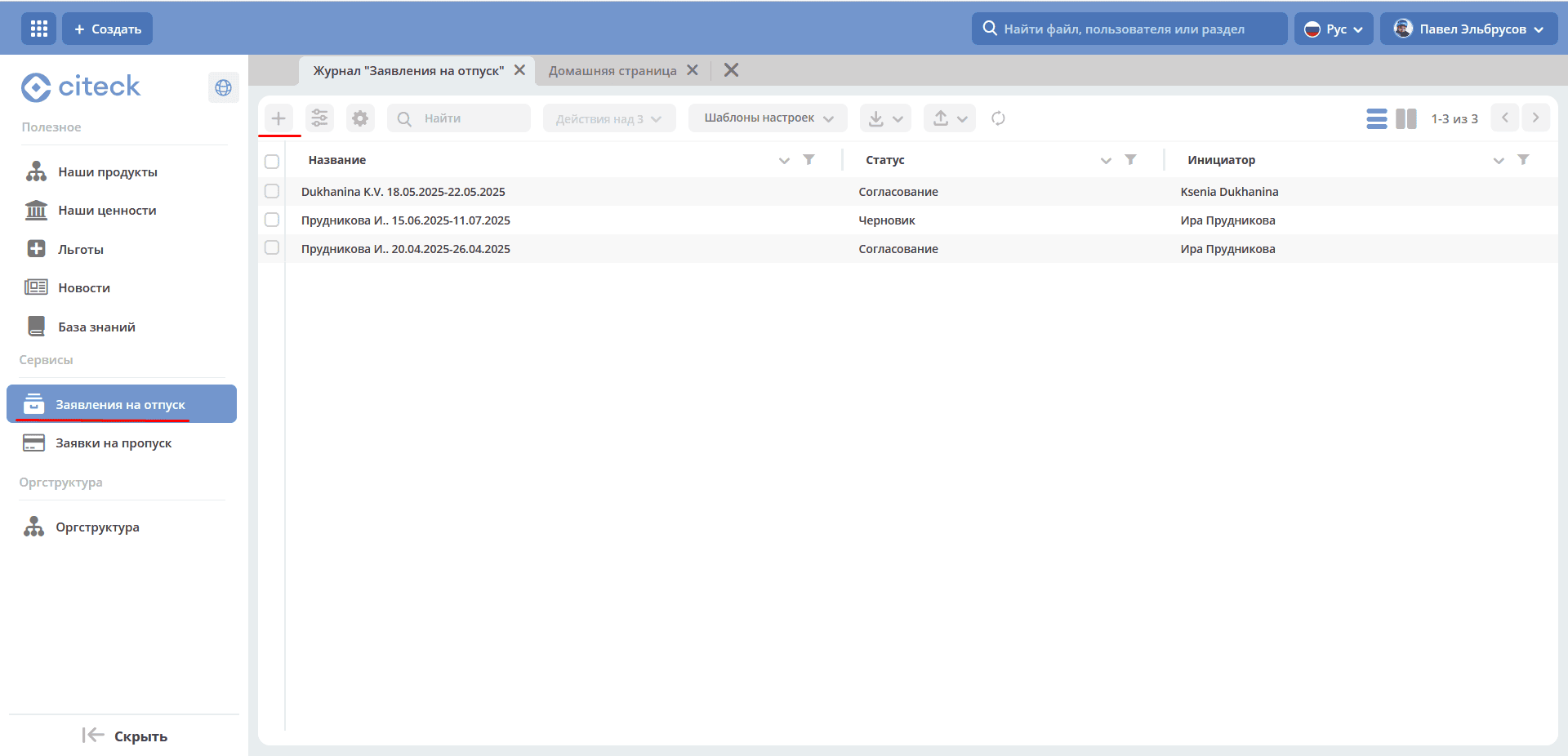
The Vacation Request creation form becomes available on the screen:
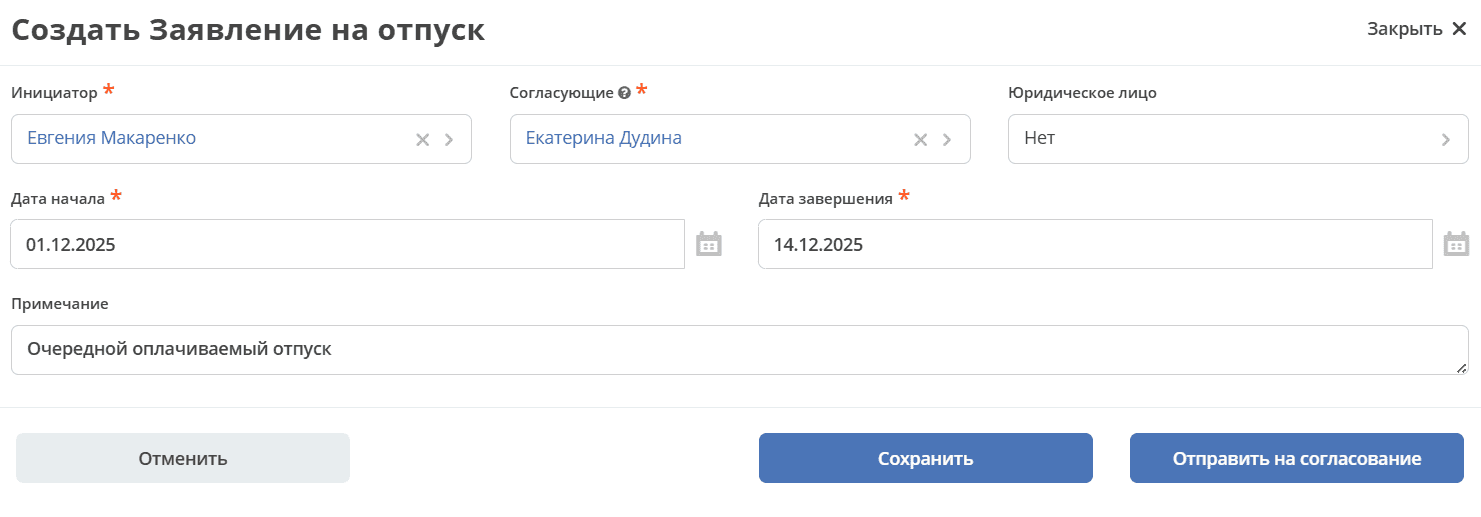
The Initiator field is automatically filled by the user who created the card. Select the Approver, Legal Entity (the field may be pre-filled), start date, and end date.
To submit the request for processing, fill in the mandatory attributes on the creation form and click the «Submit for Approval» button.
If it is not possible to fill in all mandatory attributes, the request can be saved with the status «Draft». To do this, click «Save». Subsequently, the draft can be edited, saved again, or submitted for approval after filling in the mandatory attributes.
All requests created in the System (including those with the «Draft» status) are displayed in the «Vacation Requests» journal.
Clicking the «Cancel» button closes the creation form without saving the request in the System.
Vacation Request Card with Widgets
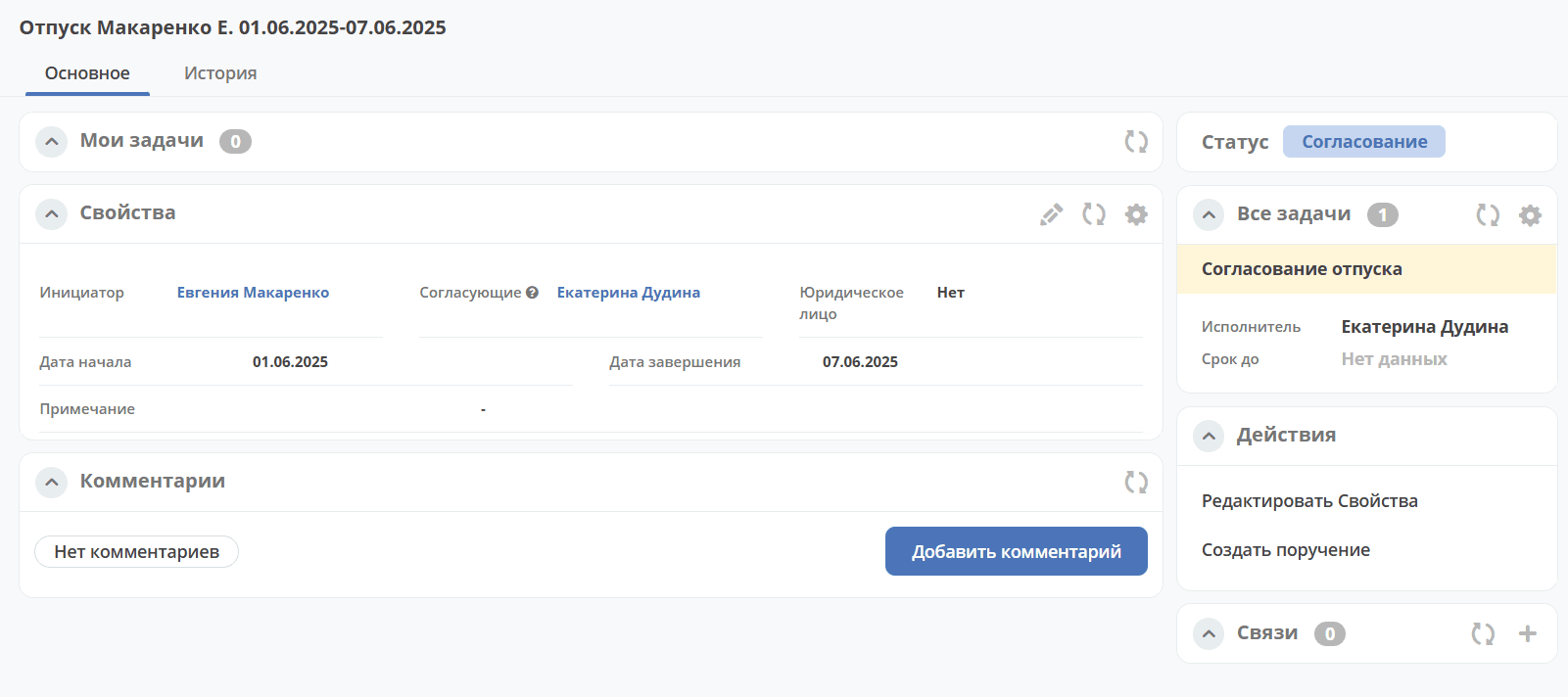
The card title is built as follows: «Vacation <Last Name Initials> <Start Date>-<End Date>»
Details about widgets.
Working with the Request at Different Statuses
You can navigate to the request in any status in one of three ways:
by opening the task in the «Current Tasks» Journal;
by opening the document in the Journal «HR Documents - Vacation Requests»;
by following the link from the received notification.
Details about tasks.
Approval
The task «Approval by Approver» is assigned to the Approver selected in the request card.
In the «Approval» status, the following task completion options are available:
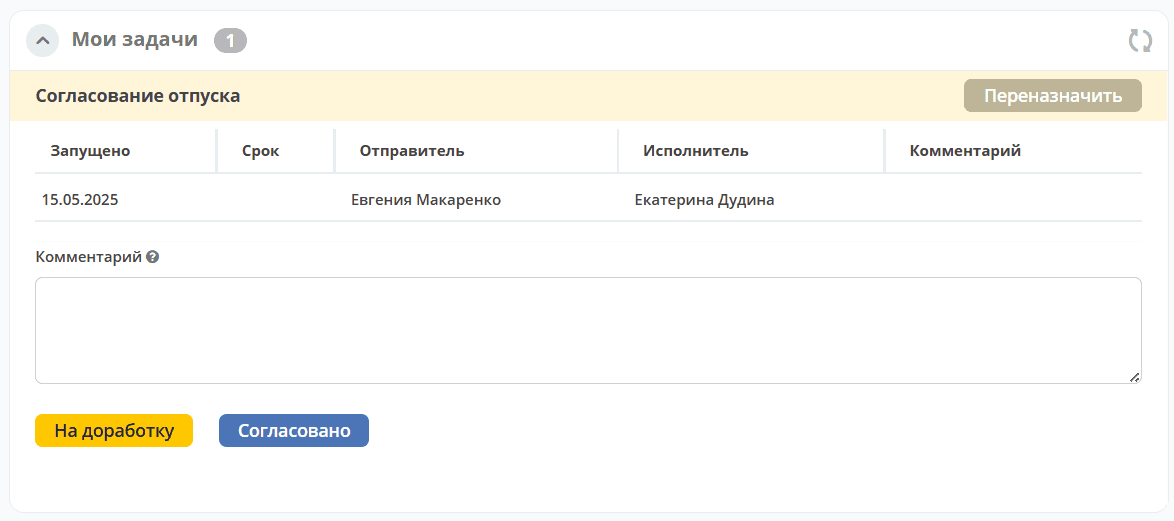
«Send for Revision» - send to the Initiator for revision if there are contentious issues in the request. Add a comment. The request moves to the «Revision» status. A notification will be sent to the Initiator of the request.
«Approved» - The request moves to the «Vacation Processing» status. The following tasks are assigned in parallel to the performers:
Vacation Processing - to the group of Accountants. The task deadline is 5 days before the vacation starts.
HR Department Notification - to the HR group. The task deadline is 5 days before the vacation starts.
Revision
Request revision is available to the Initiator.
In the «Revision» status, the Initiator has the following task completion options available:
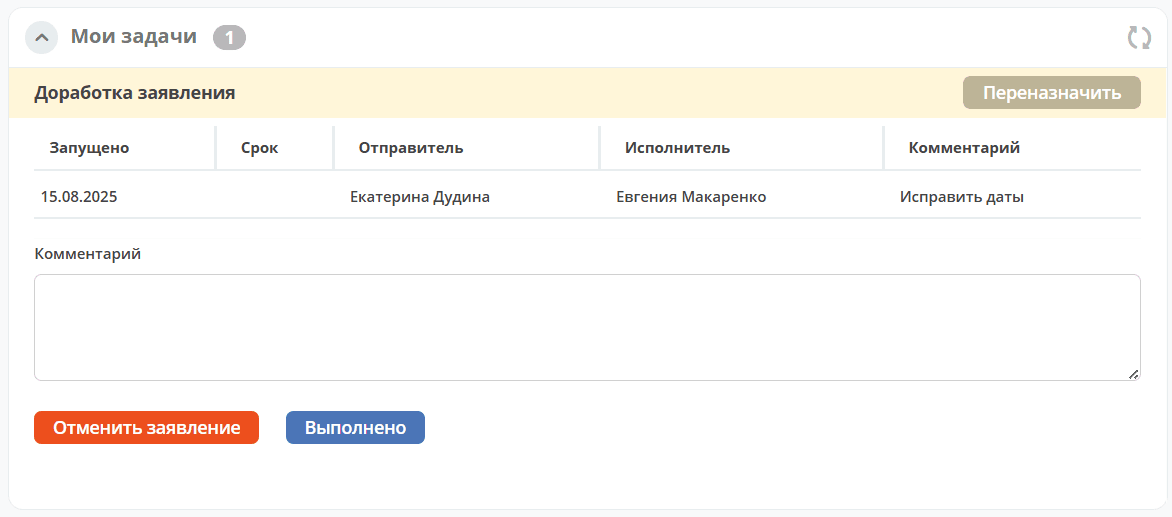
The Initiator reviews the comments left by the Approver in the Comment field, assesses the feasibility of revising the request. Using the «Edit Properties» actions, makes changes and makes a decision:
«Cancel Request» - if revising the request is deemed impractical. Add a comment. The request moves to the «Canceled» status.
«Completed» - if the Initiator made changes to the request. The request moves to the «Approval» status. A notification will be sent to the task performer.
Vacation Processing
Note
The tasks «Vacation Processing» and «HR Department Notification» have a deadline set for 5 days before the vacation starts.
Vacation Processing Specialists
The task «Vacation Processing» is assigned to the group of accountants for preparing financial documents. In the «Vacation Processing» status, only one task completion option is available:
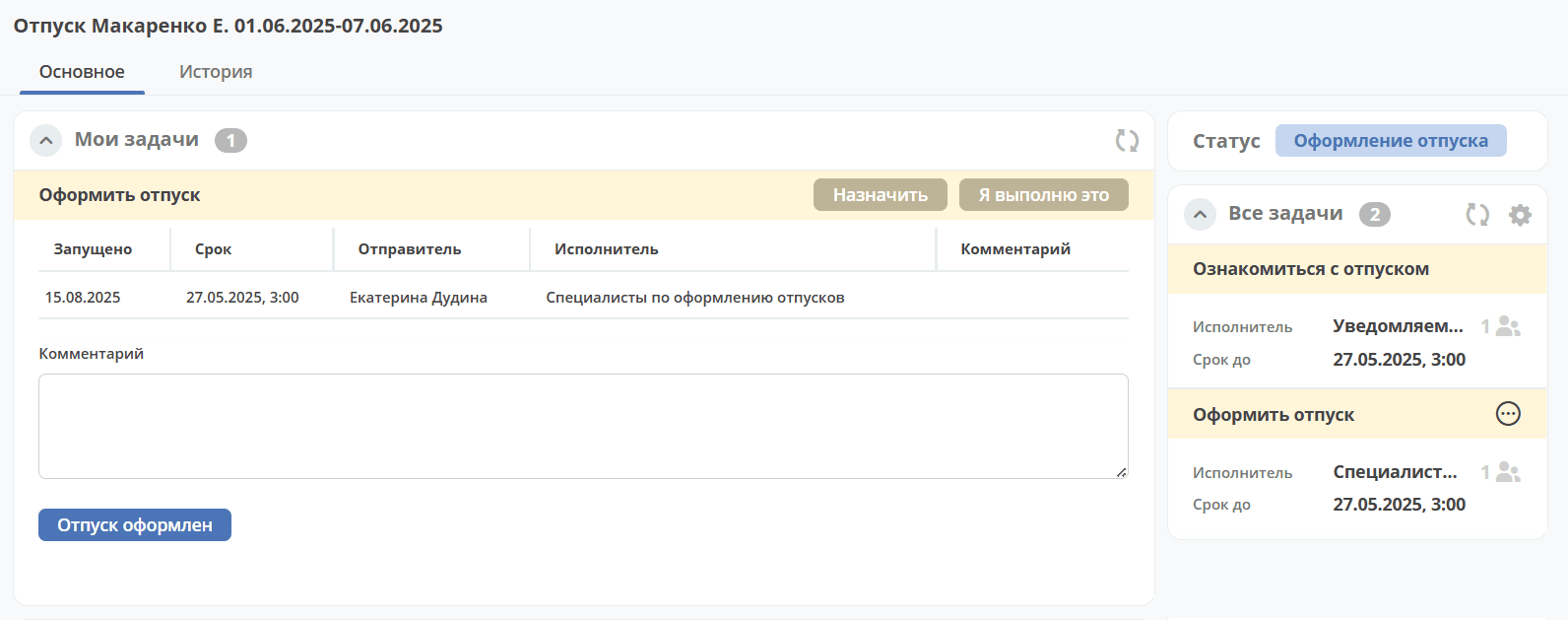
«Vacation Processed» - financial documents are prepared.
HR Notification Group
The task «HR Department Notification» is assigned to the group of HR specialists for preparing HR documents. In the «Vacation Processing» status, only one task completion option is available:
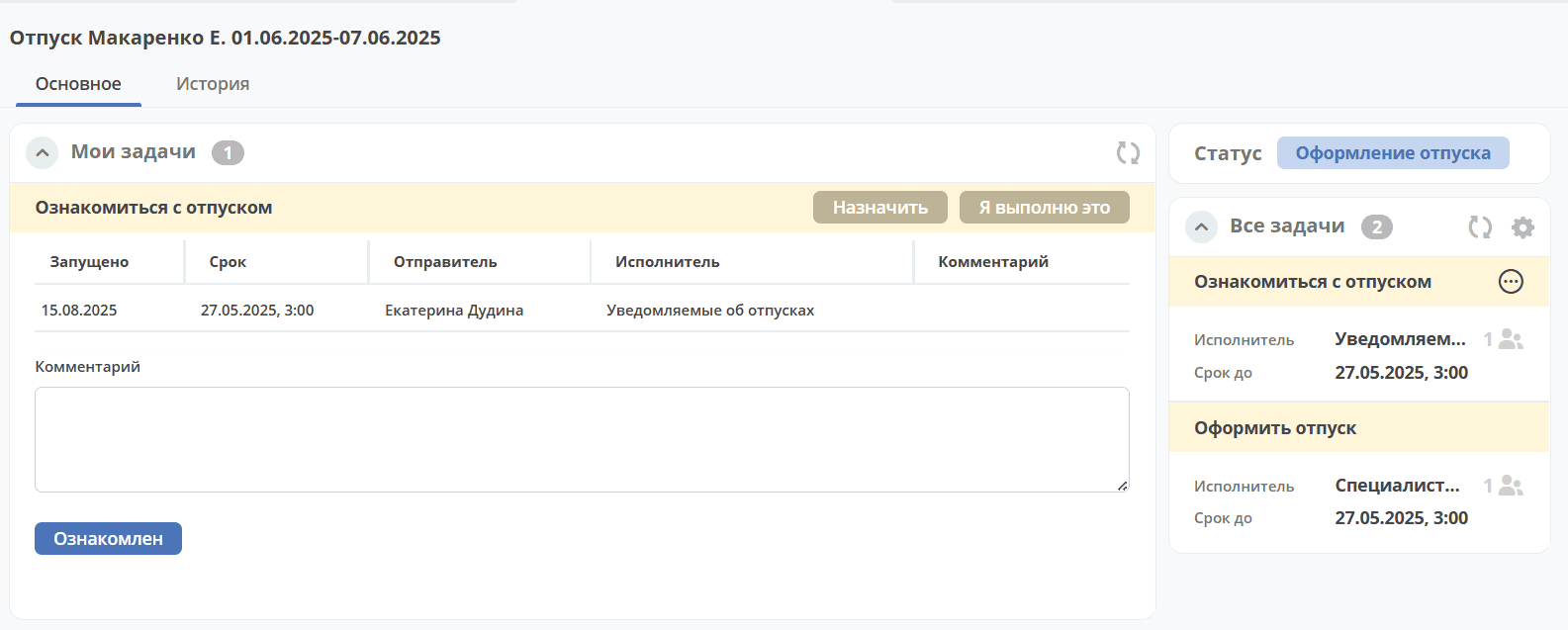
«Acknowledged» - HR documents are prepared.
The request moves to the «Closed» status when both tasks are completed.
Notifications
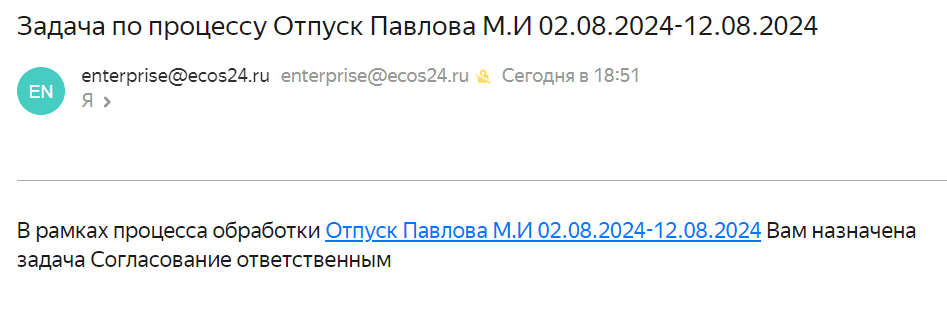
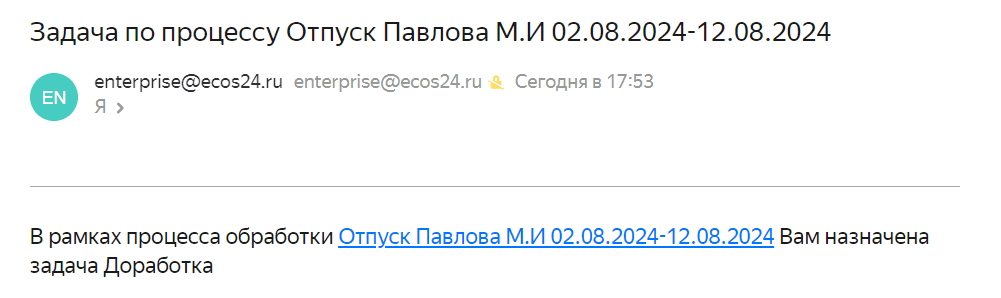
Standard notifications about task assignment. For example:
Create Assignment
An assignment can be created from the document card by selecting the action «Create Assignment». See details Creating an assignment from a card