Widget “Comments”
Key comments
A widget for displaying comments on a document.
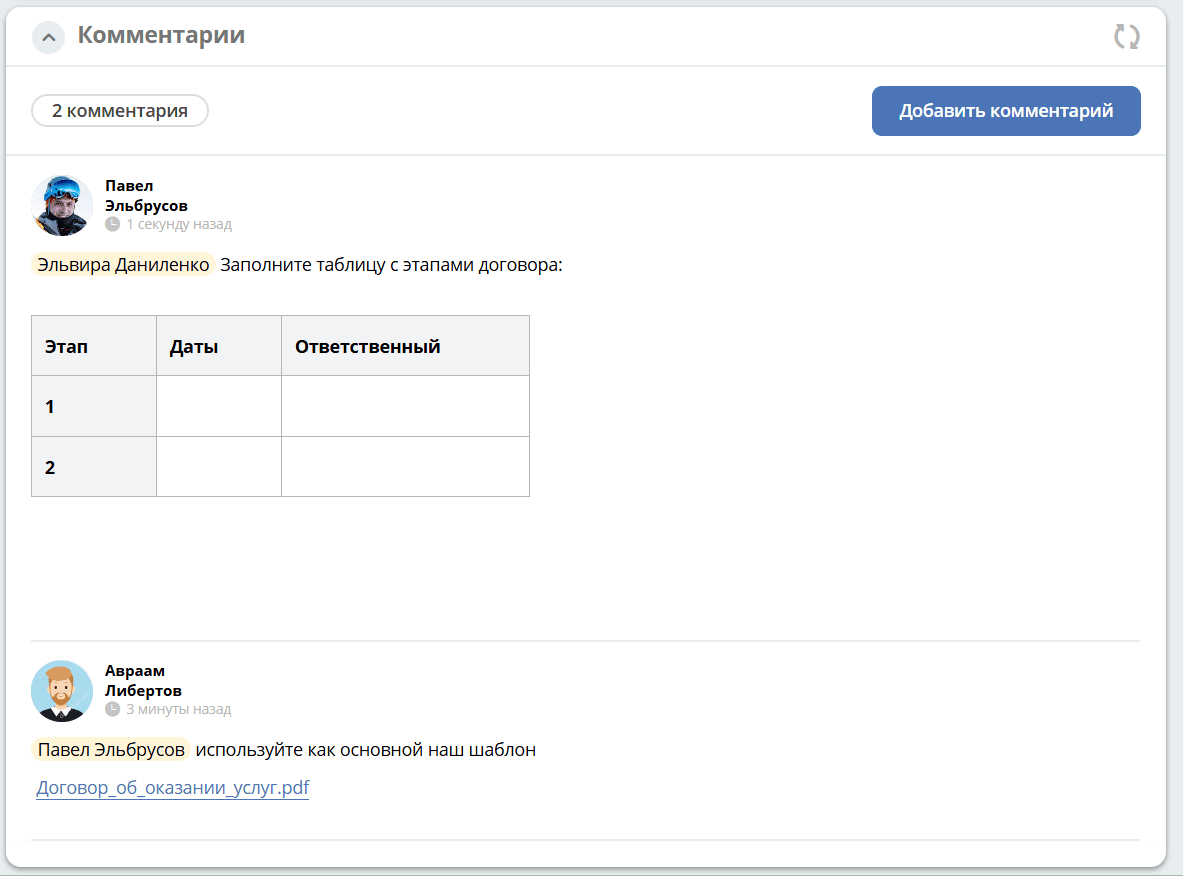
Posted comments |
|
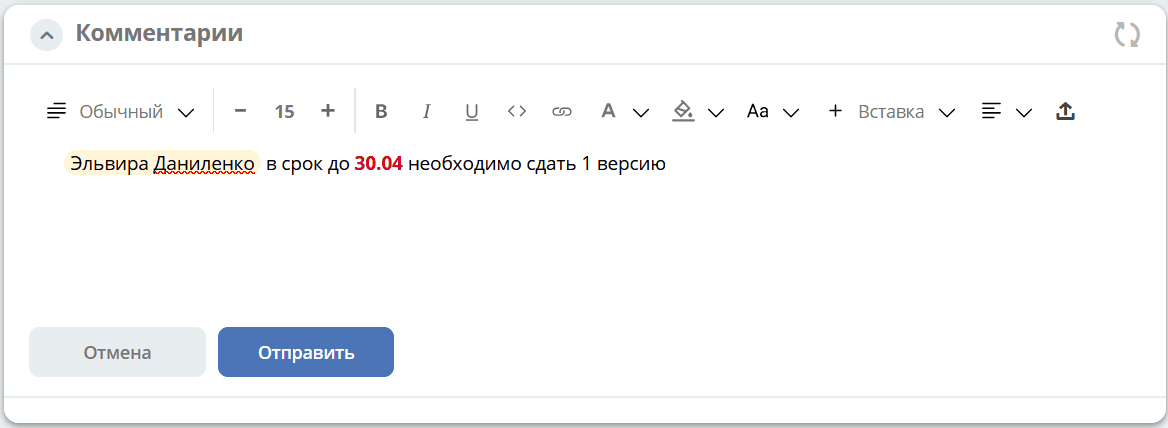
Comment input form: |
Text is entered using the visual editor, which supports not only text formatting but also inserting tables, code, links, and files.
To mention other users in a comment, use @.
|
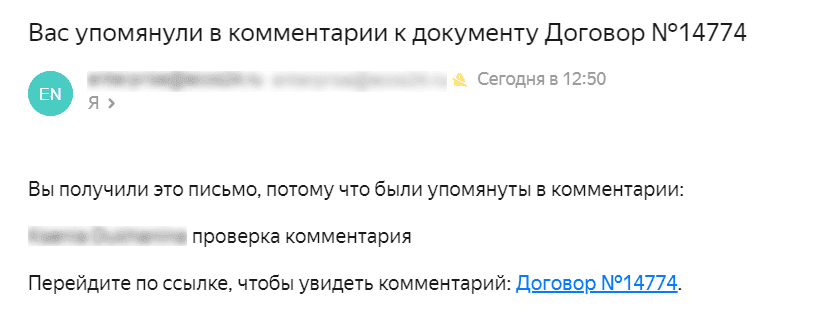
The mentioned user will receive an email in the following format:
The maximum number of characters in a comment is 5,000. Otherwise, an error will be displayed:

For details on separating users of different tenants.
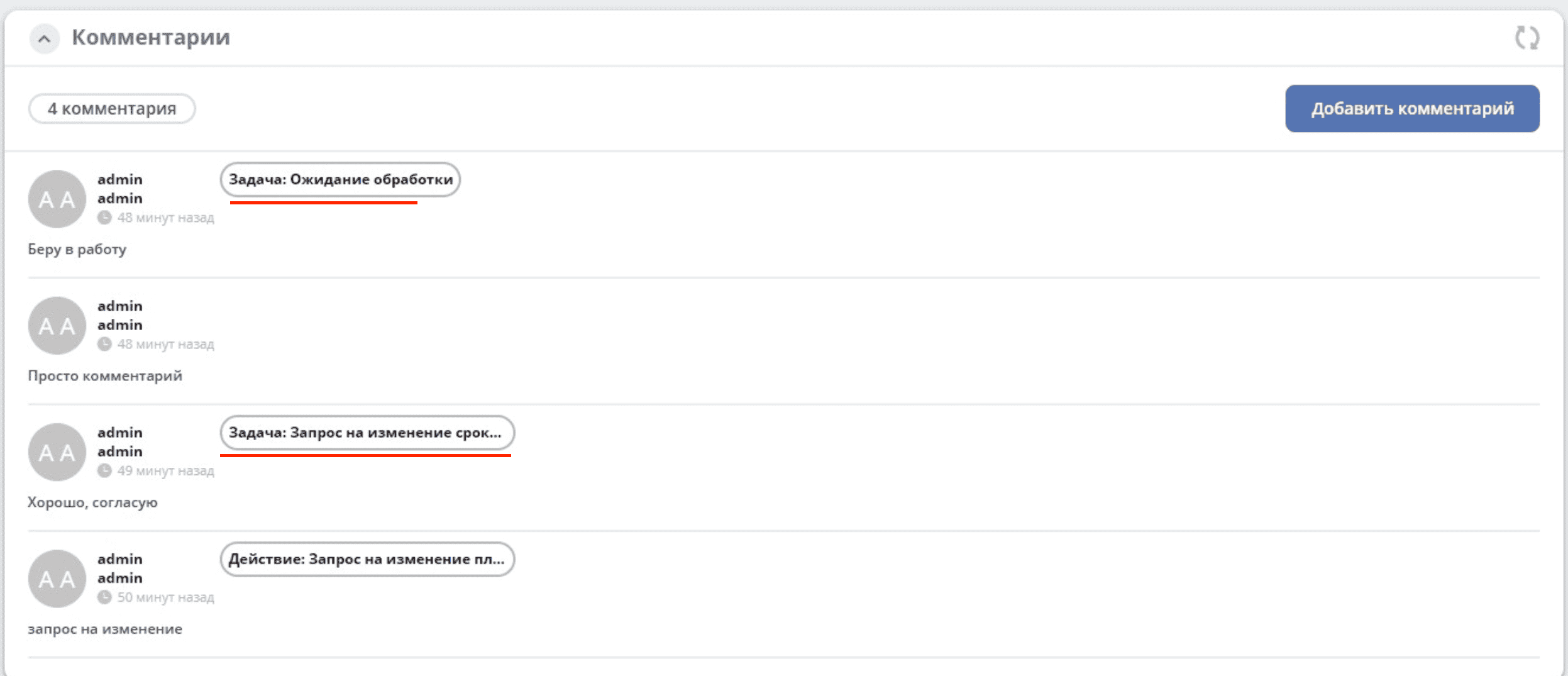
Broadcasting comments when completing a task
To enable broadcasting a comment entered during task completion into the comments widget, add the task-comments-broadcastable aspect to the data type.
Important
The comment input on the task form must be added with the id comment.
A comment added from a task is tagged with the task name.
To disable comment broadcasting from a task for a specific record, set the record’s task-comments-broadcastable:broadcastComments property to false.