Creating Artifacts in a Workspace
Basic no-code/low-code development tools are available directly within the shared workspace — without the need to switch to the administrator space.
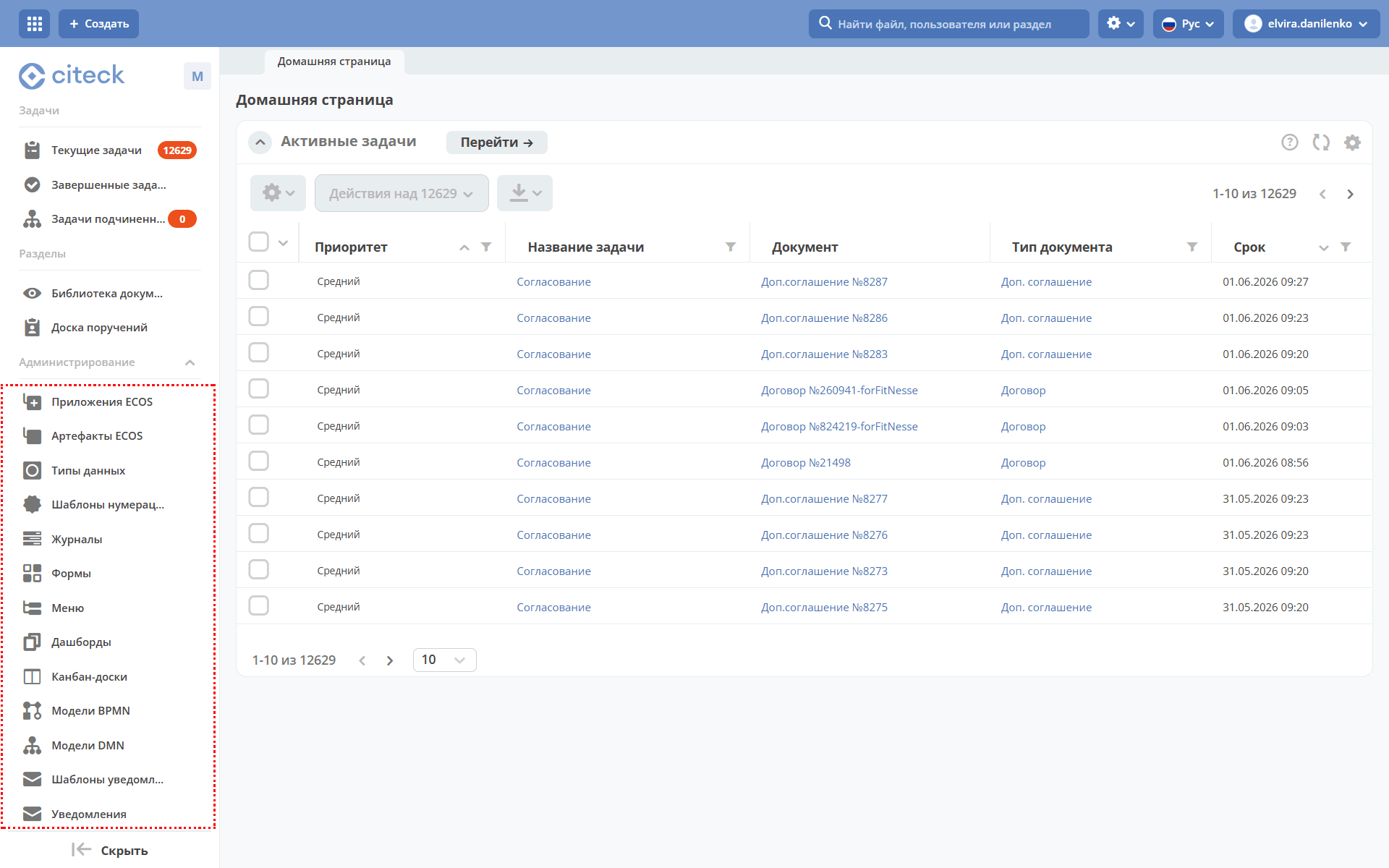
A user with the Manager role can create artifacts, the list of which is presented in the Administration section of the workspace:
Note
All artifacts created within a workspace remain available only in the workspace where they were created. If an artifact needs to be used in multiple workspaces, it should be created through the administrator space.
An example of creating the data type “Equipment Purchase Request”. |
|
An example of creating a numbering template. |
|
For example, a journal automatically generated based on the created data type. |
|
For example, a form automatically generated based on the created data type. |
|
Saved workspace menu configurations. |
|
Created dashboards. |
|
Created kanban boards. |
|
For example, the created BPMN model “Equipment Purchase Request”. |
|
Created DMN solutions. An example of including a decision table in a business process. |
|
Created notification templates. |
|
Sent workspace notifications. |
See the detailed example: Equipment Purchase Request.
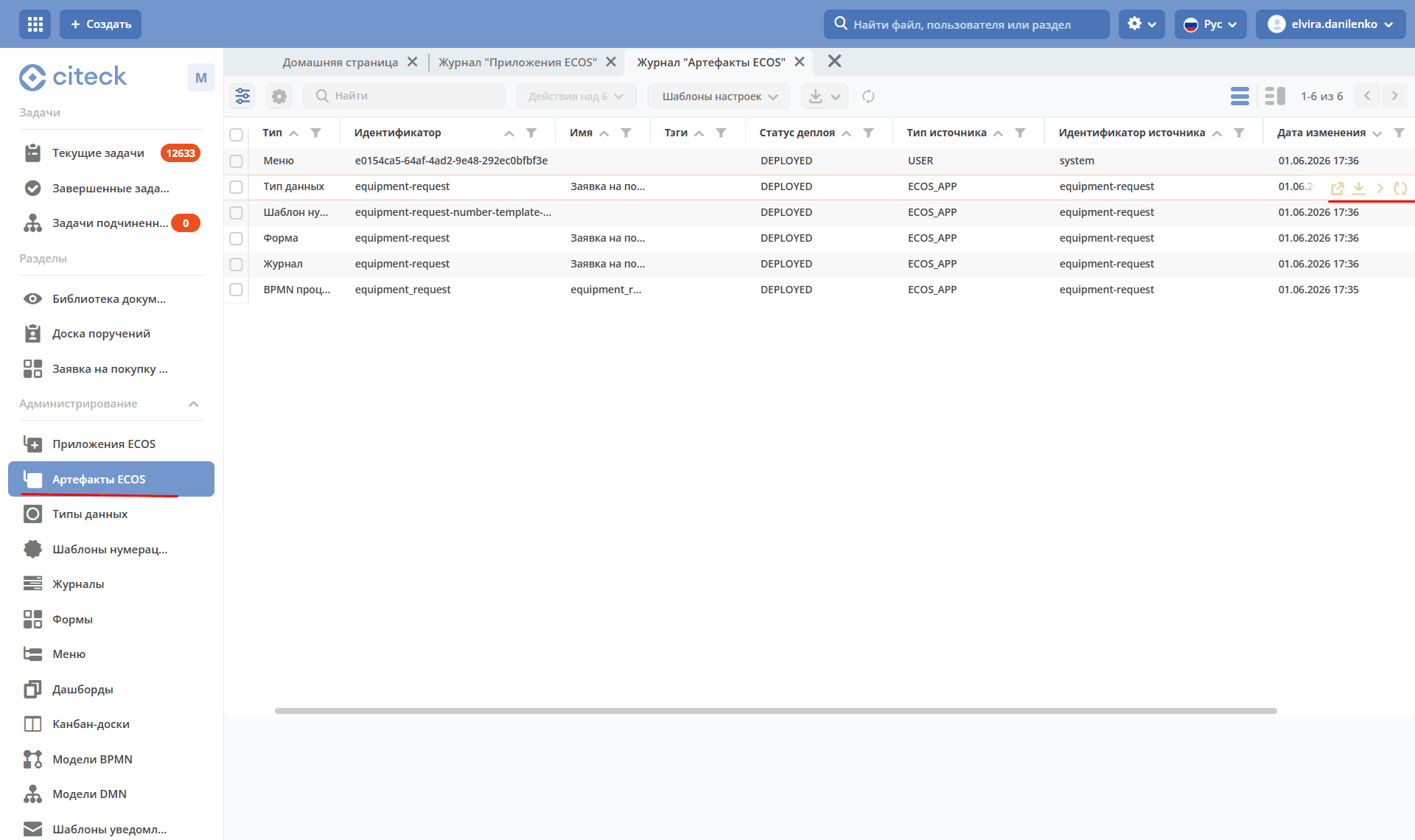
The ECOS Artifacts section is designed to manage locally created artifacts. This journal contains all artifacts that have reached the ecos-apps microservice.
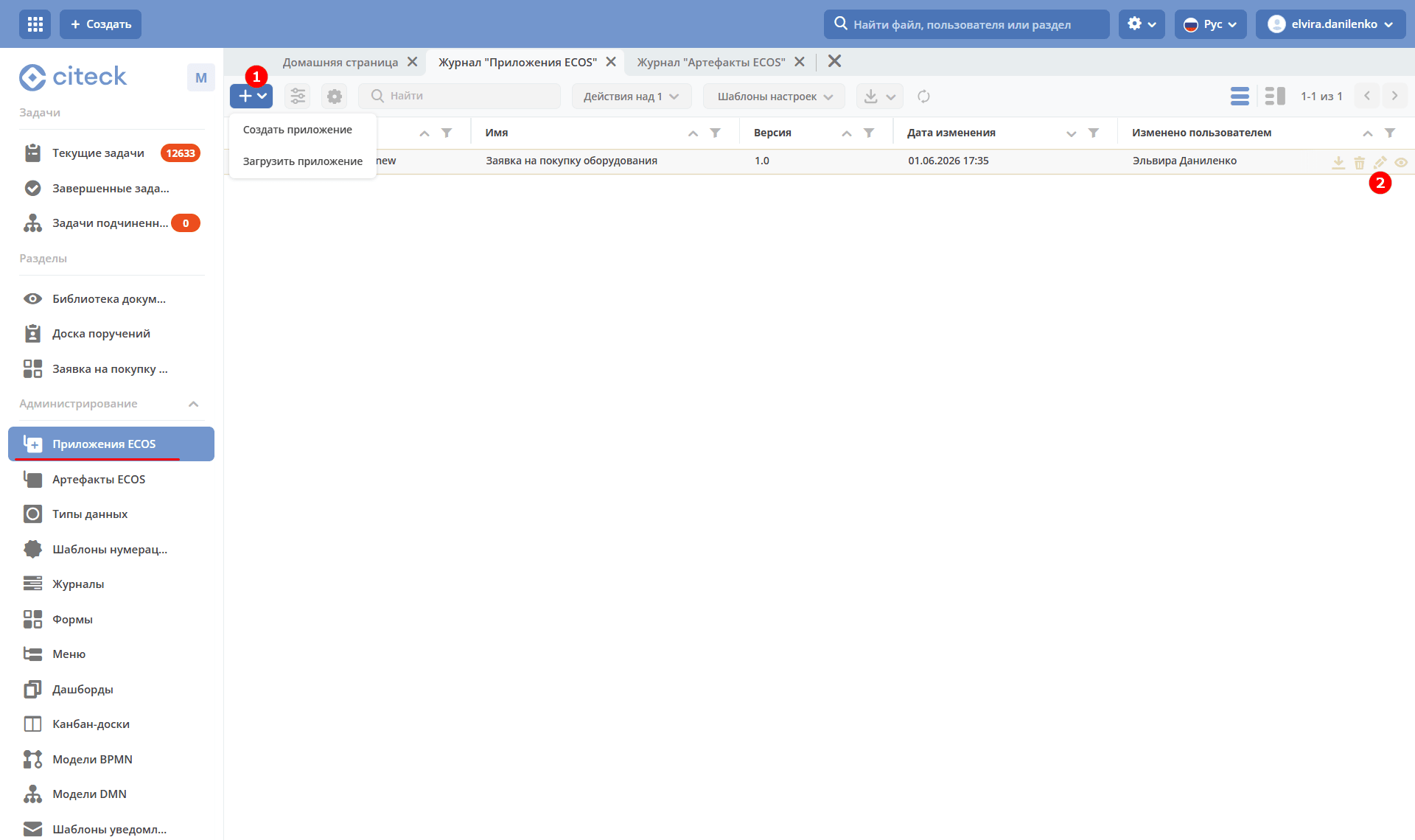
Created artifacts can be packaged as an application in the ECOS Applications section — for example, to place in a version control system or transfer to another environment. An application is a zip archive containing system artifacts: data types, forms, journals, and business processes.
In this section you can create (1), edit, and download applications (2).